The Document Foundation (TDF) is the charitable entity behind the world’s leading free/libre open source (FLOSS) office suite LibreOffice.
We are looking for an individual or company to implement automated ODF filter regression testing.
The default file format of LibreOffice is ODF, the Open Document Format. From time to time, there are regression bugs reported towards these filters, that involve loss of data. The respective unit tests do not provide sufficient coverage to prevent these regressions to happen.
The scope of this tender is:
- To implement an early warning system for such problems, to avoid them in the future and improve the overall quality of the software. As a recommended approach, we propose to use the ODFunDiff tool (https://git.libreoffice.org/odfundiff), which was developed specifically with the relevant functional and performance requirements in mind. Initial development of this tool was targetted towards LibreOffice 5.2/5.3, so updates to the code are likely necessary. Also, it may be necessary to fix some hypothetical additional non-determinism in LibreOffice, which was introduced in version 5.3
- Extend the crashtest report scripts (e.g. this one) with an additional report about ODF differences, which were detected during the 27,000 ODF roundtrips. This test should use last run’s ODF files as reference to compare against
- Raise and mention potential resource problems (like disk space) with existing infrastructure, e.g. the “crashtesting” virtual machine
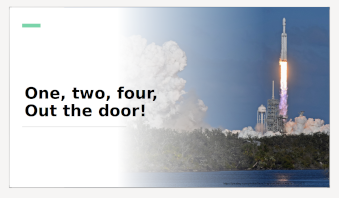
Further information can be found in this presentation from a past LibreOffice Conference.
All technology standards of relevance, as well as their targeted versions for this tender should be declared or defined in the offer’s description of implementation.
A key item of the deliverables for this tender, and therefore also a decision criteria – besides qualification, references, price, and completeness of fulfilment – is extensive documentation about the approach chosen to implement the above items, covering more than just the pure implementation. We expect bidders to provide documentation on both the code and the non-code parts of this tender, e.g. methodology, structure and technical aspects. The Document Foundation will publish this under a free and open source license and make it available to the general public.
Required skills
- Extensive knowledge of C++
- Experience working on the LibreOffice source code
Other skills
- English (conversationally fluent in order to coordinate and plan with members of TDF)
We use free, libre and open source (FLOSS) software for development wherever possible, and the resulting work must be licensed under the Mozilla Public License v2.0.
TDF welcomes applications from all suitably qualified persons regardless of their race, sex, disability, religion/belief, sexual orientation or age.
Bidders will get a preference for including a partner or independent developer who has not been involved in a successful tender before. For such developers, who have not yet been part of a successful tender bid, we aim on a best-effort basis, but without any guarantees whatsoever, to provide some mentoring in understanding the code base and the process in contributing to the code. We expect that time and efforts on the bidder’s side should not be part of the paid work for this tender. Please mention such need of LibreOffice development mentoring in your offer.
As always, TDF will give some preference to individuals who have previously shown a commitment to TDF, including but not limited to certified developers and/or members of TDF. Not being a member, or never having contributed before, does not exclude any applicants from consideration.
The task offered is a project-based one-off, with no immediate plans to a mid- or long-term contractual relationship. It is offered on a freelance, project basis. Individuals and companies applying can be located anywhere in the world.
When budgeting, we anticipated that this project (all items combined) to take in the region of 15 days of work. Should bidders’ assessment result in a significantly different number, please reach out to us before sending your bid, so we can clarify upfront.
TDF is looking forward to receiving your applications, your financial expectations offer in form of a fixed time fixed budget approach and the duration period for the implementation in calender weeks after the final reward of the tender, via e-mail to a committee at tender20210601@documentfoundation.org no later than June 30, 2021.
Applicants who have not received feedback by July 28, 2021 should consider that their application, after careful review, was not accepted.
All bidders are invited to ask their questions on this tender until June 23, 2021. Questions and answers will be made public in a collected and anonymized form.


 LibreOffice Conference Call for Papers is open until June 30, 2021. Thanks to the efforts of TDF infra team led by Guilhem Moulin, you can now submit your proposal using TDF brand new event management platform at
  Presentations, case studies and technical talks will discuss a subject in depth and will last 30 minutes (including Q&A), while Workshops will last 90 minutes (including Q&A). Lightning talks will cover a specific topic and will last 5 minutes (including Q&A). Sessions will be streamed live and recorded for download.