First batch of videos from openSUSE + LibreOffice Conference 2020

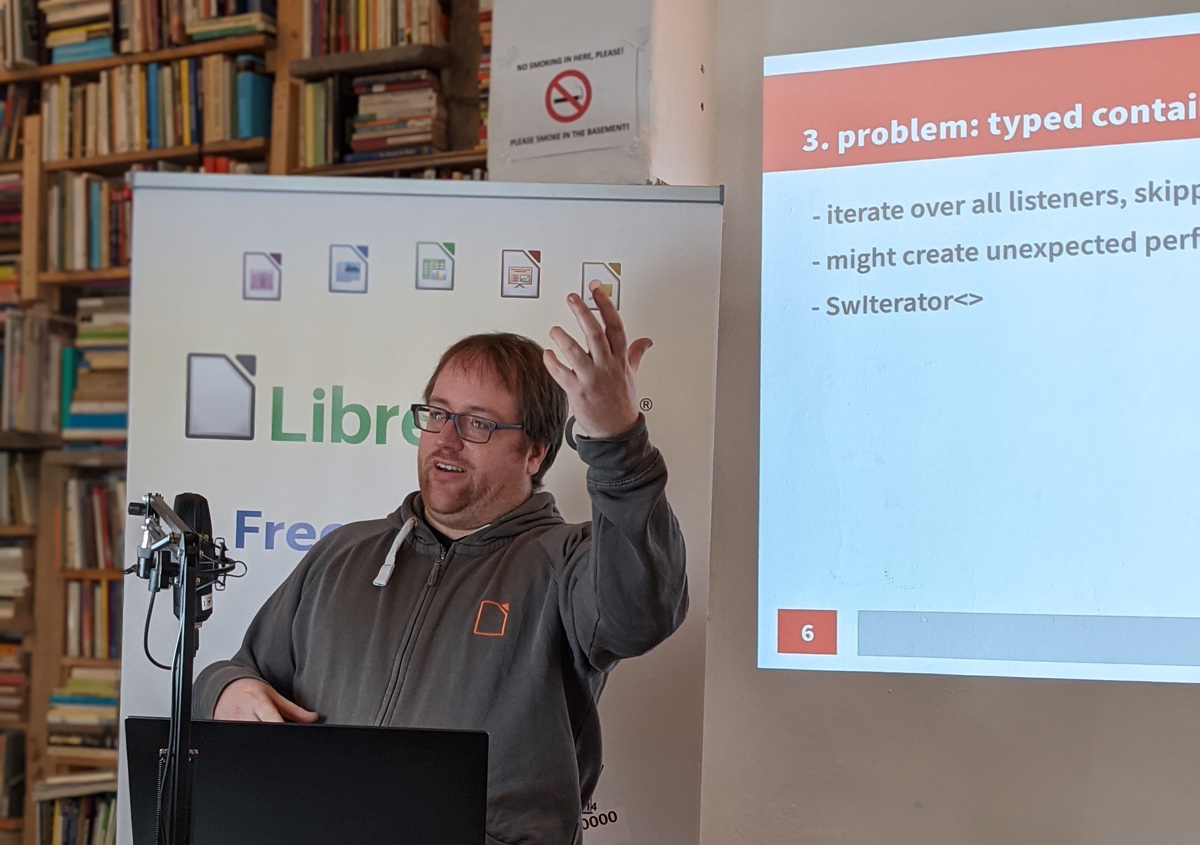
We’ve edited and uploaded the first batch of videos from our recent joint conference. Here’s the playlist – use the button in the top-right corner to switch videos:

Please confirm that you want to play a YouTube video. By accepting, you will be accessing content from YouTube, a service provided by an external third party.

YouTube privacy policy

If you accept this notice, your choice will be saved and the page will refresh.

Full list:

  • State of the Project (Italo Vignoli)
  • Bringing the Sidebars Online (Ashod Nakashian)
  • Revamping the Italian language support (Marina Latini)
  • Improving the User Experience of LibreOffice’s Website (Christine Louie)
  • Certification Workshop
  • Evaluation of new tooling for LibreOffice contributors (Ilmari Lauhakangas)
  • Growing the LibreOffice Japanese community under COVID-19 (Shinji Enoki)
  • Google Season of Docs Panel
  • Working with native/indigenous communities (Kuan-Ting Lin)
  • OOXML / PDF Digital Signing in Draw and elsewhere (Miklos Vajna)
  • Marketing Plan Workshop

And there are more to come – stay tuned to the blog! (We’re also uploading them to PeerTube too.)

Bug Hunting Session for LibreOffice 7.1 Alpha

LibreOffice 7.1 is being developed by our worldwide community, and is due to be released in early February 2021see the release notes describing the new features here.

In order to find, report and triage bugs, the LibreOffice QA team is organizing the first Bug Hunting Session for LibreOffice 7.1 on Monday October 26, 2020. Tests will be performed on the first Alpha version. Builds will be available for Linux (DEB and RPM), macOS and Windows, and can be installed and run in parallel along with the production version.

Mentors will be available from 07:00 UTC to 19:00 UTC for questions or help in the IRC channel #libreoffice-qa and the Telegram QA Channel. Of course, hunting bugs will be possible also on other days, as the builds of this particular Alpha release (LibreOffice 7.1.0 Alpha1) will be available until mid November. Check the Release Plan.

All details of the first bug hunting session are available on the wiki.

The Document Foundation announces LibreOffice 6.4.7

Berlin, October 22, 2020 – The Document Foundation announces the availability of LibreOffice 6.4.7, the 7th and last minor release of the LibreOffice 6.4 family, targeted at users relying on the application for desktop productivity. LibreOffice 6.4.7 includes bug fixes and improvements to document compatibility and interoperability with software from other vendors.

Enterprises are strongly recommended to source LibreOffice from an ecosystem partner, to get long-term supported (LTS) releases, dedicated assistance, custom new features and other benefits, including SLAs (Service Level Agreements): https://www.libreoffice.org/download/libreoffice-in-business/.

Developments done by ecosystem partners flows back into the LibreOffice project, and this represents an advantage for everyone.

LibreOffice individual users are supported by a global community of volunteers: https://www.libreoffice.org/get-help/community-support/. On the website and the wiki there are guides, manuals, tutorials and HowTos. Donations help us to make all of these resources available.

Availability of LibreOffice 6.4.7

LibreOffice 6.4.7 is immediately available from the following link: https://www.libreoffice.org/download/. Minimum requirements are specified on the download page. TDF builds of the latest LibreOffice Online source code are available as Docker images: https://hub.docker.com/r/libreoffice/online/.

LibreOffice 6.4.7’s change log pages are available on TDF’s wiki: https://wiki.documentfoundation.org/Releases/6.4.7/RC1 (changed in RC1) and https://wiki.documentfoundation.org/Releases/6.4.7/RC2 (changed in RC2).

All versions of LibreOffice are built with document conversion libraries from the Document Liberation Project: https://www.documentliberation.org.

Support LibreOffice

LibreOffice users are invited to join the community at https://ask.libreoffice.org, where they can get and provide user-to-user support. People willing to contribute their time and professional skills to the project can visit the dedicated website at https://whatcanidoforlibreoffice.org.

LibreOffice users, free software advocates and community members can provide financial support to The Document Foundation with a donation via PayPal, credit card or other tools at https://www.libreoffice.org/donate.

LibreOffice Math Guide 7.0 is Published

The Math Guide 7.0 is the first book published based on LibreOffice 7.0

The Documentation Team is happy to announce the publication of the Math Guide 7.0, the latest update of the guide based on the recently released LibreOffice 7.0, the best open source office suite ever.

Math Guide 7.0

The effort was mostly carried by Rafael Lima and reviewed by Jean H. Weber. The new guide covers were designed by Rizal Muttaqin and Drew Jensen. The final publication was carried by Olivier Hallot.

“I work as a university professor in Brazil and I often write papers and prepare presentations that involve mathematical models and notation, and for that I’ve been using LibreOffice Math for over a year. When I read about the Documentation Team on a TDF blog post and learned that the Math Guide needed a volunteer, I felt it was my chance to contribute back to the LibreOffice project” said Rafael Lima, leader of the project. “The experience was seamless and it has been a pleasure working with the Documentation Team. Now I am looking forward to continuing contributing to the project, not only with the Math Guide, but also in other publications developed and maintained by the team.” he added.

Rafael Lima

The new Math Guide is available at the documentation website at https://documentation.libreoffice.org and the source files are on the LibreOffice wiki at https://wiki.documentfoundation.org/Documentation/Publications#LibreOffice_Math_Guide

Happy documenting!

Tender to finish transition of LibreOffice to ODF 1.3 (ODF 1.3 delta) (#202010-01)

The Document Foundation (TDF) is the charitable entity behind the world’s leading free/libre open source (FLOSS) office suite LibreOffice.

We are looking for an individual or company to finish transition of LibreOffice to ODF 1.3 (ODF 1.3 delta).

This tender builds on the previous ODF 1.3 tender and aims to implement additional features.

The work has to be developed on LibreOffice master, so that it will be released in the next major version.


The following required features (section A) need to be implemented:

  • chart:data-label-series. Missing feature. It is needed for import from Excel.
    • Relevant bugs in TDF’s Bugzilla: #94235, #133176
    • OASIS reference: OFFICE-2117
  • chart:regression-moving-type. Implementation of types “center” and “average-abscissa” is missing. It is needed for interoperability with Gnumeric.
    • For this feature, there is existing code that can be extended.
    • Relevant bug in TDF’s Bugzilla: #133423
    • OASIS reference: OFFICE-3959
  • <text:index-entry-link-start> and <text:index-entry-link-end> in user-index. The link marks exist, but the function itself is not implemented.
    • For this feature, there is existing code that can be extended.
    • Relevant bug in TDF’s Bugzilla: #121842
    • OASIS reference: OFFICE-3941

The following are desirable features (section B):

  • draw:fill for background of pages. Attribute draw:background-size specifies whether a background fill covers the entire page or only the content area of the page. It belongs to element <style:drawing-page-properties>. ODF 1.3 has extended its use to all kind of pages. Some related bug reports have been set to “fixed”, but the problem is not completely solved, details in the bug report.
    • The respective attribute seems to get written by LibreOffice already. All Writer documents are now the entire page.
    • Relevant bug in TDF’s Bugzilla: #134734
    • OASIS reference: OFFICE-3937
  • draw:z-index more precise with increase from back to front. Problem needs to be solved too for cases when converting from docx to odt.
    • Relevant bug in TDF’s Bugzilla: #133487
    • OASIS reference: OFFICE-2122

The following features are nice to have (section C):

  • Wrong icon of master document template in Windows Explorer
    • Relevant bug in TDF’s Bugzilla: #133285
    • OASIS reference: OFFICE-2580
  • pivot table based on named range with local scope
    • The previous implementation didn’t work out. This is a rather complex task.
    • Relevant bug in TDF’s Bugzilla: #37268
    • OASIS reference: OFFICE-3665

The following features are purely optional (section D):

  • Adapt function wizard to the fact, that the second parameter of DCOUNT and DCOUNTA may be empty (i.e. optional)
    • This can be qualified as an “EasyHack”.
    • OASIS reference: OFFICE-3906
  • chart:coordinate-region. There is no help about this topic. There exists no option to not use this kind of position and size reference.
    • That feature was handled differently until OpenOffice.org 3.0, where the coordinates included the description, now they are without, i.e. the reference changed.
    • OASIS reference: OFFICE-3928
  • fo:min-height as attribute of draw:text-box. LibreOffice does not use that attribute and ignores it on file open. Missing feature.
    • That element seems to be written by Word, but likely not yet by LibreOffice.
    • OASIS reference: OFFICE-3735

The following feature is purely optional, and not trivial from a UX point of view (section E):

  • svg:stroke-linecap at object style vs draw:style in element. Implementation of draw:style is incomplete. Especially there is no UI to define a line style with round dashes.
    • Relevant bugs in TDF’s Bugzilla: #133499 (Implementation has error), #127509, #127348, #127266, #123349, #53276, #127207
    • OASIS reference: OFFICE-3742

Required skills

  • Extensive knowledge of C++
  • Experience working on the LibreOffice source code
  • Knowledge of the OpenDocument Format standard, particularly in version 1.3.

Other skills

  • English (conversationally fluent in order to coordinate and plan with members of TDF)

We use free, libre and open source (FLOSS) software for development wherever possible, and the resulting work must be licensed under the Mozilla Public License v2.0.

TDF welcomes applications from all suitably qualified persons regardless of their race, sex, disability, religion/belief, sexual orientation or age.

Bidders will get a preference for including a partner or independent developer who has not been involved in a successful tender before.

As always, TDF will give some preference to individuals who have previously shown a commitment to TDF, including but not limited to certified developers and/or members of TDF. Not being a member, or never having contributed before, does not exclude any applicants from consideration.

The task offered is a project-based one-off, with no plans to a mid- or long-term contractual relationship. It is offered on a freelance, project basis. Individuals and companies applying can be located anywhere in the world.

When budgeting, we anticipated that this project (sections A-E) to take in the region of 32 days of work.

TDF is looking forward to receiving your applications for one or more of the aforementioned tasks, your financial expectations and the earliest date of your availability, via e-mail to a committee at tender20201001@documentfoundation.org no later than November 10, 2020.

Applicants who have not received feedback by December 8, 2020 should consider that their application, after careful review, was not accepted.

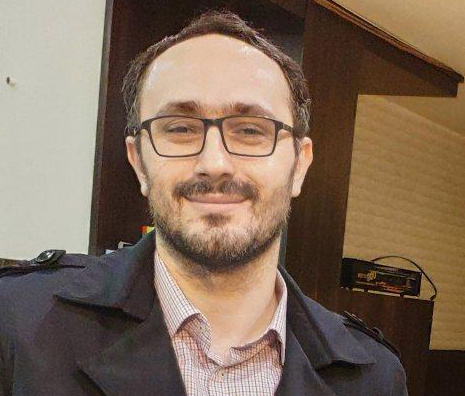
Community Member Monday: Marcin Popko

Today we’re talking to Marcin Popko, who is helping to grow the LibreOffice community in Poland…

Hey Marcin! Tell us a bit about yourself…

Hello! I’m from Bialystok, a city in north-east Poland. I work as an electromagnetic compatibility tester – it’s a seriously crazy and interesting area of electronics development. I’m quite an artist soul; in my free time I dance bachata and sing in a folk band called “Kurpie Zielone”. I also write a blog about dance, emotions and technology here.

What is the free software/Linux/LibreOffice scene like in Poland?

FLOSS (free/libre and open source software) has rather more awareness in geeky and technological domains, than in everyday normal life. LibreOffice is not well know among my friends – some of them are using Microsoft Office, and some of them are even using OpenOffice. So that’s my mission here: inform them 🙂 Companies use LibreOffice when they can’t afford Microsoft Office or when it’s not seriously needed.

You’ve recently been running Polish LibreOffice social media. How did that get started, and how has it developed?

If found a blog post about abandoned native language projects and social media sites, wrote an e-mail to the mailing list, and there I started working with Mike Saunders from The Document Foundation.

We couldn’t reach the the existing administrator of the old Polish LibreOffice fanpage, so we decided to create a new one. Then I also added a Twitter account. Step-by-step, I did surveys about our community, and I wrote articles on Polish technology sites about the current LibreOffice situation, like this one.

Then we reached 150 fans on Facebook, and I ran a sticker giveaway – thanks to Mike and TDF I can pass these stickers on to the community. We’ve also prepared a new official Polish LibreOffice site (the old one has corrupted download links).

Any tips for other people who want to start LibreOffice/FOSS social media in other countries/languages?

If you don’t know something, don’t be afraid to ask anyone from the LibreOffice community. People are helpful there and they redirect you to appropriate place if you get lost.

Many thanks to Marcin for his superb work and help! And for everyone reading this who wants to start (or expand) social media in more languages, get in touch and we’ll assist you along the way. You can gain valuable experience running social media, and of course it helps to spread the word about LibreOffice too!