Join the LibreOffice Team as a Paid Developer focusing on UI with initial emphasis on macOS, preferably full-time, remote (m/f/d)

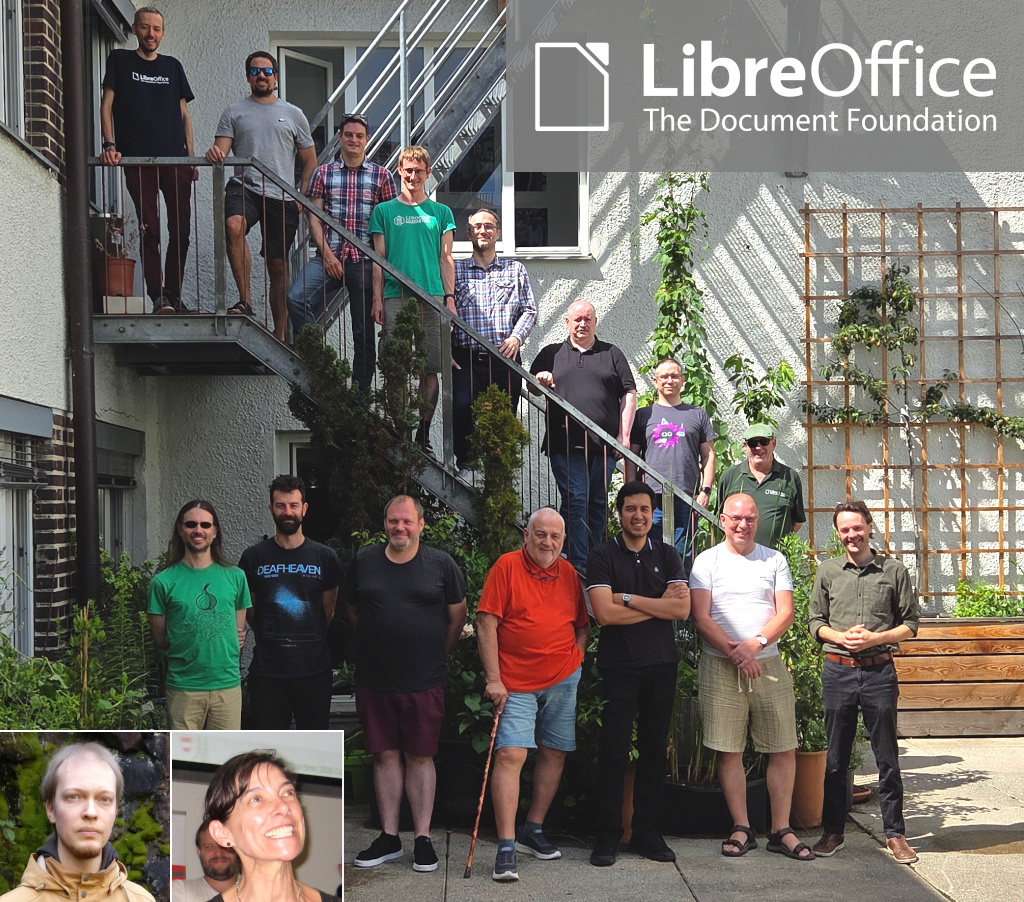
The Document Foundation's team

Love LibreOffice development? Want to turn your passion into a paid job? We are The Document Foundation (TDF), the non-profit entity behind LibreOffice. We’re passionate about free software, the open source culture and about bringing new companies and people with fresh ideas into our community.

To improve the user interface of LibreOffice, the office productivity suite for over 200 million users around the globe, we’re searching for a developer (m/f/d) to start work (from home) as soon as possible. This is what you’ll do:

  • Work on the LibreOffice codebase (mostly C++)
  • Focus on LibreOffice’s user interface, in the way it is rendered and laid out
  • Fix bugs, implement new features, and improve the quality of the UI code in LibreOffice while working together with the design team and other contributors
  • Document what you do, actively share knowledge in public with volunteers and contributors via blog posts, workshops and conference talks, so other developers and users have an easier time learning about your work

Examples of tasks:

  • Convert the remaining uses of macOS Carbon API to Cocoa and move from deprecated functions to supported ones
  • Rework the code responsible for the Tabbed UI and other alternative UIs to make it consistent with the rest of the UI

What we want from you:

  • Very good C++ development skills
  • Proven experience working on macOS
  • Proven experience working with UI toolkits
  • Good understanding of graphics programming
  • Good team-playing skills
  • Speaking and writing English

Previous development experience under Windows and Linux and contributions to FOSS projects (show us your repos!) are a plus. A previously established relationship within the developer community, as well as with other teams such as QA is a plus, but it is not mandatory at the start and can be achieved during the work itself.

As always, TDF will give some preference to individuals who have previously shown a commitment to TDF, including but not limited to members of TDF. Not being a member does not exclude any applicants from consideration.

Join us!

All jobs at The Document Foundation are remote jobs, where you can work from your home office or a co-working space. The work time during the day is flexible, apart from a few fixed meetings. The role is offered as full-time (ideally 40 hours per week). While we prefer full-time for the role, part-time applications, or proposals to grow the hours over time, will be considered. Candidates that are resident in (or willing to relocate to) Germany will be employed directly by TDF. Otherwise, external payroll services will be used if available in the candidate’s country of residence.

Are you interested? Get in touch! We aim to schedule the first interview within two weeks of your application. You can also approach us any time for an informal chat, to learn about the role or in case of questions.

TDF welcomes applications from all suitably qualified persons regardless of their race, sex, gender, disability, religion/belief, sexual orientation or age. Don’t be afraid to be different, and stay true to yourself. We like you that way! 😊

We’re looking forward to receiving your application, including information about you (your resume), when you are available for the job, and of course your financial expectations. Pointing to public repositories with your code is very helpful. Please send us an e-mail to developers@documentfoundation.org no later than September 12, 2025. If you haven’t received feedback by October 13, 2025, your application could not be considered.

Also note: we only accept applications from the applicant, and not from any intermediary. We do not accept agency resumes. Please do not forward resumes to any recruiting alias or employee.

LibreOffice for End User Privacy – TDF’s Annual Report 2024

TDF Annual Report 2024 banner

LibreOffice stands out as a privacy-respecting open source office suite. Unlike proprietary alternatives, the software is designed with privacy, user control and transparency in mind.

(This is part of The Document Foundation’s Annual Report for 2024 – we’ll post the full version here soon.)

Introduction

Concerns about end user privacy in the digital world have grown significantly over the past two decades, with increasing awareness of data collection, user tracking and online surveillance. Many proprietary applications, including office productivity tools, often collect vast amounts of user data, in most cases without clear user consent.

All this has been clearly documented by Shoshanna Zuboff in her book: The Age of Surveillance Capitalism, which is defined as a new economic strategy that uses the activities and experience of the individual as a free raw material for hidden commercial practices of extraction, prediction, profiling and selling.

In this context, open source software differs substantially because respect for the user and for privacy are part of the ethical principles that guide the development of all applications. And LibreOffice stands out as the only office suite – open source or not – that respects privacy. Unlike proprietary alternatives, LibreOffice is designed with privacy, transparency, and user control of content in mind. The software does not collect telemetry data by default, does not include intrusive tracking functions, and allows users to work completely offline.

The following is a list of LibreOffice features and settings which help ensure end-user privacy, making the software a preferred choice for individuals, businesses and government institutions that prioritise data security.

No data collection or telemetry by default

Infographic showing that LibreOffice doesn't mine your data

One of the most significant privacy benefits of LibreOffice is its lack of telemetry by default. Unlike proprietary office suites that constantly send usage data back to their developers, LibreOffice does not collect or send any personal data without the user’s consent.

  1. There are no background processes that track document usage, keystrokes or user activity.
  2. LibreOffice does not create a unique user ID or track document interactions like some proprietary office suites do.
  3. There is no built-in cloud storage requirement, ensuring that files remain on the user’s device unless manually uploaded elsewhere.

Optional telemetry with user consent

LibreOffice offers an optional telemetry feature, but it is entirely opt-in and requires explicit user consent. The collected data will only be used to improve the functionality of the software and will never be shared with third parties.

Full offline functionality

Unlike cloud-based office suites such as Google Docs, Microsoft 365 or Apple iWork, LibreOffice is a fully offline suite.

  1. No forced cloud storage: documents remain on the local computer, reducing the risk of unauthorised access.
  2. No dependence on an Internet connection: users can work in completely isolated environments.
  3. No third-party server involvement: documents are never stored on a corporate server unless explicitly uploaded by the user.

For security-conscious organisations such as government agencies, law firms and healthcare providers, this offline capability ensures that sensitive documents never leave the internal network.

Open Document Format (ODF) for privacy and transparency

ODF logo

LibreOffice uses the Open Document Format (ODF) as its default file format. Unlike proprietary formats such as Microsoft’s DOCX, XLSX and PPTX, ODF is an open standard, which means:

  1. It does not contain hidden tracking elements or embedded metadata that can leak user information.
  2. It guarantees the integrity of the data in the long term because the format is fully documented, and the documentation is publicly available. Furthermore, the documentation corresponds to the format currently used by the software, unlike what happens with Microsoft 365 where the documentation is stuck at 2008.
  3. It does not contain proprietary encryption mechanisms that could be exploited for surveillance or unauthorised access.

Control over metadata

Metadata can contain sensitive information such as: author details, document history, and editing timestamps. LibreOffice allows users to remove all metadata before sharing a document to ensure that private information is not inadvertently shared with external parties.

Strong encryption and password protection

LibreOffice provides robust document encryption to prevent unauthorised access. Users can protect their documents with strong passwords and encryption settings. This prevents unauthorised users from opening or modifying the file.

In addition, LibreOffice supports GNU Privacy Guard (GPG) encryption for users who require public key cryptography to secure their documents.

No cloud lock-in: freedom to choose storage

Unlike Microsoft 365 or Google Workspace, which force all users to store documents in their respective cloud ecosystems, LibreOffice allows full control over file storage. This flexibility ensures that no third party can access user data without explicit permission.

Users can:

  1. Store files locally on their hard drive or external storage.
  2. Use self-hosted cloud services such as Nextcloud or ownCloud for increased privacy.
  3. Store files on USB drives, encrypted partitions or private network servers.

Macro security and malware protection

Macros are often used in office documents for automation, but they can also be exploited to deliver malware. LibreOffice includes robust macro security settings to protect users.

  1. By default, LibreOffice blocks macros from untrusted sources.
  2. Users can only enable macros if they are signed with a trusted certificate.
  3. The security level can be configured to prevents malicious actors from using macros as an attack vector.

Transparency and open source code

One of the biggest privacy benefits of LibreOffice is its open source nature. Unlike proprietary office suites that operate as black boxes, LibreOffice’s source code is publicly available and regularly audited by the security community. This level of transparency and user control makes LibreOffice a trusted alternative to closed-source office suites.

  1. No hidden spyware: because anyone can inspect the code, LibreOffice cannot contain hidden trackers or surveillance tools.
  2. Independent security audits: governments, cybersecurity experts and researchers can verify LibreOffice’s privacy claims.
  3. No forced updates: users have complete control over when and how they update LibreOffice, avoiding unwanted feature changes or telemetry settings.

Conclusion

LibreOffice is the most privacy-conscious office suites available today. With no telemetry by default, full offline functionality, strong encryption, metadata control and open source transparency, it provides users with a secure and private environment for document creation and collaboration.

For individuals, businesses and governments concerned about privacy and digital sovereignty, LibreOffice is a reliable, free and ethical alternative to proprietary office suites.

As privacy concerns continue to grow in the digital age, LibreOffice remains committed to ensuring that users retain full control over their data: a core principle that sets it apart from many commercial alternatives.

Like what we do? Support the LibreOffice project and The Document Foundation – get involved and help our volunteers, or make a donation. Thank you!

LibreOffice Design team work in 2024 – TDF’s Annual Report

LibreOffice comment styles

Design has been one of the major focus points of LibreOffice in recent years. The design/UX community has continued to support QA by evaluating user reports on Bugzilla, helping development with mockups, and mentoring volunteers and students in different projects.

(This is part of The Document Foundation’s Annual Report for 2024 – we’ll post the full version here soon.)

Besides a large number of fixed issues on macOS thanks to Patrick Luby, and continuous work on the Navigator by Jim Raykowski, we had many more improvements – here is just a small selection:

Improvements in LibreOffice 24.2

The column/row for active cells can be highlighted in Calc (implemented by Sahil Gautam)

Active cell highlighting in LibreOffice Calc

Tools ▸ Options was complemented by a search feature (Bayram Çiçek)

Comment styles were introduced for quick and consistent formatting of all comments (Maxim Monastirsky) (depicted in the screenshot at the top of this post)

Improvements in LibreOffice 24.8

Bundled templates were refactored with localized placeholders (Laurent Balland)

New “Quick Find” deck in the Sidebar, which lists the search results along with their context (Khushi Gautam)

Quick Find deck in LibreOffice Sidebar

Formatting characters are now treated independently from fields and do not toggle with non-printable characters (Heiko Tietze)

“Keep Ratio” settings in the Position and Size dialogs are more intuitive now with a lock symbol and reference lines (Heiko Tietze)

Hovering over a layer’s tab in Draw highlights the objects it contains (Jim Raykowski)

Among many other improvements to the Basic IDE, a dialog was added that allows users to pick one of six syntax highlighting colour schemes (Rafael Lima)

Like what we do? Support the LibreOffice project and The Document Foundation – get involved and help our volunteers, or make a donation. Thank you!

LibreOffice Native Language Projects – TDF’s Annual Report 2024

TDF Annual Report 2024 banner

By helping to translate and market LibreOffice around the world, native language projects bring enthusiasm and passion to the global community. Here’s what they did in 2024…

(This is part of The Document Foundation’s Annual Report for 2024 – we’ll post the full version here soon.)

Armenian

In 2024, the Armenian translation of LibreOffice reached 100% thanks to the efforts of Tigran Zargaryan. The suite was offered in Armenian for the first time. In addition, he ensured that the strings in the LibreOffice UI-master, website, Android Viewer and Help also reached 100% translated.

In appreciation for Tigran’s work, TDF invited him to join the LibreOffice Conference 2024 in Luxembourg using the foundation’s travel support programme.

LibreOffice user interface in Armenian

Czech

Throughout the year, Czech speakers worked on keeping the translation of LibreOffice’s UI complete, and the Help content around 95%. They presented the software at booths at two events: InstallFest in Prague in April, and LinuxDays in Prague in October.

They supported LibreOffice users on the Czech Ask site, and maintained social media accounts including X (Twitter), Facebook and Instagram. They also introduced a new Mastodon account.

Czech speakers produced many translated user guides in 2024, including the Getting Started Guide 24.8, Writer Guide 24.2 and Impress guide 7.5. And throughout the year they maintained the Czech LibreOffice website.

LibreOffice booth at LinuxDays 2024 in Prague

Danish

Speakers of Danish brought the user interface translation of LibreOffice up to 100%, while the Help content approached 100% (that goal was finally reached two months into 2025). They also translated the subtitles for LibreOffice videos covering features in new major releases.

Dutch

Dutch-speaking community members supported users by answering questions on the Ask LibreOffice website and mailing lists. They also translated the following guidebooks: the Calc Guide for LibreOffice 7.6 (translated and published in January); the Writer Guide for LibreOffice 24.2 (March); the Calc Guide for LibreOffice 24.2 (June); the Draw guide for LibreOffice 24.2 (July); the Impress Guide for LibreOffice 24.2 (July); the Getting Started Guide for LibreOffice 24.2 (August); the Impress Guide for LibreOffice 24.8 (October); the Draw Guide for LibreOffice 24.8 (December); the Writer Guide for LibreOffice 24.8 (December); and the Math Guide for LibreOffice 24.8 (December).

On Weblate, the community managed to keep up with the changes of the UI, maintaining it at 100% translated. Although the Help content kept growing they were able to maintain it at 100% translated.

Community members also set up a stand at the NLLGG in May 2024 – a conference of the Dutch Linux community. There, LibreOffice users could obtain information and ask questions about LibreOffice, whether or not in conjunction with a Linux operating system.

They also had a stand at the LocHal open source event in November 2024 – another conference of the Dutch Linux community.

Finnish

There was ongoing translation of the LibreOffice user interface and (to a lesser extent) Help, along with ongoing recruitment of volunteers on the vapaaehtoistyo.fi online platform. In addition, there was translation of the upcoming LibreOffice website redesign.

LibreOffice on vapaaehtoistyo

French

Thanks to the French-speaking community, translations on Weblate were maintained at 100% for all versions of LibreOffice. There were also other translations: the new website (based on Hugo); Calc functions on the wiki; press releases and video subtitles for LibreOffice “New Features” videos; and release notes for all versions.

In terms of events, community members were present at Capitole du Libre (Toulouse) and Open Source Experience (Paris). There was also coordination with UBO University for LibreOffice guidebook translations by translator students.

German

In terms of translations and documentation, the German-speaking community continued their work on Weblate by translating LibreOffice’s user interface and Help content. They also translated the release notes for major updates of the software, blog posts from TDF’s English blog, and published videos in German showing and explaining various features in LibreOffice. In addition the German community updated the Base Guide for versions 24.2 and 24.8.

Development continued on the XRechnungs-Extension for the new German legal requirements (which became effective in January 2025).

Members of the German-speaking community attended various events throughout the year to promote LibreOffice and encourage more people to join the project, such as the Univention Summit 2024 in January, Chemnitz Linux Days 2024 in March, FrOSCon in August and 38c3 in December.

Finally, the community helped to raise awareness of the ongoing migration of 30,000 PCs to LibreOffice in the northern German state of Schleswig-Holstein.

LibreOffice at FrOSCon

Japanese

The Japanese community had its local annual conference, LibreOffice Kaigi 2024 Online – which they reported about on their blog.

There were also Online Study Parties, held twice, where users shared knowledge and interacted with each other. And then there were 44 online hackfests throughout the year, where participants worked together in the community to make progress on tasks and transfer skills. They mainly checked the Japanese Ask LibreOffice website and tried to answer questions, but also did some UI translation, and occasionally bug triaging and bug reporting. All online events were held on Jitsi and streamed live on YouTube.

Meanwhile, there were in-person events every month in Awaji, Osaka City. They were held jointly with Open Awaji, an event themed around open data and the movement to open cities. Other activities at events included having booths and open source conferences (Osaka, Tokyo, Nagoya, Hiroshima, Tokyo, and Fukuoka). There was also the Kansai Open Forum 2024, an event for open source and IT communities in the Kansai region that has been held annually since 2002. Attendees talked about LibreOffice.

Japanese community members participated in the LibreOffice Asia Conference 2024 and COSCUP (Taiwan), along with the openSUSE.Asia Summit 2024 (Tokyo).

Six people from Japan participated in the LibreOffice Asia Conference 2024 in Taipei, two of whom gave joint presentations. Many members of the FLOSS community outside of the LibreOffice project who participated in COSCUP also attended the LibreOffice Community Party.

In terms of translations into Japanese, the user interface was 93% complete, and Help content 48% complete. There were also guidebook translations (Writer, Calc etc.) – Meguro-san translated using TexTra, a machine translation service provided by NICT, a Japanese government research institute.

On Japanese Ask LibreOffice, 101 questions or comments were added in 2024, while on the blog, community members posted 19 articles; these mainly consisted of translating the English TDF blog, especially the release announcements. And finally, on social media, the Japanese LibreOffice X (Twitter) account had: 2936 followers and 65 posts, while on Facebook there were: 624 followers and 23 posts. The Japanese community has created a Bluesky account but has not yet started using it fully.

LibreOffice Kaigi 2024 - Screenshot of online session

Norwegian – Nynorsk

The Nyorsk project is led by one translator (Kolbjørn Stuestøl) who has maintained the user interface and Help content translations for LibreOffice at 100%.

Portuguese (Brazil)

One of the community’s key achievements was the publication of the Guia do Writer 7.6, a fully revised Portuguese translation of the Writer Guide 7.6, initially generated through machine translation and then carefully edited for linguistic accuracy and style. To streamline future translation efforts, the community launched a GitHub project utilizing the OmegaT computer-assisted translation tool, which integrates machine translation to reduce rework and improve quality control.

The local team — Tim Brennan, Tulio Macedo, and Olivier Hallot — successfully completed the full translation of both the user interface and Help content into Brazilian Portuguese. Rafael Lima contributed significantly by enhancing the Operations Research tools, commonly known as “Solver,” making them fully functional.

Weekly community meetings were held every Wednesday at 21:00 local time, providing a space to discuss all aspects of the LibreOffice environment and stay updated on developments from TDF.

The community also revamped the announcements for LibreOffice versions 24.2 and 24.8 with multimedia content tailored for Brazilian social media platforms, greatly expanding their reach — an effort led by Eliane Domingos.

Support and engagement remained strong across multiple channels, including active participation in the Brazilian Portuguese section of the Ask LibreOffice forum, two dedicated Telegram groups, Facebook and Instagram communities, and the ongoing translation of wiki pages, with notable contributions from Diego.

LibreOffice social media image in Brazilian Portuguese

Spanish

Spanish speakers worked on updating their translation of the LibreOffice Base tutorial book (by Mariano Casanova), reaching 80% translation status. 31 articles were published on the Spanish blog, and community members worked on updating the LibreOffice UI translation (99%) and Help content (around 80%). They also published various guidebooks: Draw Guide 7.6 (in ODT, PDF and HTML formats); Calc Guide 7.5 (in ODT, PDF and HTML formats); and the Math Guide 7.3 (in HTML format).

Tagalog

The LibreOffice Tagalog localization project was relaunched in April 2024 after it was discovered that a previous effort had been abandoned years earlier. Motivated by the opportunity to complete the project for the benefit of both the global and local community, a new initiative was launched with the goal of finishing the translation within a year.

Working closely with the LibreOffice localisation support community, the project followed a consistent schedule of weekly and monthly progress updates. A key focus was integrating and automating translations using three different AI language tools, which included implementing verification processes, suggestions, and comments to ensure quality.

Technical workflows were developed to compile developer edition translations on a bi-weekly basis using Linux Mint, with results verified and shared through best practices posts on a US-based technology blog. The project also drew on the support of Filipino relatives to better understand and incorporate the nuances of various Filipino dialects, enhancing translation accuracy and cultural relevance.

The translation work was completed ahead of schedule in January 2025 – four months earlier than planned. Fine-tuning continued with the help of the l10n support team to correct inaccuracies, particularly in the LibreOffice menus. (The screenshot below shows TDF’s Weblate instance being used to translate LibreOffice into Tagalog.)

In a further step toward community impact, the project began outreach to local contacts in Manila to share tools and methods used in the localization process, aiming to support similar efforts in K–12 education and non-profit business software across the Philippines.

Weblate interface showing LibreOffice being translated into Tagalog

Thank you to everyone

These are just some of the native language projects in the LibreOffice community, who provided summaries for the Annual Report. But there are many more – so we at The Document Foundation would like to say a huge thank you to everyone who in the native language communities. Your work makes LibreOffice accessible to hundreds of millions of people around the world, and your passion is wonderful. Thank you so much!

Like what we do? Support the LibreOffice project and The Document Foundation – get involved and help our volunteers, or make a donation. Thank you!

LibreOffice Marketing Activities – TDF’s Annual Report 2024

TDF Annual Report 2024 banner

In 2024, The Document Foundation and its global LibreOffice community undertook a variety of marketing initiatives aimed at increasing visibility, fostering community engagement, and driving adoption of LibreOffice

(This is part of The Document Foundation’s Annual Report for 2024 – we’ll post the full version here soon.)

LibreOffice and Open Source Conference 2024 in Luxembourg

A major highlight of TDF’s 2024 marketing activities was the LibreOffice and Open Source Conference, held from October 10 to 12 in Luxembourg. The annual event brought together contributors from around the world, including developers, designers, documentation writers, translators, and marketers.

Marketing efforts for the conference included:

  • A targeted social media campaign promoting the event’s location, speakers, and agenda.
  • Outreach to local technology communities and universities in Luxembourg to boost participation.
  • The creation of promotional graphics and materials highlighting the conference themes and goals.
  • Live updates and content shared across LibreOffice’s social channels to engage a remote audience.
  • The conference acted as a vital showcase of LibreOffice’s progress, community strength, and future plans.

LibreOffice Conference 2024 group photo

“Month of LibreOffice” Campaigns

Throughout May and November 2024, TDF organized its recurring “Month of LibreOffice” initiative. This campaign aimed to recognize and reward community contributors across various roles, including development, documentation, QA and marketing.

Participants who contributed during the campaign period were acknowledged through:

  • Special edition badges awarded digitally.
  • Public recognition via blog posts and social media.
  • Incentives like stickers and merchandise shipped to selected contributors.

This initiative not only celebrated existing contributors but also attracted new participants interested in supporting open source software.

Month of LibreOffice stickers

Launch of the LibreOffice Podcast Series

In November 2024, TDF launched its LibreOffice Podcast, a new platform to discuss topics related to LibreOffice and the wider world of open source software. The podcast aimed to:

  • Share success stories from migrations to LibreOffice.
  • Offer insights into FOSS marketing strategies.
  • Feature interviews with developers and community leaders.
  • Provide behind-the-scenes looks at the ongoing work within TDF.

The first episode focused on marketing strategies for FOSS, with discussions on how to engage institutions and governments in adopting LibreOffice.

Please confirm that you want to play a YouTube video. By accepting, you will be accessing content from YouTube, a service provided by an external third party.

YouTube privacy policy

If you accept this notice, your choice will be saved and the page will refresh.

Enhanced Social Media and Content Strategy

In 2024, TDF expanded and optimized its social media presence. Alongside its traditional platforms like Twitter (X) and Facebook, TDF increased its focus on:

  • Mastodon: engaging the open-source community on federated social platforms.
  • LinkedIn: Sharing professional success stories, including case studies on large-scale LibreOffice deployments.
  • Regular posting of blog content, including release announcements, tutorials, and community spotlights.
  • Short video clips and graphics to make content more accessible and visually engaging.

These efforts aimed to grow the project’s audience, particularly among decision-makers in public administration and enterprises.

Native Language Community Outreach

TDF placed a strong emphasis on supporting native language communities. The marketing team worked with volunteers worldwide to produce localized materials, including:

  • Press releases for new LibreOffice versions.
  • Social media templates and visual assets.
  • Brochures explaining the benefits of LibreOffice in local contexts.

Several regions ran independent marketing initiatives, including:

  • Nepal: workshops for students on using LibreOffice Writer to create professional resumes.
  • India: local events demonstrating LibreOffice’s potential for government offices and educational institutions.

Software Freedom Day participants in Nepal

Workshops, Training and Community Events

Throughout the year, TDF organized workshops and training sessions aimed at onboarding new users and contributors. These included:

  • Online training for translators and QA testers.
  • Regional events offering hands-on experience with LibreOffice migrations.
  • Webinars aimed at IT administrators exploring LibreOffice deployment in enterprise environments.

The Open Source Workshops helped public sector organizations understand the benefits of LibreOffice and how it can replace proprietary office suites.

Outreachy and Template Development

LibreOffice participated in the Outreachy program, with a focus on developing new templates for LibreOffice Writer. These templates included resumes, reports, and business documents aimed at improving the user experience and broadening appeal, particularly for users migrating from proprietary suites.

Marketing activities highlighted:

  • How templates increase productivity.
  • The contributions of new developers and designers participating in the Outreachy program.
  • The availability of these templates through LibreOffice’s website and community channels.

Media and Press Relations

TDF continued its media relations work, distributing regular press releases covering:

  • New LibreOffice releases and features.
  • Major migrations by organizations and governments.
  • Events such as LibreOffice Conference and Month of LibreOffice campaigns.

TDF’s press outreach focused on reinforcing LibreOffice’s position as a cost-effective, secure, and privacy-respecting alternative to proprietary office suites.

Download Statistics and User Adoption

The marketing efforts in 2024 yielded significant results:

  • Download Milestone: by the end of 2024, LibreOffice surpassed 400 million cumulative downloads since its inception in 2011, with an average of 28.6 million downloads per year.
  • Weekly Downloads: Weekly downloads approached 1 million, marking the highest figures since 2023.
  • Public Sector Adoption: The German state of Schleswig-Holstein announced plans to migrate 30,000 PCs to LibreOffice, aiming for completion by 2026.

Schleswig-Holstein moving 30,000 PCs to LibreOffice

Conclusion

In 2024, through conferences, campaigns, podcasts, and media outreach, TDF advanced its mission of promoting free and open source software while making LibreOffice more accessible and trusted around the world. These marketing efforts not only amplified LibreOffice’s visibility but also demonstrated the value of community-driven open source projects in delivering professional-grade software solutions.

Like what we do? Support the LibreOffice project and The Document Foundation – get involved and help our volunteers, or make a donation. Thank you!

TDF and LibreOffice website, blogs and social media – Annual Report 2024

TDF Annual Report 2024 banner

Our two main websites are vital sources of information for The Document Foundation and the LibreOffice software. We also use our social media channels to raise awareness about our work, share information and encourage new contributors to join us

(This is part of The Document Foundation’s Annual Report for 2024 – we’ll post the full version here soon.)

TDF website

The Document Foundation website provides general information about the foundation (overview, statutes, code of conduct, financials and reports) and its governance (board of directors, membership committee, members, advisory board, and engineering steering committee), and about LibreOffice certification, including a list of certified developers, and professionals for migrations and trainings.

During 2024, the foundation’s website was visited 98,499 times, with 146,456 page views – a slight reduction in visits but also a slight growth in page views from 2023. Continent-wise, the largest chunk of visits were from Europe (52%), followed by North America (24%) and Asia (16%). And regarding software: the most visits were from PCs using the Windows (65%) operating system, followed by GNU/Linux (10%) and macOS (8%) and devices uses Android (6.2%), while for browsers: Chrome had 39%, followed by Firefox (16%) and Microsoft Edge (15%).

Matomo graph of visits to the website

LibreOffice website

The LibreOffice website provides information about the office suite and the document format, the various download options, how to get help, how to contribute to the project, events where users can get to know the LibreOffice community, and how to make a donation to support the project and the community.

In 2024, we continued to make improvements and tweaks to the website, updating the “Discover” and “New Features” sections of the site to reflect new versions of the software.

During 2024, the English-language LibreOffice website was visited 19,298,517 times (a 0.6% gain over 2023), with 46,065,236 page views (a 0.1% gain). Most visits were from Europe (52%), followed by Asia (20%), North America (15%) and South America (9%), from PCs using the Windows operating system (82%), followed by macOS (6%) and Linux (23%). Regarding web browsers, Chrome was the most popular (41%), followed by Microsoft Edge (29%) and Firefox (13%).

Matomo graph of visits to the website

Blogs

TDF’s blogs (like this one) are essential for communicating activities inside and around the project, including new releases of LibreOffice, community events and support for other free and open source initiatives. In 2024, we used them to post regular interviews with community members and provide updates from team members about documentation, marketing, QA, design and more.

Photo of Ndidi Folasade Ogboi

Blogs were also maintained by various native language communities including Japanese, Spanish, German and others. Thanks to the hard work of community members, we had press releases, tips and other articles translated into many languages, and picked up by local media organisations.

These native language blogs complement the information provided by the main blog in English, and by the two blogs managed by members of the design and the quality assurance projects, which provide updates about activities for the upcoming major releases.
In 2024, the blog had 100,180 visits and 131,174 page views – a drop in both cases of around 30% from the previous year. The press releases for LibreOffice 24.2 and 24.8 were the most popular posts, followed by the posts about the German state of Schleswig-Holstein moving 30,000 PCs from Microsoft Office/365 to LibreOffice.

Social media

In January 2024, our X (formerly known as Twitter) account (@LibreOffice) had 63,060 followers; by the end of the year, we had grown this to 68,870. Our most popular posts were for major releases of LibreOffice, and news about migrations to the suite. We posted customised images for “Community Member Monday” interviews with short quotes, encouraging more users to get involved with LibreOffice projects.

In addition, we focused not only on our own posts, but also retweeting announcements from the LibreOffice community members. We liked and reposted messages of support from end users – many of whom were surprised and thankful that a large project would show them support. To keep the content flowing, we reposted popular older tweets, and responded to individual messages.

On other social media platforms, we focused on growing our account on Mastodon, a Twitter-like open source, federated and self-hosted microblogging service. In 2024 we worked more on expanding our activities on our account @libreoffice@fosstodon.org, and from January to December, we grew our follower base from 25,440 to 29,326. We also joined Bluesky in late 2023 thanks to invites from a community member, and by December 2024 our follower count had reached 2,900.

Screenshot of LibreOffice account on Bluesky

Our Facebook page growth was smaller, from 63,348 page followers to 64,239. We’ve noticed a gradual reduction in activity on Facebook over the last few years, which reflects its changing audience, and the move towards other social media platforms. Nonetheless, Facebook still provides a good opportunity to interact with end users of LibreOffice, and every day we checked in to answer questions, get feedback, and post announcements/tips about the software.

YouTube channel

Our YouTube channel grew from 20,638 subscribers and 3,243,107 video views in January 2024 to 22,586 subscribers and 3,534,370 video views by the end of the year. The most popular videos were the “New Features” videos for LibreOffice 24.2 and 24.8, and we also added videos of talks, presentations and workshops from the LibreOffice Conference 2024.

At the end of 2024, we posted the first video from the new LibreOffice Podcast series, where Italo Vignoli and Mike Saunders from TDF talked about the challenges and opportunities in marketing free and open source software like LibreOffice. More podcasts are planned for 2025.

Please confirm that you want to play a YouTube video. By accepting, you will be accessing content from YouTube, a service provided by an external third party.

YouTube privacy policy

If you accept this notice, your choice will be saved and the page will refresh.

Like what we do? Support the LibreOffice project and The Document Foundation – get involved and help our volunteers, or make a donation. Thank you!