
Writer Guide 7.6 is Ready for You!

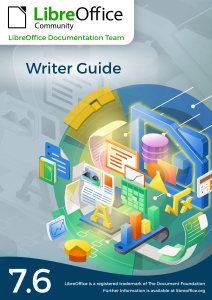
Cover of LibreOffice Writer Guide 7.6 Portrait photo of Jean H. Weber

Jean H. Weber (photo) and the Documentation Team are happy to announce the immediate availability of the Writer Guide 7.6, the latest update based on the recently released LibreOffice 7.6.

Writer is the word-processing application. It is compatible with a wide range of document formats including Microsoft Word (.doc, .docx), and you can export your work in several formats including PDF. Anyone who wants to get up to speed quickly with Writer will find this book valuable. You may be new to word processing software, or you may be familiar with another office suite.

The 7.6 Writer Guide incorporates the latest features including:

  • Themes management for better MS Word compatibility
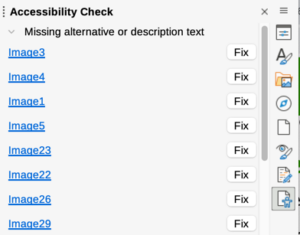
  • The Accessibility checker used to produce accessible documents
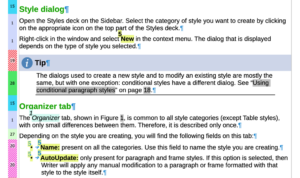
  • Styles Spotlight to assist user in the best practices in document editing with styles.
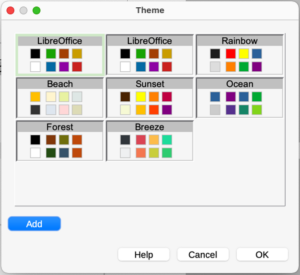
New theme selection dialog showing different colour palettes Screenshot of Style Highlighter in action, with coloured identifiers in the left margin Detail of the new Accessibility Sidebar, recommending to add alternative or descriptive text to pictures


The Writer Guide 7.6 is available in the Documentation Website as well as in the LibreOffice Bookshelf website and it includes the guides in HTML format for web navigation, as well as the traditional PDF, ODT and the printed version from LuLu Inc.

Happy Documentation!

LibreOffice project and community recap: August 2023

Recap logo

Here’s our summary of updates, events and activities in the LibreOffice project in the last four weeks – click the links to learn more…

  • We started August by posting the full version of TDF’s Annual Report 2022. The Document Foundation is the non-profit entity behind LibreOffice, and our report highlights community and project activities in the previous year. Check it out!

TDF Annual Report 2023 cover

LibreOffice guidebook covers

  • Our native-language communities use Weblate to translate LibreOffice’s user interface. Thanks to donations, The Document Foundation has been able to fund some Weblate improvements, to help all users.

Weblate logo

  • The Debian Project was officially founded by Ian Murdock 30 on August 16, 1993. The Debian Community celebrates its birthday, Debian Day, on this day each year. And we celebrated 30 years with them, as they are one of the organizations supporting the LibreOffice project since day one.

Debian 30 years logo

  • The biggest news in August was the release of LibreOffice 7.6, with a bunch of new features and updates. Many thanks to all community members, developers and ecosystem companies that contributed to this release! 😊

LibreOffice 7.6 banner

Fourth Edition of the LibreOffice Latin America Conference

Keep in touch – follow us on Mastodon, Twitter and Facebook. Like what we do? Support our community with a donation – or join us and help to make LibreOffice even better!

Announcing the Fourth Edition of the LibreOffice Latin America Conference

Latin America is a growing area for free and open source software.

The Latin American LibreOffice community announces the Fourth LibreOffice Latin America Congress, to be held at the Faculty of Engineering of the UNAM, Mexico City, on November 9th (Thursday) and 10th (Friday).

The congress brings together professionals, developers, academics and free software enthusiasts from all over Latin America. On this occasion we will have guests from Asia and Europe, to explore the progress, applications and perspectives of the LibreOffice project. There will be keynote talks, hands-on workshops and certification sessions with a wide range of topics, focusing on development, quality control, documentation and translation.

The activities and registration period will be communicated in the coming weeks through the event’s official website.

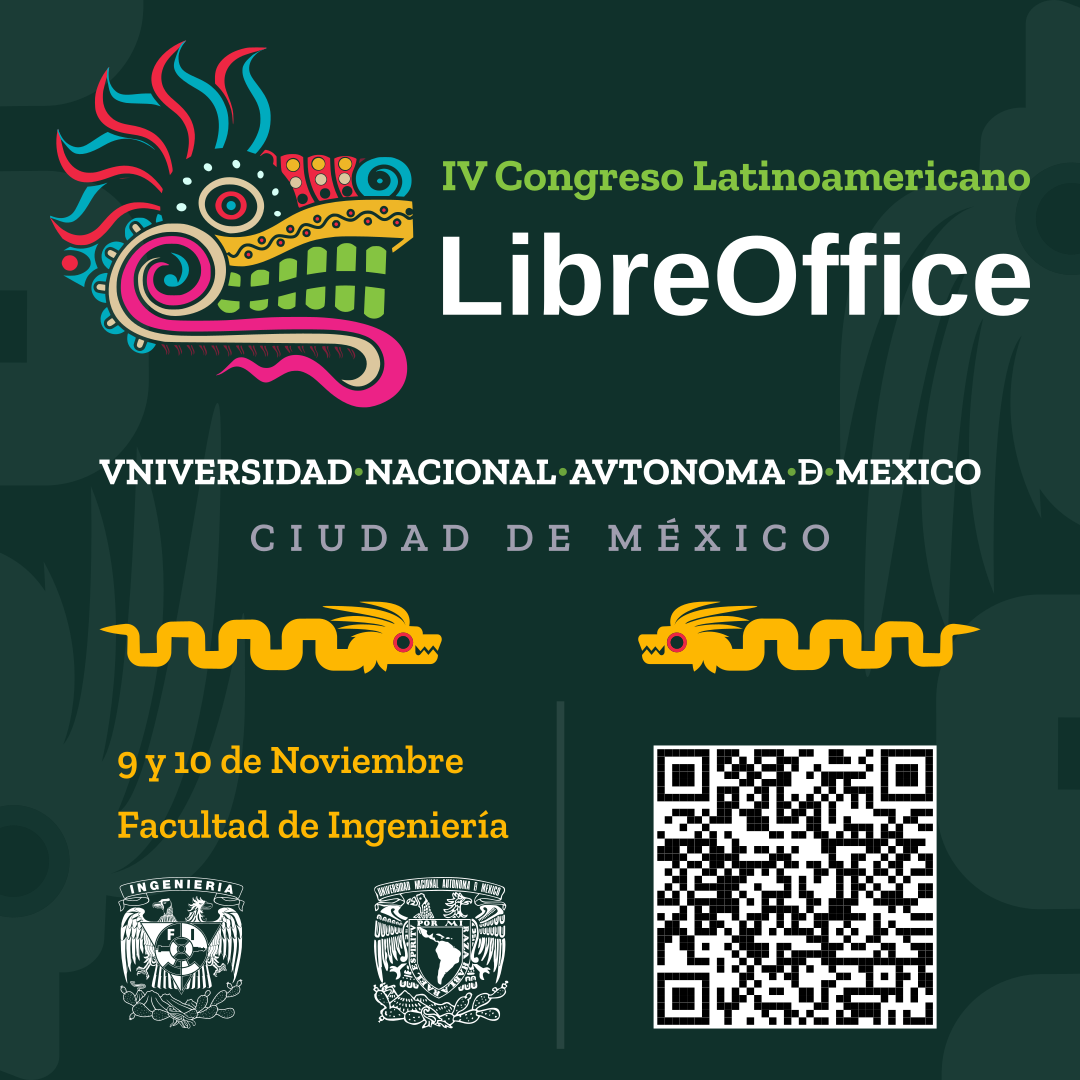
LibreOffice Latin America Conference logo

The members of the organizing team are Celia Palacios, Mauricio Baeza and Juan José Gonzalez from Mexico, Olivier Hallot (Documentation Team Coordinator), Gustavo Pacheco (Membership Committee member), both from Brazil, and Daniel Rodriguez from Argentina.

For the conference, they have proposed the logo above, based on the Quetzalcoatl and traditional Mexican colors.

Debian Day

The Debian Project was officially founded by Ian Murdock 30 years ago, on August 16, 1993. The Debian Community celebrates its birthday, Debian Day, on this day each year. And we celebrate with them, as they are one of the organizations supporting the LibreOffice project since day one.

Weblate (translation tool) improvements funded by TDF

Weblate logo

Weblate is a free and open source software (FOSS) translation tool, with version control features. It’s used by many projects around the world, including LibreOffice, Fedora and openSUSE, to assist their communities with translating user interfaces, documentation, and other aspects of software.

Because we in the LibreOffice project use Weblate, we wanted to contribute back and help to fund fixes and improvements. This is all possible thanks to generous donations from you!

The full list of changes is at the bottom of this blogpost, but as a summary: TDF funded improvements to the administration interface, making it easier to work with permissions, and filter by language when generating reports. A night theme was added (shown below), along with other cosmetic improvements, and it’s now possible for translators to explain why they reject a suggestion.

Weblate night/dark mode

All of these are available in Weblate 4.18 (the latest release) and future versions. And more are coming in Weblate 5.0, such as nested projects or project grouping and per-language translation workflow settings.

Thanks again to our donors for making this possible, and Sophie Gautier and Jan ‘Kendy’ Holešovský for ther help! And we can say to other FOSS projects looking for translating tools, we recommend Weblate 👍


Full list of improvements and fixes

  • #7205 – unchanged translation flag notwithstanding glossary term marked as untranslatable, fixed in 4.17
  • #5854 – Autofix Bangla/Bengali sentence ender to ।, fixed in 4.17
  • #5842 – Shortcut for suggest, fixed in 4.15
  • #4368 – Improved presentation of differences in machine translations, fixed in 4.18
  • #4160 – Allow to filter on language in reports, fixed in 4.17
  • #3242 – Ability to download all translation memory from a given project in a per-language basis, fixed in 4.17
  • #2241 – Search who translates the same language, fixed in 4.18
  • #2127 – Create Group Administration Permissions, fixed in 4.15
  • #1994 – Check if two different strings share same translation, fixed in 4.18
  • #1661 – Suggestion rejection reason: possibility of explaining why you reject a suggestion, fixed in 4.18
  • #2969 – Add night theme, fixed in 4.18
  • #5519 – Glossary import and export with explanations, fixed in 4.18

Double Gift for the Community: Impress Guide 7.5 and Draw Guide 7.5

The community documentation team is happy to announce the immediate availability of the Impress Guide 7.5 and Draw Guide 7.5. The guides are updated to the latest LibreOffice release as a community effort to keep our literature sharp and up to date.

Impress and Draw Guides

The double gift is brought to you by Peter Schofield with valuable contributions by Socks Eight, members of the documentation team.

The Impress Guide covers the main features of Impress, the presentations (slide show) component of LibreOffice. You can create slides that contain text, bulleted and numbered lists, tables, charts, clip art, and other objects. Impress comes with prepackaged text styles, slide backgrounds, and Help. It can open and save to Microsoft PowerPoint formats and can export to PDF, HTML, and numerous graphic formats. This book was written by volunteers from the LibreOffice community.

The Draw Guide introduces the main features of LibreOffice Draw. Draw is a vector graphics drawing tool, although it can also perform some operations on raster graphics (pixels) such as photographs. Using Draw, a wide variety of graphical images can be quickly created.

The guides can be downloaded or purchased in printed version from the Documentation website as well as the bookshelf project.

Happy reading!