LibreOffice 26.8 and the languages for which nobody is paid

The most significant new features in LibreOffice 26.8 concern writing systems, and it is worth explaining what has been done and, above all, why it has been done, as there is an important decision behind the developers’ work.

What has been done

Writer now automatically detects the paragraph direction when opening or pasting documents or plain text, without requiring the user to set it manually.
Spaces at the end of a line are positioned according to the paragraph direction rather than that of neighbouring characters, which corrects a long-standing issue with how line breaks are handled in mixed Arabic and Latin texts.

Object resize handles now work correctly in right-to-left CJK documents and in vertical documents.

Bidirectional control characters are displayed alongside other formatting marks, so that invisible directional substitutions can be both viewed and edited.

The semantics of paragraph alignment have been revised. New documents use justified alignment by default rather than left-justified, and changing the paragraph direction no longer overrides the explicitly set alignment. This is a small change with a significant impact, as a document written in Arabic and one written in English can now share a template without conflicting.

In Calc, when typing text from right to left into an empty cell, the direction of that cell is now set automatically.

LibreOffice Math has gained functions and operators for the N’Ko and Adlam alphabets, along with left-pointing vector arrows and harpoons for right-to-left formulas, without which mathematical notation in these two alphabets cannot be composed correctly.

Finally, the names of fonts registered in languages other than the interface language are now recognised, so that a document created in a Japanese or Russian installation is displayed using the fonts chosen by the author rather than substitute ones.

Why this is unusual

N’Ko is a writing system devised in 1949 by Solomana Kanté for the Mandingo languages of West Africa. Adlam was devised in the late 1980s by two teenage brothers, Ibrahima and Abdoulaye Barry, for the Fulani language, which until then had been written using adapted Arabic or Latin scripts – an inadequate solution. Both scripts run from right to left, are used by populations numbering tens of millions of people, and have been added to Unicode over the last twenty years.

Neither language represents a market. The native speakers concerned do not, as a whole, constitute a customer base large enough to justify the time spent on development based on a commercial analysis. No tender process, anywhere in the world, has led to the completion of this work. No corporate client has requested it. No competitive pressure has made it necessary.

The contributor who added support for N’Ko and Adlam to LibreOffice Math is a volunteer.

Much of the work on bidirectional text was carried out by a developer employed by The Document Foundation, which is funded by donations.

The renaming of the CJK text grid option, so that it correctly referred to the genkō yōshi handwritten grid used in Japanese typesetting, was carried out by a member of TDF’s staff.

Native support for OpenType font variations – which is of enormous importance for alphabets whose typography cannot be approximated by modifying the dimensions of a Latin character – was provided by a type designer working independently of any company.

A fundamental difference

Every software vendor must decide which users are worth serving: if the software is a product, the decision is made on the basis of a business case, and languages that cannot pay for themselves fall by the wayside.

A foundation does not have this constraint, and does not need to ask itself whether an alphabet justifies its development costs, as there is no revenue stream against which to make this choice. The work is carried out because someone with the relevant expertise has deemed it worthwhile, and there are no reasons to prevent it.

This is the practical difference between software managed by a foundation and that managed by a vendor, and it is evident in the release notes. LibreOffice is available in 120 languages for this very reason: the number is a consequence of the governance model rather than a marketing objective.

This explains why the argument in favour of open-source software in public administration is not a question of cost, because a public body has obligations towards citizens who do not represent a commercial interest: users of minority languages, users of assistive technologies, and people living in regions that no vendor prioritises.

Software developed on the basis of a business case will only serve these citizens if doing so is profitable. Software developed without a business case can serve them, as a matter of course and in line with the principles of open-source software.

The LibreOffice Conference 2026 begins!

Registration booth

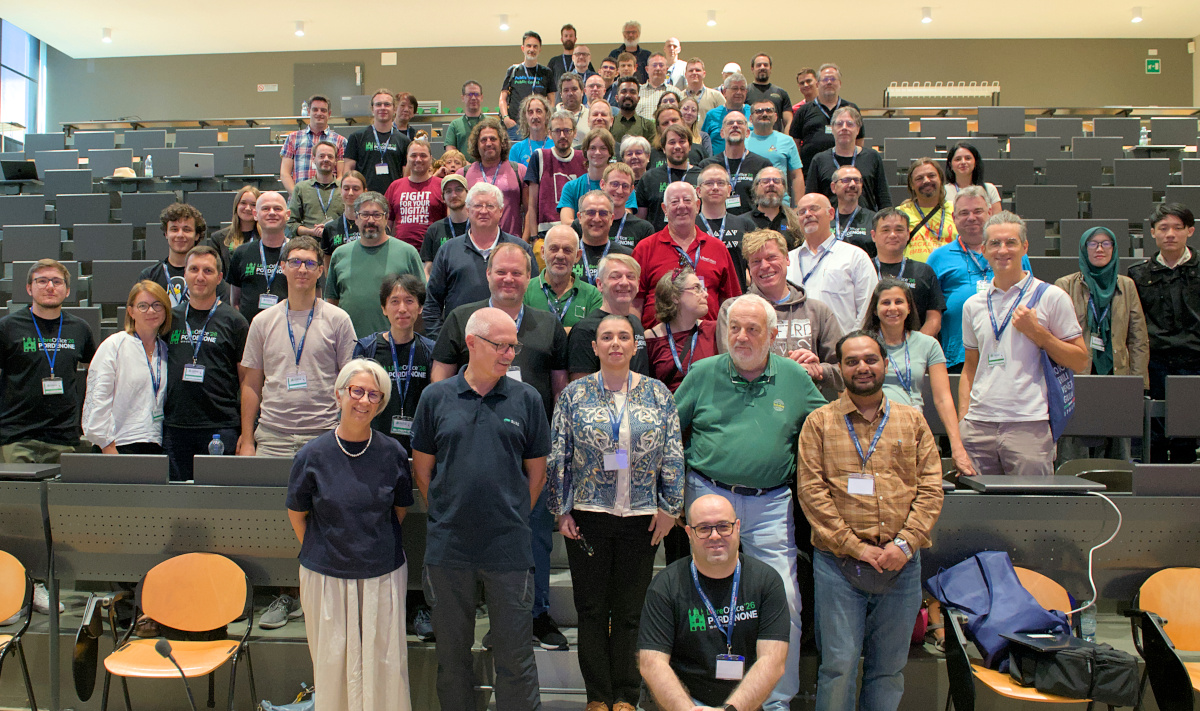
Yes, the LibreOffice Conference 2026 has started in Pordenone, northern Italy. If you’re attending in-person, we look forward to seeing you!

If you want to attend remotely, we will be live-streaming most sessions on the schedule (in track rooms 1 and 2) and making recordings of all. Find out more by following our communication channels, where we’ll post the streaming links as we go live:

Enjoy the conference, and a big thanks to the organisers for making it happen 😊

Auditorium

Community Member Monday: Tulio Macedo

Photo of Tulio Macedo

Tell us what you’re doing in the LibreOffice project, and other free and open source (FOSS) projects!

I’m a member of the Brazilian documentation team, officially since 2017. I spent most of that time working on translation and localisation, but lately I’ve been working more on web design, like the Bookshelf project and the online help update. I’d also worked on translation and localisation in other projects before, like the XOOPS CMS and the Fedora project, where I started as an ambassador back in 2008.

What are your professional activities and how do they relate to FOSS?

I’m a federal public servant in Brazil, and I’ve taken part in some initiatives to use free software in government, but I don’t make decisions at that level, so there’s little I can do to push the adoption of free software where I work. My personal use and choice of tools leans toward free software whenever there’s a choice, but there aren’t many choices.

What have you contributed recently in the LibreOffice project?

The online help update has been getting some attention, and I’ve been able to contribute to modernising it and using standards that are more accessible and responsive, along with a more modern look that has more appeal. We have a weekly meeting in the Brazilian community where we keep up with the team’s efforts, propose new ideas, and adopt workflows that help the project.

What is contributing like (what bits are easy or hard, with the tools and processes in the project)?

One thing that took me a while was getting past the initial barrier to contributing bug reports or submitting code via Git — every organisation has its own way of doing things, and some have more hurdles than others. Once you get past that initial barrier, things get a lot easier.

How do you interact with other members of the LibreOffice community (especially the Brazilian one)?

Our weekly meeting helps a lot with that — we talk regularly, and that goes a long way toward solving problems and bringing members closer together. We’ve had some in-person meetings at events like the conference held in Brasília in 2022 and some hackathons, and we plan to have more of these gatherings, which tend to be quite productive and enjoyable too.

What is your impression of LibreOffice as a product? Do you see it used in Brazil, in areas of the public and private sectors?

Personally, I’ve been using the suite since it was called StarOffice, when it was pretty much the only really useful office suite for Linux at the turn of the millennium. Then came OpenOffice, which in Brazil ended up being named BrOffice, and finally LibreOffice.

My honest opinion is that it’s the most complete office suite available on the market, and I’m glad it’s an open source tool, which is my preference for any software. These days I use office suites a lot less because of the tasks I usually do on the computer — it’s rarely necessary — but I still keep up-to-date, even through translating the help, which shows new features in LibreOffice to anyone who pays attention.

Join the LibreOffice community here!

LibreOffice talks at the Open Source Conference Luxembourg 2026

Open source conference Luxembourg logo

We’re gearing up for the LibreOffice Conference 2026 next week in Pordenone, northern Italy – but there are more events in the pipeline too.

At the Open Source Conference Luxembourg 2026, which takes place on October 7, there will be two talks from Florian Effenberger, Executive Director at The Document Foundation, around the topics of LibreOffice:

  • Why free software and digital sovereignty are made for one another
  • The Cyber Resilience Act and Open Source: where do we stand? LibreOffice’s conformity journey as a working example

Keep an eye on the conference website for more details and videos of the talks.

LibreOffice 26.2.6 is available for download

Berlin, 4 September 2026 – The Document Foundation today announced the release of LibreOffice 26.2.6, the sixth maintenance update to the LibreOffice 26.2 branch. Building on the major feature release published on February 4, 2026, this update delivers targeted bug fixes and stability improvements contributed by a global community of developers and QA engineers.

LibreOffice 26.2.6 is available for immediate download at libreoffice.org/download for Windows, macOS, and Linux.

List of fixes in RC1: Releases/26.2.6/RC1. List of fixes in RC2: Releases/26.2.6/RC2.

LibreOffice users, free software advocates and community members can support The Document Foundation and the LibreOffice project with a donation at libreoffice.org/donate.

Q&A — LibreOffice 26.2.6

Q: What is LibreOffice 26.2.6?

LibreOffice 26.2.6 is the sixth maintenance update to the LibreOffice 26.2 branch, released by The Document Foundation on 4 September 2026. It delivers targeted bug fixes and stability improvements over the major feature release published on 4 February 2026.

Q: When was LibreOffice 26.2.6 released?

4 September 2026.

Q: Where can I download LibreOffice 26.2.6?

From https://www.libreoffice.org/download/, for Windows, macOS, and Linux.

Q: Which operating systems does LibreOffice 26.2.6 support?

Windows, macOS, and Linux.

Q: What is the next version of LibreOffice after 26.2.6?

The Document Foundation will announce LibreOffice 26.8.1 on 17 September 2026, and LibreOffice 26.2.7 on 29 October 2026.

Q: Where can I find the full list of fixes in LibreOffice 26.2.6?

RC1: https://wiki.documentfoundation.org/Releases/26.2.6/RC1 — RC2: https://wiki.documentfoundation.org/Releases/26.2.6/RC2

Q: Who develops LibreOffice 26.2.6?

A global community of volunteer and professional developers and QA engineers, coordinated by The Document Foundation, the Berlin-based non-profit behind LibreOffice.

Q: How much does LibreOffice 26.2.6 cost?

Nothing — LibreOffice is free and open source software. Users and advocates can support the project with a donation at https://www.libreoffice.org/donate.