LibreOffice Macro Team: progress report

Macros help users to automate common tasks in LibreOffice. In September 2019 we announced a new team in our community to work on macro support. A progress report was published in November 2019, so let’s review everything that happened since then.

If you are interested in contributing to the macro team (development, testing or documentation), we’d love to hear from you – please send an email to ilmari.lauhakangas@libreoffice.org and we’ll get in touch.

Wiki docs

Thanks to Nathan Ullberg, many wiki articles previously only available in French can now be read in English as well. Nathan also updated existing articles and created an article about manipulating LineShape objects in Impress. Detailed lists of his work can be found on his wiki user page.

Alain Romedenne worked alongside Nathan with the macro articles and translations. He added LibreOffice Basic cheatsheets from Jean-François Nifenecker into the wiki and created a new article concerning input/output to screen with Python. Alain also started creating syntax diagrams for LibreOffice Basic.

Code contributions from macro team members

Andreas Heinisch:

Alain Romedenne:

  • Tests for VBA Enum statement, VBA Err object raise method and LibreOffice Basic Property Get/Set

Code contributions from honorary associate members

Mike Kaganski (Collabora):

Samuel Mehrbrodt (CIB):

Jan-Marek Glogowski (CIB):

Caolán McNamara (Red Hat):

Stephan Bergmann (Red Hat):

  • Various internal improvements to stability

Help content

Improved by Alain Romedenne:

Added by Alain Romedenne:

Improved by Mike Kaganski (Collabora):

Improved by Stephan Bergmann (Red Hat):

Thanks to everyone who worked on these tasks! Everyone is welcome to join our community and get involved – just email ilmari.lauhakangas@libreoffice.org and we’ll get back to you.

Improvements in LibreOffice’s PowerPoint presentation support

LibreOffice’s native file format is OpenDocument, a fully open and standardised format that’s great for sharing documents and long-term data storage. Of course, LibreOffice does its best to open files made by other office software as well, even if they’re stored in pseudo-“standards” with cryptic and obfuscated contents. Compatibility with PowerPoint PPT(X) presentations is therefore a challenge, but developers are working hard on improvements…

A few months ago, we announced an initiative to improve the support of PPT and PPTX files in LibreOffice. Lots of great work happened since then and the results are collected below!

Everyone is invited to participate in the PowerPoint support initiative, either in development or testing. If you are interested in joining, please send an email to ilmari.lauhakangas@libreoffice.org.


Import/export

Stephan Bergmann (Red Hat):

Speed up loading a PPT file with equation objects


Noel Grandin (Collabora):

Speed up loading a PPT file with equation objects


Miklos Vajna (Collabora):

Add PPTX import/export for semi-transparent shape text

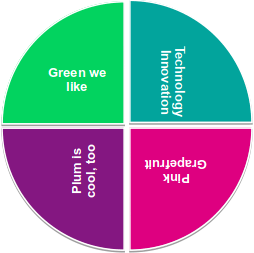
Transparent text before Miklos’s implementation
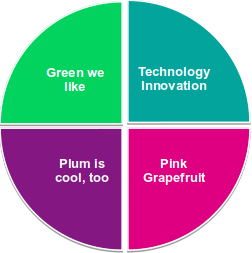
Transparent text after Miklos’s implementation

PPTX import: don’t set shape fill from the style in case the background fill is already set

Shape fill before Miklos’s fix
Shape fill after Miklos’s fix

PPTX import: fixed duplication of math objects

Math objects before Miklos’s fix
Math objects after Miklos’s fix

Tamás Zolnai (Collabora):

PPTX export: don’t change shape’s background transparency

Background transparency before Tamás’s fix
Background transparency after Tamás’s fix

PPTX export: don’t lose the gradient background fill of a slide

Gradient fill after Tamás’s fix

Xisco Faulí (TDF):

PPTX import: display shapes with washout mode

Shapes not displayed before Xisco’s fix
Shapes displayed after Xisco’s fix

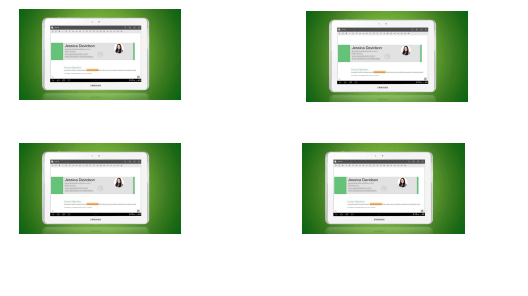
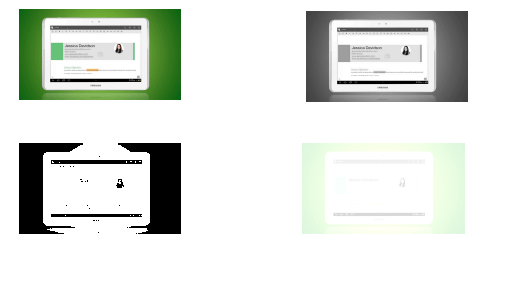
PPTX export: handle image colour/graphics modes correctly

Colour modes handled incorrectly before Xisco’s fix
Colour modes handled correctly after Xisco’s fix

PPTX import: don’t lose text highlighting in table cells

Text highlighting not displayed before Xisco’s fix
Text highlighting displayed after Xisco’s fix

PPTX export: save text highlighting

No highlighting before Xisco’s fix
Highlighting after Xisco’s fix

PPTX import: respect no fill colour for text

Text visible before Xisco’s fix
Text invisible after Xisco’s fix

Gülşah Köse (Collabora):

PPTX import: implement z-rotation of 3D text transformation

Text not rotated before Gülşah’s implementation
Text rotated after Gülşah’s implementation

PPTX export: preserve textbox rotation attribute

Text goes bonkers before Gülşah’s fix
Text stays put after Gülşah’s fix

Tamás Bunth (Collabora):

PPTX import: custom date as custom XTextField

Dates before Tamás’s fix
Dates after Tamás’s fix

Mark Hung (PPT/X team):

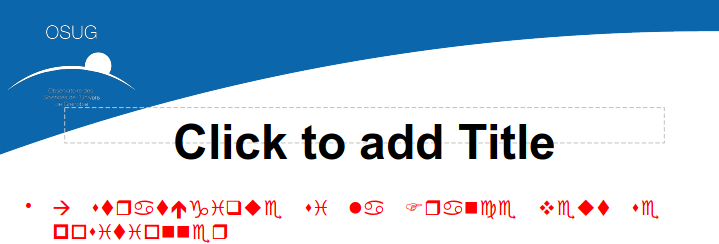
PPTX import/export: handle complex text properly

PPTX import: reset font settings, if necessary

Text before Mark’s fix
Text after Mark’s fix

Luke Deller (PPT/X team):

PPTX import: Fix IsTransparent() for unloaded graphics

Blue line not displayed before Luke’s fix
Blue line displayed after Luke’s fix

Housekeeping

Julien Nabet:

Save/restore locking properly in ImplSdPPTImport::Import

sd: prefix members of SdrPowerPointImport

cppcheck: fix 2 funcArgOrderDifferent


Various

Mike Kaganski (Collabora):

PPTX export: disable undo during save

Thanks to everyone for their great work!