International Translation Day

International Translation Day is an international day celebrated every year on September 30 on the feast of Saint Jerome, the Bible translator who is considered the patron saint of translators. The celebrations have been promoted by International Federation of Translators (FIT) ever since it was set up in 1953. In 1991 FIT launched the idea of an officially recognized International Translation Day to show solidarity of the worldwide translation community in an effort to promote the translation profession in different countries. This is an opportunity to display pride in a profession that is becoming increasingly essential in the era of progressing globalization. In line with the celebration of 2019 as International Year of Indigenous Languages, the theme for 2020 is “Finding the words for a world in crisis”.

We celebrate our community of translators, which is providing LibreOffice in 119 different languages (with other 26 hopefully becoming available in the future), more than any other software, fulfilling one of the most important objectives of The Document Foundation: “to support the preservation of mother tongues by encouraging all peoples to translate, document, support, and promote our office productivity tools in their native language”. Today, there are over 4 billion people in the world who can use LibreOffice in their native language, and this is an achievement which deserves a recognition.


openSUSE + LibreOffice Conference 2020 Diamond Sponsors

Collabora, SUSE and The Document Foundation are Diamond Sponsors for openSUSE + LibreOffice Conference 2020. The joint openSUSE + LibreOffice Conference 2020 will run from October 15 – 17, and will be fully virtual. LibreOffice and openSUSE advocates, supporters and contributors are invited to register now and take part! Although different from past conferences, the event will be rich in contents and will also provide the opportunity of open discussions in specific virtual spaces.

Collabora is one of the major contributors to the LibreOffice project: 37% of commits to the LibreOffice source code in the last two years were made by the company, which provides different products based on the LibreOffice Technology and targeted to enterprises such as a desktop and an online version with Long Term Support, plus mobile applications for Android and iOS.

Other conference sponsors are .riessapplications, datto, fedora and Tuxedo Computers, plus Admin and Linux Magazine as media partners.

Do not forget to register. We look forward to meeting you at the openSUSE + LibreOffice Conference 2020.

LibreOffice 10th Anniversary

Today is LibreOffice 10th Anniversary: it is a significant achievement for the project, and a date to remember for all community members.

We have created a video based on pictures of community members and a few events, in two versions: a long one, for blogs and websites, and a short version for social media.

Video LibreOffice Community 10th Anniversary (7 minutes): YouTube – PeerTube

Video LibreOffice 10th Anniversary Social Media (2 minutes): YouTubePeerTube

For Twitter, there is a MP4 version of the short video available on Nextcloud: Video x Twitter.

Get involved – Meet the TDF team

Joining a free and open source software project, such as LibreOffice, is a great way to build your skills, gain experience for future career options, meet new people – and have fun!

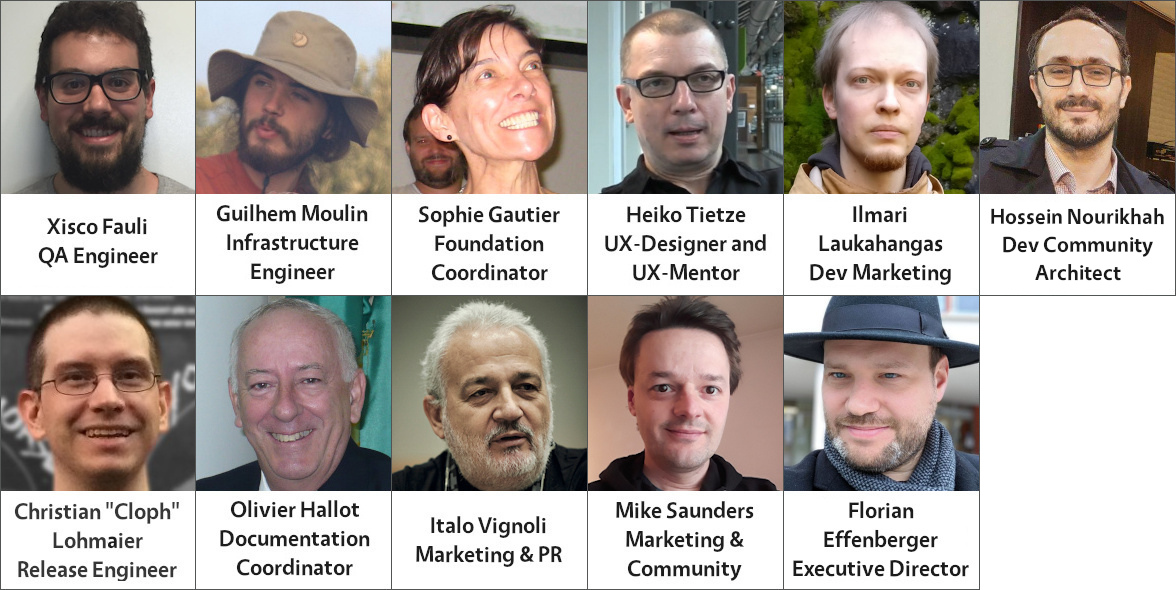
But sometimes, joining a large and well-established project can be a bit daunting at the start. So here we’ll introduce you to the small team at The Document Foundation, the non-profit entity behind LibreOffice. Most team members oversee certain sub-projects in the LibreOffice community – click on their names to learn more in interviews…

Note that this is just the team at The Document Foundation; the LibreOffice community is made up of hundreds of people! Most of the new features are implemented by developers in our ecosystem and volunteers.

Now that you know who we are, click here to get involved and join our projects!

Documentation Team Status

By Dave Barton

In recent times, the very small LibreOffice Documentation Team has been making real progress in revising and updating the user guides:

Release 6.4

Release 7.0

Calc Guide Published Work in progress
Base Guide Published Work in progress
Draw Guide Published Work in progress
Impress Guide Skipped Work in progress
Math Guide Published Awaiting volunteer contributors
Writer Guide Published Awaiting volunteer contributors
Getting Started Guide Published Awaiting volunteer contributors

While this progress in shortened documentation development time is fairly good, it can be substantially improved by having more contributors on the team.

It would be terrific if all contributors were a skilled technical writers, but in reality anyone with a reasonable command of the English language and an eye for detail can make a valuable contribution. No contributor is expected to rewrite entire guide books, although some of our most experienced, long term contributors do exactly that. In fact nothing is expected or demanded of any contributor, other than to let other members of the team know what they what they have chosen to work on.

In some cases, that might be to update a chapter of an existing guide, or reviewing the work of another team member. Reviewing can take the form of proof reading, or researching the accuracy of the guide information in relation to the software’s actual operation. By identifying yourself as a Docs Team contributor does not mean you are making any permanent or long term commitment – many contributors come and go over long periods according to the demands of their “real” life.

It can be seen in the documentation status above there are at least three guides where the input of new contributors would be very welcome. If you are interested in contributing these guides you can see the team guidelines here:

https://wiki.documentfoundation.org/Documentation/DocumentationTeamInfo/JoinDocTeam

Or to get a wider view of the Documentation Team activities visit this page:

https://documentation.libreoffice.org/en/join-the-documentation-team/ where you will also find information about maintaining the LibreOffice Help pages and the documentation wiki.

If you have any questions you are welcome to post them to: documentation@global.libreoffice.org  or you can also join our Telegram group for documentation at https://t.me/joinchat/ALeRuUFCxyZY0wzoddldWQ

The team also gather together in our open to all bi-weekly on-line meeting: https://jitsi.documentfoundation.org/tdfdocteam see: https://wiki.documentfoundation.org/Documentation/Meetings for dates and times.

Join us! Happy documenting!

Spread the word – add LibreOffice to your email signature!

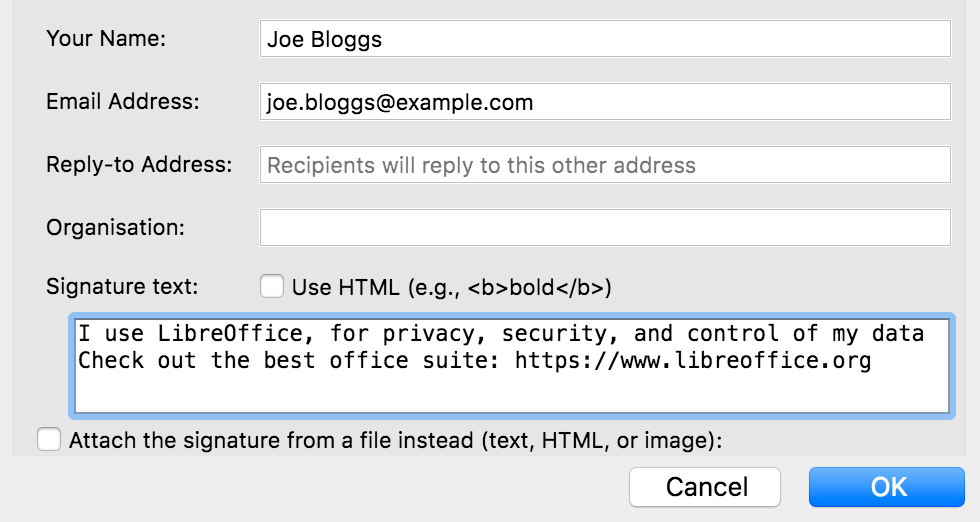
Love LibreOffice? Want to let more people know about it? An effective (and easy) way is to add a mention of the software to your email signature. This is the piece of text that’s automatically added to emails that you send, and typically includes some information about your job, or other contact details.

Many people also use their email signatures (aka “sigs”) to spread the word about causes they support – such as free and open source software projects. So, you could use your signature to raise awareness about LibreOffice, for instance! When people read your emails, if they also check out the signature, they’ll learn something. For instance, you could add:

LibreOffice – free and open source office suite: https://www.libreoffice.org
Respects your privacy, and gives you back control over your data

What exactly you add is up to you, and depends on what you want to focus on. For instance, if you exchange emails with a lot of Microsoft Office users, you may want to mention that LibreOffice can work with .doc(x), .xls(x) files etc. Or perhaps you’re more focused on the ethics of free (as in freedom) software – and want to talk about the benefits to society it brings.

In any case, it’s best to keep it short (a couple of lines), and include a link so that readers can get more information. If the main LibreOffice website is too long for your sig, you can use https://tdf.io/lo as an alternative.

So, good luck, and if you have suggestions/ideas for signatures, post them in the comments below! Here are also some quick instructions for changing signatures in a few email clients and services…


Mozilla Thunderbird

Go to Tools > Account Settings in the menu, then choose your account, and scroll down to the “Signature text” box.

Google Mail (web view)

Click the Settings cog in the top-right, then “See all settings”. Under the General tab, scroll down to Signature, then click “Create new”. Give it a name and text, and underneath assign it to new emails in the “Signature defaults” option. Finally, scroll down and click “Save Changes” at the bottom of the page.

Google Mail (mobile app)

Tap the three-line “hamburger” menu in the top-left and go to Settings. Tap your account, then scroll down to “Mobile signature”.

ProtonMail

Click Settings at the top, and go to Account in the left-hand menu. Under Identity, you’ll see a box to enter signature text.

Outlook (web view)

At the top of the browser window there is a “gear wheel” icon to access the settings. Click on this and a panel opens on the right-hand side. At the bottom of this panel is a link labelled “View All Outlook settings” – click on this. A new panel consisting of three columns appears. Click on the second item in the second column, labelled “Compose and reply”. This opens one further panel including the option to set the signature text, the font attributes and to insert a graphic if required.

Apple Mail

Go to Mail > Settings, then click the “Signatures” tab. In the middle row, choose the signature text to edit, and edit the text shown in the right row. You may also add a new signature text using the “+” button at the bottom of the middle row. If you did so then choose the mail account at the left row and select the new signature texts name at the bottom of the window. So you may toggle easily between different signatures.

Got instructions for other email clients/services? Let us know in the comments – thanks!