LibreOffice project and community recap: October 2025
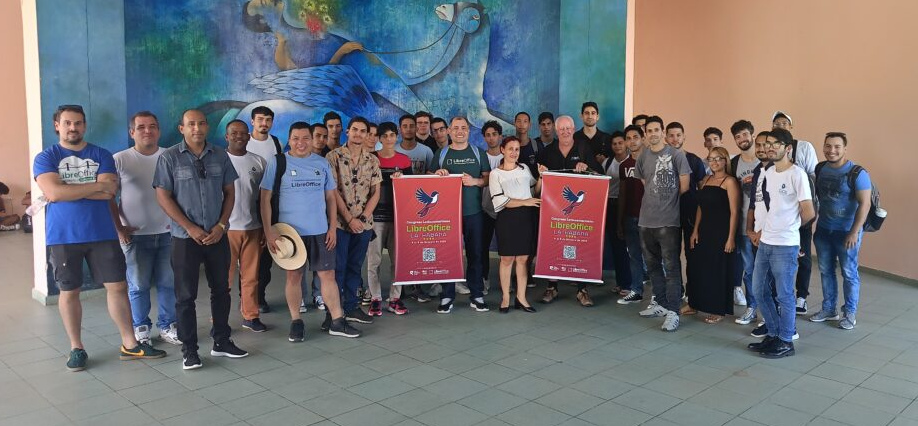
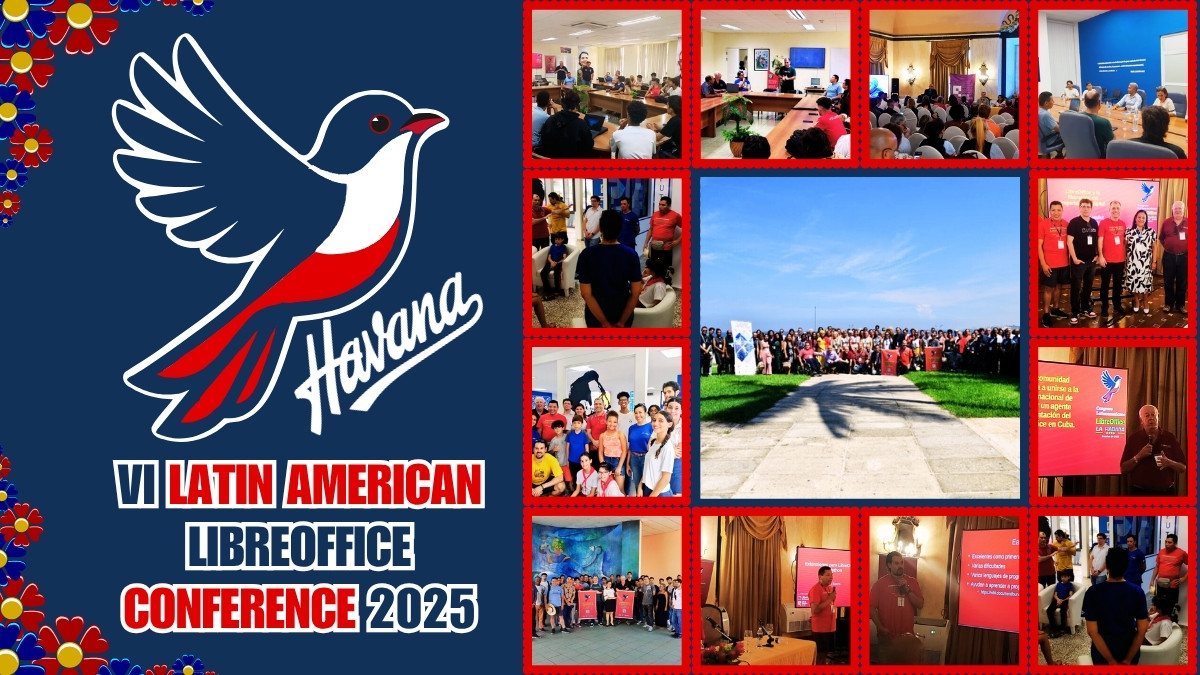
Latin American LibreOffice Conference 2025

Here’s our summary of updates, events and activities in the LibreOffice project in the last four weeks – click the links to learn more…

  • We started the month by posting the LibreOffice Podcast, Episode #5 –Accessibility in Free and Open Source Software, with Michael Weghorn and Mike Saunders. Watch it below – or on PeerTube.

Please confirm that you want to play a YouTube video. By accepting, you will be accessing content from YouTube, a service provided by an external third party.

YouTube privacy policy

If you accept this notice, your choice will be saved and the page will refresh.

  • Markdown support is coming to LibreOffice! This is just one of the projects from the Google Summer of Code 2025, and should be included in our next major release, LibreOffice 26.2, due in February next year.
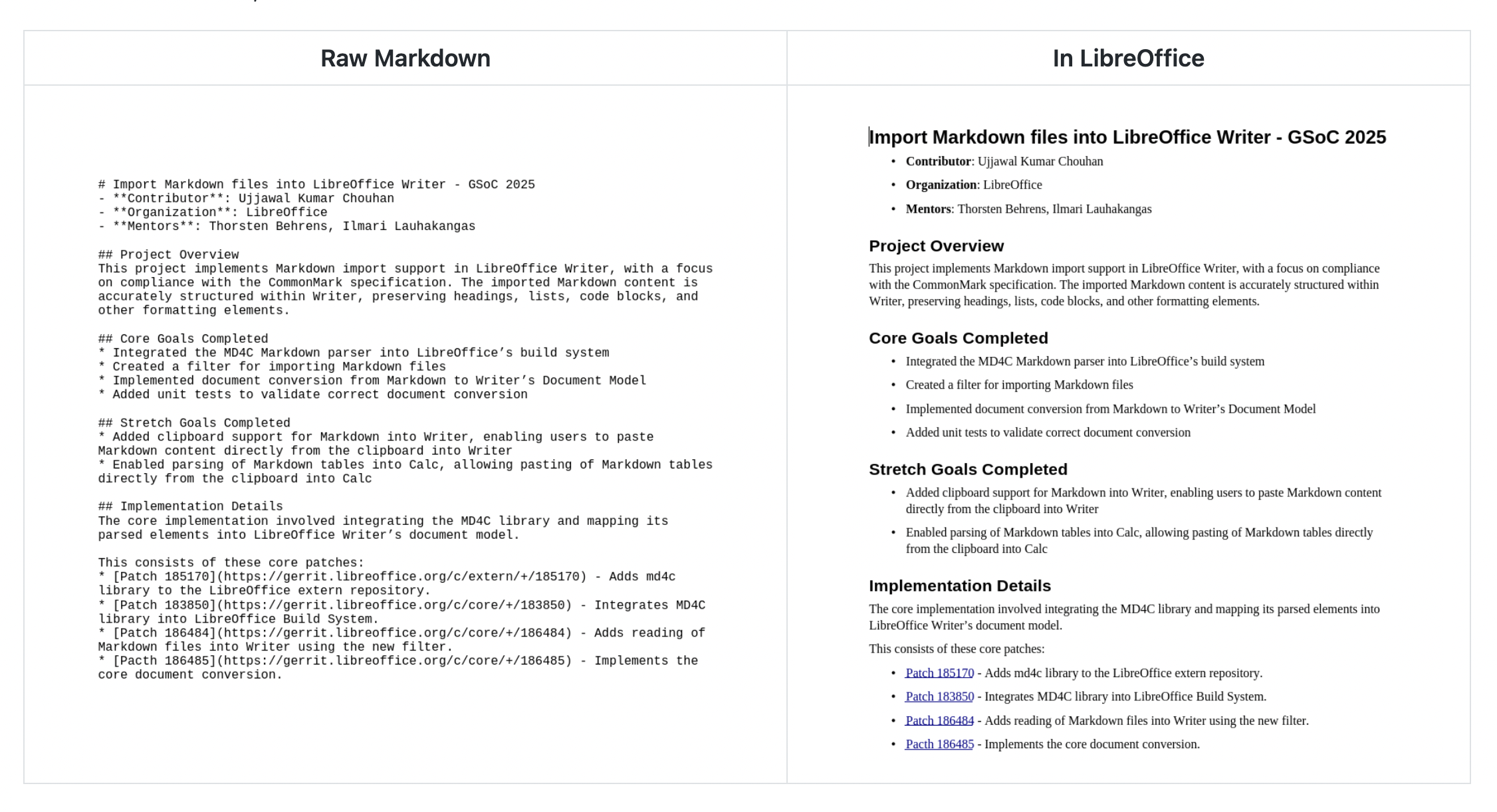
Screenshot of raw Markdown and import into LibreOffice

  • In October, we had two updates to the software: LibreOffice 25.8.2, and LibreOffice 25.2.7. The latter is the final update to the 25.2 branch, so after this, all users are recommended to upgrade to the 25.8 branch.

LibreOffice 25.8 banner

  • It’s the End of 10! Yes, in October, Microsoft ended official support for Windows 10. This leaves users who want to continue using the operating system with few alternatives — especially if they have an old PC that is not compatible with Windows 11’s demanding hardware requirements — other than buying a new PC. But we a posted about 10 reasons to switch to Linux – and, of course, many desktop Linux distributions ship with LibreOffice.
End of 10 logo

  • Lots of people ask us about LibreOffice’s compatibility with Microsoft Office/365 documents. We think our compatibility is very good (and always improving, as more people send us documents to test), but the format is extremely difficult to work with, as our posts about the DOCX and PPTX formats explain. (Of course, ideally we’d all be using the Open Document Format, regardless of the software we prefer! And here’s how to make your ODF documents more accessible.)

ODF logo

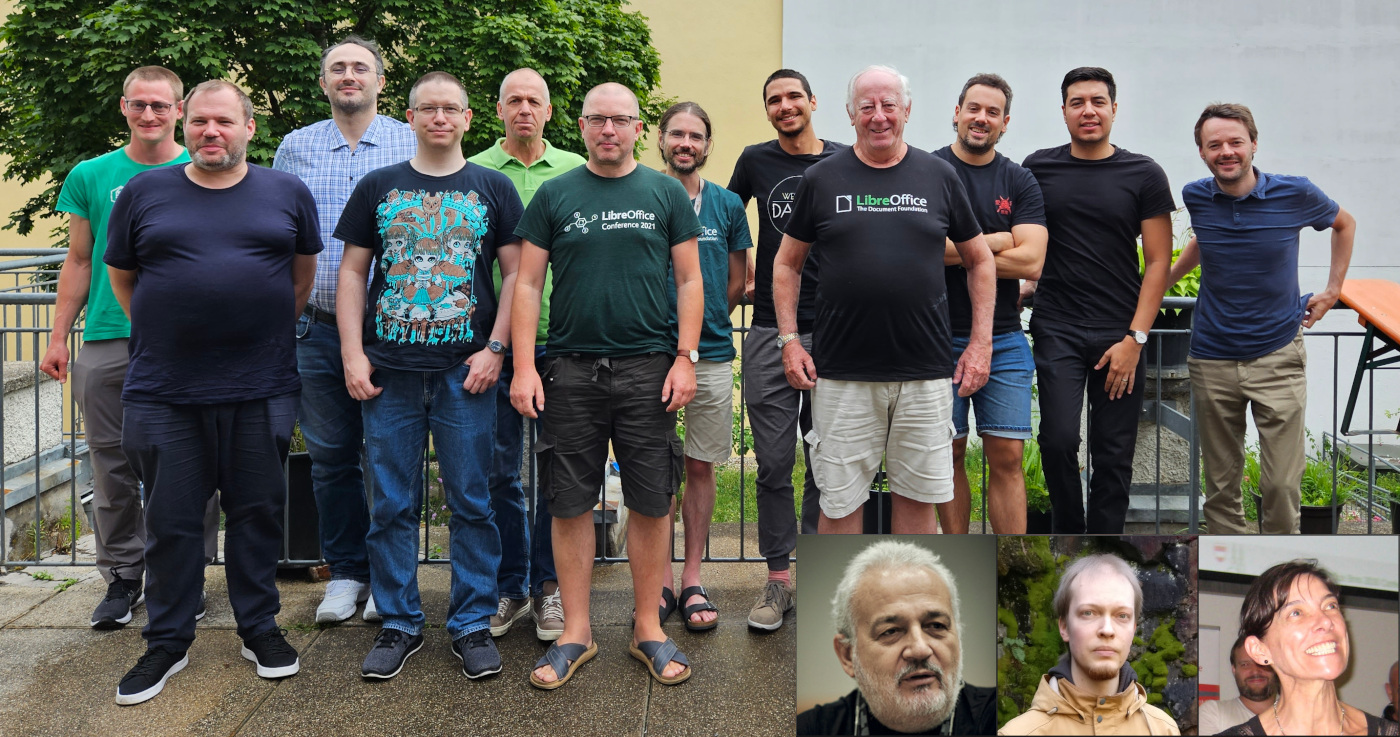
TDF team

Photo of a CPU

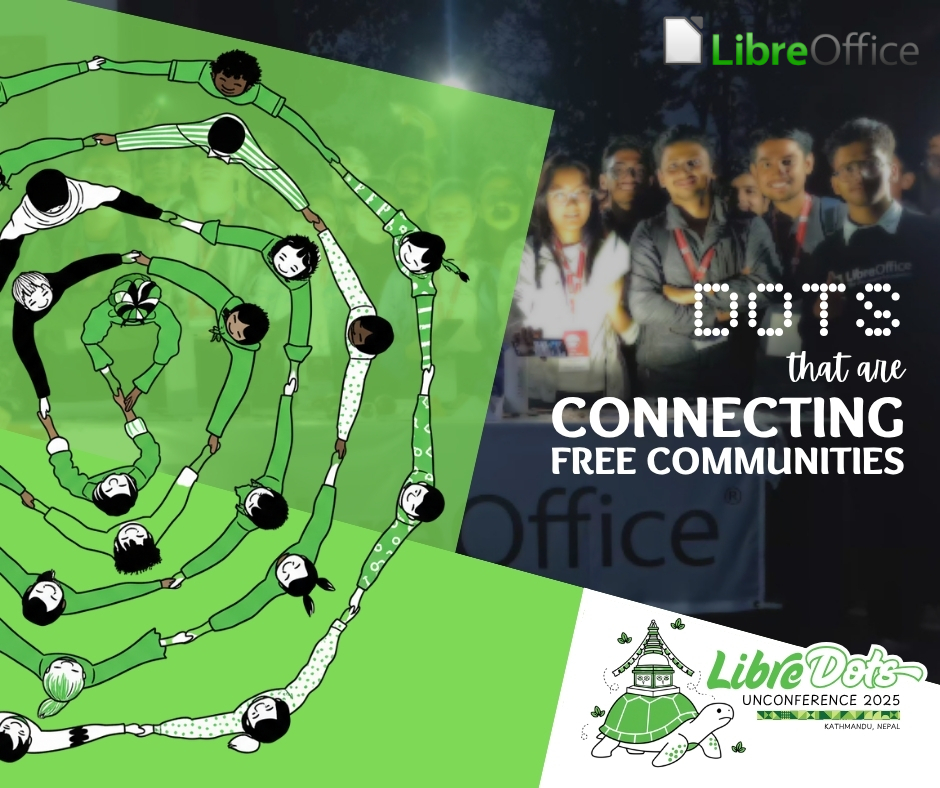
Photo of community members in Nepal

  • Meanwhile, the Libreitalia Conference 2025 was organized by Marco Marega – a LibreItalia and TDF Member – in Gradisca d’Isonzo, near the border with Slovenia.
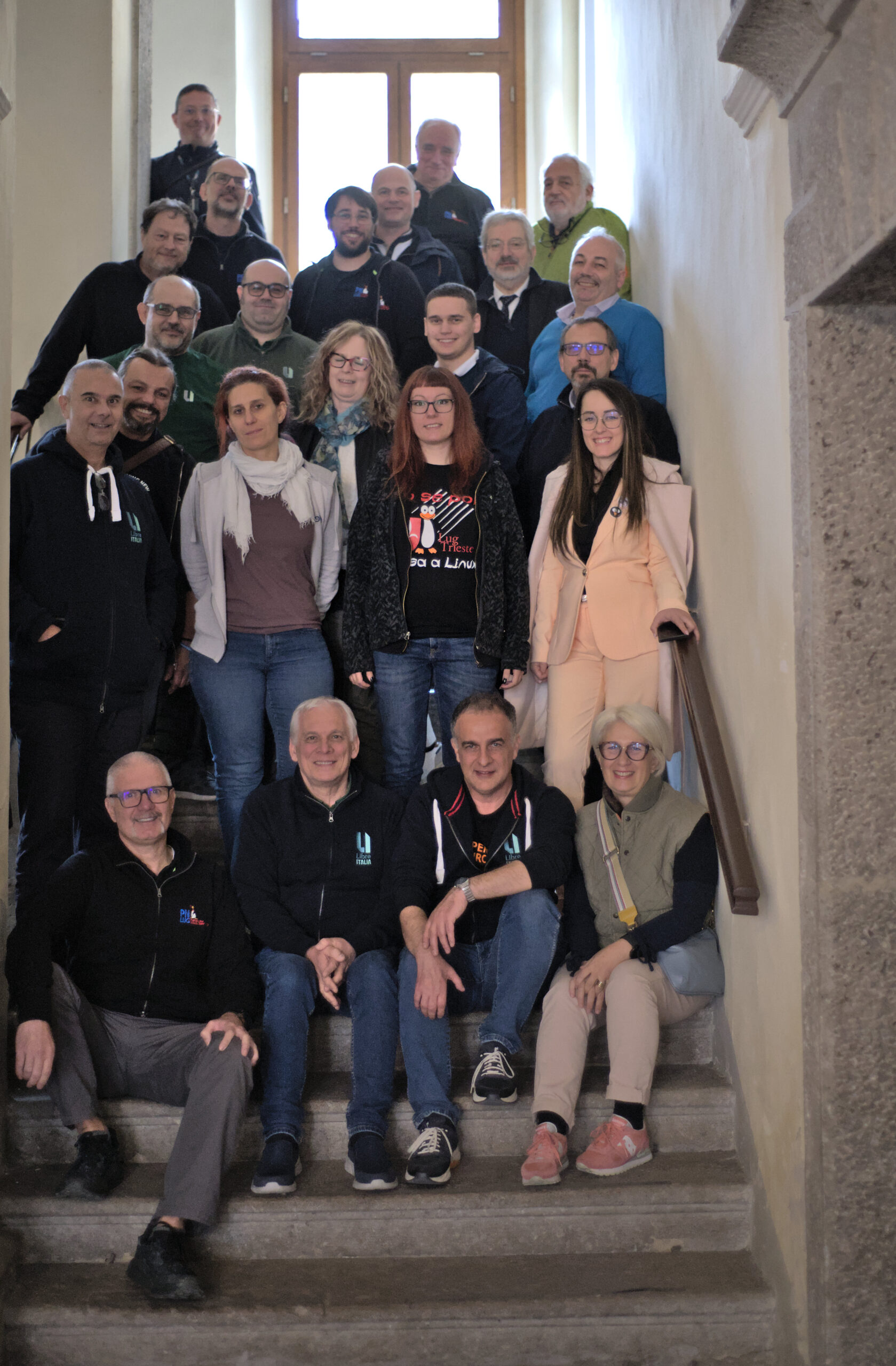
Libreitalia Conference 2025 group photo

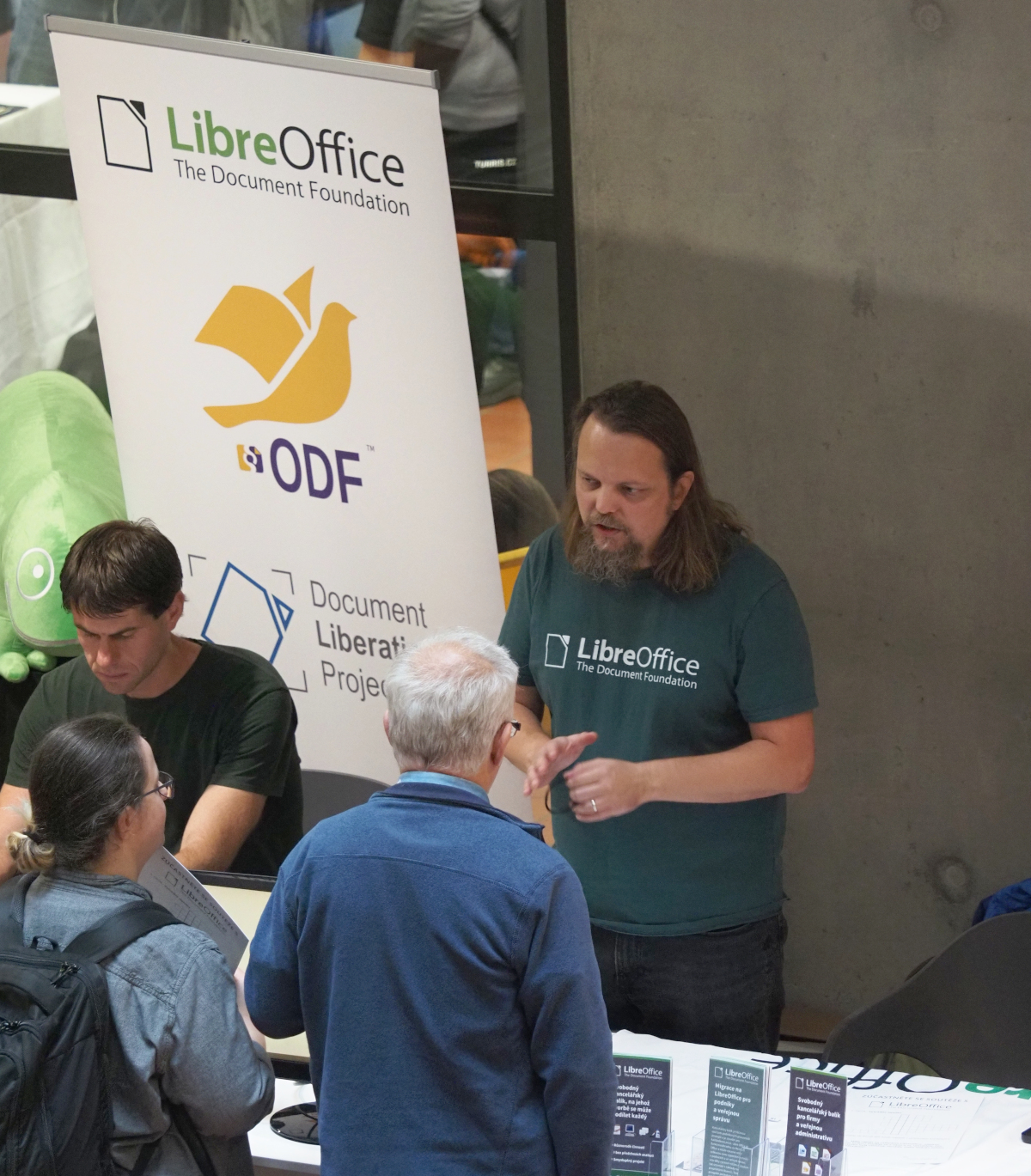
  • And our final event report was from LinuxDays 2025 in Prague, where we had a stand with stickers, flyers and a quiz about LibreOffice.
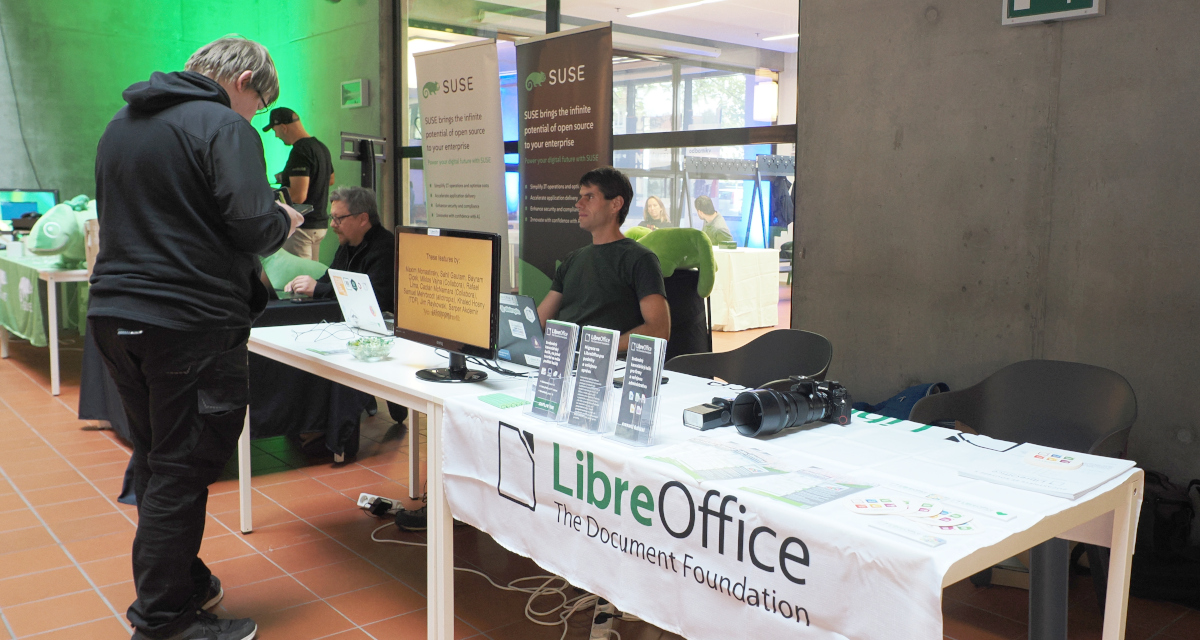

LibreOffice stand at LinuxDays

Keep in touch – follow us on Mastodon, X (formerly Twitter), Bluesky, Reddit and Facebook. Like what we do? Support our community with a donation – or join our community and help to make LibreOffice even better!

The Document Foundation announces LibreOffice 25.2.7

Berlin, 30 October 2025 – The Document Foundation announces the release of LibreOffice 25.2.7, the final maintenance release of the LibreOffice 25.2 family, available for download at www.libreoffice.org/download [1]. Users of LibreOffice 25.2.x should update to LibreOffice 25.8.x, as LibreOffice 25.2.x is approaching the end of its support period.

LibreOffice 25.2.7 is based on the LibreOffice Technology, which enables the development of desktop, mobile and cloud versions – either from TDF or from the ecosystem – that fully supports the two document format standards: the open ODF or Open Document Format (ODT, ODS and ODP), and the closed and proprietary Microsoft OOXML (DOCX, XLSX and PPTX).

Products based on the LibreOffice Technology are available for all major desktop operating systems (Windows, macOS, Linux and ChromeOS), mobile platforms (Android and iOS) and the cloud.

For enterprise-class deployments, TDF recommends a LibreOffice Enterprise optimized version from one of the ecosystem companies, with dedicated value-added features and other benefits such as SLAs and security patch backports for three to five years (www.libreoffice.org/download/libreoffice-in-business/).

English manuals for the LibreOffice 25.2 family are available for download at books.libreoffice.org/en/. End users can get first-level technical support from volunteers on the user mailing lists and the Ask LibreOffice website: ask.libreoffice.org.

Downloading LibreOffice

All available versions of LibreOffice for the desktop can be downloaded from the same website: www.libreoffice.org/download/.

LibreOffice users, free software advocates and community members can support The Document Foundation and the LibreOffice project by making a donation: www.libreoffice.org/donate.

[1] Fixes in RC1: wiki.documentfoundation.org/Releases/25.2.7/RC1. Fixes in RC2: wiki.documentfoundation.org/Releases/25.2.7/RC2.

LibreOffice at LinuxDays 2025 in Prague

LibreOffice stand at LinuxDays 2025

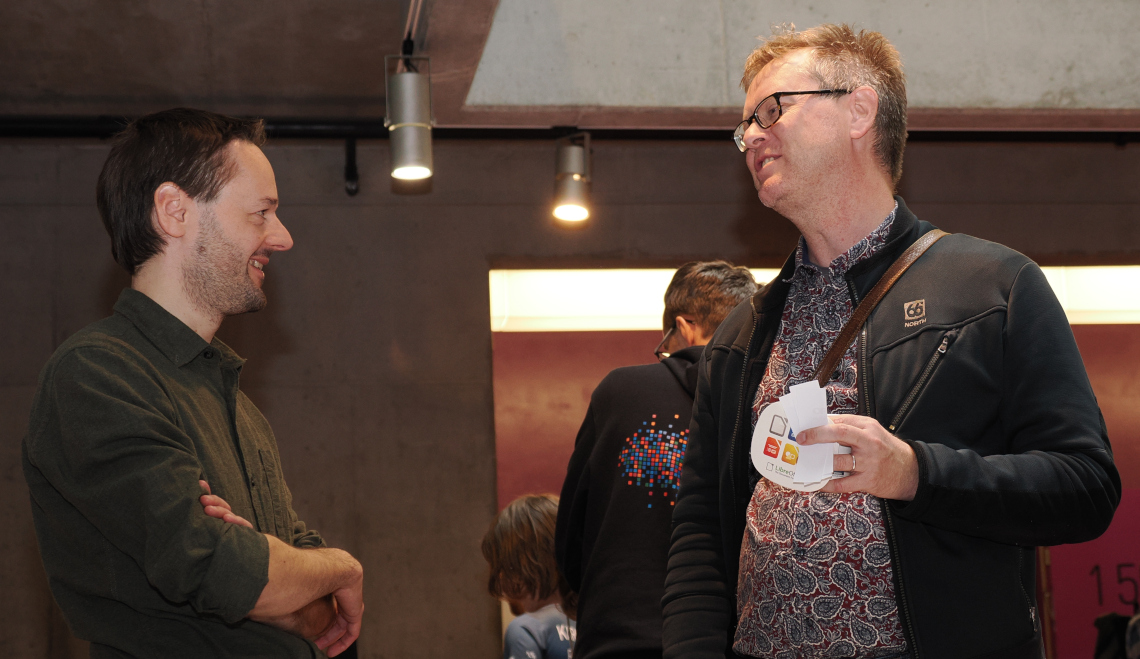
On October 4 and 5, the LinuxDays 2025 event took place at the Faculty of Information Technology (Czech Technical University). It combined stands for free and open source software projects with workshops and talks, and the LibreOffice community was there, represented by Zdeněk Crhonek, Petr Valach, Stanislav Horáček and Mike Saunders.

At the stand, we had flyers explaining what LibreOffice is and how it can be used in various contexts (homes, businesses etc.) along with stickers, beer/coffee mats, and printed versions of the handbooks, to show how extensive the documentation for LibreOffice really is. We also had a fun quiz for participants to try.

LibreOffice stand at LinuxDays 2025

During the two days, many visitors came to our stand, gave feedback and asked questions. Of course, at an event focused on Linux, most visitors already knew what LibreOffice is (and many used it regularly). But they gave us some useful feedback and asked about new features, including:

  • Where is the online version of LibreOffice?
  • Better clipboard management (normally handled by the operating system)
  • More development of Base (TDF has a new paid developer role for this)
  • Better options for copying and pasting in Calc
  • Real-time collaboration would be good
  • Clearer warnings about formatting problems when opening Microsoft Office documents
  • Simplify the user interface, using OBS as an example
  • Integrate text translator directly into Writer and Calc
  • It would be nice to have an optional automatic cloud saving feature
  • Make the tabbed user interface default
  • Functions in Calc for interpolating and extrapolating values in 2D and 3D tables

Anyone who wants these features or improvements in LibreOffice is welcome to join our project and help to make it happen, or fund a developer. And we plan to be at more events in the coming months – stay tuned to this blog and our Mastodon account for news!

LibreOffice stand at LinuxDays 2025

Join the LibreOffice Team as a Paid Developer focusing on scripting support, preferably full-time, remote (m/f/d)

The Document Foundation's team

Love LibreOffice development? Want to turn your passion into a paid job? We are The Document Foundation (TDF), the non-profit entity behind LibreOffice. We’re passionate about free software, the open source culture and about bringing new companies and people with fresh ideas into our community.

To improve the scripting support of LibreOffice, the office productivity suite for over 200 million users around the globe, we’re searching for a developer (m/f/d) to start work (from home) as soon as possible. This is what you’ll do:

  • Work on the LibreOffice codebase (mostly C++)
  • Focus on scripting and the use of UNO API, including script developer experience with internal and external IDEs
  • Fix bugs, implement new features, and improve the quality of scripting-related code in LibreOffice
  • Document what you do, actively share knowledge in public with volunteers and contributors via blog posts, workshops and conference talks, so other developers and users have an easier time learning about your work

Examples of tasks:

  • Add support for Interactive Python
  • Make macro recording production-ready
  • Reimplement JavaScript support in order to drop Rhino dependency
  • Improve VBA compatibility
  • Improve auto-completion support

What we want from you:

  • Very good C++ development skills
  • Proven experience working with some of the scripting languages supported by LibreOffice
  • Good team-playing skills
  • Speaking and writing English

Previous contributions to FOSS projects (show us your repos!) are a plus. A previously established relationship within the developer community, as well as with other teams such as QA is a plus, but it is not mandatory at the start and can be achieved during the work itself.

As always, TDF will give some preference to individuals who have previously shown a commitment to TDF, including but not limited to members of TDF. Not being a member does not exclude any applicants from consideration.

Join us!

All jobs at The Document Foundation are remote jobs, where you can work from your home office or a co-working space. The work time during the day is flexible, apart from a few fixed meetings. The role is offered as full-time (ideally 40 hours per week). While we prefer full-time for the role, part-time applications, or proposals to grow the hours over time, will be considered. Candidates that are resident in (or willing to relocate to) Germany will be employed directly by TDF. Otherwise, external payroll services will be used if available in the candidate’s country of residence.

Are you interested? Get in touch!

TDF welcomes applications from all suitably qualified persons regardless of their race, sex, gender, disability, religion/belief, sexual orientation or age. Don’t be afraid to be different, and stay true to yourself. We like you that way! 😊

We’re looking forward to receiving your application, including information about you (your resume), when you are available for the job, and of course your financial expectations. We expect you to provide details about your C++ experience. Pointing to public repositories with your code is very helpful. Please send us an e-mail to developers@documentfoundation.org no later than November 17, 2025. If you haven’t received feedback by December 15, 2025, your application could not be considered.

Also note: we only accept applications from the applicant, and not from any intermediary. We do not accept agency resumes. Please do not forward resumes to any recruiting alias or employee.

LibreItalia Conference 2025 in Gradisca d’Isonzo

Libreitalia Conference 2025 was organized by Marco Marega – a LibreItalia and TDF Member – in Gradisca d’Isonzo, near the border with Slovenia, in Gorizia’s province. Gradisca is a very nice fortified city surrounded be beautiful parks. The conference venue was the historical Monte di Pietà palace, that the municipality administration kindly allowed to use.

Gorizia, the administrative center, is a city divided in two parts, half in Italy (Gorizia itself), and half in Slovenia (Nova Gorica). Together, they are the 2025 European’s Capital of Culture.

The conference was very interesting, with members coming from many different cities. Furio Honsell – a councilman of Friuli Venezia Giulia region and also a former mayor of the city of Udine and rector of Udine University – was the special guest, introducing his regional law proposal to promote free software adoption in local administrations.

Italo Vignoli had two talks, one about the end of Windows 10 support and the other about the 20th anniversary of the ODF format. Marco Gaiarin had a brief talk about good practices for free software adoption. Giulia Bimbi spoke about Italian laws regulating free software adoption in public administrations.

Blerta Mecani and Moreno Cervesato of PNLUG, Pordenone Linux Users’ group, talked about their activities, with a special focus on their project leveraging Italian rules which permit to legally recover used PCs, install Linux on them and then donate them to schools.

Sonia Zorba and Andrej Sossi presented Trieste Linux Users group activities, and their game to learn command line.

Marco Marega opened the day introducing free software and LibreOffice to newbies.
In the afternoon, he explained – together with Gabriele Ponzo – how to contribute to the LibreOffice project, focusing on the tools used to localize the software’s UI and the documentation.

Marco did a very good job in organizing the event, and was very happy to see many community members meeting in his hometown. The conference was a great occasion to strengthen our community.

On November 22/23, some of the conference attendees will meet again in Pordenone, another administrative center of Friuli Venezia Giulia, at the Linux Arena within the Radioamatore2 fair.

Make your ODF files accessible: a simple guide for everyone

People without disabilities have no problem viewing documents on a computer screen, but there are people with visual impairments or who are blind who use screen readers and keyboard navigation. ODF files have everything they need to be accessible to these people too, and this is a short guide to creating documents that they can use without any problems.

In the context of digital document management, accessible means that a document can be consulted without any constraints related to the ability to see or move one’s hands with dexterity. This means that people can quickly find what they are looking for (headings, lists, indexes), understand the meaning of graphs and images thanks to descriptions, tables are simple and clear, and they can read the text because the contrast is good and the links make sense even out of context.

To achieve this result, which does not discriminate against people based on their physical characteristics, it is necessary to follow a few simple rules when creating a document. Obviously, we are talking about LibreOffice, although the rules also apply to other office suites (although in this case the document format will be proprietary and not standard).

1. Use styles for headings (not just bold text)

  • Screen readers use headings to move around the page.
  • To do this, select the heading and choose Heading 1 from the styles drop-down menu, Heading 2 for sections, and Heading 3 for subsections.
  • Avoid skipping numbers, but always follow the order 1, 2, 3.

2. Create lists using the appropriate buttons

  • This way, screen readers count the items correctly.
  • To do this, highlight the items and click on the Bulleted List or Numbered List button. Avoid typing dots or numbers manually.

3. Add alternative text to every image, graph or icon

  • This way, people who cannot see the image will still receive the message.
  • To do this, right-click on the image, select Properties, select Options, and fill in the Alternative (text only) field.
  • For example: in the case of an image, ‘team photo: from left to right, Mr. X, Mr. Y, and Mr. Z’; in the case of a graph, ‘sales increased every month, and the fourth quarter was the highest with £X million’.

4. Create simple tables

  • Complex tables are difficult for screen readers to read.
  • To do this, use the first row for headers (for example: Name and Date), and avoid merging or splitting cells.
  • Avoid using tables solely to order elements within the page.

5. Create self-explanatory links

  • A link such as “click here” tells a screen reader nothing.
  • To do this, write the action related to the link as if it were the link itself.
  • For example: “Download the budget report (in ODF format)”.

6. Set the language

  • This allows screen readers to pronounce words correctly.
  • To do this for the entire document, select the language in the status bar at the bottom of the screen.
  • To do this for a portion of the document, highlight the text and select the language in the status bar at the bottom of the screen.

7. Use light colours and strong contrast

  • Screen readers have trouble reading low-contrast text.
  • To do this, use dark text on a light background, and never use colour alone to emphasise the meaning of a word.
  • For example: “Expired items are written in red and labelled as EXPIRED”.

8. Label all fields on any forms

  • This way, even visually impaired or blind people know what to type and where.
  • To do this, add a label immediately before the field (e.g., Email Address), and maintain a logical tab order (top to bottom, and left to right for Western languages).

9. Add a table of contents to longer documents

  • This makes navigation easier and faster.
  • To do this, place the cursor where you want it, select Insert, select Table of Contents, and accept the default settings.
  • For the table of contents, level 1/2/3 headings are used, so step 1 is extremely important.