Video tutorials for LibreOffice Writer, Calc and Impress

On the LibreOffice subreddit, we became aware of some useful tutorial videos created by Steven Davids. These cover various components of the suite, and show how to achieve common tasks.

We asked Steven about how he chooses the topics for his videos, and how he makes them:

My video tutorials come to me – I do not go and look for them. If I have a problem, I search for a solution on the web. I always assume I am not unique, and that many other people had or have the same problem. If I do not find a solution or one that is readily available, I struggle my way out to a solution. Then I share that solution via video! Why video? Because it seems to me people are lazy to read and video illustrations are just easier to understand.

The videos are very low budget and homemade. There are no costs for the software since I use free public open-source programs for the screen recorder and video editor. There are many such programs, but OBS Studio and Shotcut serves me very well. I often use LibreOffice Presentation to assist in presenting the material. The hardware is also low cost. I already have a laptop and mobile phone so there are not extra costs there. A mid-range microphone from Samson is indispensable and basically the only additional cost.

Click here to view the playlist on YouTube!

LibreOffice Conference Sponsors’ Interviews

The two main sponsors of LibreOffice Conference 2022 are allotropia and Collabora, the two largest ecosystem companies fully focused on the development of LibreOffice. They both develop new features and improve the existing ones, manage interoperability issues with MS Office non standard document format by tweaking LibreOffice behavior and the import/export filters, and look at bugs and regressions.

Employees of both companies have been with LibreOffice since the beginning, and in some cases have started their journey into free open source software during the previous decade, with OpenOffice and other FOSS projects. Allotropia and Collabora have also hired several young developers who have started contributing to LibreOffice as volunteers.

We have interviewed Thorsten Behrens, founder and managing director of allotropia, and Michael Meeks, founder and managing director of Collabora Productivity. We have asked them the same five questions, to get an update about their companies and their LibreOffice related development activities.

1. Y0ur company in five words

allotropia provides services, consulting and products around LibreOffice and related open source software. We are a team of nine, with a small office in Hamburg because I live in that city, and people working from home in different areas of Europe.

2. Why free open source software, and why a copyleft license

First of all, the fact that we’re doing open source is because we’re convinced that’s the right thing to do, especially for development. Software is increasingly running the world and the right thing to do is to have access and ability for everyone to inspect the source code, to improve the software, to change the software, and also to fork the software if you really need to. So we choose that way to earn a living and develop software.

The fact that we’re developing predominantly for copy left software is clearly because that’s the underlying license for almost all of LibreOffice. Personally, I don’t think there is a hard line, so I wouldn’t say that, for example, for a basic library like boost or other building blocks of the FOSS ecosystem that a permissive license is wrong.

It is clearly the case that for LibreOffice that’s the right choice, and it’s a very nice balance between volunteers’ and business’ interests, so that you have a common code base and some ground rules so that you can’t just, let’s say, take volunteer contributions and commercialize them just like that.

You always have to give back, whatever you do on top. And I think that’s the right thing to do for something like LibreOffice that’s on top of the very top of the software stack. I’m absolutely convinced that’s the right license to use for our project.

3. Let’s focus on the last couple of years. Which are your biggest achievements?

For us at allotropia it was quite a mixed blessing, I think. Why? There was quite some push towards remote work, which might have indirectly helped a bit from the business side. Clearly the strain distress, the fact that you couldn’t meet people, neither colleagues nor customers nor project members, and that there was a remote conference instead of in person conferences. At the end it was a hard time for everyone and I think that any slight uptick in sales was hidden by the drawbacks. I’m quite happy we’re finally over that bump, and hopefully back to normal times again.

4. The pandemics has helped, in a limited way, the growth of FOSS. Which is your experience?

Yes, there was some help with market share for FOSS on the desktop, but on the other hand people were flocking to proprietary cloud services because that was there and was ready, and was also easy to sell.

At the same time, there was a lot of traction for video conferences and collaboration solutions. On that side there was the usual problem with open source, that you are at a disadvantage compared to big techs because first you need to convince the people, then you need to build the solution – and that takes time – while people need a solution now.

5. Given that you are enhancing the LibreOffice Technology, which are your most significant contributions?

I would say the single most important thing, and also the one I’m most proud of for my team, is the WebAssembly port. Two years ago we embarked on a journey with the help of EU funding, to run LibreOffice entirely into the browser.

We managed that. There is a demo since early this year, and we’re busy productizing that, and improving that, and building more around that. Of course, there will be a talk at the LibreOffice Conference. That’s clearly the single most important, and also the single most visible thing by allotropia.

Beyond that, the absolutely charming part of the LibreOffice Technology is that any improvement, any change, any feature that you add to the core is always immediately and automatically available for all the other users of software based on that platform.

We have been working on improving LibreOffice for more than 20 years, and for some members of my team even longer. Of course, there’s a string of many smaller and larger improvements. We’ve also been working on the online part a few years ago. We’ve also been working on the Android port. But those were smaller bits. Nothing like the WebAssembly port we are spearheading.

1. Your company in five words

I thought of this twice. I think probably the most fun one would be making open source office rock, which is also my first take. There’s a more polished your own private cloud office, for example. I think either of those would work, but I think that really captures our heart and also our business.

So making open source office rock and your own private online office will be the two emphasis, and I think that really captures what we do. We contribute to the community hugely. We love doing that, and we are old time fans of collaborative work around open source projects. That’s really who we are.

And then obviously we love to actually help our customers and users by giving them a cloud based solution. So that’s the sphere for us is replacing large clouds that you can’t control and give you back control of your data and digital sovereignty.

2. Why free open source software, and why a copyleft license?

The open source license is what guarantees the user freedom. You can choose your software provider, and you can do it yourself if you can and you want to. We have many people that use LibreOffice and take it themselves and just deploy it, and that’s expected and all good. But they should contribute back. So I think that ties into copyright license. If people are taking that, we want to draw them into our community, and encourage them to contribute back.

The copyleft license really helps with that, and that’s why I recommend it. At the end of the day the license is like a constitution for the project, and it’s a good way to encourage others to share with us. The copyleft license also means you don’t need a central entity in your community, although is good to have a central entity to raise funds and steer trademarks.

3. Let’s focus on the last couple of years. Which are your biggest achievements.

I run a business, and we have around 35 people working primarily on free office software and on collaboration solutions based on the LibreOffice Technology. To me that’s an amazing privilege. Something that I think we achieve well is simply paying the payroll, finding the customers, delighting them, giving them software and great services so that we can continue to fund and develop and improve the process.

Nurturing the company, growing it, growing the quality of the software, growing the feature set and filling in things that people really want. I find that most satisfying. That’s the piece that I love, seeing the code get better and the company gets bigger and the community grow. I think it’s really probably what I’ve seen most in last year. So despite, or perhaps because of the pandemic, I think we’ve done quite well there.

4. The pandemics has helped, in a limited way, the growth of FOSS. Which is your experience?

I think the pandemic is probably only one of the three strands that we like to think about there. So we talk about the three Gs. So, Germs, Geopolitics and GDPR.

Of course, the Germs have been really helpful in terms of pushing people to home. Being able to get access your data and your documents without leaking them all over the internet is something that we excel at.

If you’ve installed NextCloud, we have a very large number of integration there. You can get your documents, but your document doesn’t escape from your organization, only a view of it comes to you. So you’d be confident that you’re not leaking information all over the place, and you can provide collaborative editing to all your staff without letting the horse out of the stable and then waving goodbye. That’s the help from the Germs.

But of course Geopolitics are also very interesting. At the moment we see huge tensions and concerns about using software controlled or owned by other nations. So I think at the relatively benign side we see concern about large American corporations controlling your software, not so much where it is, but the bits and bytes that are running on your CPU.

We have competitors from America and Russia, and I think we provide a European version of something that’s quite distinctive and unique, as well as fully open source. So there’s no proprietary open core, there’s no caveat there. You can see everything that’s there. You can compile it yourself if you wish and be fully confident that there’s nothing nasty in there at all, while getting enterprise quality products and services from us. And that’s for Geopolitics.

And then of course there’s GDPR, which sort of takes that further saying well, it’s all very well that you’re running it in your country, but really it’s controlled by someone in another country and what are they doing? What is going on with this? The software updates the remote access that they have to that.

I think that Germs, Geopolitics and GDPR provide us a framework for understanding some of those USPs (unique selling propositions) that we bring in terms of products. And I think that’s helped us grow. We see many people using that, around 80 million docker image downloads of Collabora Online, which is not including the packaged versions that we share. We also have around 800,000 paying customers that we can count and many more that we can’t.

There are people who have large site licenses, and deploy that in places and that’s really fantastic. I mean, every one of those users is perhaps unknowingly contributing back to the project. We’re very grateful to all of the support they provide, that enables everything we do. We’re pretty happy.

5. Given that you are enhancing the LibreOffice Technology, which are your most significant contributions?

LibreOffice has an amazing software stack, and you can write macros and programs, and do all sorts of things with the UNO technology, which is like the com components technology Windows people are familiar with. But some years ago we realized that there could be easier ways to reuse the technology, and we developed LibreOfficeKit to turn LibreOffice into a reusable piece of technology. I think this the foundation of the LibreOffice Technology stack.

Some of this work was funded by SUSE, some by OnCloud, and some by the previous generation of the Android app. And then finally Collabora has written Android and iOS apps using our responsive mobile user interface. For this task, we had to create and shrink the UI down, to make it work nicely on smaller form factors. So we thought, why not make a version that puts the server and the client into the mobile device, so you can edit offline using the LibreOffice Technology underneath?

In terms of significant contributions, one of the interesting things is explaining what we’re doing because there’s a very large problem space that we’re coloring in a sort of a picture, to have this beautiful thing emerge out of the white page. Although our page is pretty full, there are still some little bits of color in left and right.

So, I would say that the story is really one of closing those gaps and finishing the picture rather than creating anything radically new, functionality wise. But in terms of the LibreOffice core there are also examples of great new features such as Spark Lines, which is a great new feature in charts. Spark Lines allow little charts inside cells, which are very good for just seeing data without scale. So you can get a quick graphic review, an uncutted view of your data.

We’ve done a whole lot of work in the last release. One of the things that was annoying people was the dialogue saying that the spreadsheet was too big, and that the software couldn’t cope with it. And often there was nothing in the too big bit, nothing problematic at all.

We’ve now architected Calc to scale to 16,000 columns and much more. Actually, now you can do the multimillion rows and columns, quite easily. So that’s really good to get in.

Grammar checking. There’s always been grammar checking. We’ve now allowed you to use an artificial intelligence version of this in the cloud, so you can do even more clever rules. And that’s provided by Language Tooler, the company behind Language Tool, a successful open source company. They’re doing great things. We should encourage them to get more involved in sponsoring new products.

Impress themes for interoperability so your documents have the right color set, which can be changed nicely. WebP images, a new standard for image, for both browsers and copying and pasting. These are some of the LibreOffice features we have contributed to develop during the last six months. Lots of things that improve the look and feel, the performance and the usability.

The Document Foundation releases LibreOffice on Apple’s Mac App Store

Berlin, September 19, 2022 – The Document Foundation (TDF) announces the release of LibreOffice on Apple’s Mac App Store, to support end users who want to get all of their desktop software from Apple’s proprietary sales channel. So far, LibreOffice on the Mac App Store was released by Collabora. TDF will charge a convenience fee of €8.99, which will be invested to support development of the LibreOffice project.

TDF releasing on the Mac App Store is an evolution over the previous situation, which reflects the project’s new marketing strategy: The Document Foundation is focused on the release of the Community version, while ecosystem companies are focused on a value-added long-term supported versions targeted at enterprises. The distinction has the objective of educating organizations to support the FOSS project by choosing the LibreOffice version which has been optimized for deployments in production and is backed by professional services, and not the Community version generously supported by volunteers.

“We are grateful to Collabora for having supported LibreOffice on Apple’s Mac App Stores for quite a long time”, said Italo Vignoli, LibreOffice Marketing. The objective is to fulfill the needs of individual and enterprise users in a better way, although we know that the positive effects of the change will not be visible for some time. Educating enterprises about FOSS is not a trivial task and we have just started our journey in this direction”.

The Document Foundation will continue to provide LibreOffice for macOS for free from the LibreOffice website, which is the recommended source for all users.

LibreOffice packaged for the Mac App Store is based on the same source code, but does not include Java – because external dependencies are not allowed on the store – and therefore limits the functionalities of LibreOffice Base. The software is also supported by volunteers who donate their time to help users.

Link: https://apps.apple.com/us/app/libreoffice/id1630474372

LibreOffice 7.4.1 Community available for download

Berlin, September 15, 2022 – LibreOffice 7.4.1 Community, the first maintenance release of LibreOffice 7.4, the volunteer-supported office suite for personal productivity on the desktop, is immediately available from https://www.libreoffice.org/download for Windows (Intel and Arm processors), macOS (Apple M1 and Intel processors), and Linux.

LibreOffice offers the highest level of compatibility in the office suite market segment, with native support for the OpenDocument Format (ODF) – beating proprietary formats for security and robustness – to superior support for MS Office files, to filters for a large number of legacy document formats, to return ownership and control to users.

Most Significant New Features of LibreOffice 7.4

GENERAL
β€’ Support for WebP images and EMZ/WMZ files
β€’ Help pages for the ScriptForge scripting library
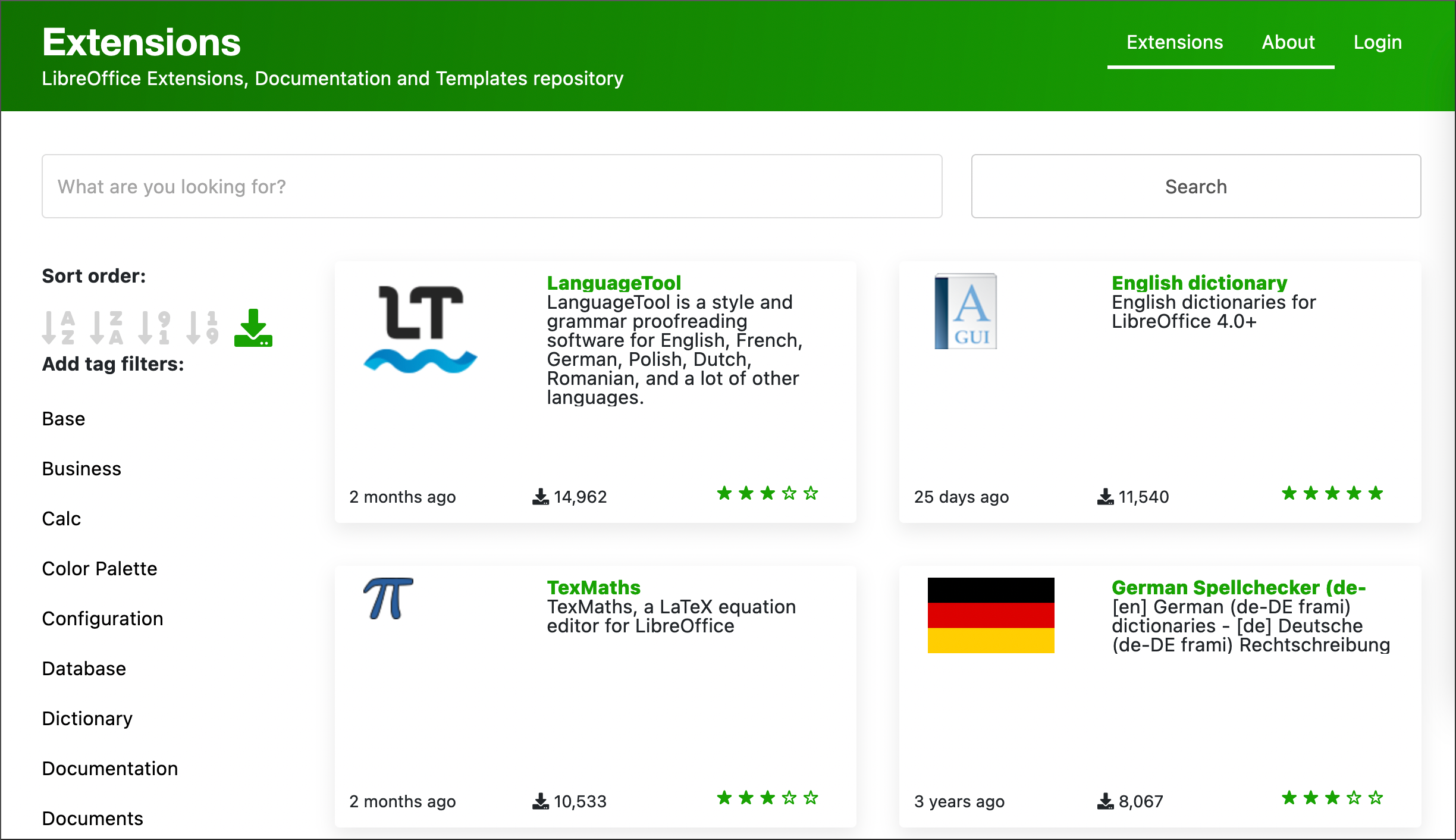
β€’ Search field for the Extension Manager
β€’ Performance and compatibility improvements

WRITER
β€’ Better change tracking in the footnote area
β€’ Edited lists show original numbers in change tracking
β€’ New typographic settings for hyphenation

CALC
β€’ Support for 16,384 columns in spreadsheets
β€’ Extra functions in drop-down AutoSum widget
β€’ New menu item to search for sheet names

IMPRESS
β€’ New support for document themes

A video summarizing the top new features of the LibreOffice 7.4 Community major release is available on YouTube: https://www.youtube.com/watch?v=PC8M4UzqpqE and PeerTube: https://peertube.opencloud.lu/w/myZUTCytN28kuxDa5VXNgh. A description of all new features is available in the Release Notes: https://wiki.documentfoundation.org/ReleaseNotes/7.4.

LibreOffice Technology Platform

Products based on the LibreOffice Technology platform – the transactional engine shared by all LibreOffice based products, which provides a rock solid solution with a high level of coherence and interoperability – are available for major desktop operating systems (Windows, macOS, Linux and Chrome OS), for mobile platforms (Android and iOS), and for the cloud.

For enterprise-class deployments, TDF strongly recommends the LibreOffice Enterprise family of applications from ecosystem partners – for desktop, mobile and cloud – with a large number of dedicated value-added features and other benefits such as SLA (Service Level Agreements): https://www.libreoffice.org/download/libreoffice-in-business/. All code developed by ecosystem companies for enterprise customers is shared with the community and improves the LibreOffice Technology platform.

LibreOffice – thanks to its mature codebase, rich feature set, strong support for open standards, excellent compatibility and LTS options from certified partners – is the ideal solution for businesses that want to regain control of their data and free themselves from vendor lock-in.

Availability of LibreOffice 7.4.1 Community

LibreOffice 7.4 Community is available from: https://www.libreoffice.org/download/. Minimum requirements for proprietary operating systems are Microsoft Windows 7 SP1 and Apple macOS 10.12. LibreOffice Technology-based products for Android and iOS are listed here: https://www.libreoffice.org/download/android-and-ios/.

For users who don’t need the latest features and prefer a release that has undergone more testing and bug fixing, The Document Foundation maintains the LibreOffice 7.3 family, which includes some months of back-ported fixes and is currently at version 7.3.6.

The Document Foundation does not provide technical support for users, although they can get it from volunteers on user mailing lists and the Ask LibreOffice website: https://ask.libreoffice.org

LibreOffice users, free software advocates and community members can support The Document Foundation with a donation at https://www.libreoffice.org/donate.

LibreOffice Conference 2022 Schedule

The schedule of the LibreOffice Conference 2022, to be held in Milan from September 29, to October 1st, has been published: https://events.documentfoundation.org/libreoffice-conference-2022/schedule/. Please check it on a regular basis, as changes will be reflected in real time, even during the conference.

The app for Android with the schedule (also in real time) is live on Google Play and F-Droid: https://play.google.com/store/apps/details?id=info.metadude.android.libreoffice.schedule and https://f-droid.org/packages/info.metadude.android.libreoffice.schedule.