LibreOffice contributor interview: Alex Arnaud

The LibreOffice community tries to make the software as accessible as possible – in other words, usable for people with special needs or requirements. Alex Arnaud is working to make the suite more accessible for users with visual impairments, and discusses his experiences and the challenges ahead in our latest interview…
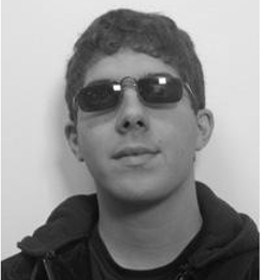
LibreOffice contributor Alex ArnaudWhere are you from, and if you’re active on IRC, what’s your nickname?

I am French, and my IRC nickname is “alexarnaud”.


Do you work for a LibreOffice-related company or just work on it in your spare time?

Alongside the Hypra team, I am based in Paris. I am visually impaired and I use my computer with a screen magnifier and a screen reader. I use, on a daily-basis, the Universal Accessible OS (UAS) based on Debian GNU/Linux both for my professional and personal needs. I used GNOME before (and its magnifier), but given the important efforts that Hypra has poured into this project and the constant improvement of the, I have decided to switch about a year ago.

I’ve been working at Hypra since September 2015 as a project manager, leading the development of the visual-assistance stack (Compiz). I soon intend to join the company as a shareholder as I feel now totally involved in the startup’s ambition: making accessibility a key competitive advantage for Linux, and ultimately expanding the benefits of free software to the general public, beginning with visually impaired people. LibreOffice being one of the cornerstones of free software, I am contributing to the LibreOffice community inside the quality assurance (QA) team, mostly on my working time.


How did you get involved with LibreOffice?

When joining Hypra, my blind friends and colleagues Jean-Philippe and Raphael kept telling me: “Since version 4.3, LibreOffice is regressing on accessibility for blind people”. So far so good – we provide version 4.2 for our customers because it is actually the latest version usable for blind and visually impaired people. But we deem such an evolution is not sustainable on the long-run.

That is why we have decided to get involved, beginning with an accessibility audit on the user side. I’ve looked into all the LibreOffice bugs related to GNU/Linux and accessibility, and checked their validity and updated them as a consequence.

After that I started to become an accessibility bug hunter for the LibreOffice QA team and I have reported lots of bugs related to Writer, Calc and Impress. I see myself as a kind of “whistle-blower” about accessibility inside the community. Most of the sighted-users do not know that software has to be accessible for all people, so my job is raising awareness and hence trying to be a driver of change.


What was your initial experience of contributing to LibreOffice like?

My initial experience with LibreOffice was in 2011. I reported bugs about the accessibility of LibreOffice for Windows – I sent them directly in a mailing list. In 2011, on Windows, it was completely impossible to use LibreOffice with a screen magnifier so I chose to use IBM Lotus Symphony, which was usable for a low-vision person.


What areas of the code do you normally work on? Anything else you want to tackle?

I am a user of the Orca screen reader (the screen reader being also useful for large array of people from the elderly to the visually impaired), so I can easily check if something is accessible for everyone. I focus on the user interface and the communication of LibreOffice with assistive technologies through the AT-SPI2 protocol.

I’m only working on the user side because I don’t know how to compile and how to debug LibreOffice – I just know QA-related things like how to check which version introduces a regression, for example. Testing and reporting bugs is huge work that requires attention and patience. I spent most part of my time tracking features and verifying whether they are usable for disabled people.


What is your vision for the future, or what would you most like to see improved in LibreOffice?

Free software entails a huge ethical and philosophical promise. It drives many expectations and hopes for average users in terms of social inclusion and privacy. It also provides enormous opportunities to reshape the relationships people have with technologies, focusing more on training and support, rather than on the cost of technologies themselves. This is a driver for social change. But to cope with these expectations, I believe we have to make sure that LibreOffice, being one of the cornerstones of free software, enables social inclusion.

Why should we keep adding features if we haven’t them usable for all? Can we accept it if a mainstream project such as LibreOffice keeps excluding people? As a matter of fact, I’ve noticed that there are accessibility bugs, originally coming from the OpenOffice.org code, that were reported more than 5 fives years ago… We can’t let the status quo prevail!


What do you do when you’re not working on LibreOffice?

I spend most of my spare time reading books and listening to radio podcasts to discover more in depth about how the world works. I’m fascinated by Noam Chomsky’s point of view about democracy and information. I find his famous book “Manufacturing Consent – The Political Economy of the Mass Media” extremely clarifying about the role of the media industry in a democratic country.

I also appreciate spending time with other people, with my family and with my friends.


What was the very first program you wrote?

If my memory serves me well, it was a very little social network.


Which is your preferred text editor? And why?

I’ve been using Emacs as my primary text editor since the day I discovered it. It’s really a pleasure for me to work with it because it help me to overcome my vision troubles.

In fact, I use a screen magnifier program that follows the cursor position. In some programs like “man”, “less” and “more” I can’t move the cursor inside the text – and that forces me to use the mouse, which makes my work more difficult.

With Emacs I can read manual pages inside a buffer, and I can use a command-line and move inside it – it is so convenient for me!


Why would you say there are few bug reports related to accessibility on GNU/Linux?

I would forward you to an interesting message posted years ago by Samuel Thibault (main contributor of the Debian accessibility team). For a blind person, if an application is not accessible enough it is completely impossible to report a bug.

Regular users that have disabilities spend more time than people without them, just to do things in their life. Information technology is a bridge between inaccessible hard things (newspaper, administrative things, TV programs, etc) and the accessible digital world.

It is really indispensable for blind people – for example – to be efficient in their lives when finding information related to their city, communicating with people by e-mail (letters are inaccessible), finding their path with GPS, producing and reading documents, finding a job of course – and so much more!

I have a dream: we work on free software, especially in this case LibreOffice, and everyone can work on the accessibility side and improve the life of everyone else. We need more manpower! Here’s a link to the meta-bug related to accessibility stuff on GNU/Linux.

I’m often available on IRC (Freenode network) on the channel of the libreoffice-design team (#libreoffice-design). Please ping me if you have questions relating to accessibility.

Thanks to Arnaud for his time and in-depth answers. For those reading this who want to get involved and help to make LibreOffice more accessible, join us today!

First Bug Hunting Session for LibreOffice 5.4

LibreOffice 5.4 is due to be announced at the end of July 2017, with many new features (those already implemented are summarized on the release notes page – https://wiki.documentfoundation.org/ReleaseNotes/5.4 – with much more to come).

In order to find, report and triage bugs, the QA team is organizing the first Bug Hunting Session on Friday, April 28, 2017. All details are available on the specific wiki page: https://wiki.documentfoundation.org/QA/BugHuntingSession/5.4.0Alpha.

Tests will be performed on the first Alpha version of LibreOffice 5.4, which will be available on the pre-releases server (http://dev-builds.libreoffice.org/pre-releases/) a few days before the event. Builds will be available for Linux (DEB and RPM), macOS and Windows – and they will run in parallel with the production version, so you don’t have to install the version of LibreOffice you’re using.

Mentors to help you report and confirm bugs will be available on April 28, 2017, from 8AM UTC to 10PM UTC. Of course, hunting bugs will be possible also on other days, as the builds of this particular Alpha release (LibreOffice 5.4.0 Alpha1) will be available until the middle of May.

During the day there will be two dedicated sessions: the first to chase bugs on the main LibreOffice modules between 3PM UTC and 5PM UTC, and the second to test a set of the top 7 features between 5PM UTC and 7PM UTC.

During the dedicated sessions, we will concentrate all efforts on chasing and reproducing bugs, in order to confirm and file them in a more comprehensive way. Of course, the more comprehensive will be the bug report, the easier will be for the developers to solve the bugs in time for the final release.

We hope to see you there, and if you take part, thanks for helping to make LibreOffice more robust for everyone!

TDF Team’s Interviews: Christian “Cloph” Lohmaier

Christian “Cloph” Lohmaier has been LibreOffice’s release manager for quite a long time. We asked him some questions, to not only get better knowledge about his daily activities, but find out his opinions about The Document Foundation and LibreOffice.

Q1. What is the typical day of a release manager?

Release manager is not a single-day job. The release process spans across multiple days for a single tag, or multiple weeks if you take a new version.

Release preparations typically start with preparing the translations. For LibreOffice, most language teams translate using Pootle, so translations have to be exported and then processed a little before they can be checked into the source repository. Most of the processing is just to reduce noise in the commit though, not changing anything in the actual translations, though we also have a tool that removes invalid strings (like for example duplicate translated names for spreadsheet functions, or commands with spaces in the formula editor).

The next step is looking into Gerrit, to see what patches are still pending, even after reminding people of the tag the days before. For smaller ones or for areas where I feel competent enough, I do the review myself; for more low-level stuff I hope to mobilize more experienced developers.

Final steps then are updating the credits documents and bumping the version string. After the tag is pushed, then it goes to building. While typically this is a non-issue nowadays, thanks to the investments in CI (continuous integration) and tinderboxes, there still might be some corner cases that might need an additional fix and a corresponding buildfix tag.

After the builds are done and uploaded to our staging server, the builds are announced to the QA team and other volunteers while they are being distributed to the main mirror network. This gives a chance to spot last-minute blockers or bloopers (like for example missing a configure switch). Then the builds are announced to the general public for testing.

Q2. 2016 so far for LibreOffice and for TDF: what is your personal perspective?

It is hard to keep track and especially for me I have bad memory when it comes to people’s names or to when a certain event took place. Some things feel like they were years in the past but just happened a few months ago.

But 2016 for me especially was also about temporary changes in duties and more specifically infrastructure administration. You might be aware that former infrastructure admin Alexander Werner moved to a new job, so there were quite a bit of thing to juggle until we got Guilhem on board to take over the infrastructure again. So my personal perspective wasn’t so much based on release manager duties (where also some training to reduce the bus factor was done), but rather a year of transitions, both at work and also in private life (I moved within the city).

It was nice to see the rough edges smooth out, to gain confidence in the decisions that were done in the past.

Q3. What do you see as the most important challenges for TDF in 2017 and beyond?

I think communication channels for the younger audience is one of the biggest hurdles to overcome. Mailing lists or IRC aren’t really used by the smartphone generation. It appears to me that in general people have less patience, expect a response within minutes – but that’s not what people like me are used to. There are ongoing efforts to expand the outreach, by using Telegram or also by the series of YouTube videos. But even then: a lot of young people don’t even use a dedicated computer anymore (except for gaming) – their phone/tablet or a set top box are their “computers”.

And on top of that, they don’t recognize the value of open document standards. They kind of take it for granted to be able to exchange stuff, but don’t care what magic makes that happen.

Q4. Where do you see TDF and LibreOffice in 2020? And in 2025?

Whoa, that is a tough question. Hopefully, by then we will have a fully functioning tablet/touch-input-friendly version of LibreOffice, and many more public administrations will offer files in free formats (ideally using LibreOffice to create and edit them :-))

Also, I hope that the communications situation will be sorted out, both in terms of which medium to use, but also in the sense of the language barrier. Unfortunately, many native-lang communities stay mostly amongst themselves – they stay invisible to the English lists despite making a big difference to the project.

Q5. You have been with the project since day one: which is your opinion about what we have achieved, and what we could have achieved?

I think it was a success story. I was especially overwhelmed by the support at the very beginning when it came to founding the Foundation. I really didn’t expect the €50,000 to be collected that quickly. And I’m also happy that even private end users value what TDF does, and support TDF with donations.

Q6. Are you contributing to other open source projects? If yes, which is your role, and which are your expectations?

While not really active, I’m using Mageia as my distro of choice, and am lurking in their IRC channel and am subscribed to the mailing list. So I do some user-support and occasionally did some packaging (although not as maintainer, rather I assemble a spec file that other people could use). That was still when I had an ISDN internet connection instead of DSL, so I don’t have any use for those packages any more – and the rest did find its way into Magia already.

Q7. Last, but not least, which is your personal hardware/software configuration? Do you have any preferred tool?

I mentioned Mageia in the last answer, that is definitely my desktop distribution of choice. I (still) run Gnome desktop, although with some tweaks and extensions to make it usable.

Hardware-wise: I really like the Dell XPS13 (FullHD variant) laptop due to its form factor for travel and mobile use, but my regular desktop is a low-power system using a mini-ITX board with an AMD A4-5000 APU with a 27″ monitor at 2560×1440. Gotta love big high res screens, even when not considered HiDPI. For building and tinderbox use I have a Mac Mini and a PC with i7-3770.

I’m a Vim user for most editing, but when it comes to Android (Java) development, I’m a fan of Android Studio. Often enough I need to connect to a Mac or Windows box via tunneled VNC or RDP, and for that nothing beats Remmina. Especially when it comes to mapping a PC keyboard to the Mac it’s a blessing. The built-in support for SSH tunnels is a welcome convenience.

For an IRC client I’m using Smuxi – that allows me to have it running on my main desktop and connect to it from the laptop, sharing a session. And finally Chromium-browser – it was simply ahead of the competition when Galeon slowly faded away and Epiphany was stripped of all the features I liked. Firefox at the time was too resource-hungry for the much slower systems I had back then. And then I stuck with it out of convenience mostly (but to be fair: I don’t have many complaints with it anymore, except no proper keyboard control for HTML 5 video).

So there you have it: GNOME desktop, GNOME-terminal with Bash/Vim/SSH/other command line tools, Smuxi and Chromium web browser are running constantly, followed by Remmina and Android Studio.

PS: I also like Perl for scripting.

Video interview: Xisco Fauli, QA engineer for LibreOffice

Xisco Fauli works for The Document Foundation as a quality assurance engineer, helping the QA community handle bug reports, triaging and bibisecting. We talked to him about projects he’s working on, and how everyone can get involved:

Please confirm that you want to play a YouTube video. By accepting, you will be accessing content from YouTube, a service provided by an external third party.

YouTube privacy policy

If you accept this notice, your choice will be saved and the page will refresh.

The Document Foundation releases LibreOffice 5.3.2

Berlin, April 6, 2017 – The Document Foundation (TDF) releases LibreOffice 5.3.2, the 2nd minor release of the LibreOffice 5.3 family, focused on bleeding edge features, and as such targeted at technology enthusiasts, early adopters, and power users. LibreOffice 5.3.2 integrates over 50 patches, with a large number of fixes related to RTF and DOCX documents.

For all other users and enterprise deployments, TDF suggests LibreOffice 5.2.6, with the backing of professional support by certified professionals (updated list available at http://www.libreoffice.org/get-help/professional-support/).

People interested in technical details about the release can access the change log with a detailed list of all patches here: https://wiki.documentfoundation.org/Releases/5.3.2/RC1 (fixed in RC1) and here: https://wiki.documentfoundation.org/Releases/5.3.2/RC2 (fixed in RC2).

Download LibreOffice

LibreOffice 5.3.2 is immediately available for download from the following link: https://www.libreoffice.org/download/download/.

LibreOffice users, free software advocates, and community members can support The Document Foundation with a donation at http://donate.libreoffice.org.

Several companies sitting in TDF Advisory Board (http://www.documentfoundation.org/governance/advisory-board/) are providing either value added Long Term Supported versions of LibreOffice or consultancy services for migrations and training, based on best practices distilled by The Document Foundation.

Visit of the Univention Summit 2017

The Document Foundation has enabled us to visit the Univention Summit in Bremen, so here is our report

Univention’s primary product is the Univention Corporate Server  (https://de.wikipedia.org/wiki/Univention_Corporate_Server#App_Center). UCS combines various free software applications into a comprehensive server platform based on Debian GNU/Linux.

The goal of the summit was networking in the field of open source software and, of course, to popularize UCS. This package is used by companies, administrations, and schools – and we (coming from the south of Germany) noticed that the new version of the paedML, the educational sample solution at the schools of Baden-Württemberg, runs on the basis of UCS. Accordingly, pedagogy was a focus of this meeting, in addition to a technology track and a series of app programming. There were also lectures on this central question: how should school IT structure look now and in the future? Several members of the host company and media representatives from schools, municipalities and federal states, including the Senator for Children and Education in Bremen, who played a major role at the beginning of the development of UCS between 2002 and 2004, spoke about this question.

LibreOffice played a role in many lectures and discussions – because it is open and free, but also because the resistances are often (still) great. The entire program and the presentations can be found at https://www.univention-summit.de/programm/ or via http://en.slideshare.net/Univention. There were more than the originally announced 250 visitors present, and this high number (in addition to the plans of the federal government for a €5 billion nationwide support program for IT in schools) shows the importance of this conference.

Besuch des Univention-Summits 2017

Die TDF hat uns den Besuch des Univention-Summit in Bremen ermöglicht, deshalb hier unser Bericht

Das Hauptprodukt von Univention ist der Univention Corporate Server (https://de.wikipedia.org/wiki/Univention_Corporate_Server#App_Center). UCS vereint verschiedene freie Softwarepakete in einem umfassenden Server-Betriebssystem auf Basis von Debian GNU/Linux.

Ziel des Summits war das Netzwerken im Bereich der Open Software und natürlich die Bekanntmachung von UCS. Dieses Paket wird von Unternehmen, Verwaltungen und Schulen eingesetzt – besonders fiel uns auf, dass die neue Version der paedML, der pädagogischen Musterlösung an den Schulen Baden-Württembergs, auf der Basis von UCS läuft. Entsprechend war ein Schwerpunkt dieser Tagung (neben einem Technik-Track und einer Reihe über App-Programmierung) ein Pädagogik-Track mit Vorträgen z.B. der Senatorin für Kinder und Bildung in Bremen, deren Amt schon am Beginn der Entwicklung von UCS zwischen 2002 und 2004 eine wichtige Rolle spielte. Zentrale Frage: Wie muss die schulische IT-Struktur jetzt und in Zukunft aussehen? Zu dieser Frage äußerten sich einige Mitglieder der gastgebenden Firma und Medienbeauftragte von Schulen, Kommunen und Bundesländern.

LibreOffice spielte in vielen Vorträgen und Diskussionsbeiträgen eine Rolle – weil es offen und gratis ist, aber auch, weil oft die Widerstände dagegen (noch) groß sind. Das gesamte Programm und die Vorträge finden sich unter https://www.univention-summit.de/programm/ oder alternativ über http://de.slideshare.net/Univention. Es waren mehr als die angekündigten 250 Besucher anwesend und diese hohe Zahl zeigt (neben den Plänen der Bundesregierung für ein 5 Milliarden schweres bundesweites Unterstützungsprogramm für die IT an Schulen) die Bedeutung dieser Tagung.

Ellen und Walter Pape