Video: Document Freedom Day with the Nepalese LibreOffice community

Screenshot of Jitsi call showing participants in the talk

On March 26, we celebrated Document Freedom Day. Mike Saunders from The Document Foundation, the non-profit behind LibreOffice, gave an online talk about the importance of open standards and free software:

Please confirm that you want to play a YouTube video. By accepting, you will be accessing content from YouTube, a service provided by an external third party.

YouTube privacy policy

If you accept this notice, your choice will be saved and the page will refresh.

LibreOffice project and community recap: March 2025

Mosaic of images from the rest of the blogpost

Here’s our summary of updates, events and activities in the LibreOffice project in the last four weeks – click the links to learn more…

LibreOffice Conference 2024 logo

GSoC logo

Please confirm that you want to play a YouTube video. By accepting, you will be accessing content from YouTube, a service provided by an external third party.

YouTube privacy policy

If you accept this notice, your choice will be saved and the page will refresh.

Schleswig-Holstein logo

Please confirm that you want to play a YouTube video. By accepting, you will be accessing content from YouTube, a service provided by an external third party.

YouTube privacy policy

If you accept this notice, your choice will be saved and the page will refresh.

  • On March 26 we celebrated Document Freedom Day 2025, which raises awareness about the problems of proprietary standards, and encourages people to move to open standards like the Open Document Format.

Document Freedom Day logo

  • In terms of the suite, there were two minor updates to LibreOffice in March – 25.2.2 and 24.8.6. All users are recommended to stay up-to-date.

Donate button

Firebird database icon

LibreOffice Conference 2024 group photo

Keep in touch – follow us on Mastodon, Bluesky, X (formerly Twitter), Reddit and Facebook. Like what we do? Support our community with a donation – or join our community and help to make LibreOffice even better!

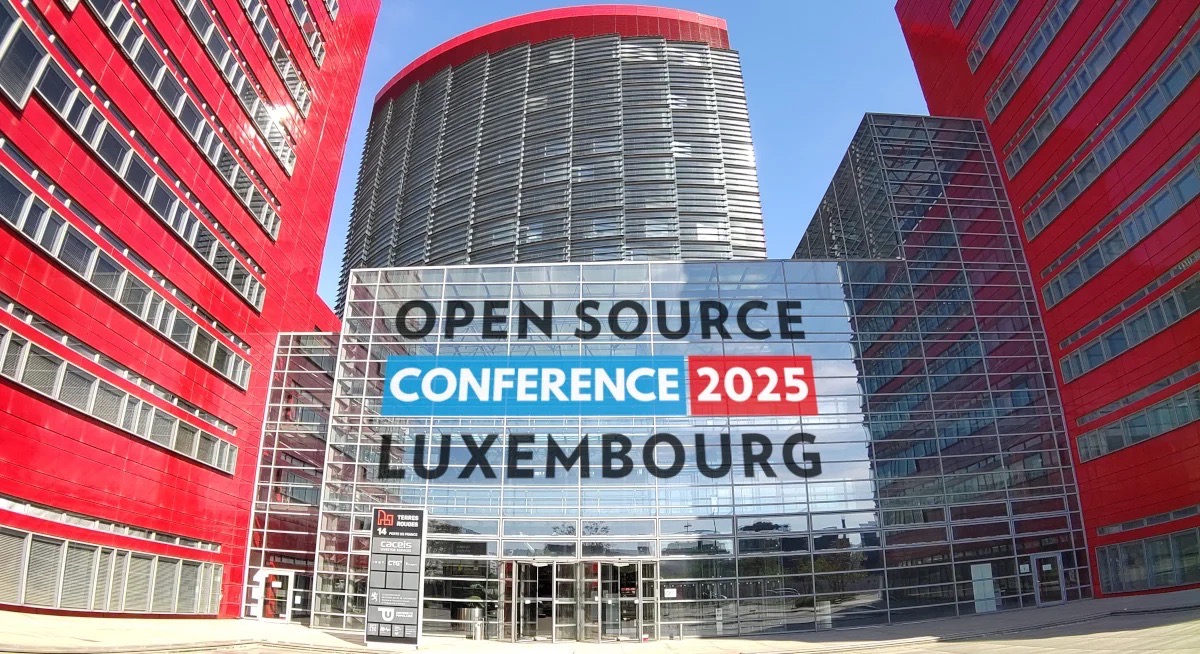
LibreOffice Conference 2025: Location proposals

LibreOffice Conference 2025 group photo

The Document Foundation (TDF) has received two different proposals for the organisation of the LibreOffice Conference 2025. TDF Members will receive an email asking them to cast a vote and decide which will be the final venue.


Budapest

Full application here

City: Budapest, the capital of Hungary and a former part of the Austro-Hungarian Empire, is well known for its stunning landscape, with the Danube River and surrounding hills, its Belle Époque architecture, and its vibrant atmosphere. The city offers numerous attractions, including the medieval Buda Castle district and its famous thermal spas. As a popular tourist destination, Budapest boasts a wide range of accommodations, cafés, parks, and a bustling nightlife with many pubs and entertainment venues. Additionally, Budapest serves as Hungary’s administrative, cultural, and educational centre, with a population of around one million. The city is home to numerous museums and academic institutions.

Entity: The LibreOffice Conference 2025 in Budapest would be co-organized by the FSF.hu Foundation and the ELTE University Faculty of Informatics. The FSF.hu Foundation, established nearly 25 years ago, was created to support the localization and promotion of FLOSS in Hungary. In addition to handling financial matters, FSF.hu has offered to issue visa invitation letters. A list of countries requiring a visa for travel to Hungary can be found on the Hungarian Ministry of Foreign Affairs website.

Dates: The expected date for the conference is September 1 – 5, 2025.

Venue: The conference venue will be located in the heart of Budapest, at ELTE University’s Faculty of Informatics, one of Hungary’s leading universities. The venue, near by the Danube River offers a spacious university campus with numerous large and small rooms, computer labs, and open spaces ideal for community gatherings, meeting the typical needs of a LibreOffice Conference.

The venue provides a reliable Wi-Fi connection suitable for a conference of this scale, and the auditoriums used for the event will be wheelchair accessible. Additionally, the university can provide personnel for video recording during the main conference days.

Team: The organizing team consists of experienced contributors from the local LibreOffice community, including Annabella Szép, Anikó Kelemenné Husi, Gábor Kelemen, András Tímár, Miklós Vajna, Balázs Varga, and Attila Szűcs. Each of them has extensive experience in developing, testing, or teaching LibreOffice. This dedicated team shares a deep commitment to the project, working together effectively as a well-coordinated group.

From ELTE Faculty of Informatics, Ágnes Erdősné Németh is responsible for managing the conference venue.

Gábor Kelemen, head of the organizing team, will oversee visa and sponsor relations.
After many years of collaboration and contributing to LibreOffice’s growth, we now hope to be awarded the opportunity to host the LibreOffice 2025 Conference in Budapest.


Luxembourg

Full application here

City: Belval is the new technology and University campus being developed next to Esch-sur-Alzette, the second largest city in Luxembourg, and is optimally positioned in Europe to provide visibility to LibreOffice and its community as well as for engaging with the various EU institutions it hosts. Being also bordering with France, Belgium and Germany it facilitates the participation to the conference of organisations within the greater region creating even more opportunities to promote LibreOffice and the complementary Open Source software that can form the foundations for the technological autonomy/sovereignty that many countries are now looking to achieve.

Entity: TDF will be the legal entity handling financials and sponsorships directly.

Dates: To guarantee that all participants will have a hotel room on campus we selected the week starting the 29th of September 2025.

Venue: As it has been proven to be an excellent location, we will be hosting it again in last year’s venue, within the Belval campus of the University of Luxembourg, and we will work to get even more support from ministries, local organizations, and of course the university itself.

More information about the location can be found here.

Team: The organisation of the conference is a joint effort made by several local volunteers and organisations coordinated by Paolo Vecchi with the support of the Digital Learning Hub and 42 School which are providing the venues.


So those are the two proposals, and as mentioned, TDF Members will receive an email asking them to cast a vote and decide which will be the final venue.

Why be a member of TDF?

LibreOffice Base and Firebird – a special relationship

(Translated from the Spanish original.)

Juan C. Sanz writes:

The Firebird database is distinguished by its unique features within the LibreOffice Base compatible database ecosystem. Why do I consider Firebird to be special? Because it is the only database engine that supports all possible forms of connection in Base and also allows the creation of both embedded, external and server databases directly from LibreOffice, without having to use specific tools.

LibreOffice offers the following Firebird connection options:

  • Embedded database
  • Standalone database file (no server required)
  • Database server via internal driver

Additionally, like other database servers, it is possible to establish a connection via JDBC or ODBC connectors. These connectors are available free of charge and as open source software on the official Firebird website.

Advantages of multiple connection options. Firebird offers several ways of connection that represent important advantages:

  1. Embedded database: The embedded or internal database consists of a *.odb file containing all the database facilities (table view, query designer, forms, reports, macros) together with the data.

    This option is especially easy and accessible for users with little database experience. Simply enable the experimental features of LibreOffice to start using it. It is ideal for learning basic database concepts and the Base tool.

  2. External database file: For advanced users looking to work more rigorously, it is recommended to migrate from embedded databases to external files. This type of connection does not require additional installations; a new file can be created using the Connect to an existing database option, rather than the Create a new database option (the nomenclature can be confusing). This connection method offers greater security by storing the data in a separate FDB file from the Base ODB file. In addition, modifications are saved instantly, which reduces the risk of data loss in the event of computer crashes or failures. In the long term, external Firebird files can be connected to servers without modification, as long as the versions are compatible. Transformation between different versions of the FDB file can be done easily and smoothly.
  3. Firebird database server: In this case, we will have a Base file with the functionalities of forms, query designer, reports and macros and the data will be hosted in a Firebird database server. The server is a software that does not have to be installed in a special computer, it could even be installed in the same computer that we use to connect to it. This type of connection provides specific advantages:
    • Allows simultaneous access by multiple users
    • Facilitates permissions management and data access control
    • Provides greater speed in the delivery of information

The connection to the server via the internal driver provides a fast and easy way to configure connection. In any case, ODBC and JDBC connections also work without problems, although, as they require an intermediate connector, they are usually slower.

For all these reasons, I consider that Base and Firebird are an ideal combination.

Announcement of LibreOffice 25.2.2 and LibreOffice 24.8.6

Berlin, 27 March 2025 – The Document Foundation announces the availability of LibreOffice 25.2.2, the second minor release of the recently announced LibreOffice 25.2 family [1], and LibreOffice 24.8.6, the sixth minor release of the LibreOffice 24.8 family [2], for Windows (Intel, AMD and ARM), macOS (Apple Silicon and Intel) and Linux. LibreOffice is the best office suite for users who want to retain control over their individual software and documents, thereby protecting their privacy and digital life from the commercial interference and the lock-in strategies of Big Tech. All LibreOffice releases can be downloaded from www.libreoffice.org/download/.

What makes LibreOffice unique is the LibreOffice Technology Platform, the only one on the market that allows the consistent development of desktop, mobile and cloud versions – including those provided by companies in the ecosystem – capable of producing identical and fully interoperable documents based on the two available ISO standards: the open ODF or Open Document Format (ODT, ODS and ODP) and the proprietary Microsoft OOXML (DOCX, XLSX and PPTX). The latter hides a huge number of artificial (and unnecessary) lock-in complexities that create problems for users convinced they are using a standard format. Products based on LibreOffice Technology are available for all major desktop operating systems (Windows, macOS, Linux and ChromeOS), mobile platforms (Android and iOS) and the cloud.

For enterprise-class deployments, TDF strongly recommends the LibreOffice Enterprise family of applications from ecosystem partners – for desktop, mobile and cloud – with a wide range of dedicated value-added features and other benefits such as SLAs and backports of security patches for several years: www.libreoffice.org/download/libreoffice-in-business/.

English manuals for LibreOffice 25.2 and LibreOffice 24.8.6 can be downloaded from books.libreoffice.org/en/. End users can get first-level technical support from volunteers on the user mailing lists and the Ask LibreOffice website: ask.libreoffice.org.

Download LibreOffice

Both LibreOffice 25.2.2 and LibreOffice 24.8.6 are immediately available from www.libreoffice.org/download/. LibreOffice 25.2.2 is targeted at power and tech-savvy users, while LibreOffice 24.8.6 is targeted to users who don’t need the latest features and prefer a version that has undergone more testing and bug and regression fixes.

LibreOffice is the only office suite designed to meet the actual needs of the user – not just their eyes. It offers a range of interface options to suit different user habits, from traditional to modern, and makes the most of different screen sizes, optimising the space available to put the maximum number of features just a click or two away. It is also the only software for creating documents (that may contain personal or confidential information) that respects the user’s privacy, ensuring that the user can decide if and with whom to share the content they create, thanks to the standard and open format that is not used as a lock-in tool, forcing periodic software updates. All this with a feature set that is comparable to the leading software on the market and far superior to that of any competitor.

LibreOffice users, free software advocates and community members can support The Document Foundation and the LibreOffice project with a donation at www.libreoffice.org/donate.

[1] Fixes in RC1: https://wiki.documentfoundation.org/Releases/25.2.2/RC1. Fixes in RC2: https://wiki.documentfoundation.org/Releases/25.2.2/RC2.

[2] Fixes in RC1: https://wiki.documentfoundation.org/Releases/24.8.6/RC1. Fixes in RC2: https://wiki.documentfoundation.org/Releases/24.8.6/RC2.

Celebrating Document Freedom Day

Why Document Freedom Day Matters More Than Ever

Every year, Document Freedom Day reminds us of a simple but powerful idea: we should have control over our own data. Not just where we store it, but how we access it, share it, and keep it usable for years to come. At the heart of that is the concept of open standards, file formats that anyone can read, use, and build on without restrictions.

What’s Document Freedom, Anyway?

Document freedom means being able to create and access digital documents without being locked into a specific company’s software. When you save a file – whether it’s a spreadsheet, a report, or a photo album – you should be able to open it on any system, now or in the future. That’s only possible with open standards like ODF (Open Document Format) or PDF/A.

Proprietary formats can trap your content. Ever tried opening an old project and found that the software doesn’t exist anymore or now requires a subscription? That’s the problem. Your data shouldn’t expire just because a company changed its business model.

Why It Matters

For individuals, it’s about ownership. You shouldn’t lose access to your writing, photos, or work just because you switch devices or software.
For organizations, it’s about long-term access and avoiding vendor lock-in.
For governments, it’s about transparency and accountability. Public records must remain readable and accessible over time.

How You Can Support Document Freedom

– Use software that supports open formats (like LibreOffice or LibreOffice Technology based software).
– Save and share files in open formats like .odt, .ods, or .pdf (not .docx, .xlsx, etc.).
– Push for open standards in your workplace or community projects.
– Spread the word: most people don’t even realize file formats can trap them.

The Bigger Picture

Document freedom is part of a broader movement for digital rights. It’s about giving people real choices and protecting their autonomy in the digital world. As AI, cloud services, and proprietary platforms grow more complex, the risks of losing control over our content also grow. Open standards are a small but essential line of defence.

So today, take a minute to think about the files you create. Are they truly yours to keep?

Happy Document Freedom Day

(this text has been drafted in Italian, my native language, and translated with the help of AI based translation services)