Announcement of LibreOffice 7.2.6 Community

Berlin, March 10, 2022 – LibreOffice 7.2.6 Community, the sixth minor release of the LibreOffice 7.2 family, targeted at desktop productivity, is available from from the download page.

End user support is provided by volunteers via email and online resources: community support. On the website and the wiki there are guides, manuals, tutorials and HowTos. Donations help us to make all of these resources available.

For enterprise-class deployments, TDF strongly recommends the LibreOffice Enterprise family of applications from ecosystem partners, with long-term support options, professional assistance, custom features and Service Level Agreements: LibreOffice Business.

LibreOffice 7.2.6’s changelog pages are available on TDF’s wiki: RC1 and RC2.

LibreOffice Community and the LibreOffice Enterprise family of products are based on the LibreOffice Technology platform, the result of years of development efforts with the objective of providing a state of the art office suite not only for the desktop but also for mobile and the cloud.

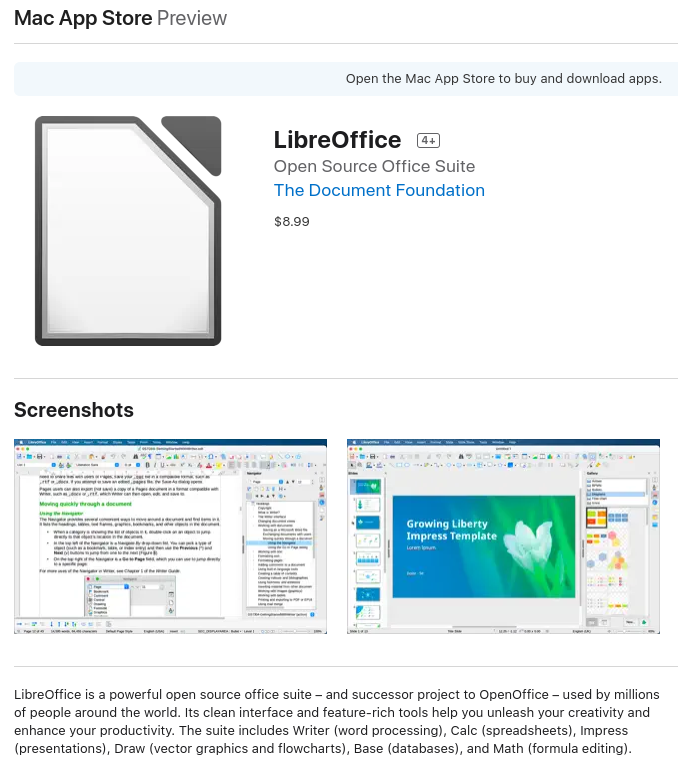
LibreOffice Technology based products for Android and iOS are listed here, while for App Stores and ChromeOS are listed on this page.

LibreOffice users, free software advocates and community members can provide financial support to The Document Foundation with a donation via PayPal, credit card or other tools on our donate page.

LibreOffice 7.2.6 is built with document conversion libraries from the: Document Liberation Project.

LibreOffice 7.3.1 Community available for download

Berlin, March 3, 2022 – LibreOffice 7.3.1 Community, the first minor release of the LibreOffice 7.3 family, targeted at technology enthusiasts and power users, is available for download from https://www.libreoffice.org/download/. This version provides a solution to several LibreOffice 7.3 bugs, including the Auto Calculate regression on Calc, the crashes running Calc when lacking AVX instructions and the crashes related to the Skia graphic engine on macOS.

The LibreOffice 7.3 family offers the highest level of compatibility in the office suite market segment, starting with native support for the OpenDocument Format (ODF) – beating proprietary formats in the areas of security and robustness – to superior support for DOCX, XLSX and PPTX files.

Microsoft files are still based on the proprietary format deprecated by ISO in 2008, which is artificially complex, and not on the ISO approved standard. This lack of respect for the ISO standard format may create issues to LibreOffice, and is a huge obstacle for transparent interoperability.

LibreOffice for enterprise deployments

For enterprise-class deployments, TDF strongly recommends the LibreOffice Enterprise family of applications from ecosystem partners, with long-term support options, professional assistance, custom features and Service Level Agreements: https://www.libreoffice.org/download/libreoffice-in-business/.

LibreOffice Community and the LibreOffice Enterprise family of products are based on the LibreOffice Technology platform, the result of years of development efforts with the objective of providing a state of the art office suite not only for the desktop but also for mobile and the cloud.

Products based on LibreOffice Technology are available for major desktop operating systems (Windows, macOS, Linux and Chrome OS), mobile platforms (Android and iOS) and the cloud. They may have a different name, according to each company brand strategy, but they share the same LibreOffice unique advantages, robustness and flexibility.

Availability of LibreOffice 7.3.1 Community

LibreOffice 7.3.1 Community represents the bleeding edge in term of features for open source office suites. For users whose main objective is personal productivity and therefore prefer a release that has undergone more testing and bug fixing over the new features, The Document Foundation provides LibreOffice 7.2.5.

LibreOffice 7.3.1 change log pages are available on TDF’s wiki: https://wiki.documentfoundation.org/Releases/7.3.1/RC1 (changed in RC1), https://wiki.documentfoundation.org/Releases/7.3.1/RC2 (changed in RC2) and https://wiki.documentfoundation.org/Releases/7.3.1/RC3 (changed in RC3).

LibreOffice Technology based products for Android and iOS are listed here: https://www.libreoffice.org/download/android-and-ios/, while for App Stores and ChromeOS are listed here: https://www.libreoffice.org/download/libreoffice-from-microsoft-and-mac-app-stores/

LibreOffice individual users are assisted by a global community of volunteers: https://www.libreoffice.org/get-help/community-support/. On the website and the wiki there are guides, manuals, tutorials and HowTos. Donations help the project to make all of these resources available.

LibreOffice users are invited to join the community at https://ask.libreoffice.org, where they can get and provide user-to-user support. People willing to contribute their time and professional skills to the project can visit the dedicated website at https://whatcanidoforlibreoffice.org.

LibreOffice users, free software advocates and community members can provide financial support to The Document Foundation with a donation via PayPal, credit card or other tools at https://www.libreoffice.org/donate.

LibreOffice 7.3.1 is built with document conversion libraries from the Document Liberation Project: https://www.documentliberation.org.

LibreOffice 7.3 Community is better than ever at interoperability

In addition to the majority of code commits being focused on interoperability with Microsoft’s proprietary file formats, there is a wealth of new features targeted at users migrating from Office, to simplify the transition

Berlin, February 2, 2022 – LibreOffice 7.3 Community, the new major release of the volunteer-supported free office suite for desktop productivity, is available from https://www.libreoffice.org/download. Based on the LibreOffice Technology platform for personal productivity on desktop, mobile and cloud, it provides a large number of improvements targeted at users migrating from Microsoft Office to LibreOffice, or exchanging documents between the two office suites.

There are three different kinds of interoperability improvements:

  • Development of new features, such as the new handling of change tracking in tables and when text is moved, which have a positive impact on interoperability with Microsoft Office documents.
  • Performance improvements when opening large DOCX and XLSX/XLSM files, improved rendering speed of some complex documents, and new rendering speed improvements when using the Skia back-end introduced with LibreOffice 7.1.
  • Improvements to import/export filters: DOC (greatly improved list/numbering import); DOCX (greatly improved list/numbering import; hyperlinks attached to shapes are now imported/exported; fix permission for editing; track change of paragraph style); XLSX (decreased row height for Office XLSX files; cell indent doesn’t increase on each save; fix permission for editing; better support of XLSX charts); and PPTX (fixed interactions and hyperlinks on images; fix the incorrect import/export of PPTX slide footers; fix hyperlinks on images and shapes; transparent shadow for tables).

In addition, LibreOffice’s Help has also been improved to support all users, with a particular attention for those switching from Microsoft Office: search results – which are now using FlexSearch instead of Fuzzysort for indexing – are focused on the user’s current module, while Help pages for Calc Functions have been reviewed for accuracy and completeness and linked to Calc Function wiki pages, while Help pages for the ScriptForge scripting library have been updated.

ScriptForge libraries, which make it easier to develop macros, have also been extended with various features: the addition of a new Chart service, to define charts stored in Calc sheets; a new PopupMenu service, to describe the menu to be displayed after a mouse event; an extensive option for Printer Management, with a list of fonts and printers; and a feature to export documents to PDF with full management of PDF options. The whole set of services is available with identical syntax and behavior for Python and Basic.

LibreOffice offers the highest level of compatibility in the office suite market segment, starting with native support for the OpenDocument Format (ODF) – beating proprietary formats in the areas of security and robustness – to superior support for DOCX, XLSX and PPTX files. In addition, LibreOffice provides filters for a large number of legacy document formats, to return ownership and control to users.

Microsoft files are still based on the proprietary format deprecated by ISO in 2008, and not on the ISO approved standard, so they hide a large amount of artificial complexity. This causes handling issues with LibreOffice, which defaults to a true open standard format (the OpenDocument Format).

LibreOffice 7.3 is available natively for Apple Silicon, a series of processors designed by Apple and based on the ARM architecture. The option has been added to the default ones available on the download page.

A video summarizing the top new features in LibreOffice 7.3 Community is available on YouTube: https://www.youtube.com/watch?v=Raw0LIxyoRU and PeerTube: https://peertube.opencloud.lu/w/iTavJYSS9YYvnW43anFLeC.

A description of all new features is available in the Release Notes [1]

Contributors to LibreOffice 7.3 Community

LibreOffice 7.3 Community’s new features have been developed by 147 contributors: 69% of code commits are from the 49 developers employed by three companies sitting in TDF’s Advisory Board – Collabora, Red Hat and allotropia – or other organizations (including The Document Foundation), and 31% are from 98 individual volunteers.

In addition, 641 volunteers have provided localizations in 155 languages. LibreOffice 7.3 Community is released in 120 different language versions, more than any other free or proprietary software, and as such can be used in the native language (L1) by over 5.4 billion people worldwide. In addition, over 2.3 billion people speak one of those 120 languages as their second language (L2).

LibreOffice for Enterprises

For enterprise-class deployments, TDF strongly recommends the LibreOffice Enterprise family of applications from ecosystem partners – for desktop, mobile and cloud – with a large number of dedicated value-added features. These include long-term support options, professional assistance, personalized developments and other benefits such as SLA (Service Level Agreements): https://www.libreoffice.org/download/libreoffice-in-business/.

Despite this recommendation, an increasing number of enterprises are using the version supported by volunteers, instead of the version optimized for their needs and supported by the different ecosystem companies.

Over time, this represents a problem for the sustainability of the LibreOffice project, because it slows down the evolution of the project. In fact, every line of code developed by ecosystem companies for their enterprise customers is shared with the community on the master code repository, and improves the LibreOffice Technology platform.

Products based on LibreOffice Technology are available for major desktop operating systems (Windows, macOS, Linux and Chrome OS), for mobile platforms (Android and iOS), and for the cloud. Slowing down the development of the platform is hurting users at every level, and the LibreOffice project may fall short of its expectations and possibilities.

Migrations to LibreOffice

The Document Foundation has developed a Migration Protocol to support enterprises moving from proprietary office suites to LibreOffice, which is based on the deployment of an LTS version from the LibreOffice Enterprise family, plus migration consultancy and training sourced from certified professionals who offer value-added solutions in line with proprietary offerings. Reference: https://www.libreoffice.org/get-help/professional-support/.

In fact, LibreOffice – thanks to its mature codebase, rich feature set, strong support for open standards, excellent compatibility and LTS options from certified partners – is the ideal solution for businesses that want to regain control of their data and free themselves from vendor lock-in.

Availability of LibreOffice 7.3 Community

LibreOffice 7.3 Community is immediately available from the following link: https://www.libreoffice.org/download/. Minimum requirements for proprietary operating systems are Microsoft Windows 7 SP1 and Apple macOS 10.12.

LibreOffice Technology-based products for Android and iOS are listed here: https://www.libreoffice.org/download/android-and-ios/, while for App Stores and ChromeOS are listed here: https://www.libreoffice.org/download/libreoffice-from-microsoft-and-mac-app-stores/

For users whose main objective is personal productivity, and therefore prefer a release that has undergone more testing and bug fixing over the new features, The Document Foundation maintains the LibreOffice 7.2 family, which includes some months of back-ported fixes. The current version is LibreOffice 7.2.5.

The Document Foundation does not provide technical support for users, although they can get it from volunteers on user mailing lists and the Ask LibreOffice website: https://ask.libreoffice.org
LibreOffice users, free software advocates and community members can support The Document Foundation with a donation at https://www.libreoffice.org/donate.

LibreOffice 7.3 is built with document conversion libraries from the Document Liberation Project: https://www.documentliberation.org
[1] Release Notes: https://wiki.documentfoundation.org/ReleaseNotes/7.3

Press Kit

Download link: https://nextcloud.documentfoundation.org/s/MnZEgpr86TzwBJi

LibreOffice 7.2.5 is now available

Berlin, January 6, 2022 – The Document Foundation announces LibreOffice 7.2.5 Community, the fifth minor release of the LibreOffice 7.2 family, which is available on the download page.

This version includes 90 bug fixes and improvements to document compatibility. The changelogs provide details of the fixes: changes in RC1 and changes in RC2.

For enterprise-class deployments, TDF strongly recommends the LibreOffice Enterprise family of applications from ecosystem partners, with long-term support options, professional assistance, custom features and Service Level Agreements: LibreOffice in Business.

LibreOffice Community and the LibreOffice Enterprise family of products are based on the LibreOffice Technology platform, the result of years of development efforts with the objective of providing a state of the art office suite, not only for the desktop but also for mobile and the cloud.

LibreOffice Technology-based products for Android and iOS are listed on this page, while products for App Stores and ChromeOS are listed here.

Get help, and support us

Individual users are assisted by a global community of volunteers, via our community help pages. On the website and the wiki there are guides, manuals, tutorials and HowTos. Donations help us to make all of these resources available.

LibreOffice users are invited to join the community at Ask LibreOffice, where they can get and provide user-to-user support. People willing to contribute their time and professional skills to the project can visit the dedicated website at What Can I Do For LibreOffice.

LibreOffice users, free software advocates and community members can provide financial support to The Document Foundation with a donation via PayPal, credit card, bank transfer, cryptocurrencies and other methods on this page.

LibreOffice 7.2.5 is built with document conversion libraries from the Document Liberation Project.

Download LibreOffice 7.2.5

LibreOffice 7.2.4 Community and LibreOffice 7.1.8 Community available ahead of schedule to provide an important security fix

Berlin, December 6, 2021 – The Document Foundation announces LibreOffice 7.2.4 Community and LibreOffice 7.1.8 Community to provide a key security fix. Releases are immediately available from https://www.libreoffice.org/download/, and all LibreOffice users are recommended to update their installation. Both new version include the fixed NSS 3.73.0 cryptographic library, to solve CVE-2021-43527 (the nss secfix is the only change compared to the previous version).

LibreOffice 7.2.4 Community is also available for Apple Silicon from this link: https://download.documentfoundation.org/libreoffice/stable/7.2.4/mac/aarch64/.

LibreOffice Community is based on the LibreOffice Technology platform, the result of years of development efforts with the objective of providing a state of the art office suite not only for the desktop but also for mobile and the cloud.

LibreOffice individual users are assisted by a global community of volunteers: https://www.libreoffice.org/get-help/community-support/. On the website and the wiki there are guides, manuals, tutorials and HowTos. Donations help us to make all of these resources available.

LibreOffice users, free software advocates and community members can provide financial support to The Document Foundation with a donation via PayPal, credit card or other tools at https://www.libreoffice.org/donate.

The Document Foundation announces LibreOffice 7.2.3 Community

Berlin, November 25, 2021 – The Document Foundation announces LibreOffice 7.2.3 Community, the third minor release of the LibreOffice 7.2 family targeted at technology enthusiasts and power users, which is available for download from https://www.libreoffice.org/download/. This version includes 112 bug fixes and improvements to document compatibility.

LibreOffice 7.2.3 Community is also available for Apple Silicon from this link: https://download.documentfoundation.org/libreoffice/stable/7.2.3/mac/aarch64/.

For enterprise-class deployments, TDF strongly recommends the LibreOffice Enterprise family of applications from ecosystem partners, with long-term support options, professional assistance, custom features and Service Level Agreements: https://www.libreoffice.org/download/libreoffice-in-business/.

LibreOffice Community and the LibreOffice Enterprise family of products are based on the LibreOffice Technology platform, the result of years of development efforts with the objective of providing a state of the art office suite not only for the desktop but also for mobile and the cloud.

Availability of LibreOffice 7.2.3 Community

LibreOffice 7.2.3 Community represents the bleeding edge in term of features for open source office suites. For users whose main objective is personal productivity and therefore prefer a release that has undergone more testing and bug fixing over the new features, The Document Foundation provides LibreOffice 7.1.7.

LibreOffice 7.2.3 change log pages are available on TDF’s wiki: https://wiki.documentfoundation.org/Releases/7.2.3/RC1 (changed in RC1) and https://wiki.documentfoundation.org/Releases/7.2.3/RC2 (changed in RC2).

LibreOffice Technology based products for Android and iOS are listed here: https://www.libreoffice.org/download/android-and-ios/, while for App Stores and ChromeOS are listed here: https://www.libreoffice.org/download/libreoffice-from-microsoft-and-mac-app-stores/

LibreOffice individual users are assisted by a global community of volunteers: https://www.libreoffice.org/get-help/community-support/. On the website and the wiki there are guides, manuals, tutorials and HowTos. Donations help us to make all of these resources available.

LibreOffice users are invited to join the community at https://ask.libreoffice.org, where they can get and provide user-to-user support. People willing to contribute their time and professional skills to the project can visit the dedicated website at https://whatcanidoforlibreoffice.org.

LibreOffice users, free software advocates and community members can provide financial support to The Document Foundation with a donation via PayPal, credit card or other tools at https://www.libreoffice.org/donate.

LibreOffice 7.2.3 is built with document conversion libraries from the Document Liberation Project: https://www.documentliberation.org.