Community Member Monday: Onyeibo Oku

LibreOffice is a truly international project – its user interface has been translated into over 100 languages, and our community is made up of contributors all across the globe. Today we talk to Onyeibo Oku from Nigeria, who is helping to promote LibreOffice and open standards…

Tell us a bit about you!

I live in Enugu, which is in Enugu State, Nigeria. I lecture in a state university – and I also do graphic design and love music! By music, I mean “music” as an art – not just for consumption.

Although I didn’t go through formal training or education in music, I learned a bit of sight-reading (slow though), interpretation of chords, movements etc. and I play the keyboard (piano etc.). I communicate my understanding of music through digital sequencing. That implies that I compose and arrange sometimes. My choice of reference (genre) is wide but I appreciate classical, contemporary classics, jazz and choral music the most.

Sometimes I’m active on IRC: I spend some time in the #fedora-qa (quality assurance) channel on Freenode. I also visit #python when I run into problems with my programming. For communication I use Telegram, and I am also on Twitter and LinkedIn.

How do you use LibreOffice in your work?

I write reports and do grade sheets with Libreoffice. Every lecturer prepares result sheets – I do mine with LibreOffice. I also collaborate with students authoring research papers using Writer. The commenting feature is indispensable.

How are you promoting FOSS and LibreOffice?

I operate the ##floss4arch channel on Freenode. There, I discuss the benefits of open source tools in the practice of Architecture with students of the Enugu State University of Science and Technology. I am a Fedora Ambassador, and a (former) council member of the Free and Open Source Software Foundation for Africa (FOSSFA).

What are the challenges to adoption of FOSS in Nigeria?

The major challenge with adopting FOSS in Nigeria is the perception of “free”. Free things are considered “inferior”. Despite this mindset, it is hard to find a Nigerian who uses the internet without experiencing open source solutions like Firefox. Therefore, they’re mostly oblivious to how open-source products are pushing standards worldwide. Since Nigeria is weak in enforcing copyright laws, the average citizen has a skewed interpretation of licensing and the importance of software “freedom”.

What does LibreOffice need most right now?

For me, I think Libreoffice Calc should be able to retain header images when saving to MS Office DOC/DOCX file formats (and vice-versa). Currently, logos placed within headers disappear when the document is migrated to Microsoft’s format. A better commenting feature would certainly attract increased usage among the academics. Writer also sometimes seems jerky when working on documents with numerous pages.

What tools do you use for your work?

Apart from LibreOffice, I use Inkscape, GIMP, Blender, and Scribus. Python comes in when I need to automate tasks that support it. Then, I use Geany and Gedit for coding. Lilypond, Timidity++, Ardour and Audacity come into play when I need to arrange or sequence music.

Anything else you want to mention?

Yes – I work with FOSS 90-95% of the time. Open source software technologies are revolutionary!

Thanks to Onyeibo for his time! Anyone can help to promote LibreOffice and open standards in local communities: discover our existing native language projects, and also the regional mailing lists. If you want to start a new community, leave a comment below and we’ll get in touch!

Quick report: LibreOffice training in İstanbul

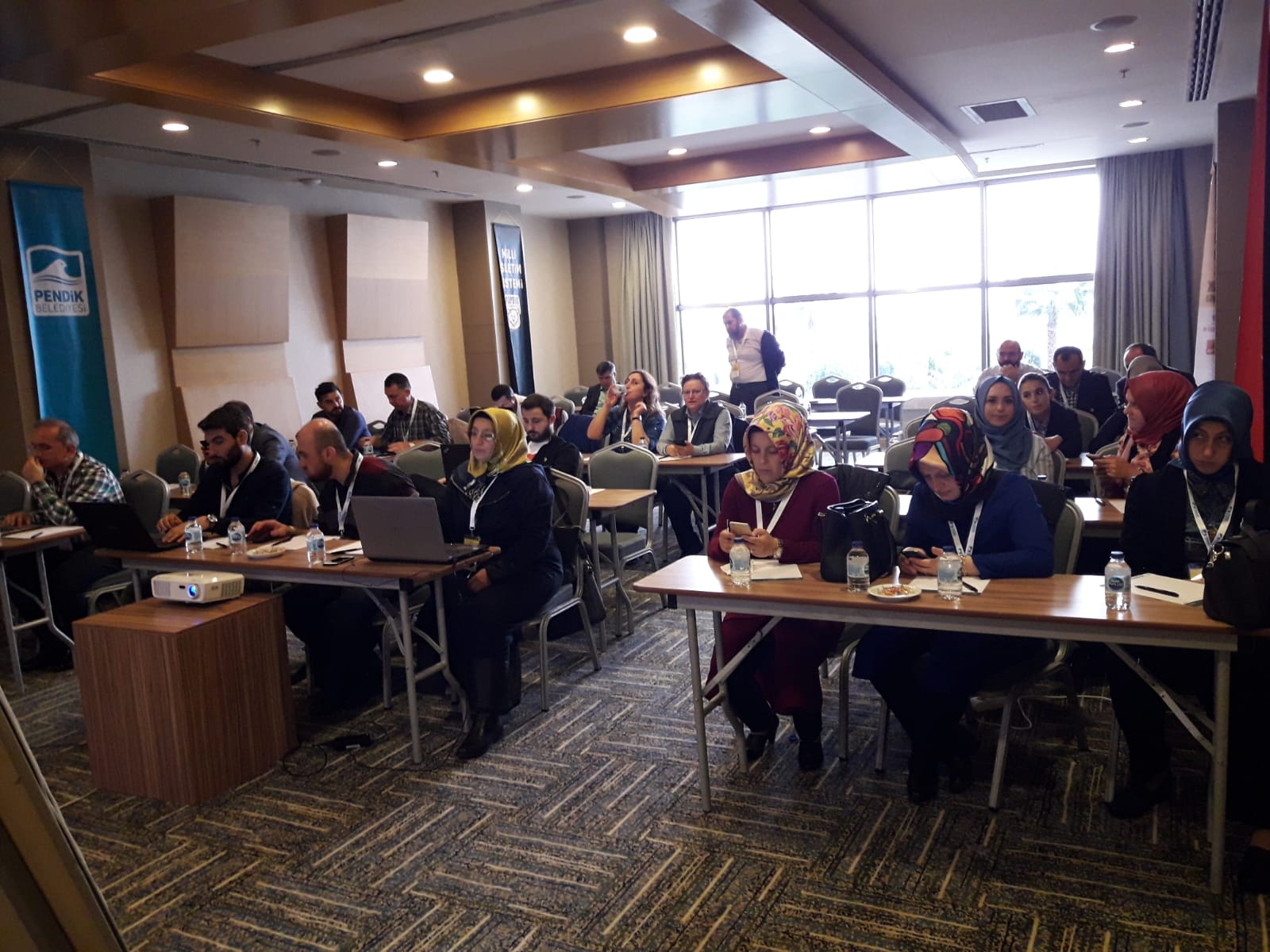
Gökhan Gurbetoğlu from our Turkish community organised some LibreOffice training earlier this month. Here’s his summary:

It was a two-day training, 2-3 October 2018, from 10:00 to 17:00. The training took place in İstanbul, as part of the Open Source in Public Institutions Conference’s local sessions (Kamu Açık Kaynak Konferansı).

There were 25 trainees on both days. The first day started with a quick introduction to LibreOffice’s interface and continued with Writer. Then the second day was for Calc. In Writer I focused on:

  • Introduction to Writer’s interface
  • Selection methods
  • Working with documents
  • Formatting: text, paragraphs, pages, styles
  • Referencing: index, table of contents, etc.
  • Tables, images and other embedded objects
  • Settings and customization

While in Calc I focused on:

  • Introduction to Calc’s interface
  • Working with spreadsheets: moving inside the spreadsheet, cell referencing, hiding, locking cells, etc.
  • Numbered lists and series
  • Formula bar and functions
  • Formatting: cells, pages, styles
  • Charts: creating and modifying
  • Data and filters
  • Ended with telling the most used functions in Calc

Thanks to Gökhan for organising the training and his report! Learn more about LibreOffice training and certification options here.

Coming up: The Month of LibreOffice, November 2018

Next month, on November 1st, we’re starting a new Month of LibreOffice. But what does this mean? Well, it’s your chance to get some cool stickers for your laptop, PC, bike, pool table, or indeed anything else you have!

From the start of November, we’ll make a note of contributions all across the project, in development, QA, marketing, documentation, translations and more. Everyone who helps out in the community can claim their stickers – and if you’re already a long-time contributor, you can encourage other people to join in as well!

We’ll post more details on November 1st, including specific ways to get involved and help to make LibreOffice even better. Stay tuned…

LibreOffice Conference 2018: More presentation videos

The next batch of videos from our conference in Tirana is online. (Use headphones for the best audio.)

First, Simon Phipps talks about the 20th anniversary of the Open Source Initiative:

Please confirm that you want to play a YouTube video. By accepting, you will be accessing content from YouTube, a service provided by an external third party.

YouTube privacy policy

If you accept this notice, your choice will be saved and the page will refresh.

Then Heiko Tietze provides some news from the LibreOffice design team:

Please confirm that you want to play a YouTube video. By accepting, you will be accessing content from YouTube, a service provided by an external third party.

YouTube privacy policy

If you accept this notice, your choice will be saved and the page will refresh.

Finally, Caolan McNamara describes some updates to the native GTK UI:

Please confirm that you want to play a YouTube video. By accepting, you will be accessing content from YouTube, a service provided by an external third party.

YouTube privacy policy

If you accept this notice, your choice will be saved and the page will refresh.

Many more videos still to come!

Video recap: LibreOffice Conference 2018 in Tirana, Albania

Our Albanian community has created this great recap video the recent conference in Tirana – check it out! And a big thanks for their help with organising the event.

Please confirm that you want to play a YouTube video. By accepting, you will be accessing content from YouTube, a service provided by an external third party.

YouTube privacy policy

If you accept this notice, your choice will be saved and the page will refresh.

LibreOffice Conference 2018: State of the Project (video)

We’ve edited and uploaded another video from our conference in Tirana, in which Italo Vignoli gives an overview of the project and community. (Use headphones for the best audio.)

Please confirm that you want to play a YouTube video. By accepting, you will be accessing content from YouTube, a service provided by an external third party.

YouTube privacy policy

If you accept this notice, your choice will be saved and the page will refresh.