
The LibreOffice Conference 2023 begins!
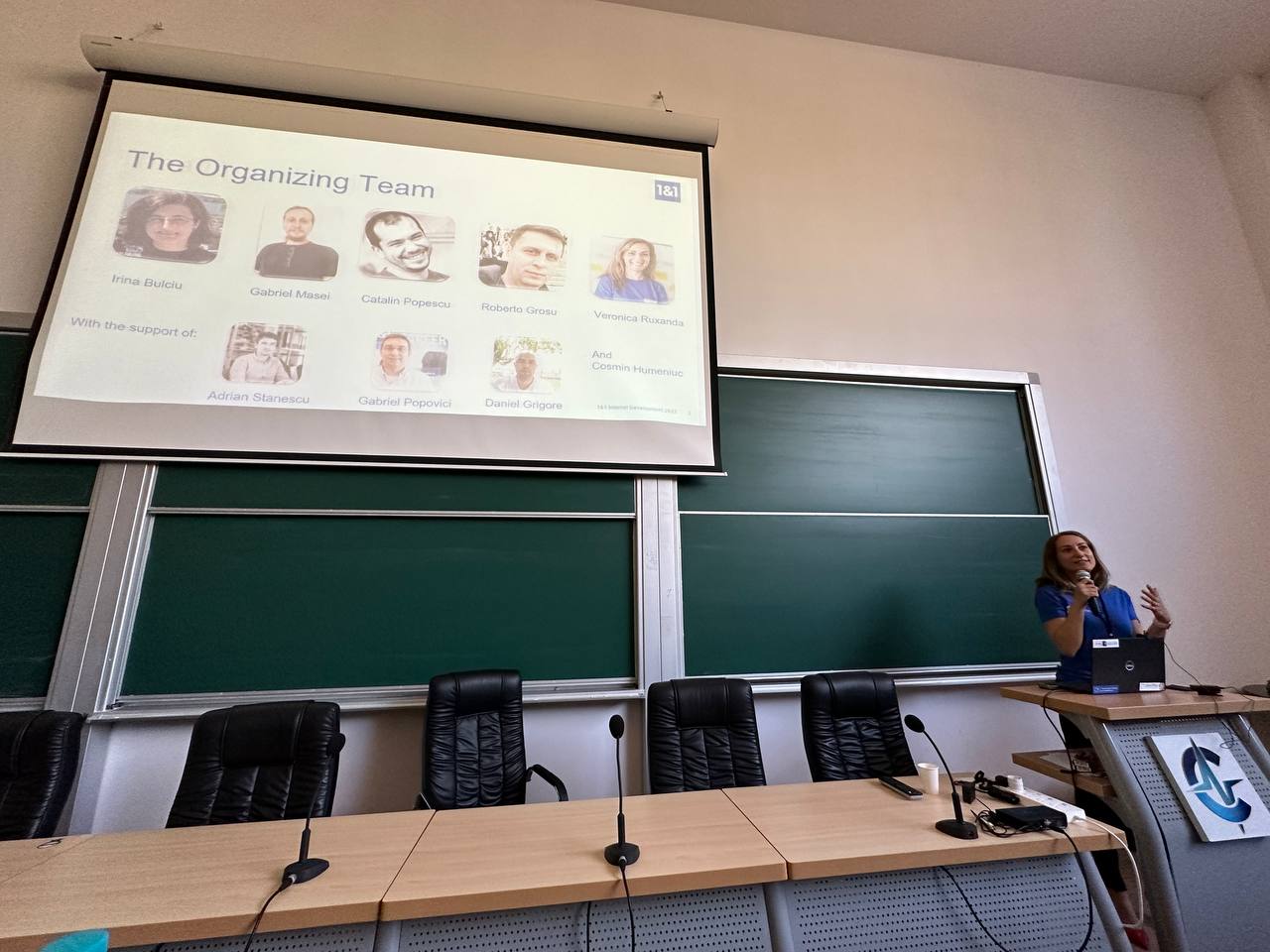
Yes, it has started! Check out the conference website for live streams and more information – and a big thanks to the organisers, sponsors and supporters.
Here’s to a great event 😊
Yes, it has started! Check out the conference website for live streams and more information – and a big thanks to the organisers, sponsors and supporters.
Here’s to a great event 😊
LibreOffice Conference 2023 will be hosted by the Universitatea Națională de Știință și Tehnologie Politehnica București, Facultatea de Automatică și Calculatoare (National University of Science and Technology, Polytechnic University of Bucharest, Faculty of Automation and Computer Science) at the PRECIS building from Wednesday 20 September to Saturday 23 Septembe. On Wednesday, the community will gather for the usual community meeting to discuss localisation and marketing activities at the local level. The conference will open on Thursday morning and continue with talks and workshops until Saturday lunchtime (schedule). Alongside this, there will be a technical workshop focusing on LibreOffice development.
The conference is sponsored by Collabora Office and Allotropia (main sponsors), dvloper.io and 1&1, with a significant contribution from The Document Foundation, and the technical support of IT Genetics. The event has been organized by a local team of volunteers, backed by 1&1 and supported by the team at The Document Foundation with the help of local NGOs Rosedu and Tech Lounge. More information on the conference website.

This year, LibreOffice was once again a mentoring organization in the Google Summer of Code (GSoC), a global program focused on bringing more developers into free and open source software development. Five projects were finished successfully. Contributors and mentors enjoyed the time, and here we present some of the achievements, which should make their way into LibreOffice 24.2 in early February 2024!
You can experiment with the new features by using daily builds and report any problems in our bug tracker.
Mentors: Thorsten Behrens (allotropia), Heiko Tietze (TDF), Hossein Nourikhah (TDF)
LibreOffice can encrypt documents using OpenPGP public key cryptography by making use of external applications such as gpg4win, GPGTools and gnupg. Thanks to Ahmed’s work, it is now easier to manage and search keys and faster to navigate large keyrings.
Learn more about the encryption experience improvements in the final report.
Mentors: Thorsten Behrens (allotropia), Stéphane Guillou (TDF), Christian Lohmaier (TDF)
This project was inspired by Mozilla’s work on Firefox’s continuous integration. There is now a system in place that makes predictions on the test failure possibility of submitted code changes and decides the most efficient way to build the changes. As this kind of machinery is very new to everyone, we expect many tweaks to follow.
Learn more about the machine learning project in the final report.
Mentors: Andreas Heinisch, Heiko Tietze (TDF)
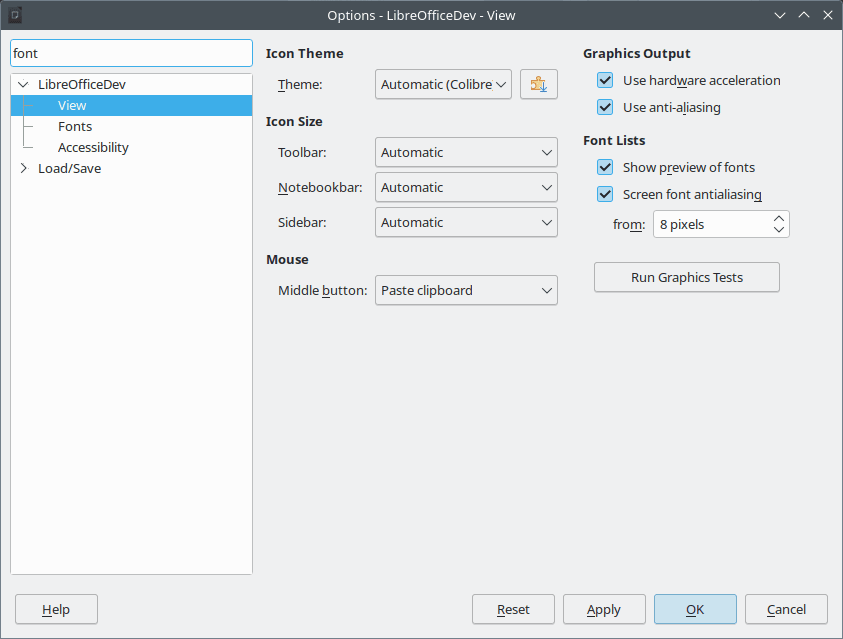
Searching through options is pretty standard in applications these days, so it is about time LibreOffice learned how to do it!
Learn more about the search feature in the final report.
Mentors: Tomaž Vajngerl (Collabora), Xisco Faulí (TDF)
The idea here was to reduce the dependency on Java during the LibreOffice build process. Half of the tests for Writer were converted.
Learn more about the test conversion project in the final report.
Mentors: Tomaž Vajngerl (Collabora)
APNG is short for Animated Portable Network Graphics. It is not an official extension to PNG, but nevertheless has broad support in web browsers these days. Thanks to Paris’s work, LibreOffice now fully supports this format.
Learn more about the APNG feature in the final report.
Many thanks to all contributors who spent their summer time improving LibreOffice. You are awesome! And special thanks also to the mentors who always put so much love and energy into these tasks. That’s what makes LibreOffice rock.
Now we are looking forward to next year’s GSoC. If you are interested, why not prepare early? Learn more at out wiki page where some ideas are listed.
Participating in GSoC is a great way to build your skills, and show future employers what you’re capable of!
 Berlin, September 14, 2023 – LibreOffice 7.6.1 Community, the first minor release of the 7.6 family of the volunteer-supported free office suite for desktop productivity, for Windows (Intel/AMD and ARM processors), macOS (Apple and Intel processors) and Linux is immediately available from www.libreoffice.org/download.
LibreOffice is the only open source office suite for personal productivity which can be compared feature-by-feature with the market leader. LibreOffice offers the highest level of compatibility in the office suite market segment, with native support for the Open Document Format (ODF) – beating proprietary formats for security and robustness – to superior support for MS Office files, along with filters for a large number of legacy document formats, to return ownership and control to users.
Based on the advanced features of the LibreOffice Technology platform for personal productivity on desktop, mobile and cloud, the LibreOffice 7.6 family provides a large number of improvements and new features targeted at users sharing documents with MS Office or migrating from MS Office. These users should check new releases of LibreOffice on a regular basis, as the progress is so fast, that each new version improves dramatically over the previous one.
LibreOffice 7.6 Community Highlights
GENERAL
WRITER
CALC
IMPRESS & DRAW
Please confirm that you want to play a YouTube video. By accepting, you will be accessing content from YouTube, a service provided by an external third party.
If you accept this notice, your choice will be saved and the page will refresh.
(PeerTube version of this video.)
LibreOffice for Enterprises
For enterprise-class deployments, TDF strongly recommends the LibreOffice Enterprise family of applications from ecosystem partners – for desktop, mobile and cloud – with a large number of dedicated value-added features and other benefits such as SLA (Service Level Agreements): www.libreoffice.org/download/libreoffice-in-business/.
Every line of code developed by ecosystem companies for their enterprise customers is shared with the community on the master code repository, and improves the LibreOffice Technology platform.
Products based on LibreOffice Technology are available for major desktop operating systems (Windows, macOS, Linux and ChromeOS), for mobile platforms (Android and iOS), and for the cloud.
Migrations to LibreOffice
The Document Foundation has developed a Migration Protocol to support enterprises moving from proprietary office suites to LibreOffice, which is based on the deployment of an LTS (long-term support) version from the LibreOffice Enterprise family, plus migration consultancy and training sourced from certified professionals who offer value-added solutions and services in line with proprietary offerings. Reference: www.libreoffice.org/get-help/professional-support/.
Indeed, LibreOffice – thanks to its mature codebase, rich feature set, strong support for open standards, excellent compatibility and LTS options from certified partners – is the ideal solution for businesses that want to regain control of their data, and free themselves from vendor lock-in.
Availability of LibreOffice 7.6.1 Community
LibreOffice 7.6.1 Community is available from www.libreoffice.org/download/. Minimum requirements for proprietary operating systems are Microsoft Windows 7 SP1 and Apple macOS 10.15. LibreOffice Technology-based products for Android and iOS are listed here: www.libreoffice.org/download/android-and-ios/.
For users who don’t need the latest features, and prefer a version that has undergone more testing and bug fixing, The Document Foundation maintains the LibreOffice 7.5 family, which includes some months of back-ported fixes. The current version is LibreOffice 7.5.6 Community.
The Document Foundation does not provide technical support for users, although they can get it from volunteers on user mailing lists and the Ask LibreOffice website: ask.libreoffice.org
LibreOffice users, free software advocates and community members can support The Document Foundation with a donation at www.libreoffice.org/donate.
 |
 |
Jean H. Weber (photo) and the Documentation Team are happy to announce the immediate availability of the Writer Guide 7.6, the latest update based on the recently released LibreOffice 7.6.
Writer is the word-processing application. It is compatible with a wide range of document formats including Microsoft Word (.doc, .docx), and you can export your work in several formats including PDF. Anyone who wants to get up to speed quickly with Writer will find this book valuable. You may be new to word processing software, or you may be familiar with another office suite.
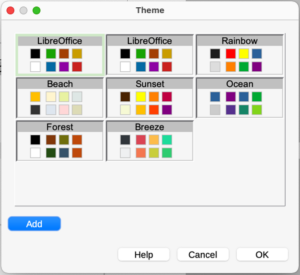
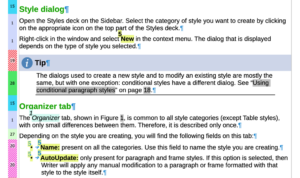
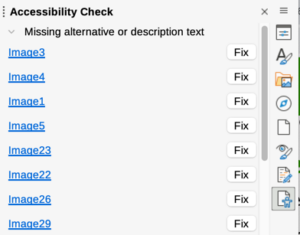
The 7.6 Writer Guide incorporates the latest features including:
 |
 |
 |
The Writer Guide 7.6 is available in the Documentation Website as well as in the LibreOffice Bookshelf website and it includes the guides in HTML format for web navigation, as well as the traditional PDF, ODT and the printed version from LuLu Inc.
Two weeks ago, we released LibreOffice 7.6, our new major version of the office suite. And so far we’ve had 1,587,383 downloads from our site! (So that doesn’t include Linux distributions that package it themselves.) We hope all users are enjoying it, and the many new features.
Some more stats: 31,519 impressions of the announcement tweet, with 690 likes and 231 reposts. Our Mastodon post had 293 likes and 272 reposts, while the New Features video on YouTube has had 17,339 views. (It’s also on PeerTube as well.)
Many thanks to our worldwide community of volunteers, and certified developers, for all their work on this release!
Please confirm that you want to play a YouTube video. By accepting, you will be accessing content from YouTube, a service provided by an external third party.
If you accept this notice, your choice will be saved and the page will refresh.