Nepali Community celebrates LibreOffice 24.2 Release Party with CS50x Nepal students
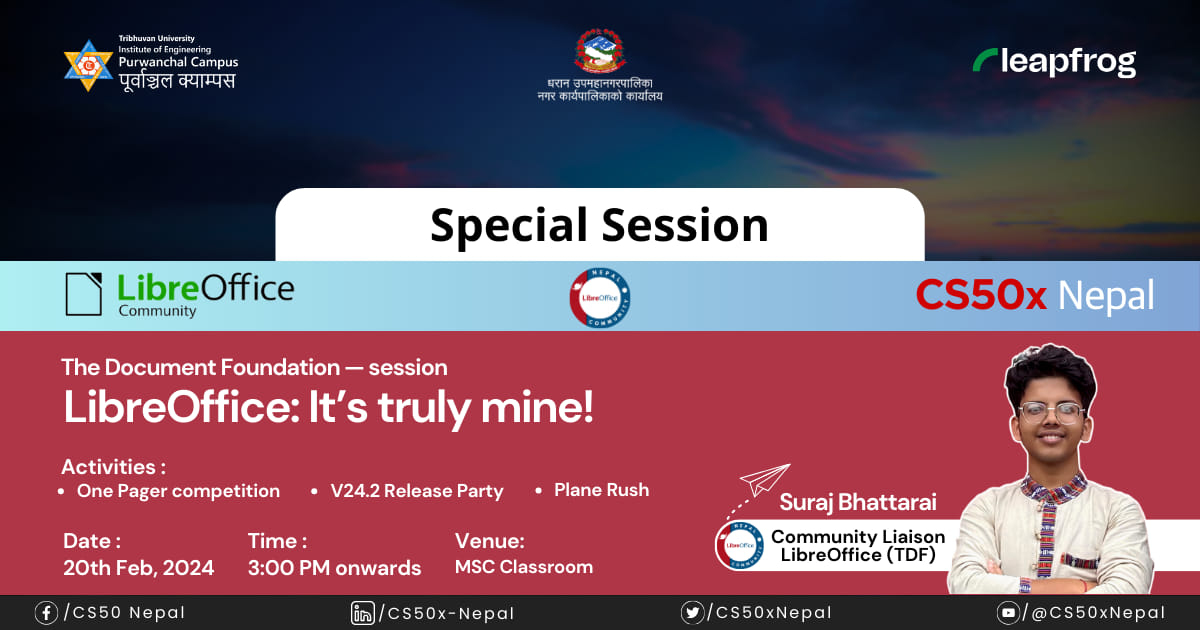
Info banner about LibreOffice special session for Nepali community

Suraj Bhattarai, our Nepalese LibreOffice Community Liaison, writes:

We shared some positive words around the LibreOffice project, among students of IOE Purwanchal Campus enrolled in CS50x Nepal. The LibreOffice orientation was scheduled for two hours on 21st February, 2024 at the MSC special classroom of the same campus; it was a special session in the CS50x Nepal timeline.

The session that I delivered gave a general overview of the LibreOffice project, The Document Foundation, the Document Liberation Project, past activities carried out by the local Nepali community, customization tips and tricks for familiarity, and how to contribute or connect in the community.
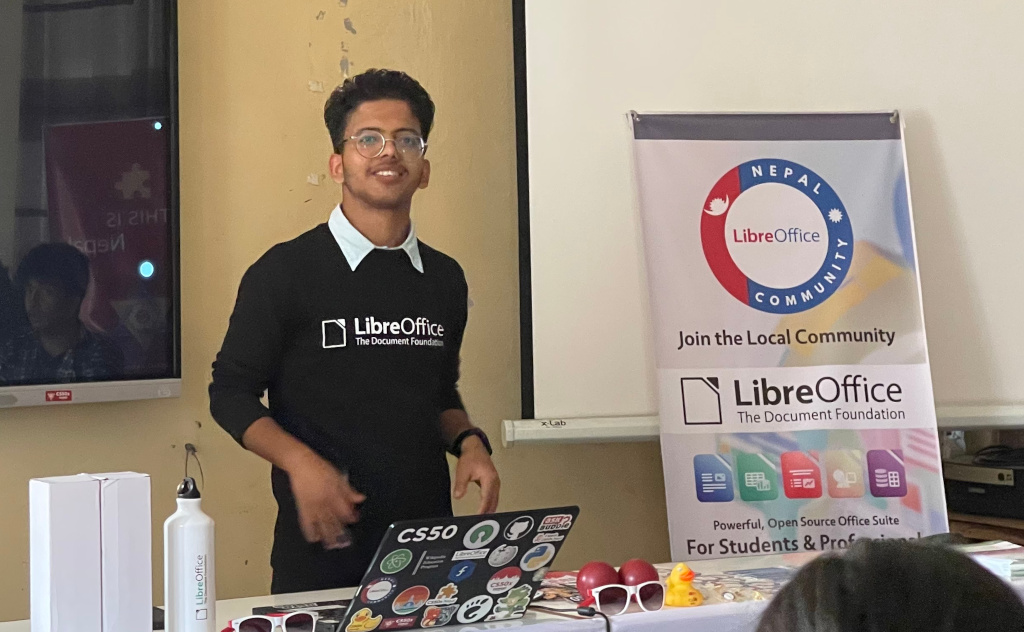
LibreOffice special session for Nepali community

Moreover, the session – organized for 30 CS50x Students – included a total participation of 47 people, seven of whom were Nepali Community members, six of whom were other students, and the rest were the CS50x staff. The session was primarily intended to introduce the LibreOffice suite and provide hands-on experience with it, to the newly enrolled, first-year students in the campus, who were actually enrolled for the CS50x classes.

The session had this breakdown:

  • 40 mins of talks
  • 30 mins of quick presentation competition using LibreOffice Impress
  • 30 mins of release party cake and celebration
  • And lastly, 30 mins of Plane Rush competition as a fun touch to the session

The competition was facilitated by our community volunteers, where they distributed some gifts as well. The challenge for the competition was to create a visually appealing, quick three-page presentation using LibreOffice Impress on-the-spot, in 25 minutes. All they had to do was recreate the presentation slide version of the LibreOffice university/school (English) flyer.
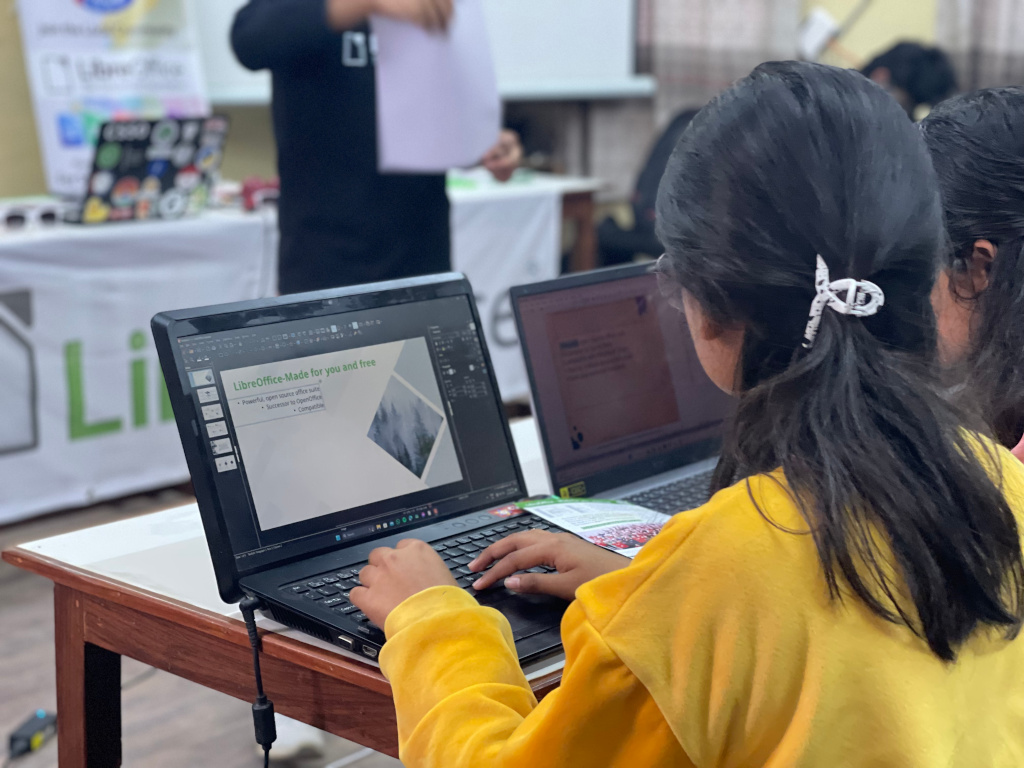
LibreOffice special session for Nepali community

The gifts were LibreOffice T-shirts, water bottles, Document Liberation Project stickers, pens and more. The same gifts were distributed to winners of the Plane Rush activity as well, and some light items like stickers and pens were given to everyone present in the session.

After some hands-on experience with LibreOffice Impress, a quick survey was conducted, where 27 of the participants claimed that they tried LibreOffice for the very first time. The same survey had asked what they love about LibreOffice. And honestly, a majority of them mentioned the reasons to be: open source, free, compatible with Microsoft Office files, community driven, cross-platform, privacy, and feature-rich.

The latter half of the session was filled with fun, as we cut and shared the vanilla-flavored release party cake with everyone present in the room. The environment was really fun with flashes, noise, claps, smiles, and cameras and eyes all over the cake.
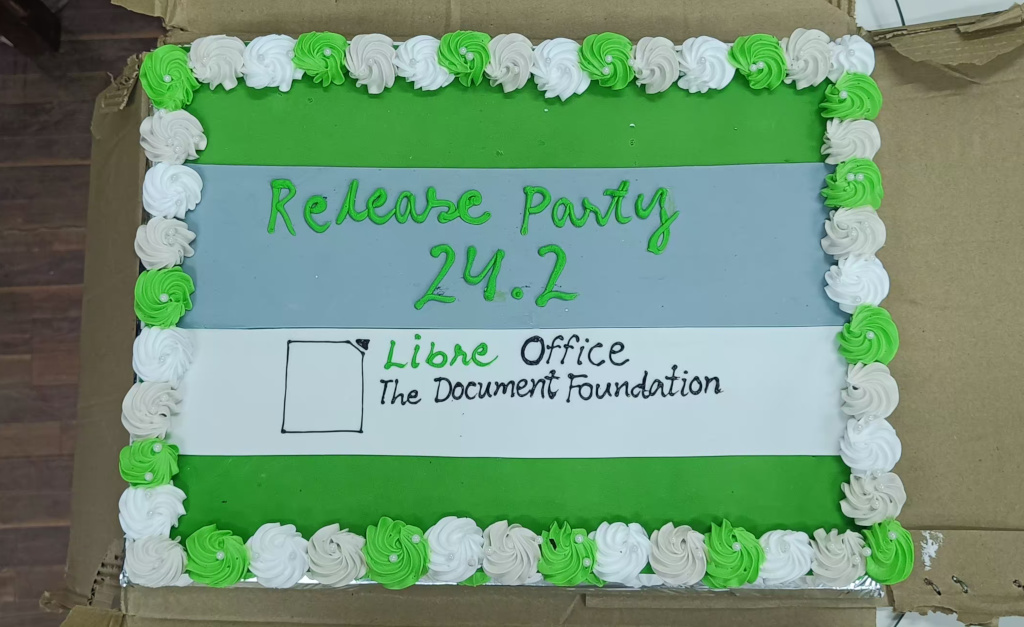
LibreOffice special session for Nepali community

Lastly, in the sunset and the open ground, participants flew their own paper planes based on LibreOffice PaperPlaneFront.odg. The session was totally fun and a unique experience for everyone. And yes, they did collect the planes for paper recycling later on. And with this, the day, joy and celebration all came down to a happy ending with the efforst from the Nepali community.
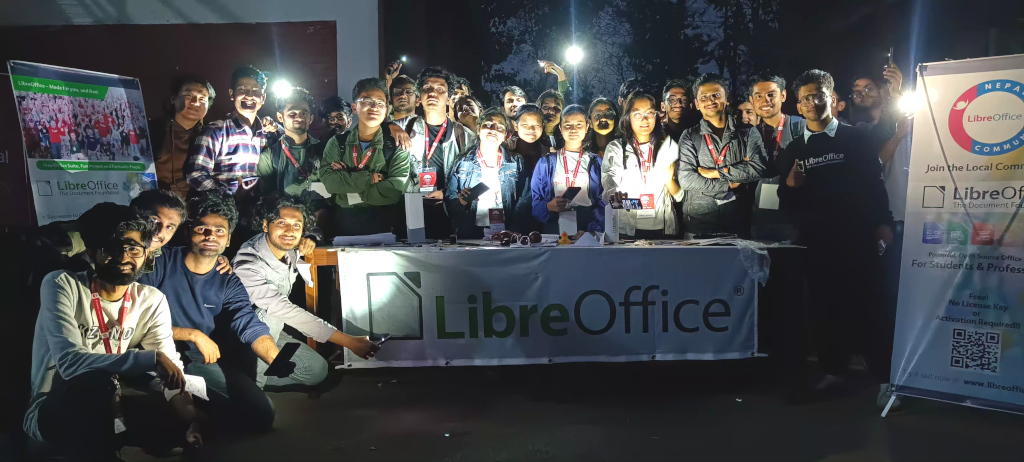
LibreOffice special session for Nepali community

Please confirm that you want to play a YouTube video. By accepting, you will be accessing content from YouTube, a service provided by an external third party.

YouTube privacy policy

If you accept this notice, your choice will be saved and the page will refresh.
LibreOffice at FOSDEM 2024

LibreOffice at FOSDEM 2024

FOSDEM is the biggest meetup of free and open source software (FOSS) developers in Europe, and takes place every year, in early February, in Brussels. And the LibreOffice project is always there!

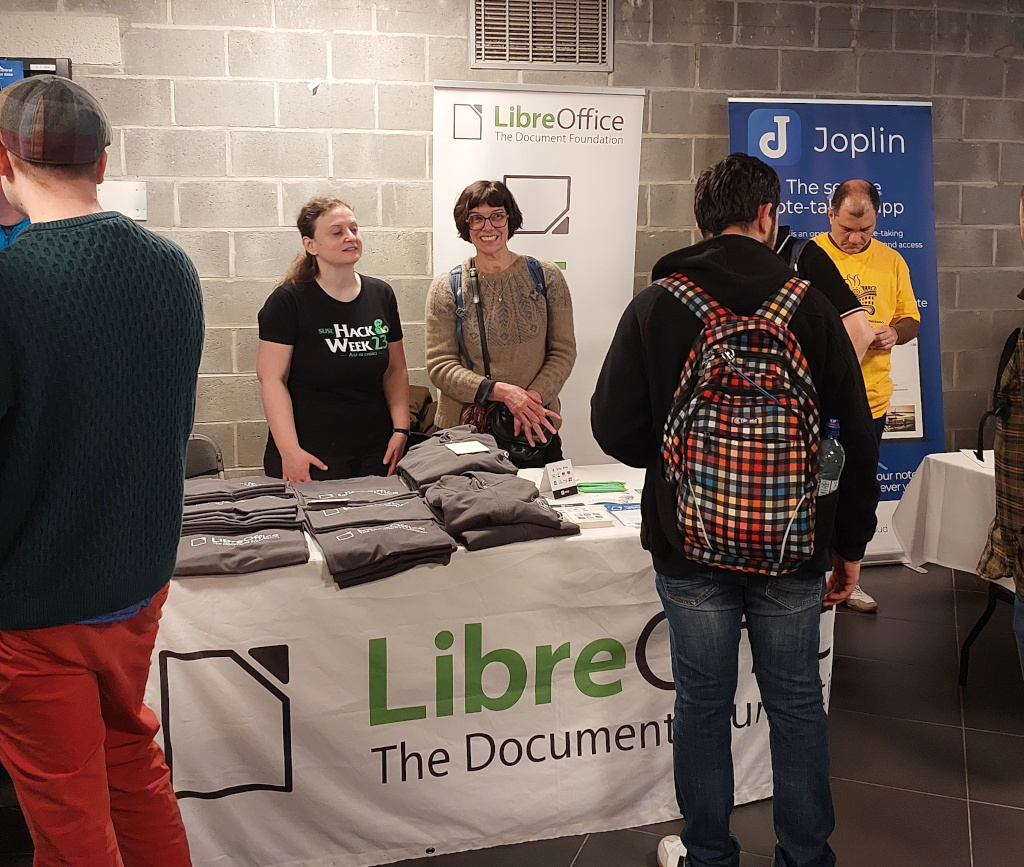
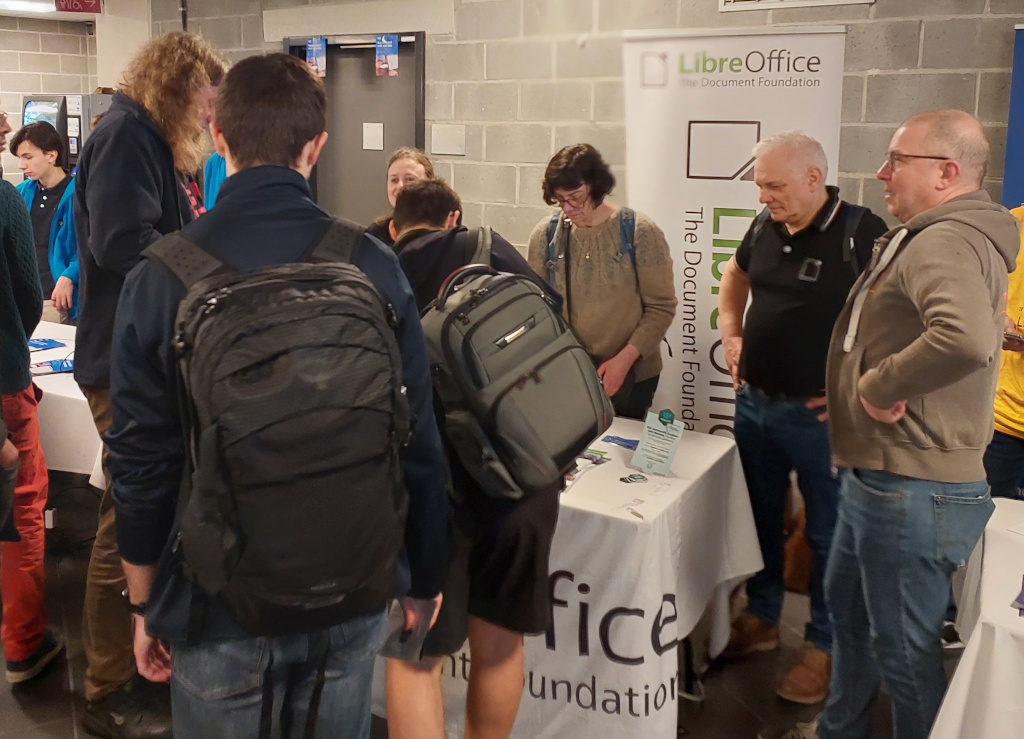
We had a stand with merchandise, and community members were present to answer questions, provide information about new features in LibreOffice, and meet people from other FOSS projects.

Our LibreOffice pens were very popular, as were Document Liberation Project stickers and flyers. Many visitors to the stand were regular LibreOffice users and just wanted to say thank you, some buying a T-shirt or hoodie as well. We even had a couple of donations on the spot! Others asked what they can do for LibreOffice.

And here are a few photos from the event, and our community dinner. This is just the beginning though – we plan to be at many more events this year!

LibreOffice at FOSDEM 2024

LibreOffice at FOSDEM 2024

LibreOffice at FOSDEM 2024

The new Board of Directors

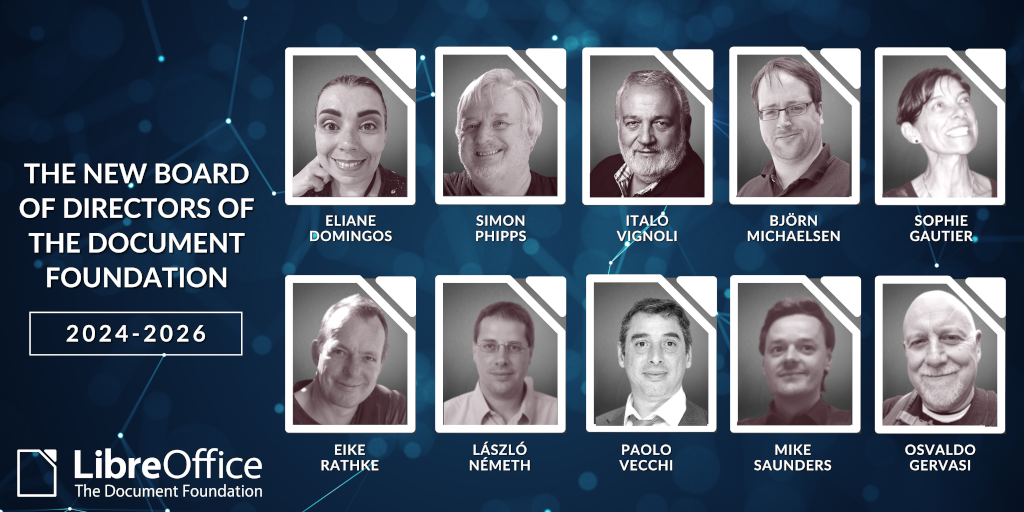
The new Board of Directors of The Document Foundation has just started its two-year term on 18 February 2024.

The full members are, in alphabetical order: Eliane Domingos, Sophie Gautier, Björn Michaelsen, László Németh, Simon Phipps, Eike Rathke, Italo Vignoli.

The deputies are again in alphabetical order: Osvaldo Gervasi, Mike Saunders, Paolo Vecchi.

Mike Saunders was elected to the Board for the first time. All the other members have served either on the Steering Committee from 2010 to 2012 (Sophie Gautier and Italo Vignoli) or on the Board of Directors since 2014 as full or deputy members.

At its first meeting, the Board unanimously elected Eliane Domingos as Chair and Simon Phipps as Vice-Chair.

At the same time, they decided to review and reorganise responsibilities and areas of oversight to ensure a more agile decision-making process.

Six people who served during the previous term have left the Board, but will continue to contribute to the project as TDF Members: Thorsten Behrens, Gábor Kelemen, Gabriel Masei, Cor Nouws, Emiliano Vavassori, Ayhan Yalçınsoy.

We are deeply grateful to all of them for their dedication, their contribution to decision making and all the time they have volunteered to serve on the Board, as well as their ongoing contribution to FOSS and LibreOffice.

Announcement of LibreOffice 24.2.1 Community

Berlin, 29 February 2024 – LibreOffice 24.2.1 Community, the first minor release of the free, volunteer-supported office suite for personal productivity in office environments, is now available at https://www.libreoffice.org/download for Windows, MacOS and Linux.

The release includes more than 100 bug and regression fixes over LibreOffice 24.2 [1] to improve the stability and robustness of the software. LibreOffice 24.2.1 Community is the most advanced version of the office suite, offering the best features and interoperability with Microsoft Office proprietary formats.

LibreOffice is the only office suite with a feature set comparable to the market leader. It also offers a range of interface options to suit all user habits, from traditional to modern, and makes the most of different screen form factors by optimising the space available on the desktop to put the maximum number of features just a click or two away.

Highlights of LibreOffice 24.2.1 Community

The main advantage of LibreOffice over other office suites is the LibreOffice Technology engine, a single software platform for all environments: desktop, cloud and mobile. This allows LibreOffice to provide a better user experience and produce identical – and interoperable – documents based on both ISO standards: Open Document Format (ODT, ODS and ODP) for users concerned about compatibility, resilience and digital sovereignty, and the proprietary Microsoft OOXML (DOCX, XLSX and PPTX).

Most notable new features in the LibreOffice 24.2 family:

GENERAL
• Save AutoRecovery information is enabled by default, and is always creating backup copies
• Fixed various NotebookBar options, with many menu improvements, better print preview support, proper reset of customised layout, and enhanced use of radio buttons
• The Insert Special Character drop-down list now displays a character description for the selected character (and in the tooltip when you hover over it)

WRITER
• “Legal” ordered list numbering: make a given list level use Arabic numbering for all its numeric portions
• Comments can now use styles, with the Comment paragraph style being the default
• Improved various aspects of multi-page floating table support: overlap control, borders and footnotes, nesting, wrap on all pages, and related UI improvements

CALC
• A new search field has been added to the Functions sidebar deck
• The scientific number format is now supported and saved in ODF
• Highlight the Row and Column corresponding to the active cell

IMPRESS & DRAW
• The handling of small caps has been implemented for Impress
• Moved Presenter Console and Remote control settings from Tools > Options > LibreOffice Impress to Slide Show > Slide Show Settings, with improved labelling and dialogue layout
• Several improvements and fixes to templates

ACCESSIBILITY
• Several significant improvements to the handling of mouse positions and the presentation of dialogue boxes via the Accessibility APIs, allowing screen readers to present them correctly
• Improved management of IAccessible2 roles and text/object attributes, allowing screen readers to present them correctly
• Status bars in dialogs are reported with the correct accessible role so that screen readers can find and report them appropriately, while checkboxes in dialogs can be toggled using the space bar

SECURITY
• The Save with Password dialogue box now has a password strength meter
• New password-based ODF encryption that performs better, hides metadata better, and is more resistant to tampering and brute force
• Clarification of the text in the options dialogue box around the macro security settings, so that it is clear exactly what is allowed and what is not

The LibreOffice 24.2 family offers a host of enhancements and new features aimed at users sharing documents with or migrating from MS Office, building on the advanced features of the LibreOffice Technology platform for personal productivity on the desktop, mobile and in the cloud.

A full description of all the new features can be found in the release notes [2].

LibreOffice for Enterprises

For enterprise-class deployments, TDF strongly recommends the LibreOffice Enterprise family of applications from ecosystem partners – for desktop, mobile and cloud – with a wide range of dedicated value-added features and other benefits such as SLAs: https://www.libreoffice.org/download/libreoffice-in-business/

Every line of code developed by ecosystem companies for enterprise customers is shared with the community on the master code repository and contributes to the improvement of the LibreOffice Technology platform.

Availability of LibreOffice 24.2.1 Community

LibreOffice 24.2.1 Community is available at https://www.libreoffice.org/download/. Minimum requirements for proprietary operating systems are Microsoft Windows 7 SP1 and Apple MacOS 10.15. Products based on LibreOffice Technology for Android and iOS are listed here: https://www.libreoffice.org/download/android-and-ios/

For users who don’t need the latest features and prefer a version that has undergone more testing and bug fixing, The Document Foundation maintains the LibreOffice 7.6 family, which includes several months of back-ported fixes. The current release is LibreOffice 7.6.5 Community.

The Document Foundation does not provide technical support for users, although they can get it from volunteers on user mailing lists and the Ask LibreOffice website: https://ask.libreoffice.org

LibreOffice users, free software advocates and community members can support the Document Foundation by making a donation at https://www.libreoffice.org/donate.

[1] Fixes in RC1: https://wiki.documentfoundation.org/Releases/24.2.1/RC1. Fixes in RC2: https://wiki.documentfoundation.org/Releases/24.2.1/RC2.

[2] Release Notes: https://wiki.documentfoundation.org/ReleaseNotes/24.2

LibreOffice 7.6.5 released for productivity environments

Berlin, February 22, 2024 – LibreOffice 7.6.5 Community is immediately available from https://www.libreoffice.org/download for Windows, macOS, and Linux [1]. This is the most thoroughly tested version of the suite, for deployments by individuals, small and medium businesses, and other organizations in productivity environments.

For enterprise-class deployments, TDF strongly recommends the LibreOffice Enterprise family of applications from ecosystem partners – for desktop, mobile and cloud – with a large number of dedicated value-added features and other benefits such as SLA (Service Level Agreements): https://www.libreoffice.org/download/libreoffice-in-business/

Users can download LibreOffice 7.6.5 Community from the office suite website: https://www.libreoffice.org/download/. Minimum requirements are Microsoft Windows 7 SP1 and Apple macOS 10.14. LibreOffice Technology-based products for Android and iOS are listed here: https://www.libreoffice.org/download/android-and-ios/

The Document Foundation does not provide technical support for users, although they can be helped by volunteers on user mailing lists and on the Ask LibreOffice website: https://ask.libreoffice.org

LibreOffice users, free software advocates and community members can support The Document Foundation with a donation at https://www.libreoffice.org/donate

[1] Change log pages: https://wiki.documentfoundation.org/Releases/7.6.5/RC1 and https://wiki.documentfoundation.org/Releases/7.6.5/RC2

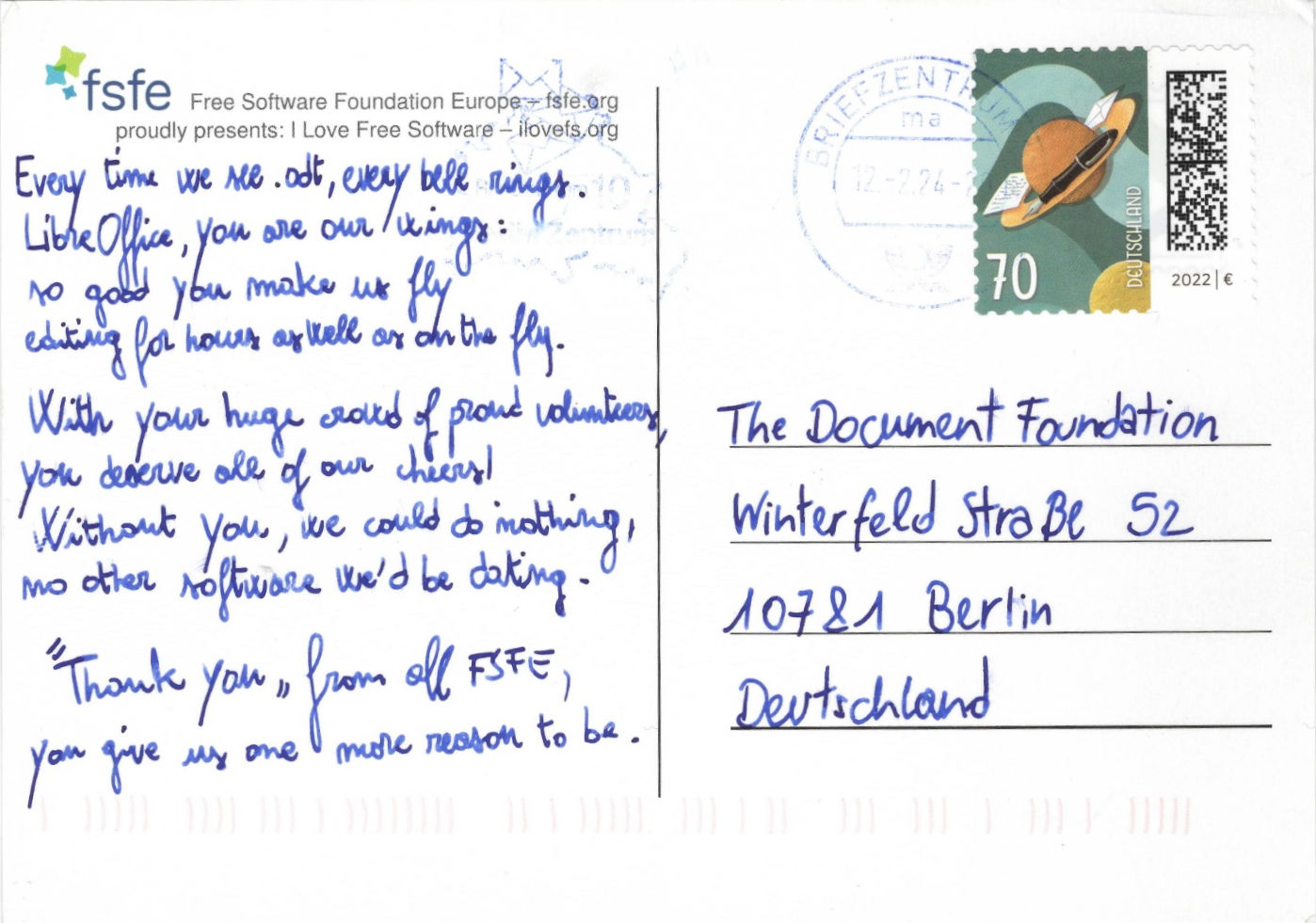
We have received a Postcard from FSFE

We have received a postcard from FSFE (Free Software Foundation Europe), with a nice small poem.

Every time we see .ODT, every bell rings.
LibreOffice, you are our wings:
so good you make us fly
editing for hours as well as on the fly.

With your huge crows of proud volunteers,
you deserve all of our cheers!
Without you, we could do nothing,
no other software we’d be dating.

“Thank you” from all FSFE,
you give us one more reason to be.

Thanks to all FSFE employees, and to all the members they represent, for the very nice present.