ODF and proprietary formats: a comparison

When we create or share a document – whether a simple text, complex spreadsheet or professional presentation – we make a choice that goes far beyond the file extension. This is because the format gives us, or takes away, control over the content.

This post compares the Open Document Format (ODF) with proprietary formats such as DOCX, XLSX and PPTX. The comparison is not just about compatibility, but also about freedom, security, costs, transparency, and our long-term digital future.

We have already discussed ODF, and we will continue to do so until its 10th anniversary as an ISO/IEC standard in May 2026, because it is the only open standard available to users. We hope that an increasing number of users will understand how important it is for them to use it to have complete and lasting control over the content they have created, i.e. for their digital freedom, rather than for those of us who support it.
ODF is the native format of LibreOffice and other programmes that use the LibreOffice Technology platform. These programmes offer the same functionality, flexibility, security, robustness and interoperability as applications that promote proprietary formats, but without the lock-in strategy.

Incidentally, even so-called open-source applications (read their AGPL licence to understand why we say “so-called”) handle documents in ODF format, yet continue to promote their own formats, preventing users from having full control over their content – because this would jeopardise their business strategy.

So, what are proprietary formats?

They are developed and controlled by a single company and are typically only fully supported within that company’s ecosystem. Common examples include .docx, .xlsx and .pptx (Microsoft), as well as .pages, .numbers and .key (Apple) and .gdoc, .gsheet and .gslides (Google). While the specifications for these formats may be public, this does not mean they are completely open, as support is always limited by what the provider allows or documents, and is dictated by their commercial strategies.

Comparison between ODF and proprietary formats

1. Control and vendor lock-in

ODF

  • Completely open and standardised
  • Anyone can implement or use it without legal restrictions
  • The user, not the software provider, controls the documents

Proprietary formats

  • Designed and controlled by a single provider
  • File characteristics and behaviour may change without notice
  • Users are often forced to update their software in order to access their documents

Example: If Microsoft changes how DOCX handles embedded fonts or custom styles, users of older versions of Microsoft software or compatible applications may have difficulty viewing or reading files.

2. Interoperability and compatibility

ODF

  • Designed with interoperability in mind
  • Promotes consistency in formatting and behaviour across different platforms and software
  • Facilitates the development of a multi-vendor ecosystem

Proprietary formats

  • Optimised for performance within the vendor’s software
  • Third-party implementations often encounter compatibility issues
  • File rendering may vary depending on the platform, particularly for advanced formatting

Example: A spreadsheet with complex macros in .xlsx format that works correctly with Excel may not work, or may lose functionality, when used with LibreOffice Calc or Google Sheets.

3. Transparency and trust

ODF

  • The format is documented, and matches the documentation
  • Data storage is also documented, and users control their files’ location
  • There are no secrets or hidden metadata, and the XML file is user readable

Proprietary formats

  • They may contain undocumented metadata or behaviour, and the XML file is not user readable
  • The complex and opaque structure of the files can create security issues, and files’ location is not controlled by the user
  • It is not always clear what information is embedded (e.g. edit history and comments)

Example: a DOCX file may contain residual metadata, such as the names of authors, the date and time of changes, and comments, even after they have been removed.

4. Digital preservation and long-term access

ODF

  • Designed for compatibility, interoperability, and long-term archiving
  • Recommended by governments (UK, Taiwan, the Netherlands and France) and supranational organisations (EU, NATO)
  • Open and future-proof, with regular updates from a known Technical Committee overseen by OASIS

Proprietary formats

  • Risk of format obsolescence (remember .doc, .wps and .wpd?)
  • Require specific software versions to access older files

Example: a government archive using ODF can be confident that it will still be able to access documents in 20 years’ time, while this is not guaranteed by proprietary formats, which are closely linked to the lifecycles of corporate products.

5. Public sector and legal obligations

Governments and institutions around the world should switch to open standards to ensure data sovereignty and reduce dependence on specific suppliers.

  • The UK, Germany, the Netherlands and Taiwan have all launched initiatives to promote ODF
  • The European Union’s open-source strategy recommends using ODF in all public administrations
  • Italy’s Digital Administration Code supports open formats for public documents to ensure long-term accessibility

Why? Because public data should be open and accessible, not locked behind corporate paywalls or licence terms.

6. Costs and licences

ODF

  • Free to use and implement
  • No licence fees, subscription costs or vendor lock-in

Proprietary formats

  • Almost always tied to paid software (e.g. Microsoft 365)
  • In some cases, access requires a cloud account and/or an active subscription
  • There are often restrictions on redistribution and format conversion

Example: If a school switches from Microsoft Office to LibreOffice and adopts the OpenDocument Format (ODF), it can save thousands of euros in licence costs without sacrificing functionality for students.

7. Innovation and community support

ODF

  • Developed transparently by a global community
  • Supported by several applications, both open source and proprietary
  • Open to improvements by anyone, under the Technical Committee overview

Proprietary formats

  • Innovation is centralised and constrained by the company roadmap, and development is closed and not transparent
  • Feature priorities are determined by revenue, and not by user needs

Example: Users can propose new features for ODF, contribute code, and fund development, all without having to wait for the company’s priorities to align with their own.

Conclusion: Why ODF matters

The choice of ODF is not linked to ideology or politics. It is a choice that offers users significant practical benefits: complete control over their data; independence from a single company’s tools, strategies and business model; the ability to access and share documents more reliably on any hardware platform or operating system; and support for an ecosystem where open standards drive progress rather than profit margins. ODF stands for transparency, freedom, and openness to the future. Try it, it’s easy and doesn’t cost anything. Download LibreOffice and you’re done.
LibreOffice Native Language Projects – TDF’s Annual Report 2024

TDF Annual Report 2024 banner

By helping to translate and market LibreOffice around the world, native language projects bring enthusiasm and passion to the global community. Here’s what they did in 2024…

(This is part of The Document Foundation’s Annual Report for 2024 – we’ll post the full version here soon.)

Armenian

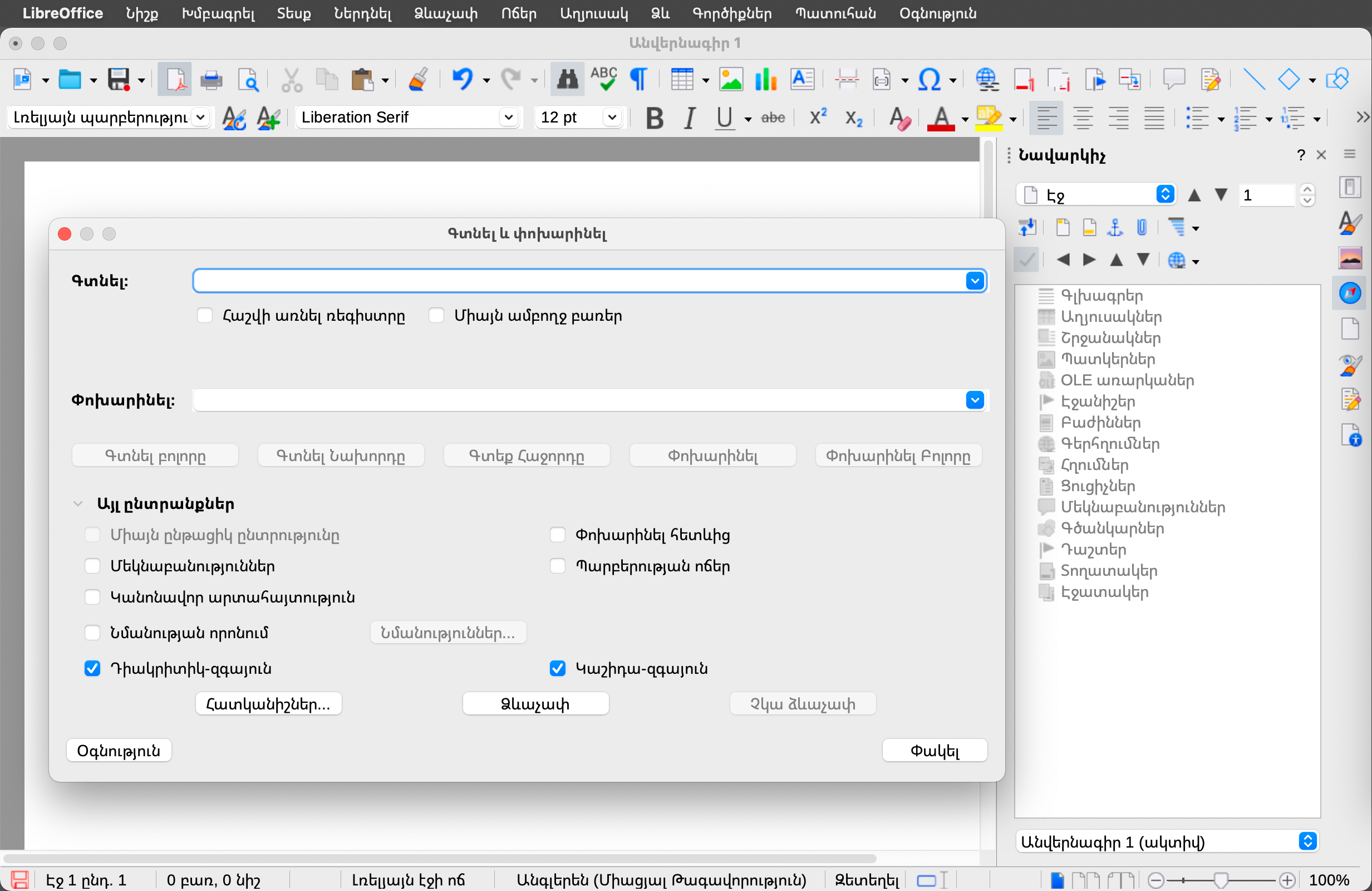
In 2024, the Armenian translation of LibreOffice reached 100% thanks to the efforts of Tigran Zargaryan. The suite was offered in Armenian for the first time. In addition, he ensured that the strings in the LibreOffice UI-master, website, Android Viewer and Help also reached 100% translated.

In appreciation for Tigran’s work, TDF invited him to join the LibreOffice Conference 2024 in Luxembourg using the foundation’s travel support programme.

LibreOffice user interface in Armenian

Czech

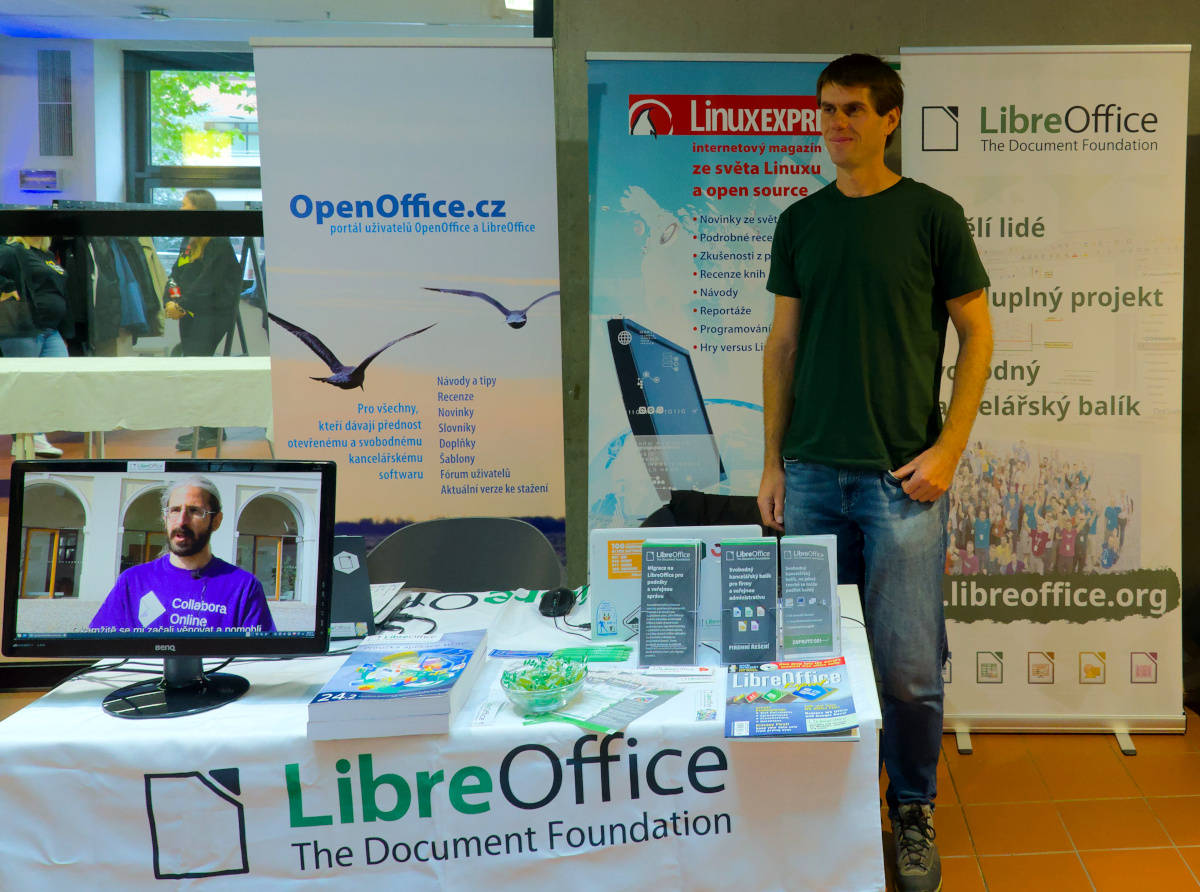
Throughout the year, Czech speakers worked on keeping the translation of LibreOffice’s UI complete, and the Help content around 95%. They presented the software at booths at two events: InstallFest in Prague in April, and LinuxDays in Prague in October.

They supported LibreOffice users on the Czech Ask site, and maintained social media accounts including X (Twitter), Facebook and Instagram. They also introduced a new Mastodon account.

Czech speakers produced many translated user guides in 2024, including the Getting Started Guide 24.8, Writer Guide 24.2 and Impress guide 7.5. And throughout the year they maintained the Czech LibreOffice website.

LibreOffice booth at LinuxDays 2024 in Prague

Danish

Speakers of Danish brought the user interface translation of LibreOffice up to 100%, while the Help content approached 100% (that goal was finally reached two months into 2025). They also translated the subtitles for LibreOffice videos covering features in new major releases.

Dutch

Dutch-speaking community members supported users by answering questions on the Ask LibreOffice website and mailing lists. They also translated the following guidebooks: the Calc Guide for LibreOffice 7.6 (translated and published in January); the Writer Guide for LibreOffice 24.2 (March); the Calc Guide for LibreOffice 24.2 (June); the Draw guide for LibreOffice 24.2 (July); the Impress Guide for LibreOffice 24.2 (July); the Getting Started Guide for LibreOffice 24.2 (August); the Impress Guide for LibreOffice 24.8 (October); the Draw Guide for LibreOffice 24.8 (December); the Writer Guide for LibreOffice 24.8 (December); and the Math Guide for LibreOffice 24.8 (December).

On Weblate, the community managed to keep up with the changes of the UI, maintaining it at 100% translated. Although the Help content kept growing they were able to maintain it at 100% translated.

Community members also set up a stand at the NLLGG in May 2024 – a conference of the Dutch Linux community. There, LibreOffice users could obtain information and ask questions about LibreOffice, whether or not in conjunction with a Linux operating system.

They also had a stand at the LocHal open source event in November 2024 – another conference of the Dutch Linux community.

Finnish

There was ongoing translation of the LibreOffice user interface and (to a lesser extent) Help, along with ongoing recruitment of volunteers on the vapaaehtoistyo.fi online platform. In addition, there was translation of the upcoming LibreOffice website redesign.

LibreOffice on vapaaehtoistyo

French

Thanks to the French-speaking community, translations on Weblate were maintained at 100% for all versions of LibreOffice. There were also other translations: the new website (based on Hugo); Calc functions on the wiki; press releases and video subtitles for LibreOffice “New Features” videos; and release notes for all versions.

In terms of events, community members were present at Capitole du Libre (Toulouse) and Open Source Experience (Paris). There was also coordination with UBO University for LibreOffice guidebook translations by translator students.

German

In terms of translations and documentation, the German-speaking community continued their work on Weblate by translating LibreOffice’s user interface and Help content. They also translated the release notes for major updates of the software, blog posts from TDF’s English blog, and published videos in German showing and explaining various features in LibreOffice. In addition the German community updated the Base Guide for versions 24.2 and 24.8.

Development continued on the XRechnungs-Extension for the new German legal requirements (which became effective in January 2025).

Members of the German-speaking community attended various events throughout the year to promote LibreOffice and encourage more people to join the project, such as the Univention Summit 2024 in January, Chemnitz Linux Days 2024 in March, FrOSCon in August and 38c3 in December.

Finally, the community helped to raise awareness of the ongoing migration of 30,000 PCs to LibreOffice in the northern German state of Schleswig-Holstein.

LibreOffice at FrOSCon

Japanese

The Japanese community had its local annual conference, LibreOffice Kaigi 2024 Online – which they reported about on their blog.

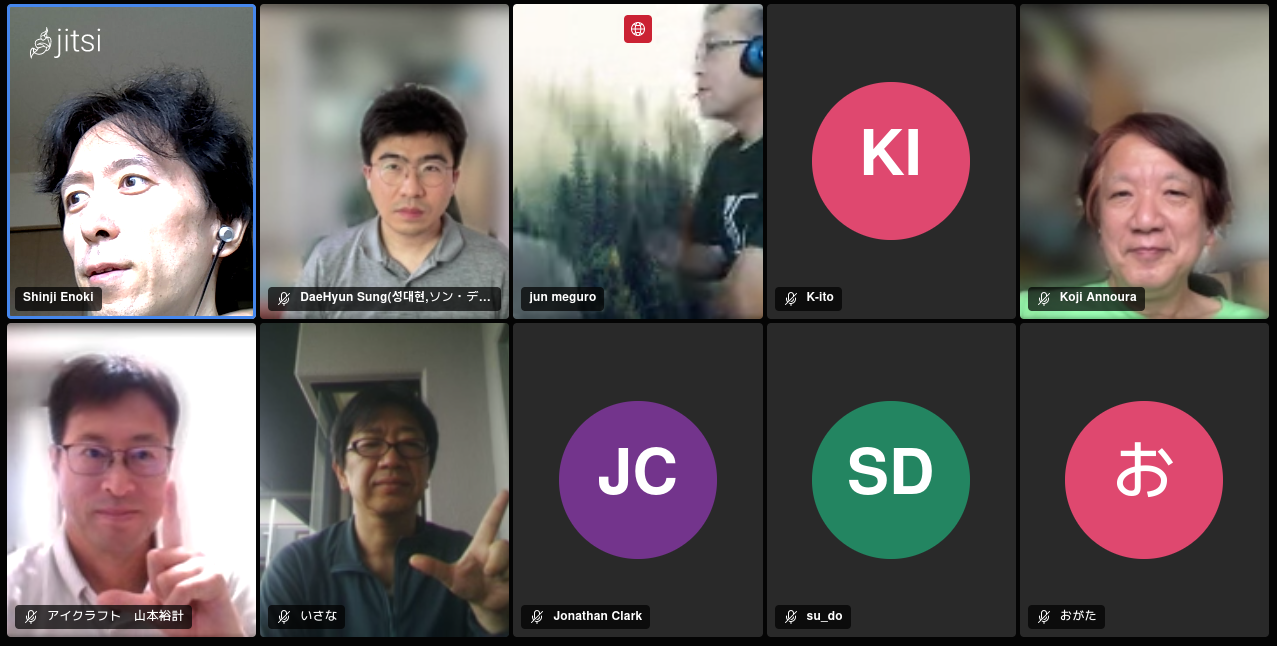
There were also Online Study Parties, held twice, where users shared knowledge and interacted with each other. And then there were 44 online hackfests throughout the year, where participants worked together in the community to make progress on tasks and transfer skills. They mainly checked the Japanese Ask LibreOffice website and tried to answer questions, but also did some UI translation, and occasionally bug triaging and bug reporting. All online events were held on Jitsi and streamed live on YouTube.

Meanwhile, there were in-person events every month in Awaji, Osaka City. They were held jointly with Open Awaji, an event themed around open data and the movement to open cities. Other activities at events included having booths and open source conferences (Osaka, Tokyo, Nagoya, Hiroshima, Tokyo, and Fukuoka). There was also the Kansai Open Forum 2024, an event for open source and IT communities in the Kansai region that has been held annually since 2002. Attendees talked about LibreOffice.

Japanese community members participated in the LibreOffice Asia Conference 2024 and COSCUP (Taiwan), along with the openSUSE.Asia Summit 2024 (Tokyo).

Six people from Japan participated in the LibreOffice Asia Conference 2024 in Taipei, two of whom gave joint presentations. Many members of the FLOSS community outside of the LibreOffice project who participated in COSCUP also attended the LibreOffice Community Party.

In terms of translations into Japanese, the user interface was 93% complete, and Help content 48% complete. There were also guidebook translations (Writer, Calc etc.) – Meguro-san translated using TexTra, a machine translation service provided by NICT, a Japanese government research institute.

On Japanese Ask LibreOffice, 101 questions or comments were added in 2024, while on the blog, community members posted 19 articles; these mainly consisted of translating the English TDF blog, especially the release announcements. And finally, on social media, the Japanese LibreOffice X (Twitter) account had: 2936 followers and 65 posts, while on Facebook there were: 624 followers and 23 posts. The Japanese community has created a Bluesky account but has not yet started using it fully.

LibreOffice Kaigi 2024 - Screenshot of online session

Norwegian – Nynorsk

The Nyorsk project is led by one translator (Kolbjørn Stuestøl) who has maintained the user interface and Help content translations for LibreOffice at 100%.

Portuguese (Brazil)

One of the community’s key achievements was the publication of the Guia do Writer 7.6, a fully revised Portuguese translation of the Writer Guide 7.6, initially generated through machine translation and then carefully edited for linguistic accuracy and style. To streamline future translation efforts, the community launched a GitHub project utilizing the OmegaT computer-assisted translation tool, which integrates machine translation to reduce rework and improve quality control.

The local team — Tim Brennan, Tulio Macedo, and Olivier Hallot — successfully completed the full translation of both the user interface and Help content into Brazilian Portuguese. Rafael Lima contributed significantly by enhancing the Operations Research tools, commonly known as “Solver,” making them fully functional.

Weekly community meetings were held every Wednesday at 21:00 local time, providing a space to discuss all aspects of the LibreOffice environment and stay updated on developments from TDF.

The community also revamped the announcements for LibreOffice versions 24.2 and 24.8 with multimedia content tailored for Brazilian social media platforms, greatly expanding their reach — an effort led by Eliane Domingos.

Support and engagement remained strong across multiple channels, including active participation in the Brazilian Portuguese section of the Ask LibreOffice forum, two dedicated Telegram groups, Facebook and Instagram communities, and the ongoing translation of wiki pages, with notable contributions from Diego.

LibreOffice social media image in Brazilian Portuguese

Spanish

Spanish speakers worked on updating their translation of the LibreOffice Base tutorial book (by Mariano Casanova), reaching 80% translation status. 31 articles were published on the Spanish blog, and community members worked on updating the LibreOffice UI translation (99%) and Help content (around 80%). They also published various guidebooks: Draw Guide 7.6 (in ODT, PDF and HTML formats); Calc Guide 7.5 (in ODT, PDF and HTML formats); and the Math Guide 7.3 (in HTML format).

Tagalog

The LibreOffice Tagalog localization project was relaunched in April 2024 after it was discovered that a previous effort had been abandoned years earlier. Motivated by the opportunity to complete the project for the benefit of both the global and local community, a new initiative was launched with the goal of finishing the translation within a year.

Working closely with the LibreOffice localisation support community, the project followed a consistent schedule of weekly and monthly progress updates. A key focus was integrating and automating translations using three different AI language tools, which included implementing verification processes, suggestions, and comments to ensure quality.

Technical workflows were developed to compile developer edition translations on a bi-weekly basis using Linux Mint, with results verified and shared through best practices posts on a US-based technology blog. The project also drew on the support of Filipino relatives to better understand and incorporate the nuances of various Filipino dialects, enhancing translation accuracy and cultural relevance.

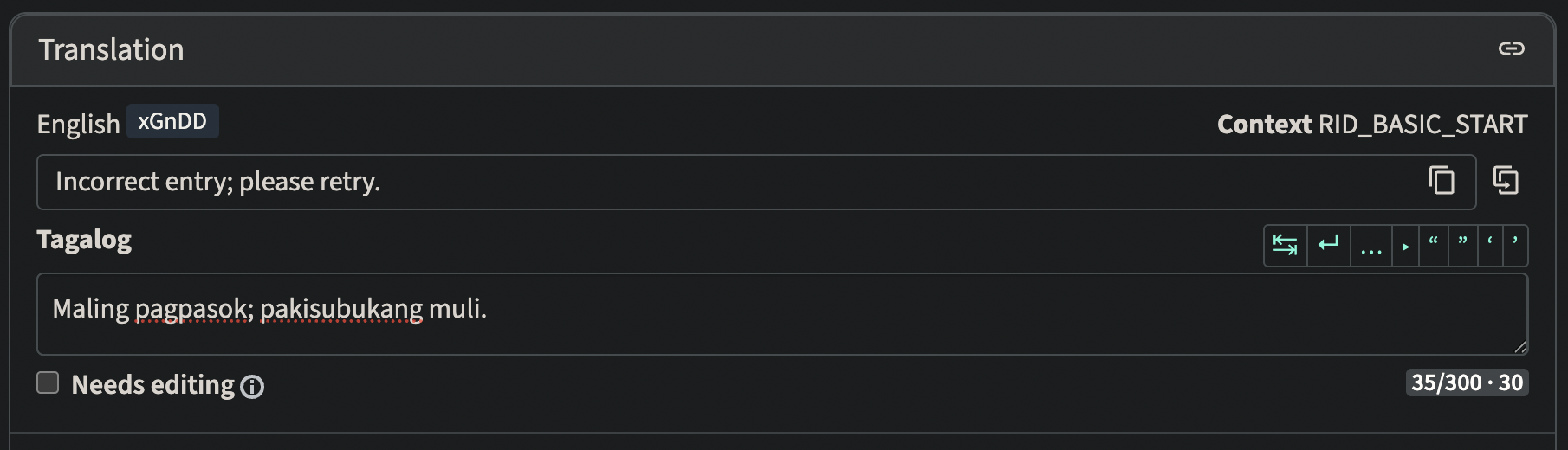
The translation work was completed ahead of schedule in January 2025 – four months earlier than planned. Fine-tuning continued with the help of the l10n support team to correct inaccuracies, particularly in the LibreOffice menus. (The screenshot below shows TDF’s Weblate instance being used to translate LibreOffice into Tagalog.)

In a further step toward community impact, the project began outreach to local contacts in Manila to share tools and methods used in the localization process, aiming to support similar efforts in K–12 education and non-profit business software across the Philippines.

Weblate interface showing LibreOffice being translated into Tagalog

Thank you to everyone

These are just some of the native language projects in the LibreOffice community, who provided summaries for the Annual Report. But there are many more – so we at The Document Foundation would like to say a huge thank you to everyone who in the native language communities. Your work makes LibreOffice accessible to hundreds of millions of people around the world, and your passion is wonderful. Thank you so much!

Like what we do? Support the LibreOffice project and The Document Foundation – get involved and help our volunteers, or make a donation. Thank you!

Why is the Open Document Format (ODF) important?

Consider the history of control over user files, whether for organisations or individuals

Think about all the documents you have created in your lifetime: School assignments. Work presentations and reports. Household budgets. Letters. Perhaps even a personal diary or your CV.

Now imagine this: a few years go by, and when you try to open one of those files, it doesn’t work. The software has disappeared. Or it has been updated and no longer supports that format. Or you have to pay to unlock it.

It’s not just frustrating. It’s a real problem. That’s why the Open Document Format (ODF) was created: it’s a file format that allows computers to save documents such as letters, spreadsheets and presentations. You can recognise these files by their extensions: .odt for text files, .ods for spreadsheets and .odp for presentations.

What makes ODF special is that it is an open, transparent format that doesn’t hide anything from users. This means that anyone can use it freely; no company owns or controls it; and it is designed to work with different software, even years later. In short, it gives you control over your documents.

Let’s look at some everyday situations in which ODF can be useful:

Long-term access: you write your memoirs or your family history. Ten years later, you want to read or share them. With ODF, you don’t have to worry about the software becoming unavailable or obsolete.

Barrier-free education: A teacher asks students to submit their assignments digitally. With ODF, there is no need to purchase expensive software, as you can use a free tool such as LibreOffice instead.

Job search and consulting: create your CV in an open format so that anyone, regardless of their operating system (Windows, macOS or Linux) or application, can open it without encountering any formatting errors. You don’t even have to buy the software.

Sharing files with other users: you can send a document to a colleague or family member and they can open it without any problems, regardless of the programme they use. This is the advantage of a format that does not “belong” to a single company.

Public services: official documents in an open format can be accessed by everyone forever without them having to purchase or update software.

Unfortunately, most people forego all this because they use formats such as .docx (Word) or .xlsx (Excel). These are proprietary formats exclusively owned by Microsoft and can change at any time depending on their business strategies. Microsoft may require a subscription fee for a specific version, as older files may not be compatible with newer ones.

Proprietary formats can also cause problems when documents are opened with a different version of the same application, as the text and images may move and the document may look different. Sometimes, files do not open because the format is not recognised. This is not only annoying, but also risky if the file is important.

This is known as ‘lock-in’, a strategy that prevents users from choosing the software they prefer because migrating to a different format could result in the loss of all their content.

ODF, on the other hand, means freedom of choice, no restrictions, reduced costs, privacy, openness to the future and trust in technology. You don’t need to be a technology expert to use it; you just need to understand why it was created and why it has continued to grow for 20 years. Using ODF is like saving your documents in your own safe: it won’t suddenly disappear or require you to pay a monthly fee.

ODF also means security and transparency. ODF files are ZIP containers that use simple XML syntax, which any user can understand. This makes security checks much easier, allowing for automation and integration with companies’ CMS/ERP systems.

The digital agenda has always emphasised open standards, interoperability, and data portability. ODF fits perfectly into this landscape, not only replacing .docx or .xlsx, but also rejecting software that treats user data as a product.

ODF gives users full control over their documents. This is not just a technical detail; it ensures that documents belong to their creators, not the software used to process them. ODF enables us to assert ownership of our documents.

LibreOffice Marketing Activities – TDF’s Annual Report 2024

TDF Annual Report 2024 banner

In 2024, The Document Foundation and its global LibreOffice community undertook a variety of marketing initiatives aimed at increasing visibility, fostering community engagement, and driving adoption of LibreOffice

(This is part of The Document Foundation’s Annual Report for 2024 – we’ll post the full version here soon.)

LibreOffice and Open Source Conference 2024 in Luxembourg

A major highlight of TDF’s 2024 marketing activities was the LibreOffice and Open Source Conference, held from October 10 to 12 in Luxembourg. The annual event brought together contributors from around the world, including developers, designers, documentation writers, translators, and marketers.

Marketing efforts for the conference included:

  • A targeted social media campaign promoting the event’s location, speakers, and agenda.
  • Outreach to local technology communities and universities in Luxembourg to boost participation.
  • The creation of promotional graphics and materials highlighting the conference themes and goals.
  • Live updates and content shared across LibreOffice’s social channels to engage a remote audience.
  • The conference acted as a vital showcase of LibreOffice’s progress, community strength, and future plans.

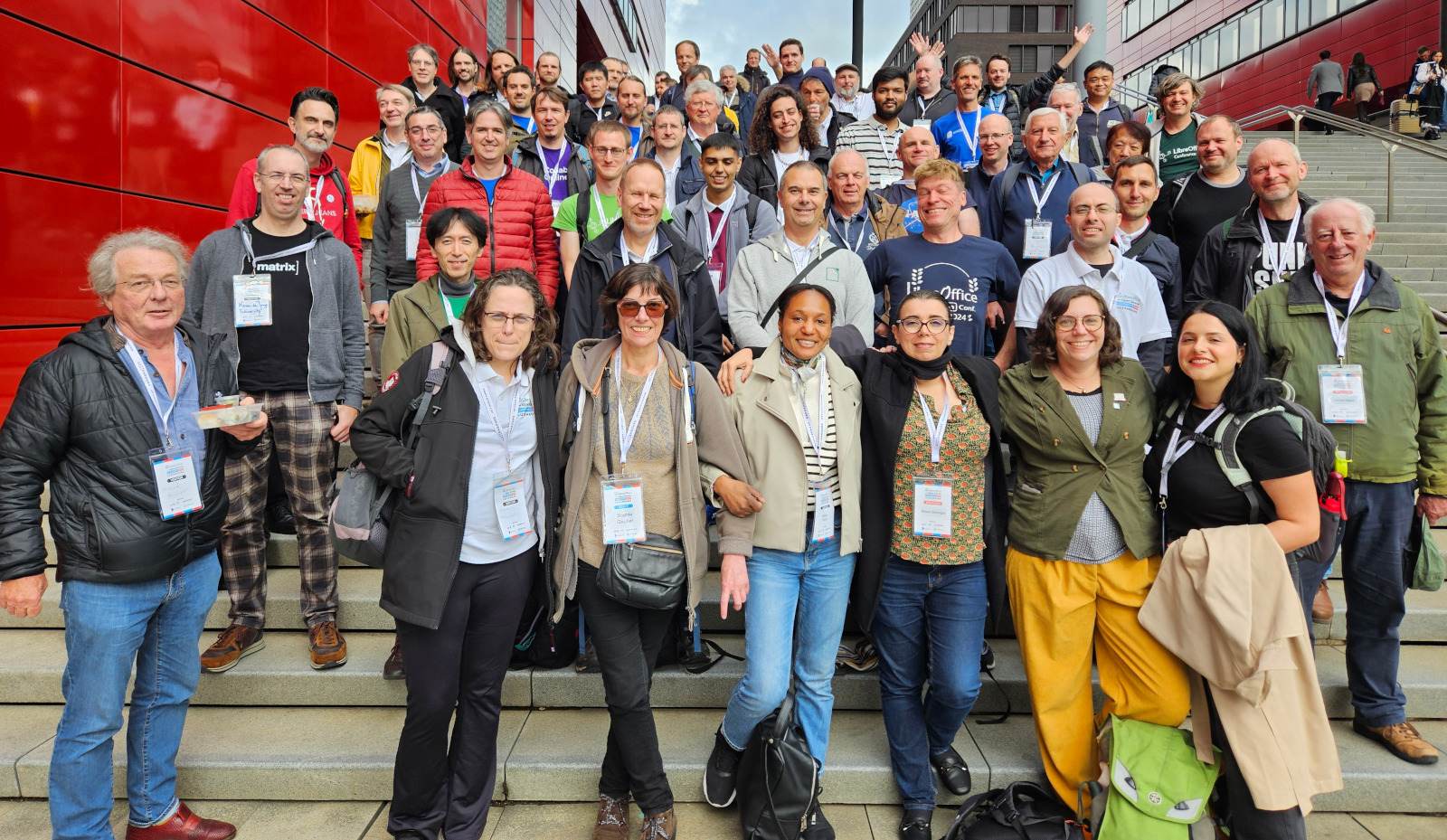
LibreOffice Conference 2024 group photo

“Month of LibreOffice” Campaigns

Throughout May and November 2024, TDF organized its recurring “Month of LibreOffice” initiative. This campaign aimed to recognize and reward community contributors across various roles, including development, documentation, QA and marketing.

Participants who contributed during the campaign period were acknowledged through:

  • Special edition badges awarded digitally.
  • Public recognition via blog posts and social media.
  • Incentives like stickers and merchandise shipped to selected contributors.

This initiative not only celebrated existing contributors but also attracted new participants interested in supporting open source software.

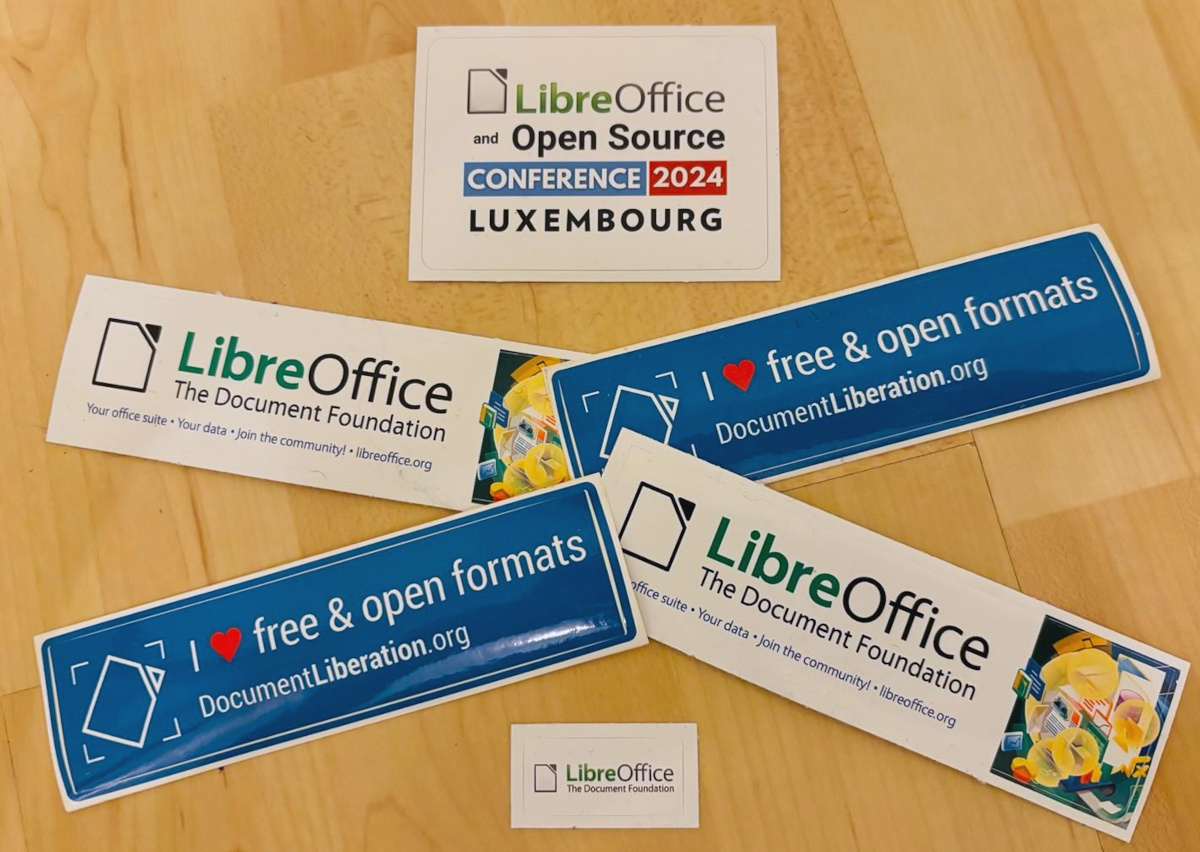
Month of LibreOffice stickers

Launch of the LibreOffice Podcast Series

In November 2024, TDF launched its LibreOffice Podcast, a new platform to discuss topics related to LibreOffice and the wider world of open source software. The podcast aimed to:

  • Share success stories from migrations to LibreOffice.
  • Offer insights into FOSS marketing strategies.
  • Feature interviews with developers and community leaders.
  • Provide behind-the-scenes looks at the ongoing work within TDF.

The first episode focused on marketing strategies for FOSS, with discussions on how to engage institutions and governments in adopting LibreOffice.

Please confirm that you want to play a YouTube video. By accepting, you will be accessing content from YouTube, a service provided by an external third party.

YouTube privacy policy

If you accept this notice, your choice will be saved and the page will refresh.

Enhanced Social Media and Content Strategy

In 2024, TDF expanded and optimized its social media presence. Alongside its traditional platforms like Twitter (X) and Facebook, TDF increased its focus on:

  • Mastodon: engaging the open-source community on federated social platforms.
  • LinkedIn: Sharing professional success stories, including case studies on large-scale LibreOffice deployments.
  • Regular posting of blog content, including release announcements, tutorials, and community spotlights.
  • Short video clips and graphics to make content more accessible and visually engaging.

These efforts aimed to grow the project’s audience, particularly among decision-makers in public administration and enterprises.

Native Language Community Outreach

TDF placed a strong emphasis on supporting native language communities. The marketing team worked with volunteers worldwide to produce localized materials, including:

  • Press releases for new LibreOffice versions.
  • Social media templates and visual assets.
  • Brochures explaining the benefits of LibreOffice in local contexts.

Several regions ran independent marketing initiatives, including:

  • Nepal: workshops for students on using LibreOffice Writer to create professional resumes.
  • India: local events demonstrating LibreOffice’s potential for government offices and educational institutions.

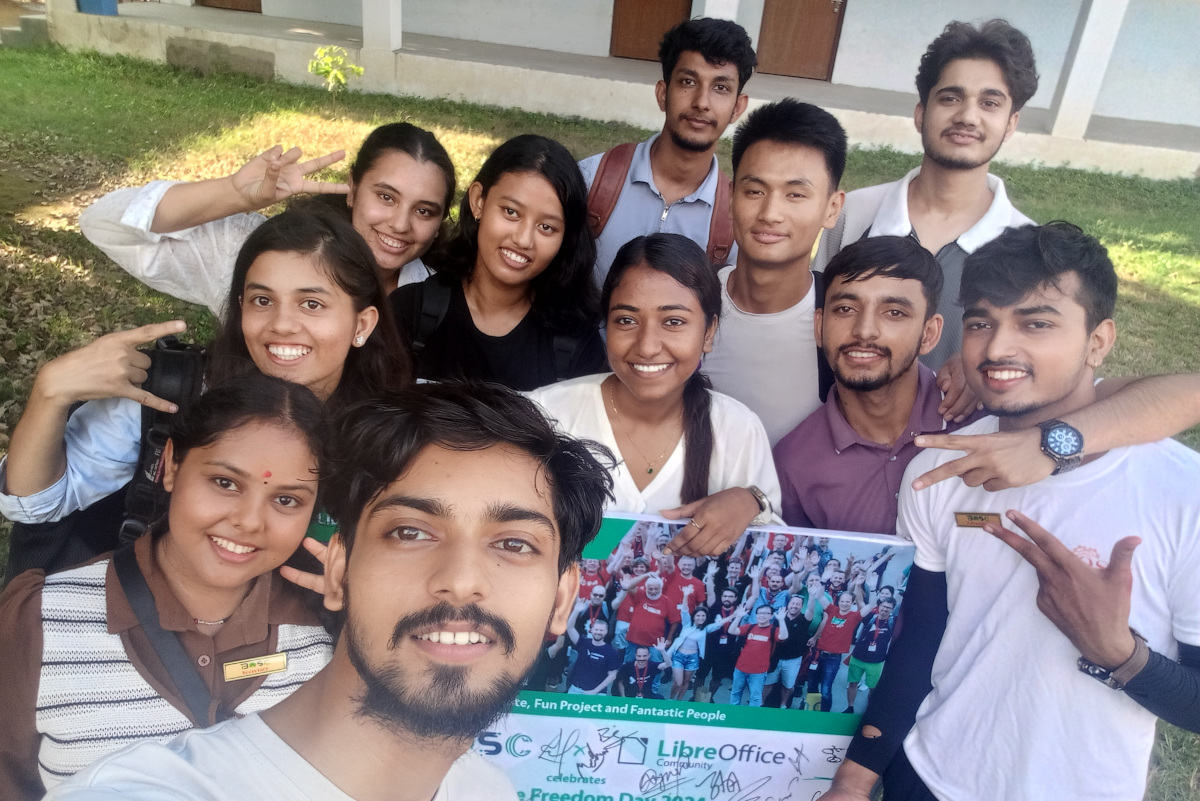
Software Freedom Day participants in Nepal

Workshops, Training and Community Events

Throughout the year, TDF organized workshops and training sessions aimed at onboarding new users and contributors. These included:

  • Online training for translators and QA testers.
  • Regional events offering hands-on experience with LibreOffice migrations.
  • Webinars aimed at IT administrators exploring LibreOffice deployment in enterprise environments.

The Open Source Workshops helped public sector organizations understand the benefits of LibreOffice and how it can replace proprietary office suites.

Outreachy and Template Development

LibreOffice participated in the Outreachy program, with a focus on developing new templates for LibreOffice Writer. These templates included resumes, reports, and business documents aimed at improving the user experience and broadening appeal, particularly for users migrating from proprietary suites.

Marketing activities highlighted:

  • How templates increase productivity.
  • The contributions of new developers and designers participating in the Outreachy program.
  • The availability of these templates through LibreOffice’s website and community channels.

Media and Press Relations

TDF continued its media relations work, distributing regular press releases covering:

  • New LibreOffice releases and features.
  • Major migrations by organizations and governments.
  • Events such as LibreOffice Conference and Month of LibreOffice campaigns.

TDF’s press outreach focused on reinforcing LibreOffice’s position as a cost-effective, secure, and privacy-respecting alternative to proprietary office suites.

Download Statistics and User Adoption

The marketing efforts in 2024 yielded significant results:

  • Download Milestone: by the end of 2024, LibreOffice surpassed 400 million cumulative downloads since its inception in 2011, with an average of 28.6 million downloads per year.
  • Weekly Downloads: Weekly downloads approached 1 million, marking the highest figures since 2023.
  • Public Sector Adoption: The German state of Schleswig-Holstein announced plans to migrate 30,000 PCs to LibreOffice, aiming for completion by 2026.

Schleswig-Holstein moving 30,000 PCs to LibreOffice

Conclusion

In 2024, through conferences, campaigns, podcasts, and media outreach, TDF advanced its mission of promoting free and open source software while making LibreOffice more accessible and trusted around the world. These marketing efforts not only amplified LibreOffice’s visibility but also demonstrated the value of community-driven open source projects in delivering professional-grade software solutions.

Like what we do? Support the LibreOffice project and The Document Foundation – get involved and help our volunteers, or make a donation. Thank you!

What is the Open Document Format (ODF)?

An introduction to the Open Document Format

The documents we create today, whether reports, spreadsheets or presentations, are essential for communicating, sharing and storing knowledge. However, the format in which these documents are saved often goes unnoticed. This is where the Open Document Format (ODF) comes in. ODF is a technical standard and a tool that ensures documents remain accessible, editable and usable over time without being tied to a specific vendor or product.

Approved by OASIS as an open standard document format in May 2005 and by ISO/IEC in May 2006, ODF has been around for over 20 years. Despite 20 years having passed, most productivity software users are not familiar with the format and therefore do not use it, as it is not as widespread as its proprietary counterpart, Microsoft OOXML.

This means that a huge number of documents — equivalent to over 100 zettabytes of data in 2025 — are subject to the commercial strategies of a company and completely beyond the control of their authors. These authors may suddenly find themselves unable to manage their own content unless they use specific software.

This also means that the enormous wealth of information contained in these documents does not contribute to the growth of collective intelligence because they are limited in terms of interoperability due to being tied to a single, specific, proprietary software.

Furthermore, Microsoft’s touted backward compatibility feature prevents true innovation in document formats because the presence of proprietary elements from old binary formats, which are not included in the ODF standard, forces documents to remain with technologies that have long been obsolete and incompatible with future developments.

What is ODF?

ODF is an open standard for saving and exchanging office documents. It includes text files (.odt), spreadsheets (.ods), presentations (.odp), and other types of documents, such as drawings (.odg). Developed by OASIS, an organisation that promotes structured information standards, it was approved by ISO/IEC as the international standard ISO/IEC 26300 in 2006.

Put simply, ODF is a universal language for documents, ensuring they can be read and written by any compatible software without locking users into a single ecosystem.

To understand the importance of ODF, it is helpful to know how proprietary formats work. When a document is saved in a Microsoft format, such as .docx, or an Apple format, such as .pages, it is often designed to work best with that company’s software only. Over time, this can cause problems such as limited compatibility, vendor lock-in, and the risk of obsolescence if the proprietary format is abandoned or changed significantly, as older documents may become unreadable.

ODF avoids these problems. It is completely open and free, meaning that anyone can implement it in their software, and users can switch between tools without losing access to their files.

ODF is not limited to text documents, but includes a wide range of office document types, including .odt (OpenDocument Text) for text documents such as reports, letters and books; .ods (OpenDocument Spreadsheet) for data analysis, tables and financial models; .odp (OpenDocument Presentation) for presentations with visual content; .odg (OpenDocument Graphics) for diagrams and vector graphics, as well as documents containing text and images; and .odf (OpenFormula) for formulas used in ODS spreadsheets.

Each of these document types is structured in such a way as to allow maximum compatibility while maintaining formatting and advanced software features.

How does ODF compare with Microsoft document formats?

Feature ODF Microsoft (docx. xlsx, pptx)
Open Standard Yes No
Long Term Archiving Solid Support Risk of Format Changes
Risk of Online Dependency
Offline Support Fully Supported Supported
Editable without Vendor Software Yes Limited

Common misconceptions about ODF

It is not as feature-rich as .docx or .xlsx

False. ODF supports complex formatting, styles, images, tables, charts, macros and more. Its feature set is robust and evolving thanks to contributions from a global community of developers and users.

No one uses ODF

This is also false. In fact, millions of users worldwide use ODF-compatible software every day. LibreOffice alone has tens of millions of active users worldwide.

It doesn’t work with my existing documents

ODF-compatible software, such as LibreOffice, can open, edit and export many formats, including .docx and .xlsx. Switching to ODF is easy and you won’t lose access to your existing files.

The future of ODF

The growing importance of digital documents in every sector, including education, public administration and business, is bound to impact the adoption of the ODF format because users cannot continue to use a format that disadvantages them in every way. Furthermore, the number of countries adopting policies based on open standards and demanding transparency and control over their data is growing all the time, and this can only lead to increased adoption of ODF in the long term.

Documents should belong to their authors, not to a software vendor through the file format used. In the case of a country, documents should belong to its citizens. ODF is the only effective way to regain control and ensure that data remains open, accessible and future-proof. ODF embodies the principles of digital freedom, collaboration, and user empowerment.

Whether you are an individual seeking control over your digital life, a teacher aiming to share knowledge using open tools to ensure its long-term availability to the community, a public official seeking long-term transparency, or a politician representing citizens’ interests, ODF is the smart, sustainable choice.

DISCLAIMER: Artificial Intelligence has helped in putting together background data in a matter of seconds, thus dramatically reducing the time needed to draft the article. I have over 4GB of background documents on my online storage, and although I have read most of them, it is impossible for my humble brain to retain all information. Here, Artificial Intelligence helps a lot, especially a 70 years old guy.

Month of LibreOffice, May 2025 – Half-way point!

Month of LibreOffice banner

So we’re half-way through the Month of LibreOffice, May 2025. And already, 216 contributors have won cool LibreOffice sticker packs! Details on how to claim them will be provided at the end of the month, but if you don’t see your name (or username) on that page, it’s not too late to join…

How to take part

There are many ways you can help out – and you don’t need to be a developer. For instance, you can be a:

  • Handy Helper, answering questions from users on Ask LibreOffice. We’re keeping an eye on that site so if you give someone useful advice, you can claim your shiny stickers.
  • First Responder, helping to confirm new bug reports: Go to our Bugzilla page and look for new bugs. If you can recreate one, add a comment like “CONFIRMED on Windows 11 and LibreOffice 25.2.3”.
  • Drum Beater, spreading the word: Tell everyone about LibreOffice on Mastodon, Bluesky or X (Twitter)! Just say why you love it or what you’re using it for, add the #libreoffice hashtag, and at the end of the month you can claim your stickers.
  • Globetrotter, translating the user interface: LibreOffice is available in a wide range of languages, but its interface translations need to be kept up-to-date. Or maybe you want to translate the suite to a whole new language? Get involved here.
  • Docs Doctor, writing documentation: Whether you want to update the online help or add chapters to the handbooks, here’s where to start.

So, two more weeks to go! We’ll be posting more updates on this blog and our Mastodon, Bluesky and X (Twitter) accounts…