Next C++ workshop: MSTs and Graph Implementations, 6 June at 18:00 UTC

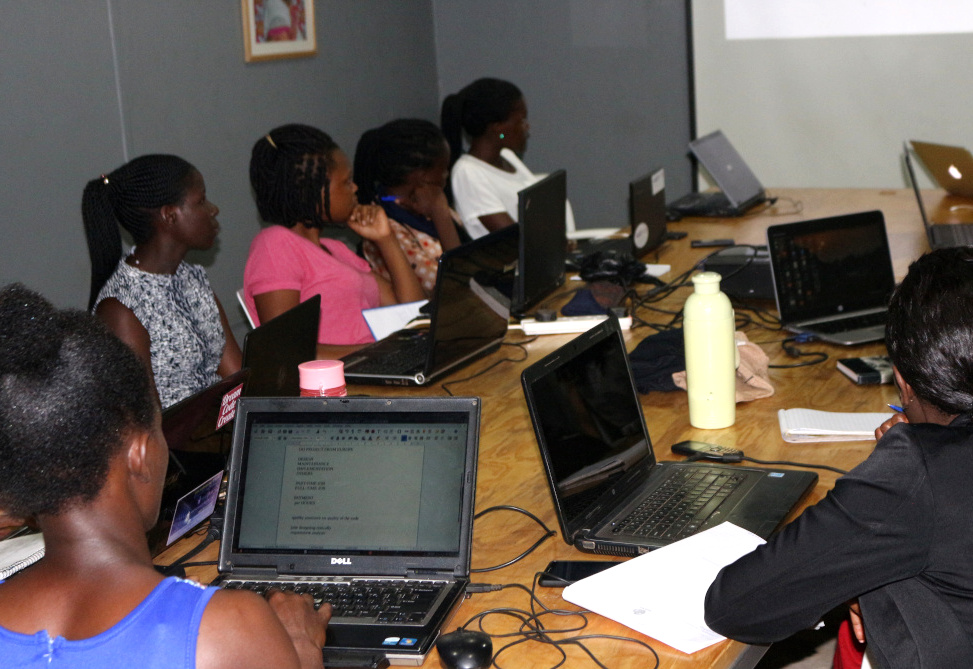
Learn C++ features with the help of LibreOffice developers! We’re running regular workshops which focus on a specific topic, and are accompanied by a real-time IRC meeting. For the next one, the topic is MSTs and Graph Implementations. Start by watching this presentation:

Please confirm that you want to play a YouTube video. By accepting, you will be accessing content from YouTube, a service provided by an external third party.

YouTube privacy policy

If you accept this notice, your choice will be saved and the page will refresh.

And check out the suggested EasyHacks.

Then join us for a discussion via our #libreoffice-dev IRC channel. You can ask experienced LibreOffice developers questions, and learn more about the language. We look forward to meeting you!

Month of LibreOffice, May 2019: The winners!

At the beginning of May, we started a new Month of LibreOffice, celebrating contributions all across the project. Well, May has come to a close now, so how many people got sticker packs throughout the month? Check it out…

It’s the best Month of LibreOffice ever, beating the previous one by 10! So congratulations to everyone who won a sticker pack – and thanks so much for your contributions. It’s great to see such a passionate community helping to bring powerful, free and open source software to the world.

Now, how can you claim your sticker pack? Click the 355 above, and if you see your name (or username) on that page, get in touch! Email mike.saunders@documentfoundation.org with your name (or username) from the wiki page so that we can check, along with your postal address, and we’ll send you these:

(Note: your address will only be used to post the stickers, and will be deleted immediately afterwards.) If you contributed to the project in May but you’re not on the wiki page, please let us know so that we can add you!

But there is one more thing…

For this Month of LibreOffice, we have a special bonus: 12 sticker winners have also been selected at random to get an exclusive LibreOffice glass mug! It looks like this:

And here are the winners:

  • Dave Barton
  • DaeHyun Sung
  • ve3oat
  • @muvon (Mastodon)
  • Platterbaff
  • Oliver Brinzing
  • Adam Kovacs
  • Mihail Balabanov
  • @RonneyGey (Mastodon)
  • Olexandr Pylypchuk
  • Seda Stamboltsyan
  • Durgapriyanka

Congratulations to you all! We’ll be in touch with details for claiming your mugs…

So, the Month of LibreOffice has finished – but we plan to do another one in November, with another opportunity to get cool merchandise! And, of course, you can join our friendly community at any time and contribute back to the project. Cheers!

Start developing LibreOffice! Registering with Git and Gerrit, and local settings

Please don’t use these instructions in practice – they become obsolete over time. Instead, follow the wiki article on gerrit.

(This post was originally written in Hungarian by Adam Kovacs for his blog. Thanks Adam!)

Want to start hacking on the LibreOffice source code? Start here! Follow the steps in this guide to enable automatic verification, so that you can submit your changes to the LibreOffice Git repository. If your code patches are accepted by other developers in the project, they will be added to the code for the next version, and then everyone in the world who uses LibreOffice will benefit from them.

This description does not include the submission (commit and push) of the patch, but only creates the preconditions for it.

If you get stuck at one of the points, reading these links can help:


Step 1 – Download the code

Create a directory (folder) for LibreOffice somewhere on your computer. At the command prompt (in a terminal in Linux, or eg Cygwin in Windows), access this folder and run the following command:

git clone https://gerrit.libreoffice.org/core libreoffice

Some notes:

  • You do not have to run “git init” after “git clone”
  • Just run the “git clone” command for the steps listed here; you don’t have to start autogen.sh and the compilation, unless you want to test your code modifications

Step 2 – Registering with Git

Git is a distributed version-control system for tracking changes in source code during software development. Register at: https://github.com.


Step 3 – Registering with Gerrit

What is a Gerrit? It complements Git. You can view patch files, messages, the results of the automatic tests of modifications, comments from senior programmers on the web interface, and whether your submitted patch has been accepted.

Register at: https://gerrit.libreoffice.org.

Fill in the following: username (no spaces and accents, example: adamkovacs), name (example: Adam Kovacs), email (example: something@valami.com). These can be found in the “Profile” and “Contact information” menu items.


Step 4 – Create SSH key

Linux:

ssh-keygen -C 'you@email.com'

Windows:

ssh-keygen.exe -C 'you@email.com'

After you run the command, you should also enter a password if you still have access to the files generated by the command, for example to commit code in your name. (The password will be required for “./logerrit submit master”, for example.)


Step 5 – Copying SSH public key into Gerrit

Copy the full contents of the id_rsa.pub file in the ~/.ssh/ folder into Gerrit by selecting SSH Public Keys.

In the ~/.ssh/ folder, create a file named “config” with this content:

Host logerrit gerrit.libreoffice.org
    IdentityFile ~/.ssh/id_rsa
    User gerritesfelhasznalonev
    Port 29418
    HostName gerrit.libreoffice.org

(It may be that port 22 (SSH( is disabled at some workplaces or public networks.)

You may need to run the following command in ~/.ssh/:

chmod 600 config

This sets a write and read (4 + 2) permission for your own username, and no permissions (0) for your group and the outside world.


Step 6 – Local Git repository

Set up your local Git repository with the username and email address as set in Gerrit, with the following commands after entering your LibreOffice directory:

git config --global user.name "Sajat Nev"
git config --global user.email "sajat@email.cim"

Use the “git config –list command” to retrieve the current settings. If they don’t include a name and email address, we haven’t set up anything yet. But with the “git config user.name” and “git config user.email” commands, you can more clearly verify this.

The file named config in the .git directory that’s inside the LibreOffice directory should look like this:

[core]
    repositoryformatversion = 0
    filemode = true
    bare = false
    logallrefupdates = true
    ignorecase = true
[remote "origin"]
    url = ssh://felhasznalonev@gerrit.libreoffice.org:29418/core
    fetch = +refs/heads/*:refs/remotes/origin/*
[branch "master"]
    remote = origin
    merge = refs/heads/master
[user]
    name = Gerriten Megadott Nev
    email = gerriten_megadott_email_cim
[submodule "dictionaries"]
    active = true
    url = ssh://felhasznalonev@gerrit.libreoffice.org:29418/dictionaries
    ignore = all
[submodule "helpcontent2"]
    active = true
    url = ssh://felhasznalonev@gerrit.libreoffice.org:29418/help
    ignore = all
[submodule "translations"]
    active = true
    url = ssh://felhasznalonev@gerrit.libreoffice.org:29418/translations
    ignore = all

The above commands may not have changed anything in this file, in which case you can manually overwrite the file, or enter the directory containing the file and issue this command:

chmod 600 config

Then try the previous “git config” commands again.

You might want to change the default text editor, if you don’t want to use Vi(m). Run the following command to change to Nano, for instance:

git config --global core.editor nano

Then, after running the “git commit command”, Nano starts instead of Vi(m).


Step 7 – Test Gerrit!

The following commands should run successfully:

./logerrit test
ssh -vvvv logerrit

If they do not run successfully, check out the error messages to see what commands you should run – and also visit the links in the introduction to this guide.


Step 8 – Legal notice

This text should be sent by mail to LibreOffice@lists.freedesktop.org:

All rights reserved for LibreOffice may be licensed under the MPLv2 / LGPLv3 + dual license.

…with the subject line ” license statement”. (More details here.) Note: please only send the statement no earlier than when you post your first submission to Gerrit, and ensure you have permission from your parents!

And now you’re set up to hack on the LibreOffice source code! We’ll follow up this guide with more tutorials soon, so keep an eye on the blog…

LibreOffice monthly recap: May 2019

May was an especially busy month in the project, with new releases of LibreOffice, events, workshops, interviews and more. Check it out…

  • We started with a new Month of LibreOffice. These are twice-yearly campaigns where we encourage people to join our community and help to improve the software. Everyone who contributes can claim a cool sticker pack at the end – and this year, we have some exclusive glass mugs for a randomly selected bunch of winners too! Learn all about it here.

  • You’ve probably heard of the Google Summer of Code, right? Well now there’s the Google Season of Docs – and LibreOffice is taking part! The goal is to give technical writers an opportunity to gain experience in contributing to open source projects, and to give open source projects an opportunity to engage the technical writing community.

  • Another event that’s being planned is the First LibreOffice Latin America Conference in Asunción, Paraguay. This will take place on July 19 – 20, and the call for papers is now open. Come and join our community there!

  • Meanwhile, our C++ workshops are still going strong – they’re a great opportunity to explore features of the programming language, with the help of experienced LibreOffice developers. The first one this month focused on binary trees, while the second covered binary search trees.

  • LibreOffice 6.3 is on the way! Our community is adding and polishing new features – and you can help to make it rock-solid reliable by joining a Bug Hunting Session. Alpha 1 is already available – but more testing versions will be released, before the final public announcement in early August.

  • Members of the German LibreOffice community met at Linuxhotel in Essen for a weekend of discussions, ideas, hacking – and great food! They created a list of tasks to focus on in the coming weeks and months, assigned to various members of the community.

  • On May 13, we talked to Vera Blagoveschenskaya from the Russian community, about her contributions to the project in Quality Assurance. Later in the month, we also had a chat with Buzea Bogdan who is also helping with QA – along with useful videos showing tips and tricks in the software. A big thanks to both of them for their contributions!

  • In other Paris news, LibreOffice Paris HackFest 2019 will take place on the weekend of July 5-6, at le 137, which is at 137 Boulevard Magenta, Paris 10e, France. The event is sponsored by INNO3, hosting the hackfest in their building, and The Document Foundation, providing reimbursement for travel and accommodation. If you’re in the Paris region, come along and say hello!
  • Finally this month, TDF welcomed Adfinis SyGroup to the project’s Advisory Board. Adfinis SyGroup is using LibreOffice for office productivity, in addition to providing professional consultancy to customers with SLA contracts to support migrations from proprietary software to LibreOffice. More recently, Adfinis SyGroup has helped Collabora to start porting LibreOffice to Apple iOS to allow drafting and editing ODF standard documents on Apple iPads.

Keep in touch – follow us on Twitter, Facebook and Mastodon. Like what we do? Support our community with a donation – or join us and help to make LibreOffice even better!

Annual Report 2018: LibreOffice Online

LibreOffice Online is a cloud-based version of the suite that end users can access via a web browser. It uses the same underlying engine as the desktop app, so that documents look identical across the versions. But where did it come from, what happened in 2018, and how can you deploy it on your infrastructure? Read on to find out…

Some History

Development of LibreOffice Online started back in 2011, with the availability of a proof of concept of the client front-end, based on HTML5 technology, produced by SUSE. In 2015, this proof of concept was re-written into an initial Online Development Edition by Collabora, allowing advanced users to check out LibreOffice in the cloud for the very first time.

In 2016, the first source code release of LibreOffice Online, a cloud office suite which provides basic collaborative editing of documents in a browser by re-using LibreOffice desktop’s “core engine”, was added to the master branch for the announcement of LibreOffice 5.3.

This last development brought collaborative editing to LibreOffice Online, a feature which transforms the application into a state of the art cloud office suite – the first to natively support the ISO/IEC standard Open Document Format (ODF) with collaborative editing features.

The rendering fidelity of LibreOffice Online is equivalent to that of the desktop software, and interoperability matches that of LibreOffice thanks to the support of both standard and proprietary document formats. LibreOffice Online has been developed mainly by Collabora, a leading contributor to the LibreOffice codebase and community.

LibreOffice Online in 2018

The main feature in online office suites is collaborative editing, and LibreOffice Online is no exception. The server module, which is key for this feature, is improved with every new major release of LibreOffice, with a focus on performance and security.

The graphical user interface was enhanced with the release of LibreOffice 6.1 by exposing various dialogs in LibreOffice core to the web browser. These dialogs were:

  • Writer: Find & Replace, Edit Style, Hyperlink, Special Character, Index Entry, Character, Paragraph, Bullets & Numbering, Table Properties, Spelling & Grammar, Word Count, Change Tracking Management, Insert Header & Footer, and Column Formatting
  • Calc: Ability to Add Autofilter, Ability to Filter Items via Autofilter Popup, Format Cell, Sorting Functionality, Support for Hidden Tabs, Support for Chart Data Series Editing, and Data Validation
  • Impress: Position & Size, Line and Area

The most significant improvements and new features announced at the time of LibreOffice 6.2 were the following:

  • Performance: improvements of scroll wheel, zooming, disk space, session and cache management, reduction of latency and unnecessary animation, and avoidance of repeated re-layout of comments & red-lines
  • Mobile: simplification of user interface, improvement of on-screen keyboard and cursor handling, addition of context toolbar and cleaning of other toolbars, and improvements to comment rendering
  • Integration: insertion of remote graphic from integration, addition of configurable time-limit for document conversion, installation of sample webserver config snippets, and addition of hosting/capabilities endpoint to list online features
  • Document signing: integration of Vereign compatible authentication and document signature, new LibreOfficeKit signing and certificate APIs, configuration to enable/disable the signature, and addition of a signing infobar
  • Other features: opening PDF files in a new tab instead of downloading them, improving configuration options for track changes, addition of a new shape insertion toolbar and of missing configuration defaults, and cleaner and more attractive 404 error reporting

LibreOffice Online Positioning

LibreOffice Online is server software which – to be fully functional – must be integrated with a service that provides file storage and authentication. As such, it can be considered an enabling technology for the public cloud of ISPs, or the private cloud of enterprises and large organizations, when it is integrated – for example – with enterprise file sync and sharing software, or a groupware solution.

The Document Foundation does not plan to develop or deploy a public cloud solution similar to existing products from Google and Microsoft, because this would not be in line with the original mission of the project. The task is therefore open to ISPs and providers of open source cloud solutions, with many options already available on the market.

Given the mission-critical nature of LibreOffice Online, The Document Foundation will not be maintaining binaries for enterprises, because this would create expectations which could not be fulfilled by volunteer-based support. However, builds of the latest code, suitable for home users and those who wish to contribute to development – which is encouraged – are available as Docker images.

Community Member Monday: Buzea Bogdan

Today we talk to Buzea Bogdan, who is making useful videos for LibreOffice users – check them out below!

Where do you live, and what do you enjoy in your spare time?

I live in Romania, a country with beautiful landscapes. I like computers and I like to ride my bicycle – or, more recently, my electric scooter.

What are you working on in the project at the moment?

I am reporting bugs, verifying them, and helping with other bug reports. In addition, I created a channel on YouTube with short tutorials about LibreOffice.

With the help of Xisco Fauli (LibreOffice’s QA engineer) and others in the LibreOffice groups on Telegram, I began to bibisect bugs. Also, with the help of others in the same direction, I may learn more about finding bugs and checking for fixes. I feel there are not so many technical videos about this.

How did you get involved with LibreOffice?

I started with LibreOffice almost a year ago, following a post about how everyone can contribute to this project. At that time, I thought it was time to financially support the LibreOffice community with a small donation. But I soon returned to the software’s website, because I had a small problem with displaying menus. Xisco helped me to solve the problem at the time, and then I thought: “If it is so simple to help others like me, could not I use my time to contribute with the little that I know?”

From that point on, I began to contribute by checking bug reports, along with videos and other information to solve some other bugs. I have also been involved in the translation of LibreOffice into Romanian. And recently I started the new YouTube channel that I mentioned, with short and simple explanation about little things that people usually find hard to solve. Here is a playlist – you can switch between videos using the icon in the top-left:

Please confirm that you want to play a YouTube video. By accepting, you will be accessing content from YouTube, a service provided by an external third party.

YouTube privacy policy

If you accept this notice, your choice will be saved and the page will refresh.

Finally, what do you see in the future for LibreOffice?

A few years ago I started using LibreOffice after watching a video on YouTube where OpenOffice and LibreOffice were compared by a well-known blogger. This kind of video could help LibreOffice become more familiar, and help people to discover the features and possibilities they have with open source software.

I feel LibreOffice is more mature now than ever, but the stable version needs to be stable enough – well tested. And this is the way I can help a little bit. I also feel that LibreOffice needs more engineers to work on bugs in order to maintain a smaller numbers of unsolved bugs, relative to all bugs that are reported.

So, huge thanks to Buzea for his help in the QA community, and the videos too! Checking and confirming bug reports is a great way to make LibreOffice even stronger, and doesn’t need a lot of time – if you want to give us a hand, jump into the LibreOffice QA channel and we’ll show you what to do. Cheers!