Community Member Monday: Yusuf Keten

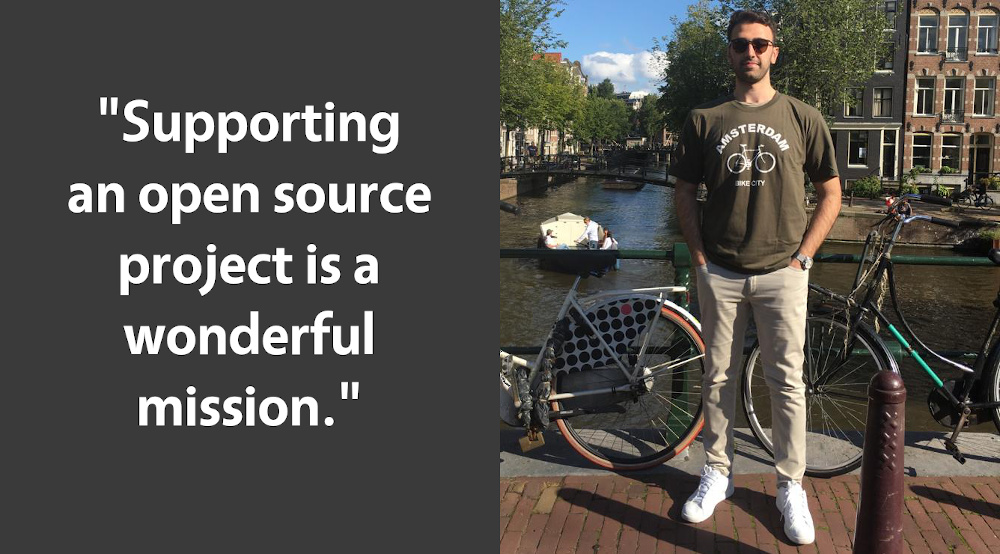
Today we’re talking to Yusuf Keten, who added new features to LibreOffice as part of the Google Summer of Code 2020. He was mentored by Muhammet Kara from Collabora Productivity. Here’s what he had to say…

To start, tell us a bit about yourself!

I was born on February 25, 1998 in Istanbul, Turkey. Currently I’m a third-year Computer Engineering student at Hacettepe University in Turkey. I really like coding. Nowadays, I am working on computer graphics. Also, I have academic projects about GPGPU programming. I am contributing to LibreOffice in my free time because of my enthusiasm for open source culture.

Apart from programming, I like to spend my time playing electric guitar, drawing. Also, I describe myself as a coffee lover! You can find me on Twitter and LinkedIn.

Why did you decide to become a member of The Document Foundation, the non-profit behind LibreOffice?

I came across TDF when I attended a LibreOffice Bootcamp given by Muhammet Kara. He explained what TDF does, and its values. I was really impressed, because supporting an open source project is a wonderful mission. Also, there are lots of talented people in TDF. Therefore, I wanted to be part of this great organization and contribute to TDF’s activities.

What are you working on in LibreOffice right now?

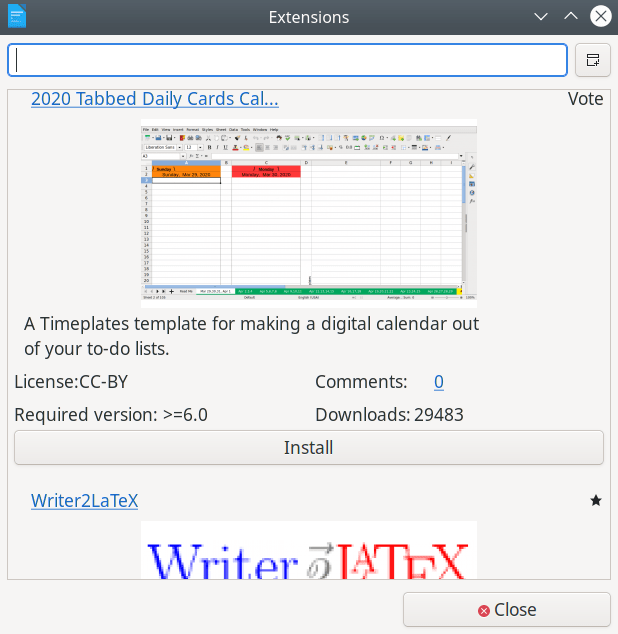
I have been working on User Experience topics for nearly a year. I created a new Additions dialog as during my Google Summer of Code work. It provides an interface for adding any extension types such as fonts, templates etc. with only one click. Also, users can search extensions based on how many votes they have, downloads and comments. Check out my GSoC report.
Anything else you plan to do in the future?

In my GSoC project, there are still some bugs and missing features. I would like to fix these bugs and add these features. Also, I may add other new features to LibreOffice, if they is needed.

Even though I worked on User Experience parts until now, I may work on computer graphics aspects of LibreOffice in the future – because I’m improving my skills in this area.

We at TDF would like to share our appreciation for Yusuf for all his contributions! We’re really happy to have him on board as a member. Indeed, everyone in the community who’s active in our projects is welcome to become a member!
What to do with a document “created by a newer version of OpenOffice”

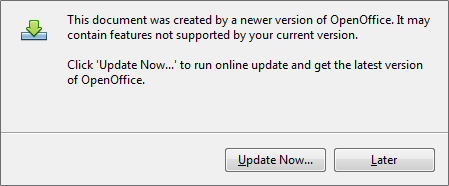
Are you using Apache OpenOffice? Have you recently tried to open a .odt, .ods or .odp file and received this error message? “This document was created by a newer version of OpenOffice. It may contain features not supported by your current version.

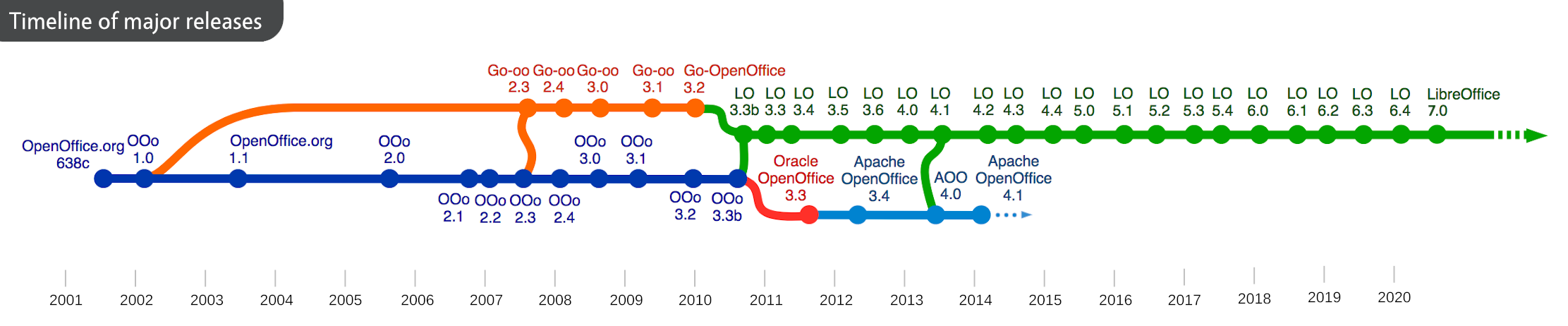
In this case, the document probably wasn’t created in OpenOffice, but in LibreOffice, a successor project. LibreOffice 7.0 introduced support for OpenDocument Format (ODF) 1.3, which includes many new features and benefits.

LibreOffice and Apache OpenOffice share the same roots, and while Apache OpenOffice’s last major release (4.1) was back in 2014, LibreOffice has since been developed much further with extra features and updates.

LibreOffice is still free and open source software, of course, so to get the most out of newer documents, download LibreOffice and give it a try!

New Beginner LibreOffice Tutorials and Videos from Paul Sutton

LibreOffice’s documentation community creates handbooks, guides, tutorials and other resources to help users get the most out of the software. Everyone is welcome to join the team and help out – it’s a great way to build up experience for a possible career in technical writing!

Paul Sutton is producing a series of blog posts and videos aimed at newcomers to LibreOffice, explaining some of the basics. He also has some extra videos here – check them out.

A big thanks to Paul for his work, and making his content available under a Creative Commons license, for everyone to share! Follow him on Twitter and Mastodon.

The Month of LibreOffice, November 2020 – Half-way through

We’re just over half-way through the Month of LibreOffice, November 2020, in which we award sticker packs to all contributors in our projects and community! (Plus, a bonus chance to win extra merchandise: a mug, T-shirt or hoodie.)

So how’s it going? Well, we’ve already awarded 262 sticker packs:

Is your name/username not on that page yet? Do something about it! There are many ways to help out – you don’t need to be a programmer. Let’s see…

How to get your stickers

There are many ways you can help out – and you don’t need to be a developer. For instance, you can be a…

  • Handy Helper, answering questions from users on Ask LibreOffice. We’re keeping an eye on that site so if you give someone useful advice, you can claim your shiny stickers.
  • First Responder, helping to confirm new bug reports: go to our Bugzilla page and look for new bugs. If you can recreate one, add a comment like “CONFIRMED on Windows 10 and LibreOffice 7.0.3”.
  • Drum Beater, spreading the word: tell everyone about LibreOffice on Twitter or Mastodon! Just say why you love it or what you’re using it for, add the #libreoffice hashtag, and at the end of the month you can claim your stickers.
  • Globetrotter, translating the user interface: LibreOffice is available in a wide range of languages, but its interface translations need to be kept up-to-date. Or maybe you want to translate the suite to a whole new language? Get involved here.
  • Docs Doctor, writing documentation: Whether you want to update the online help or add chapters to the handbooks, here’s where to start.

Join in! We’ll be posting regular updates on this blog and our Mastodon and Twitter accounts until the end of the month…

The LibreOffice Calc Guide 7.0 Just Arrived!

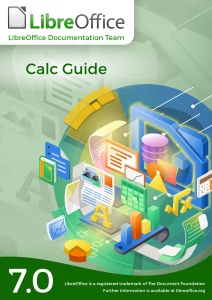
The LibreOffice Documentation Team is happy to announce the availability of the LibreOffice Calc Guide 7.0, the most comprehensive guide for the Calc module, updated to the latest version of LibreOffice.

The Guide is available in PDF format and contains 545 pages, covering all basic and advanced features of the spreadsheet module of LibreOffice, and is a must-read book for exploiting the maximum of LibreOffice Calc.

(more…)

Next set of videos from the openSUSE + LibreOffice Conference 2020

Note: these videos are also available on PeerTube

It’s time for another batch of presentations and workshops from the recent openSUSE + LibreOffice Conference 2020! You can see them in the YouTube playlist, and here are the individual videos (apologies for the not-perfect audio in some places):

Marketing and social media in LibreOffice (Mike Saunders):

Please confirm that you want to play a YouTube video. By accepting, you will be accessing content from YouTube, a service provided by an external third party.

YouTube privacy policy

If you accept this notice, your choice will be saved and the page will refresh.


openSUSE + LibreOffice Conference 2020: Recruiting for LibreOffice globally and locally through volunteer platforms (Ilmari Lauhakangas):

Please confirm that you want to play a YouTube video. By accepting, you will be accessing content from YouTube, a service provided by an external third party.

YouTube privacy policy

If you accept this notice, your choice will be saved and the page will refresh.


The history and pre-history of LibreOffice (Michael Meeks):

Please confirm that you want to play a YouTube video. By accepting, you will be accessing content from YouTube, a service provided by an external third party.

YouTube privacy policy

If you accept this notice, your choice will be saved and the page will refresh.


LibreOffice oss-fuzz, crashtesting, coverity (Caolán McNamara):

Please confirm that you want to play a YouTube video. By accepting, you will be accessing content from YouTube, a service provided by an external third party.

YouTube privacy policy

If you accept this notice, your choice will be saved and the page will refresh.


Faster Jail Creation with Bind-Mount (Ashod Nakashian):

Please confirm that you want to play a YouTube video. By accepting, you will be accessing content from YouTube, a service provided by an external third party.

YouTube privacy policy

If you accept this notice, your choice will be saved and the page will refresh.


The ODF TC GitHub (Svante Schubert):

Please confirm that you want to play a YouTube video. By accepting, you will be accessing content from YouTube, a service provided by an external third party.

YouTube privacy policy

If you accept this notice, your choice will be saved and the page will refresh.


LibreOffice in your browser – WebAssembly & other neat hacks to make that happen (Thorsten Behrens):

Please confirm that you want to play a YouTube video. By accepting, you will be accessing content from YouTube, a service provided by an external third party.

YouTube privacy policy

If you accept this notice, your choice will be saved and the page will refresh.


The ODF Toolkit (Svante Schubert):

Please confirm that you want to play a YouTube video. By accepting, you will be accessing content from YouTube, a service provided by an external third party.

YouTube privacy policy

If you accept this notice, your choice will be saved and the page will refresh.


Implementation Detail (Stephan Bergmann):

Please confirm that you want to play a YouTube video. By accepting, you will be accessing content from YouTube, a service provided by an external third party.

YouTube privacy policy

If you accept this notice, your choice will be saved and the page will refresh.