

Keeping track of LibreOffice activity

noun_27464LibreOffice is a big project, with over 7 million lines of source code and hundreds of developers, testers, translators and other contributors spread across the globe. With so much activity going on, it can be difficult to keep track of recent developments – so here are a few pointers to keep you in the loop.

Upcoming releases

The current supported release of LibreOffice is 5.1, and the latest bug-fix version is 5.1.3. There are three more bug-fix updates due this year, so see this wiki page for information on the release schedule. The last planned update will be 5.1.6, due in October.

Meanwhile, the development team is working hard on LibreOffice 5.2, which is scheduled to be released in the first week of August. A beta version (for testing) is due very soon – keep an eye on this blog for more information. You can also see a mid-development list of new features in 5.2, but bear in mind that everything is subject to change!

Team calls

Many teams inside the LibreOffice project have regular audio or video calls to catch up, share ideas and ask questions. These teams also share minutes (notes) from the meetings afterwards, so that others can keep track of news and developments.

For instance, the Engineering Steering Committee (ESC) usually has a call every Thursday to discuss technical aspects of the project: release engineering, new features, quality assurance, mentoring new developers, and other matters. Minutes from these are posted on the projects mailing list – see the archive here (search for “minutes of ESC” for recent calls).

Similarly, the Design Team holds regular Hangouts to discuss user interface changes and usability enhancements. Then there’s the Infrastructure Team, which has calls to talk about the hardware and software that’s used by LibreOffice contributors, and the Documentation Team, which has just started regular calls to coordinate content and bring in new writers. Minutes from all of these teams are also posted on the projects list.

Finally, The Document Foundation’s Board of Directors has regular meetings to discuss organisational aspects: finances, budget requests, the yearly conference and so forth. Minutes from these meetings are available on the wiki.

Annual Report

A good summary of last year’s activity in the LibreOffice project is provided in the Annual Report. This is currently being worked on, and will have detailed updates from the native language projects, hackfests, development and QA teams, plus information on donations received throughout 2015 and other aspects of the project.

We’ll post an update on this blog when the 2015 Annual Report is available – meanwhile you can read about what happened in LibreOffice during 2014 in the previous report.

LibreOffice 5.0.6 available for download

month_of_libreofficeBerlin, May 5, 2016 – The Document Foundation announces LibreOffice 5.0.6 “still”, the sixth release of the LibreOffice 5.0 family, which can be used for the deployment in large organizations.
The Document Foundation suggests deploying LibreOffice 5.0.6 on a large scale only when backed by professional level 3 support from certified developers (a list available at: https://www.libreoffice.org/get-help/professional-support/. When migrating to LibreOffice from proprietary office suites, organizations should seek professional support from certified migration consultants and trainers, which are listed on the same web page.

In addition, there are companies providing LibreOffice LTS (Long Term Support) versions, with incremental updates, targeted at enterprise deployments.

People interested in technical details about the release can access the change log here: https://wiki.documentfoundation.org/Releases/5.0.6/RC1 (fixed in RC1) and https://wiki.documentfoundation.org/Releases/5.0.6/RC2 (fixed in RC2).

LibreOffice Conference

In 2016, LibreOffice Conference will be hosted by the Faculty of Information Technology at Brno University of Technology, and organized by OpenAlt, from September 7 to 9.

Details of Call for Papers, open until July 15, 2016, are available at: https://blog.documentfoundation.org/blog/2016/04/08/libreoffice-brno-conference-call-for-paper/. Registration for the conference is open at: http://conference.libreoffice.org/2016/registration/.

Download LibreOffice

LibreOffice 5.0.6 is immediately available for download from the following link: http://www.libreoffice.org/download/libreoffice-still/.

LibreOffice users, free software advocates and community members can support The Document Foundation with a donation at http://donate.libreoffice.org. They can also buy LibreOffice merchandise from the brand new project shop: http://documentfoundation.spreadshirt.net/.

Designing with LibreOffice

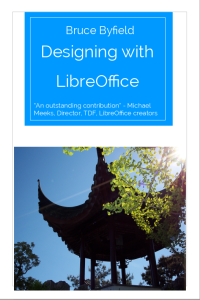
front-cover-web-200x300Bruce Byfield, a journalist who specializes in writing about free and open source software, has recently released Designing with LibreOffice, a book about our beloved free office suite, which is not the usual death march through the menu and standard tasks. Instead, the book takes two fresh approaches to the world’s most popular free office suite.

First, it explains the importance of using styles and templates in order to use LibreOffice with the most convenience and the least effort. Second, it explains the basics of modern design and how to apply them in LibreOffice, expanding on the open secret that LibreOffice is as much a desktop publishing application as an office suite.

The result of these approaches is a unique overview of using LibreOffice. If you are a new user, the book will help you get up to speed with LibreOffice. If you have already used LibreOffice, then this book will leave you with a clearer overview of the program and its capabilities.

Designing with LibreOffice has been published by Friends of OpenDocument under the terms of the Creative Commons Attribution-ShareAlike License. Readers do not need to ask for permission to copy, share, or re-use the contents of Designing with LibreOffice. However, the publisher would appreciate hearing how and where the material has been re-used.

Designing with LibreOffice has a website, with additional information about the book and the author. Of course, the book can be downloaded from the website, and purchased as a traditional paper book from the the Friends of OpenDocument store on Lulu.

LibreOffice 5.1 Videos: Analytics

For LibreOffice 5.1 we created a playlist of short videos highlighting some of the new features in action. At the time of writing, these videos have been viewed over 50,000 times in total. Here’s the breakdown:

  • Calc: 15,346
  • Impress: 12,275
  • Writer: 25,229

Let’s take the Writer video and look at some of the viewer analytics data behind it. Interestingly, Spain currently provides the most viewers – whereas for the Calc and Impress videos, the USA is in first place. This chart shows the breakdown of the top 10 countries where the Writer video is popular:
(more…)

The Document Foundation announces LibreOffice 5.1

Immediately available for Linux, MacOS X and Windows

wall51smallBerlin, February 10, 2016 – The Document Foundation announces LibreOffice 5.1, a full featured open source office suite which compares head-to-head with every product in the same category, while standing out with superior interoperability features.

LibreOffice 5.1 offers a completely reorganized user interface, and several improved features targeted at enterprise deployments: better support for ODF 1.2, interoperability with proprietary document formats and file management on remote servers.

LibreOffice has been downloaded 120 million times since the launch in January 2011. The office suite is deployed by large organizations in every continent, with the latest addition being the Italian Defense Staff with over 100,000 desktops.

LibreOffice 5.1 Highlights

lo51-starsmallUser Interface: LibreOffice 5.1’s user interface has been completely reorganized, to provide faster and more convenient access to its most used features. A new menu has been added to each of the applications: Style (Writer), Sheet (Calc) and Slide (Impress and Draw). In addition, several icons and menu commands have been repositioned based on user preferences.

Interoperability: Compatibility with proprietary document formats has been improved, as a part of the ongoing effort for a better interoperability with other productivity software. In addition, filters have been added for Apple Keynote 6, Microsoft Write and Gnumeric files.

Spreadsheet Functions: Calc’s formula engine has been improved with features addressing restrictions in table structured references and sticky column/row anchors, interoperability with OOXML spreadsheets and compatibility with ODF 1.2

File Access on Remote Servers: Files on remote file servers such as Sharepoint, Google Drive and Alfresco can now be accessed from the File menu, with read and write options, without the need of a dialog window.

A complete list of the most significant new features is available in the accompanying press release (LibreOffice 5.1 New Features), and has also been published on the website at http://www.libreoffice.org/discover/new-features/. Short videos presenting the most significant new features for Writer, Calc and Impress are available at: https://www.youtube.com/playlist?list=PL0pdzjvYW9RHSwdRnZfaxAWICrkBrQl7k.

LibreOffice 5.1 has also been improved “under the hood,” thanks to the work of hundreds of volunteers. This translates into an open source office suite which is easier to develop, maintain and debug. Although this is not visible to users, it is extremely important for enterprise deployments.

“LibreOffice 5.1 is another step forward to fulfilling our vision of an office suite tailored on user needs and preferences”, says Bjoern Michaelsen, a Director at The Document Foundation (TDF) and a leading LibreOffice developer. “Since 2010, we have gone through different development cycles to clean up the code and make it more responsive. We are now at a stage where we are close to providing a better user interface.”

“LibreOffice’s third development cycle is leading us to a new user interface concept, where the user will be able to choose the best layout of the elements on the screen for his own needs, to leverage desktop space in the best way” adds Jan Holesovsky, a Director at TDF, and a member of the design team.

Availability and enterprise deployments

LibreOffice 5.1 represents the bleeding edge in term of features for open source office suites, and as such is targeted at technology enthusiasts, early adopters and power users.

For enterprise class deployments, TDF maintains the more mature 5.0.x branch (soon at 5.0.5). In any case, TDF suggests deploying or migrating to LibreOffice with the backing of certified professionals providing Level 3 support, migration consultancy or trainings according to recognized best practices (http://www.libreoffice.org/get-help/professional-support/).

LibreOffice 5.1 is immediately available from the following link: http://www.libreoffice.org/download/. LibreOffice users, free software advocates and all community members can support The Document Foundation with a donation at http://donate.libreoffice.org.

Launch Pack and Screenshots

The entire launch pack, with background documents and the high resolution images, can be downloaded from: http://tdf.io/lo51launchpack. Some Windows 10 screenshots can be downloaded from: http://tdf.io/lo51screenshots.

Third bug hunting session for LibreOffice 5.1

noun_83830_ccBerlin, January 7, 2016 – The LibreOffice community is working hard on the next major release of LibreOffice 5.1 – planned for early February – with a bug hunting session focused on new features and fixes for bugs and regressions, to test the second release candidate.

The session will last 3 days, from January 15 to January 17, 2016. On those dates, mentors will be available from 08AM UTC to 10PM UTC to help volunteers to triage bugs, on the QA IRC channel and via email on the QA mailing list.

In addition, there will be two dedicated sessions for Writer between 3PM UTC and 5PM UTC on Friday, January 15, and for Calc between 3PM UTC and 5PM UTC on Saturday, January 16. During the dedicated sessions, mentors and volunteers will concentrate all the efforts on a single module with the objective of confirming, reproducing and documenting bugs and regressions in a better way.

Those who cannot join during the bug hunting session are always welcome to help chasing bugs and regressions when they have time. The second release candidate of LibreOffice 5.1 will be available until late January.

Builds of LibreOffice 5.1 RC 2 will be available from the pre-releases directory before the bug hunting session: http://dev-builds.libreoffice.org/pre-releases/. On the wiki of The Document Foundation there is a page for the bug hunting session: https://wiki.documentfoundation.org/BugHunting_Session_5.1.0_RC2.