Sunday Marketing #1

Starting from today, we launch a weekly blog post focused on marketing topics. We will try to provide ammunition to community members advocating LibreOffice and the Open Document Format, and food for thought to people still trying to understand the viability of FOSS on the desktop.

Let’s start with some numbers about LibreOffice.
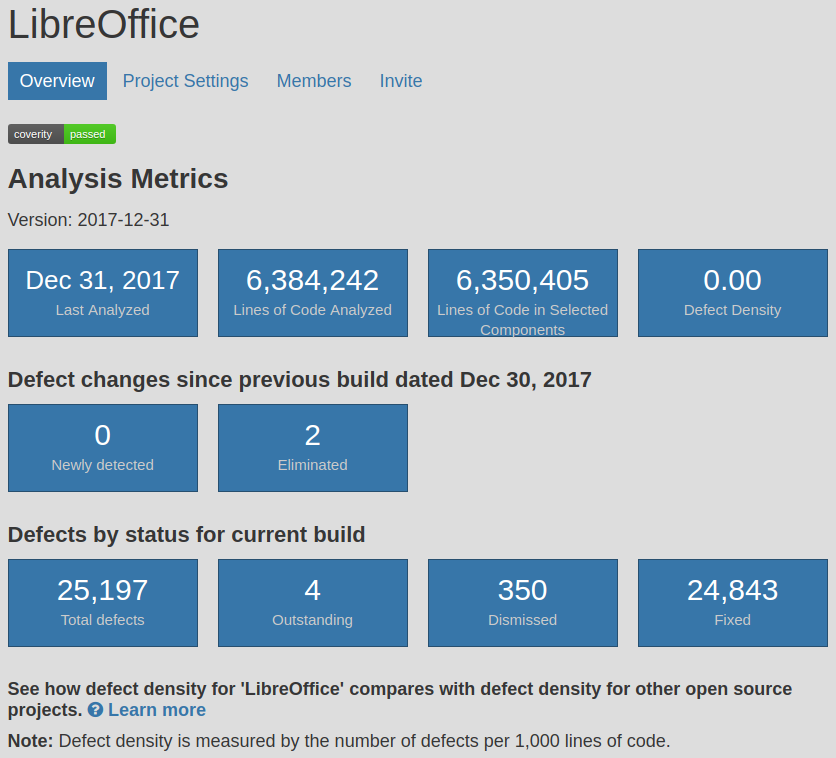
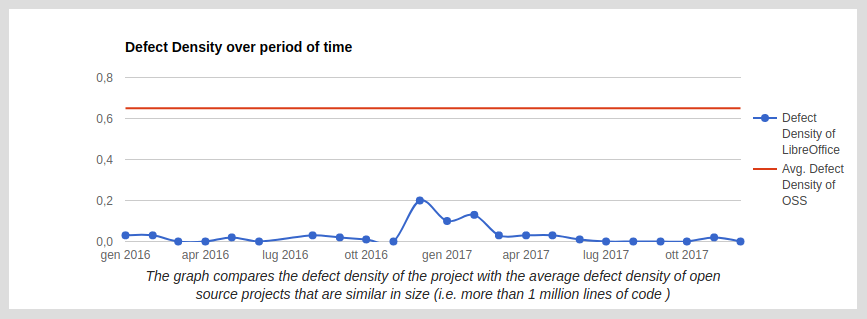
Although LibreOffice defect density score – according to Coverity Scan – has been around 0.00 per 1,000 lines of code for ages, we should never forget that it is the outstanding result of the commitment to quality of LibreOffice developers (and we should always mention it with pride when we present the software).

The bulk of the activity related to Coverity Scan weekly reports is under the responsibility of Red Hat developers, but we cannot forget that the result is related to the quality of the entire development process. Of course, LibreOffice – as any other software – is not immune from bugs and regressions, but improvements with every new version have been acknowledged by both enterprise and individual users.

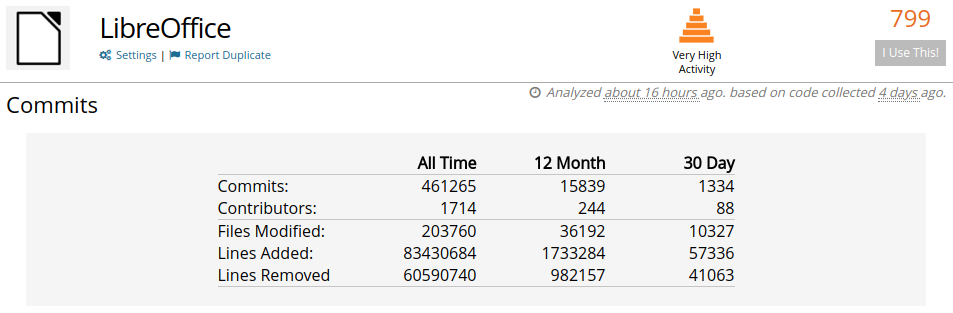
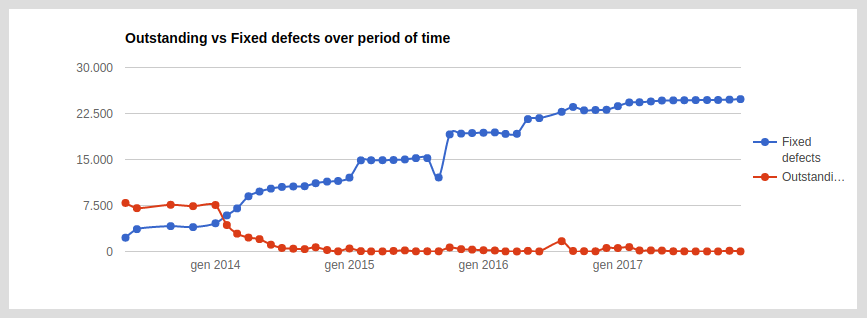
Let’s have a look at development numbers provided by OpenHub. During the last 12 months (2017) there have been 15,389 commits by 244 contributors, and during the last 30 days (December 2017) there have been 1,334 commits by 88 contributors. The chart on the left shows that during the last three years the monthly number of contributors has been rather stable, with highs close to 100 and lows close to 75.

After Coverity Scan and OpenHub, which are independent sources, next week we will analyze an internal tool for the analysis of development-related information: TDF Dashboard.

LibreOffice community focus: Localisation

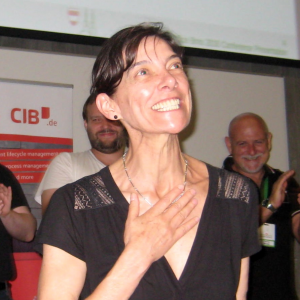
LibreOffice 6.0 is due to be released at the end of this month (or in early February), and you can learn about the changes in on the wiki. Closer to the release, we’ll make a short video showing off the new features in action. But as we head towards LibreOffice 6.0, we want to hear from the many communities that have contributed to this version. We start off by talking to Sophie Gautier, who has been working with the localisation community to make the software available in as many languages as possible…

What has the localisation community been doing in preparation for LibreOffice 6.0?
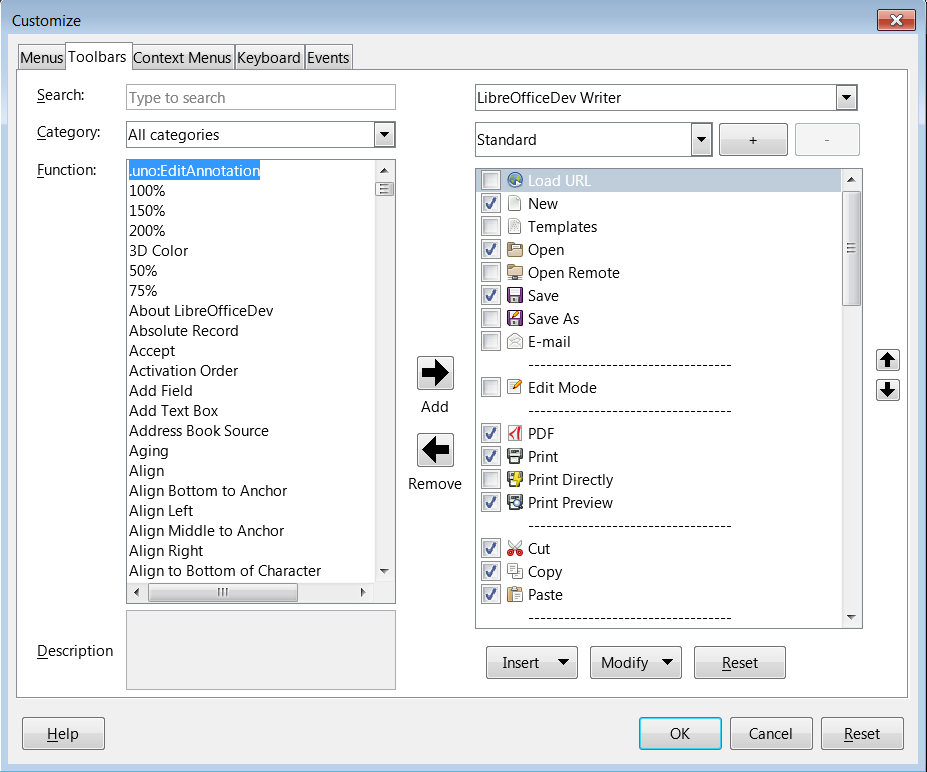
Each time a developer makes a change to the user interface (UI), that means some work for the localisation team, both in terms of the UI itself and the help system. And our UX/Design team has been very busy moving menu entries, designing new dialogs and making new toolbars – so all this work ends up in the hands of the translation team.

Once we have finished the translations of the suite, we have to check that our translations are correct. Sometimes, the localisation process means that you’re translating out of context, with very poor references for where you are in the interface.

Then, there are also press release preparations, new features pages for the website, videos, and all the work done by the marketing team that we have to translate and adapt to our languages, to cover the LibreOffice 6.0 launch.

What are your favourite new features in this release?

I’m not sure I have a preferred one – I’m just always amazed by the work done by the community at each level. I’m very grateful for it, but to name a few: I like the new and easy way to customise the UI, OpenPGP signing of documents, and the work done to modernise the help system.

What tools and services do you use in the localisation community?

Most of the teams use Pootle as an online tool for translations. Some other teams use Pootle as a repository for their files, but also use a computer-assisted translation tool (like OmegaT) to work on the files. Some others don’t use Pootle as a
repository and commit their files directly to Gerrit. We want our teams to be able to use the tools they like the best to translate.

To search for the strings in the source code and get some context (which dialog the string is in, other strings in the dialog, accelerators, etc.) we use OpenGrok which is a simplified web interface for browsing the code.

Finally, how can people get involved with the localisation community?

If a language team already exists, it’s best to contact them directly (the address can be found on our wiki). If none exists, then the best way is to ask on l10n@libreoffice.org for the creation of the language – both in LibreOffice itself, and on Pootle. We will help the newcomers with the first steps in localisation.

Also, Yousuf Philips has written a script that categorises and references the most important strings to translate at the beginning. This shows what is most visible in the interface, and will be of the most help for the users.

Thanks Sophie for that overview – and indeed, a hearty thanks to the whole localisation community for their great help with preparing LibreOffice 6.0. Over the next couple of weeks, we’ll be talking to other communities in the LibreOffice project, so stay tuned to the blog…