Community Member Monday: Mohamed Trabelsi and Jim Raykowski

LibreOffice’s worldwide community is active in many areas: translations, QA, marketing, design, documentation, coding and more. Today we chat to a couple of community members about their experiences in the project…

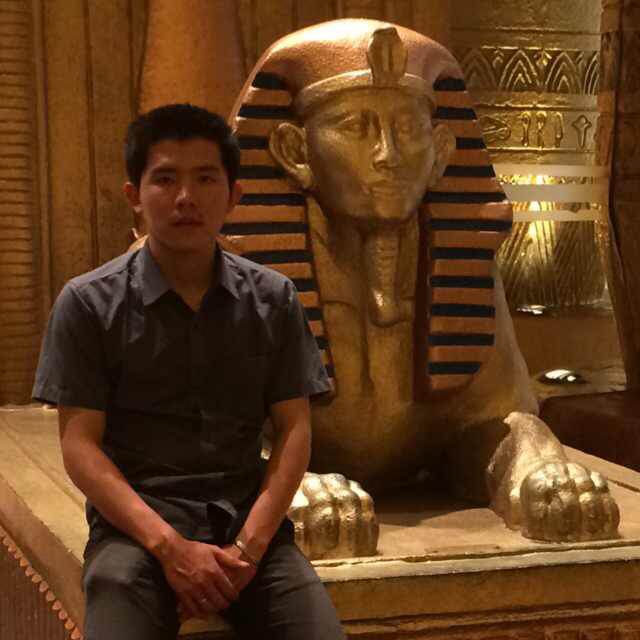
Mohamed Trabelsi

Where do you live, and what are your interests?

I’ve been living in Kobe, Japan for three years now. I was Master student at Kobe Institute of Computing for two years, then I did internship for six months at iCRAFT Corp, a Japanese IT company in Kobe. And now I work as a Network Engineer at the same company.

Outside of work, I’m usually playing soccer, watching movies, traveling around Japan with some friends and family, and going for some volunteering activities nearby.

In which areas of the LibreOffice project are you active?

My LibreOffice activities are around QA/bug triaging, the translation projects (to Arabic), and LibreOffice promotion by giving presentations at IT-related events in Japan.

How did you get involved with LibreOffice?

A few years ago I was involved in social volunteering activities like charity events, earthquake clean-ups and so on. In the last year during my internship at iCRAFT Corp, which was supporting the project, I was assigned to contribute to LibreOffice development in any area I wanted or found interesting. I liked the idea, and considered it as a new way of volunteering in my life – let’s call it “Digital Volunteering”.

What was your initial experience of contributing to LibreOffice like?

It was my first experience with open source development, so it took me a while to get adapted to the activities. But seeing the progress of my contributions in numbers, like the LibreOffice Arabic translation improvements, motivated me a lot.

What does LibreOffice need most right now?

I think that all what LibreOffice needs is to keep improving support for other formats than Open Document, like docx and xls from Microsoft Office.

Anything else you want to mention?

I’m looking forward to meeting other LibreOffice members and celebrating all new improvements together!

Jim Raykowski

Where do you live, and what are your interests outside of LibreOffice?

I live in beautiful Kodiak, Alaska, USA. Apart from LibreOffice, I mostly deal with laundry stuff in one way or another, and play guitar – not so good, even though some say different. Oh and I try to catch fish with fair success.

In which areas of the LibreOffice project are you active?

User interface bug fixes and enhancements.

How did you get involved with LibreOffice?

Calc cell protection wasn’t working and I needed it for some macros I made using Basic. I thought I might be able to fix it. It got fixed before I could even see day light through the code jungle I had entered. After a while of hacking my way through the jungle I managed to change a old school pointer to a std::unique_ptr for my first commit.

What was your initial experience of contributing to LibreOffice like?

Truly exciting to be contributing with others from all over this planet.

Finally, what tools do you use for your work (eg text editor)?

I mainly use Qt Creator. Qt is what I’ve used for most of the programming I’ve done.

Thanks to Mohamed and Jim for their time, and contributions to LibreOffice! If you’re reading this and want to help out, and make new contacts in our friendly worldwide community, see this page to get started.

LibreOffice 6.2 community focus: Design

LibreOffice 6.2 is due to be released at the end of this month, and many communities in the project have been working hard on new features. Today we talk to Heiko Tietze, The Document Foundation’s UX designer, about the upcoming release…

What new feature(s) in LibreOffice 6.2 are you most excited about?

Two years ago, The Document Foundation announced the MUFFIN concept, that is supposed to give users the freedom to change the user interface to what they are familiar with, and to adopt to any usage scenarios. Now, with the upcoming LibreOffice 6.2 release, we finally made this feature available for everyone, not only the brave users who enable experimental features.

We present the “Tabbed” and “Groupedbar” variants in the first stage (View > User Interface in the menu). The Tabbed variant aims to provide a familiar interface for users coming from Microsoft Office. It is supposed to be used primarily without the sidebar. Here’s a quick animation of it in action:

Please confirm that you want to play a YouTube video. By accepting, you will be accessing content from YouTube, a service provided by an external third party.

YouTube privacy policy

If you accept this notice, your choice will be saved and the page will refresh.

Meanwhile, the Groupedbar design follows the mantra “Simple by default, powerful when needed” with the basic principle to access “first-level” functions with one click, and second-level functions with a maximum of two clicks.

What has the design community been working on in preparation for this release?

We also made massive changes and improvements to icon themes, in particular Elementary and Karasa Jaga. Here’s Elementary:

Plus, the icons are now shipped as SVG vector graphics. If the rendering is stable and accurate we plan to switch completely in one of the upcoming releases. Read more on the technical background on this blog.

Another great step ahead has been made regarding the personalization feature (Tools > Options) that took ages in the past to show results. Now it brings up the Firefox personas within a second or two. Read more about this here.

Looking further ahead, what else are you planning – or want to achieve – in the community?

We will continue the work on the Notebookbar variants. Some concepts are almost ready for publication. Ideally, users load the Notebookbar variants as an extension. And we are aware that a lot of work has to be done in this regards.

Other than that, we discuss the ideas from the community on a daily basis. Some would be great enhancements; others are probably not suited to an office suite. The evaluation of this input takes some resources. And last but not least, we have many “creaking doors” that might benefit from a redesign: bullets and numbering, outlines, bezier curves, bibliography…

So how can people get involved?

Everybody is welcome to join the design group. Most of us are active on Telegram and you can just lurk around there and listen. But your input on tickets on Bugzilla with keyword needsUXEval is also very welcome. We pick some of those topics and discuss it in the weekly meeting, biweekly either on Wednesday evening (7pm UTC) or Thursday afternoon (1pm UTC).

All information about who we are, how we work, and how to get in contact are provided on the LibreOffice wiki.

Thanks to Heiko and the whole design community for their great work. We’ll be talking to other communities over the next few weeks, so keep an eye on this blog for more…

Next C++ workshop: 10 January 2019 at 19:00 UTC

Yes, we’re running another C++ workshop, where you can watch a video about a specific feature of the language, then join our community of developers for a live discussion! This time, the topic is abstract data types:

Please confirm that you want to play a YouTube video. By accepting, you will be accessing content from YouTube, a service provided by an external third party.

YouTube privacy policy

If you accept this notice, your choice will be saved and the page will refresh.

Then join us on 10 January at 19:00 UTC for a discussion via our #libreoffice-dev IRC channel on Freenode. You can ask experienced LibreOffice developers questions, and learn more about the language. See you then!

Community Member Monday: José Gatica and Andika Triwidada

LibreOffice is the work of hundreds of volunteers and certified developers across the globe. Today we speak to two members of the community about their activities and experiences in the project!

José Gatica

Where do you live, what do you love, and can we follow you on social media?

I’m from Valdivia, Chile. I’m active on Twitter: @josegatica. I’m a musician, so that’s my second job 🙂

In which areas of the LibreOffice project are you active?

I love to help people on the Ask LibreOffice community support website, but my “LibreOffice Life” is about migrating computers from MS Office to LibreOffice, and teaching people about how to use it. Nowadays I’m looking for time to contribute with code too.

How did you get involved with the community?

I started to use LibreOffice a long time ago, but with my active work with ParrotSec GNU/Linux and something for the Free Software Foundation came the need (yeah, the need) to get involved with LibreOffice too.

What was your initial experience of contributing to LibreOffice like?

First I wanted some support from The Document Foundation or something like that, then came the news about the LibreOffice certification program. My initial experience was during my project redaction and application, and for people that work here with me.

Thanks José! And now on to…

Andika Triwidada

Where do you live, what do you love, and can we follow you on social media?

I live in Bandung, Indonesia, but I quite often go to Jakarta for projects and work. I sometimes lurk in IRC, rarely on Twitter, daily on Facebook, and maybe weekly in Google+. When I’m not working on LibreOffice, one of my hobbies is translating other open source projects 😀

In which areas of LibreOffice are you active?

Localization – mostly translation.

What was your initial experience of contributing to LibreOffice like?

Good! I can work independently via Pootle.

What does LibreOffice need most right now?

I don’t know – maybe better compatibility with Microsoft Office.

What tools do you use for your work?

Poedit, a cross-platform gettext catalogs editing tool.

Cheers Andika – thanks for your help in making LibreOffice a truly universal productivity tool, available in over 100 languages! Anyone can help to translate the software, website and documentation – see here to get started.

Video playlist: Main room of LibreOffice Conference 2018

We’ve finished editing and uploading all the videos from the main room of the LibreOffice Conference 2018 in Tirana, Albania. To view slides for the talks, find the PDFs in the program here:

Apologies that the audio isn’t great in many cases – that’s due to technical and acoustic limitations of the venue. But try listening with headphones, and follow along with the slides as linked above.

So here are the videos, starting with the opening session; click the playlist in the top-left to choose other ones:

Please confirm that you want to play a YouTube video. By accepting, you will be accessing content from YouTube, a service provided by an external third party.

YouTube privacy policy

If you accept this notice, your choice will be saved and the page will refresh.