LibreOffice Conference 2020 Proposals

The Document Foundation has received two different proposals for the organization of LibOCon 2020 from the Turkish and German communities. When this has happened in the past, in 2012 (Berlin vs Zaragoza) and 2013 (Milan vs Montreal), TDF Members have been asked to decide by casting their vote.

This document provides an outline of the two proposals, which are attached in their original format.

TURKEY: ISTANBUL

City. Istanbul, formerly known as Byzantium and Constantinople, is the most populous city in Turkey and the country’s economic, cultural and historic center. Istanbul is a transcontinental city in Eurasia, straddling the Bosporus strait (which separates Europe and Asia) between the Sea of Marmara and the Black Sea. With a total population of around 15 million residents in its metropolitan area, Istanbul is one of the world’s most populous cities, ranking as the world’s fourth largest city and the largest European city. (Source Wikipedia)

Entity. Tubitak Ulakbim (Pardus) will handle legal and financial responsibilities on behalf of LibreOffice Turkish community. Tubitak Ulakbim is a research institute which support FOSS (mostly Pardus Linux and LibreOffice) and ODF in Turkey, targeting primarily public institutions. Each year, it funds and/or supports many FOSS events in Turkey.
Tubitak Ulakbim (Pardus) has agreed to support the event by covering expenses up to an amount of approximately 25,000 Euro.

Venue. Boğaziçi University (BOUN), İstanbul. The main venue has three conference rooms of different sizes and a foyer area, plus other conference rooms in a nearby building (at walking distance) which can be used in case of need. All conference rooms are in the same campus. Almost all areas in the venue are wheelchair-accessible. BOUN is extremely sensitive to this topic.

Team. Muhammet Kara: main contact. Nurcan Tür, Enes Kıdık, Furkan Tokaç, F. Ahmet Kara, M. Çağrı Dolaz, Ülkem Kasapoğlu, Ömer Çakmak, Doğa Deniz Arıcı, Berkay Aktunç.

We are a group of enthusiast volunteers who love LibreOffice, and would like to see LibreOffice/ODF widely used and known in Turkey, along with other FOSS projects. We see LibOCon as a very good opportunity to integrate the local and the global community, with a positive impact on the local community.

LibOCon2020 Turkey Proposal

GERMANY: NUREMBERG

City. Nuremberg is the second-largest city of the German federal state of Bavaria after its capital Munich, with 511,628 inhabitants in 2016. The city lies about 170 kilometres (110 mi) north of Munich. (Source Wikipedia)

Entity. The organization is lead by the openSUSE community and it’s legally supported by SUSE.

Dates. The proposal is to organize the conference during week 42, from October 12 to October 18, 2020, including internal pre-meetings and conference. The geek number 42 is the “Answer to the Ultimate Question of Life, the Universe, and Everything”.

Venue. Z-Bau, a large building with many rooms of several sizes, and a large outdoor area with a beer garden. With four event rooms, two outdoor areas and various project rooms, there is plenty of room for events of all kinds. The entire area is barrier-free and the various rooms are equipped with basic technical equipment for events and day-to-day operations.

Team. Douglas DeMaio and Marina Latini: main contacts. Andrew Wafaa, Axel Braun, Simon Lees, Christian Boltz, Gertjan Lettink, Richard Brown.

2020 will be an important milestone date for both the LibreOffice and the openSUSE project. LibreOffice will celebrate its 10th birthday while openSUSE will achieve the 15th anniversary of the project. One more notable connection between the two communities is the historically strong relationship between the core LibreOffice development team and SUSE, given that a big number of core developers were all working together at SUSE.

LibOCon2020 Germany Proposal

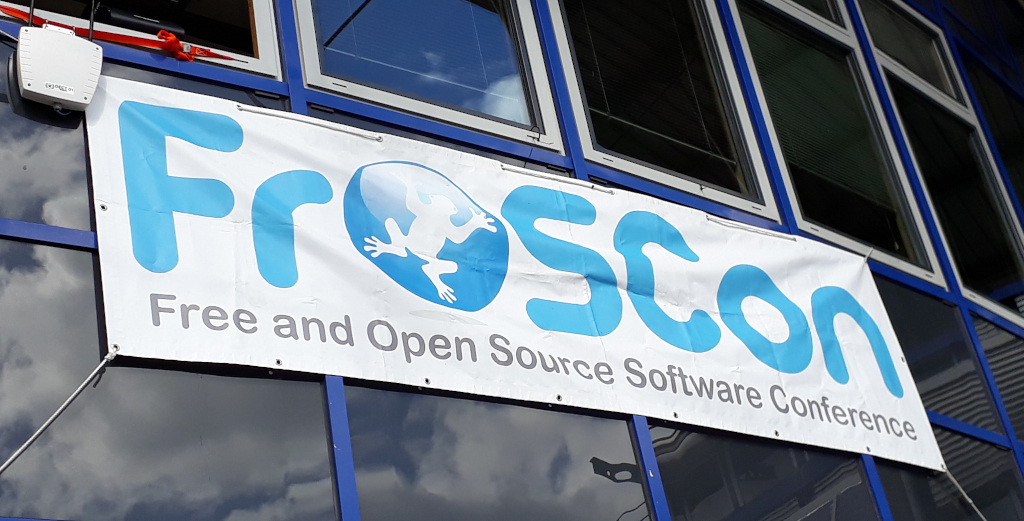
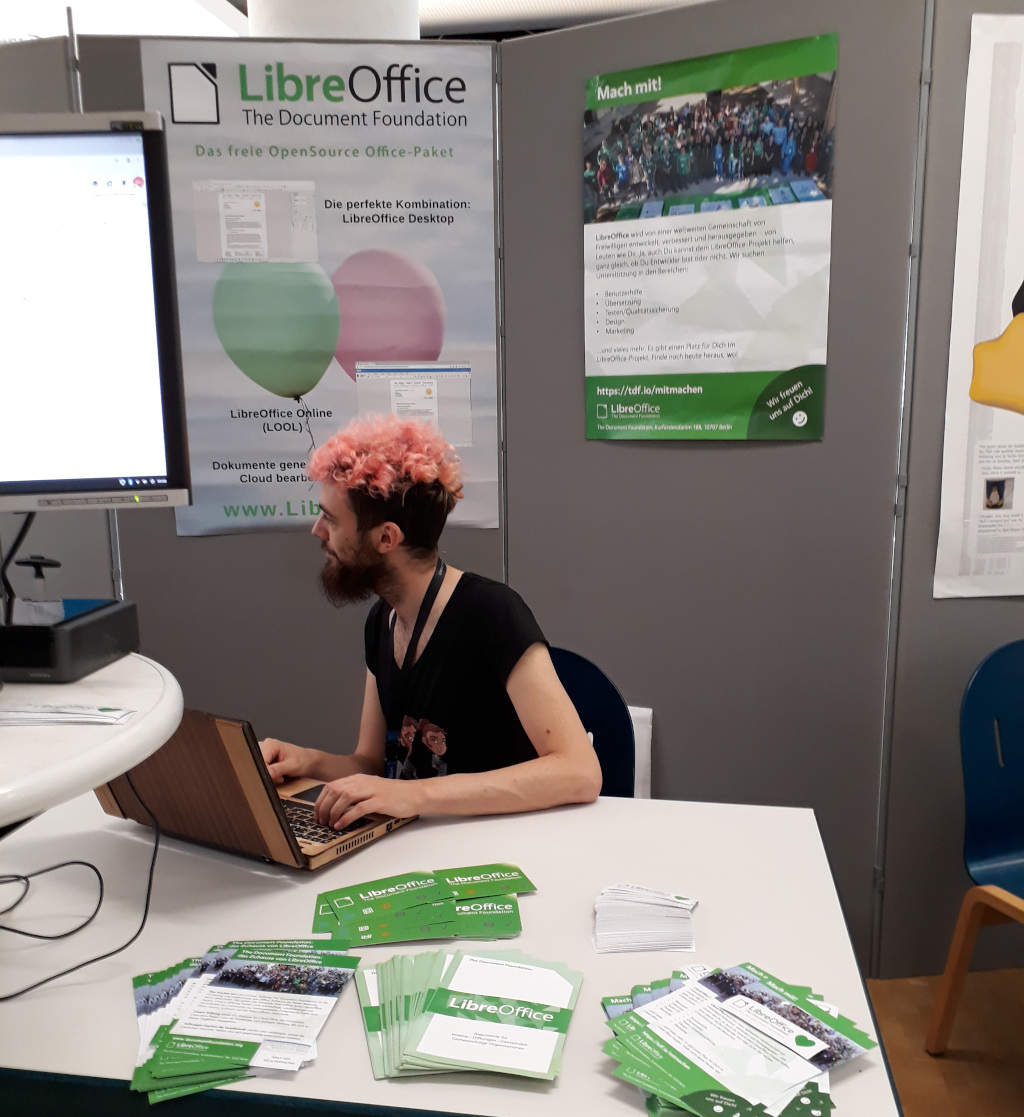
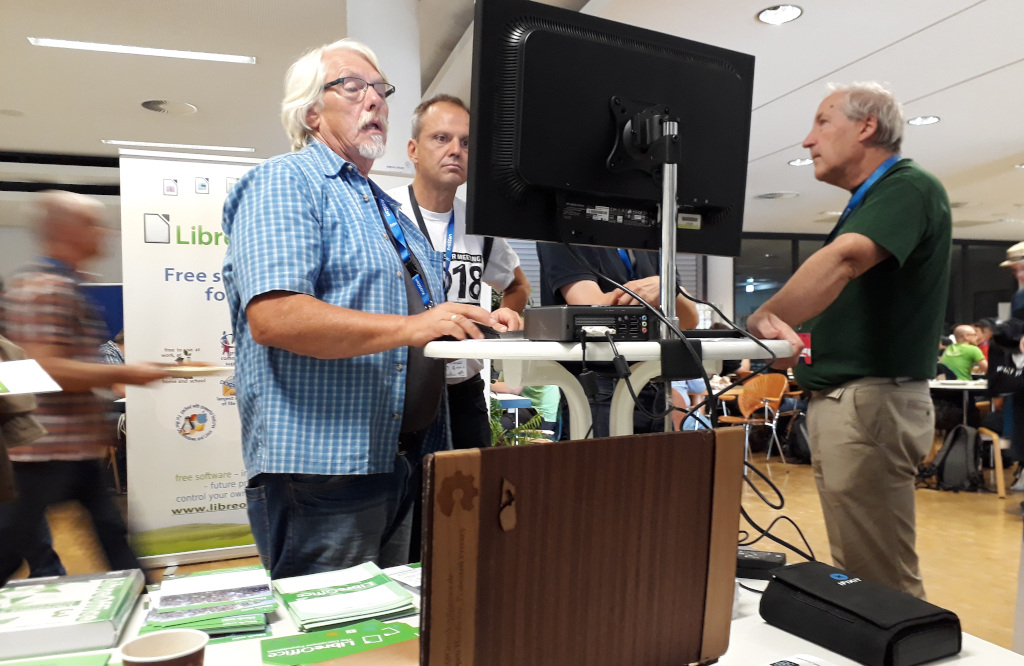
LibreOffice Community at FrOSCon 2019

LibreOffice development takes place mostly via the internet: volunteers, certified developers and other community members collaborate on programming, design, quality assurance, documentation and other tasks. But we also like to meet up in person, to share information, bring new people into the project, and have fun!

So on the weekend of 10 and 11 August, we attended FrOSCon 2019 in Sankt Augustin, a town just outside Bonn, Germany. FrOSCon is one of the largest free and open source software (FOSS) conferences in the country, with around 2,000 attendees. Most of the visitors know about FOSS already, but some had only learnt about it recently, and were eager to discover more.

Gerrit Großkopf, Uwe Altmann, Stefan Unverricht and Mike Saunders from the German-speaking LibreOffice community had a stand with flyers, stickers and a computer demonstrating LibreOffice 6.3 and LibreOffice Online. Indeed, many visitors to the stand had no idea that LibreOffice Online existed, and were eager to try it out on their own infrastructure.

Other common topics at the stand included LibreLogo, macros, mail merge and other features in the suite. We even had a couple of visitors who demonstrated minor bugs that they’d found in the software, which have been useful for creating bug reports.

In addition to helping with the stand, Stefan gave a lecture about “LibreOffice Online in EGroupware” (German) – the video is available at media.ccc.de. Stefan also translated the slides into English and linked them in the lecture program. The presentation slides are supplemented by web links, and some screenshots of the LibreOffice Online and EGroupware integration.

Overall, it was great to meet so many passionate and dedicated FOSS fans, and we hope we’ve encouraged them to take part in the LibreOffice community. If you’re reading this and would like to organise (or attend) an event near you, drop us a line on our marketing mailing list and we’ll get you started!

LibreOffice Asia Conference Report: Part 2

How does your software affect the autonomy of countries?

Author: Kuan-Ting Lin – click here for part 1

Foreword: the LibreOffice Asia Conference was successfully held in May 2019 in Tokyo. Kuan-Ting Lin, a university student and civic tech reporter also attended this conference and gives his observations here. In Part II, Kuan-Ting starts with the Open Document Format, and expounds on how to form an open government and better autonomy of Taiwan.

The “Taiwanese Language channel” (tâi-gí-tâi) of the Public Television Service (PTS) in Taiwan started its broadcasting service in July 2019. This channel became possible only because the National Languages Act was approved in parliament. This policy was rooted by many in the decision to improve expression, alleviation of limits on speeches, and the consolidation of autonomy following the new law.

After a long-time struggle, the state also sees a silver lining regarding another autonomy issue: document liberation.

What kind of autonomy do we give up for proprietary software?

The LibreOffice Asia Conference held in Tokyo in late May focused on the developments in document liberation in Asian countries. Italo Vignoli, one of the co-founders of The Document Foundation (TDF) that is behind the software, showed a map in a presentation: each country is depicted larger or smaller than its actual size according to its software license trade numbers.

The result was not a surprise: the USA seemed like a giant, while others were squeezed into a bunch of lines. Countries around the globe spend a lot on software licenses – and Taiwan is no exception. Taiwanese people pay tens of billions of New Taiwanese Dollars solely for Microsoft products every year.

Only with respect to trade affairs, Taiwan’s dependency on software products made by single country is damaging its bargaining power and is a threat to economic autonomy. In terms of the autonomy of speech, we are facing an even more serious crisis.
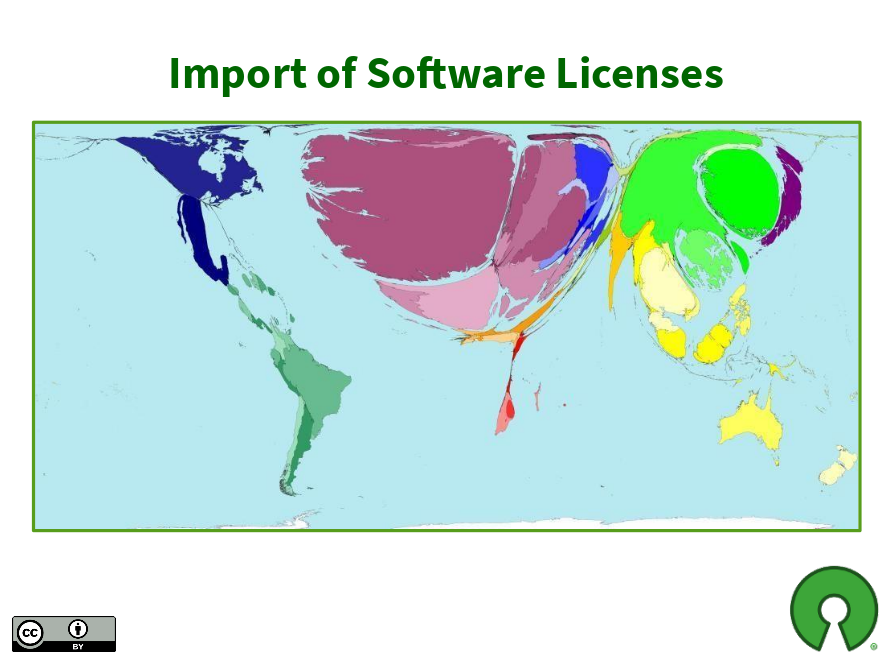
World map for software licenses import. The US becomes an one-pixel wide line between Canada and the Latin America. (Credit: Italo Vignoli)

For thousands of years, our writing and thoughts could only pass on with the help of paper. Then computers replaced paper with digital documents in just a few decades. The difference between paper and digital documents is that the latter are merely some electrical signals which cannot be touched or seen. When users try to open and edit these documents, we need “formats” based on people’s consensus to understand the meanings of different combinations of these electrical signals.

Take “.doc” and “.ppt” files saved by Microsoft Office as examples: these two “formats” are controlled by Microsoft, so it can decide all the rules. The ways to display different fonts, images and languages are Microsoft’s call. As Microsoft Office evolves, paying users may still experience failure to open documents generated by old versions of the software – or see different layouts of the same document in different versions of the software.

In other words, if we do not follow Microsoft’s rules, the appearance of a digital document could alter faster than a piece of paper fades. What you want to say, and how you want your speech to be displayed – the essential freedom of expression and autonomy – are quietly taken away by some companies.

Open format or fake copycat?

To end the domination of formats by Microsoft, some companies, government agencies and communities designed the Open Document Format, or ODF in short, and included a detailed framework of digital document files in it. ODF soon became an ISO standard in 2006. ISO standards are open for everyone to use and are easy to access online, so different developers can all follow them easily. With ODF on the table, we finally came to a consensus on a unified format of documents.

Microsoft joined the party by announcing its “Office Open XML” format and making it another ISO standard in 2008. Having “Office Open XML” in their hands, Microsoft seemed just as open as the ODF. But it didn’t take long for communities to find out that Microsoft wasn’t that open.

The software giant admitted that ordinary users of Microsoft Office save “Office Open XML” files that are not the “strict version” of the format by default. Describing the ISO standard submitted by itself as a “strict version”, and then leading customers to save non-ISO standard files not only make the concept of open standards ironic, but also give people reasons to doubt if the company is really willing to promote open standards.

Franklin Weng, an open standards activist in Taiwan and a board member of TDF also added that some features inside files saved in the so-called “strict version” format in Microsoft products are actually similar to those in “non-strict version” formats. “TDF was studying Office 2016 a couple of years ago. Whether a file is saved as strict OOXML (i.e. Office Open XML) or not, there is no significant difference in terms of file size and lines of XML code.” Therefore, it is debatable how strict the “strict” version claimed by Microsoft actually is.
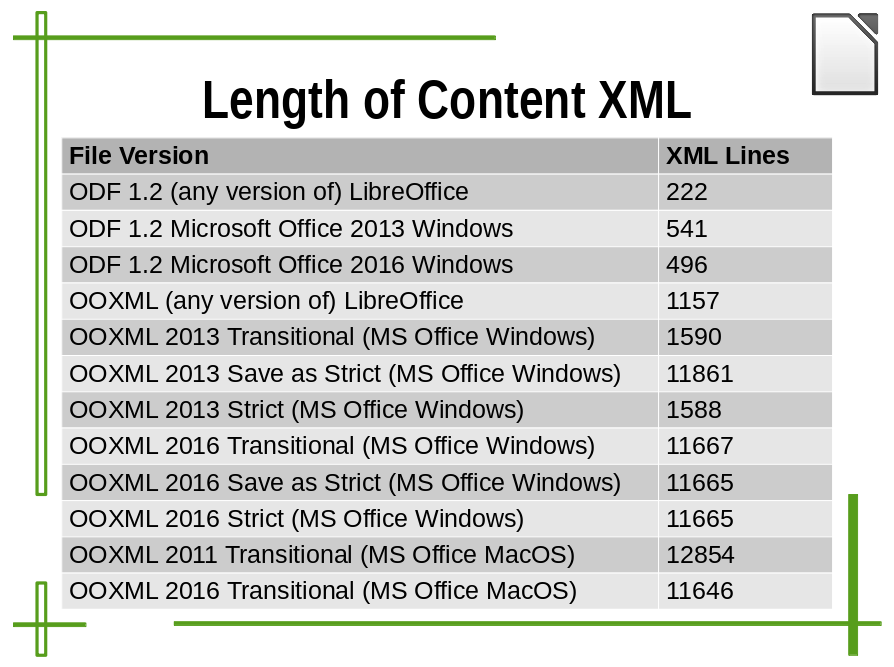
Length of XML content. As you can see, the XML line numbers of OOXML 2016 Strict and Transitional are nearly the same. What is really saved in OOXML Strict format? (Credit: Italo Vignoli)

Since open formats belong to the public, they has to remain stable and to have a set of progress to review new or modified features, then implement it as a standard extension, thus not matching the style of commercial enterprises, which tend to launch new versions and features frequently in order to stimulate consumption.

Therefore, it is understandable that Microsoft is passive towards promoting open formats. However, for governments and civil society institutions, using a document format with an arbitrary decision-making process, high frequency of change, and non-observance to open standards is definitely not a reasonable policy for documents. It not only leads to more chaos when people exchange files, but also causes more trouble in terms of preserving important information for a long time. Imagine if 500 years in the future, our descendants want to open .docx files from today, yet its complicated document structure doesn’t match the specification Microsoft provides; in that time, there may be no Microsoft engineers able to solve the problems.

A good open format transforms contributions by the community and fuels progress

The monopolised “open format” is regrettable, but the multi-partied ODF format is right here to fix the problem. “ODF is open to many technical companies and communities, and it is more discreet in terms of enacting or revising the standard, which makes immediate and arbitrary changes impossible,” Franklin said.

At the LibreOffice Asia Conference, Mark Hung from Taiwan was invited to give a speech in the opening session keynote. The topic was “LibreOffice CJK (Chinese, Japanese and Korean) Bugs, Fixes and Stories.” Since the majority of the LibreOffice developers are from Europe and South America, the developers, who are usually more familiar with Latin characters, can barely understand the system of logographic scripts and thus are very likely to make some mistakes. Nevertheless, it is at this time that the community can utilise the power of elasticity: the more diverse the cultural backgrounds of participants are, the more easily the problems caused by lack of understanding can be solved.

Mark is exactly such a participant. In 2014, Mark was working for an organisation of around 400 people, and was responsible for transferring the document system to community-developed free software. At first, facing the mistakes in Chinese, Korean, and Japanese characters and Mark’s colleague’s unfamiliarity with new software, Mark gradually developed an operational Q&A to help them solve the problems.
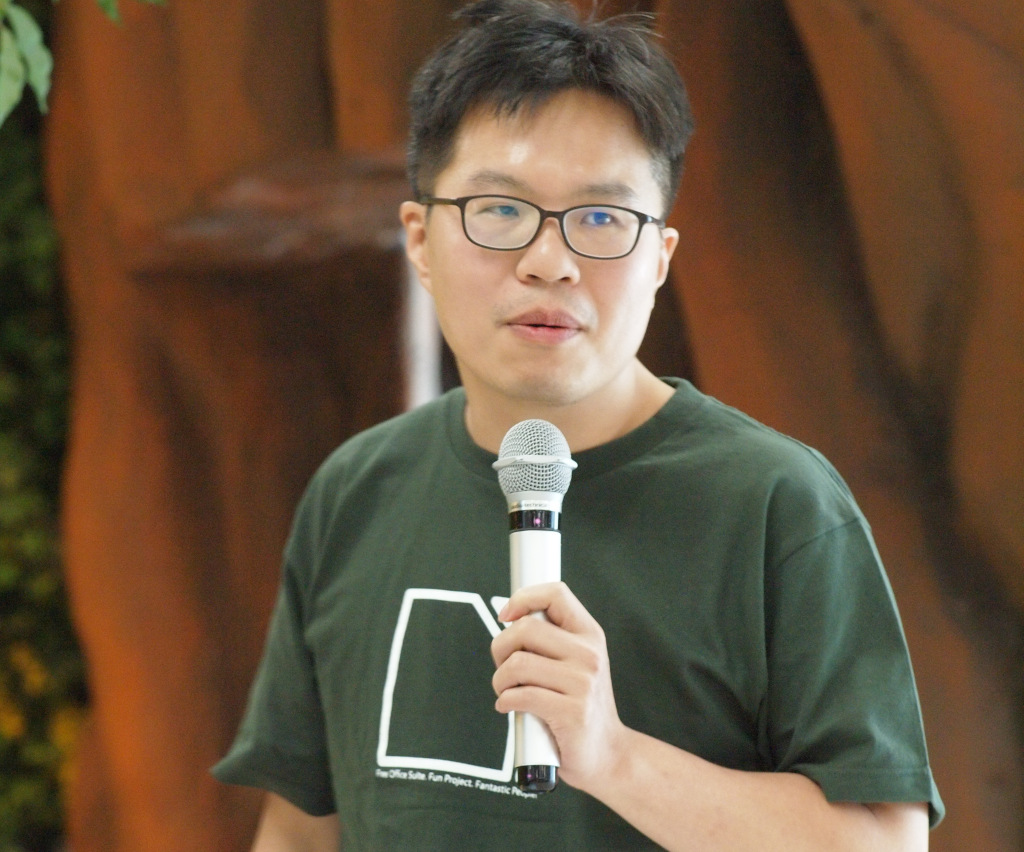
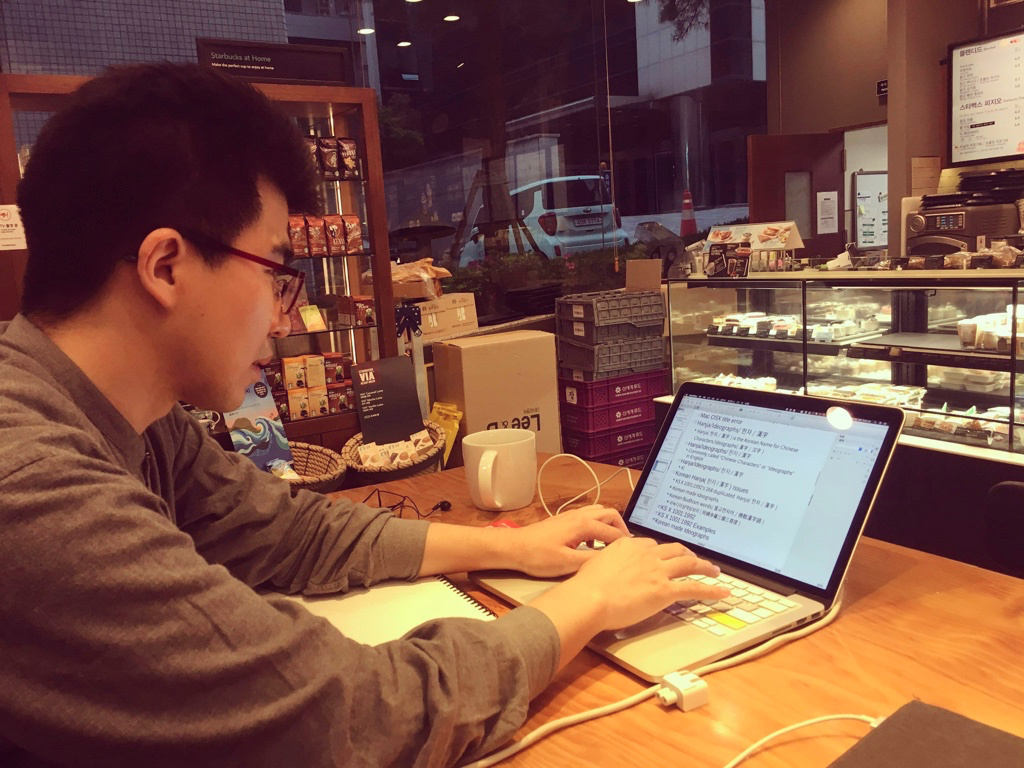
Mark Hung. (Photo credit: Masataka Kondo)

Mark also found out a way to solve a bug that had been disturbing him for a long time. “I was working on a document, and then I thought why not try to look into what’s inside the document? … I decided to try to submit my patch to LibreOffice and to my surprise my patch got reviewed in one day and then it got merged.” Mark therefore became a LibreOffice developer and a community member.

In his five years of volunteering, Mark has dealt with dozens of CJK issues. He even noticed some slight issues, such as the difference between Taiwanese Chinese and Japanese regarding the placement of phonetic markers. Dae-Hyun Sung, another community member from Korea, also showed regional distinction. Dae-Hyun’s presentation mentioned different ways of writing for South and North Korea. These examples show community-driven attempts to include all the differences, instead of limiting the freedom of writing.

Franklin points out that these new features will be treated as extensions first. If they work well then they will be included in a revised ODF format. The whole process ensures that the community’s voice is constantly reflected, and that the versions of the format remain stable.

Shaping a future for governments, free software and open formats to support each other

In Taiwan, ODF is accepted as a national standard of digital documents called ODF-CNS15251. There still are many government agencies and schools that are buying Microsoft Office licenses, but with help from the civil society, the National Development Council has started the “Advancing ODF-CNS15251 to Be the Standard Document Format for the Government” programme, and has been encouraging other parts of the government to replace Microsoft solutions with LibreOffice. The goal of document liberation has transformed from a “mission impossible” to a future that can be expected.

In large companies’ international business strategies, Taiwan is merely a small market and has relatively little attention. But having the opportunity to participate in the development of ODF and LibreOffice, Asian members can finally meet their own needs of document production by themselves. The significance of the LibreOffice Asia conference is that the Asian community has become part of the collective development of LibreOffice.

In Taiwan, facing the native language policies and official documents in the indigenous language programme, Taiwanese people are able to take advantage of the flexibility of LibreOffice to include indigenous languages and other native languages in the software’s built-in dictionary. Native languages can no longer be sacrificed under business interests of companies. And technology can start to be the thing that positively revitalises native languages, instead of the being something that marginalises them.

The National Development Council of Taiwan has started to collaborate with local companies that designed the “NDC ODF Application Tools” based on LibreOffice. But Franklin has a further suggestion: “It’s already a huge leap forward that the National Development Council invested in software development, but I hope they will give some feedback to the community. As for the ODF standard, the government should be part of its making.” The communities alone won’t sustain a proper standard. Having all the benefits of document liberation, the government has obligation to help build a better future. Having a voice in the development of an international standard can also highlight the autonomy that belongs to Taiwanese people.

Thanks to Kuan-Ting Lin for his write-up and perspectives on ODF and LibreOffice in Asia! And on the topic of conferences, everyone is welcome to join our upcoming LibreOffice Conference 2019 in Almeria, Spain, from 10 – 13 September. See you there!


LibreOffice 6.2.6 is ready, all users should update for enhanced security

Berlin, August 14, 2019 – The Document Foundation announces LibreOffice 6.2.6, the sixth minor release of the LibreOffice 6.2 family, targeted at users in production environments. All users of LibreOffice 6.1.x and LibreOffice 6.2.x versions should upgrade immediately for enhanced security, as the software includes both security fixes and some months of back-ported fixes.

LibreOffice’s individual users are helped by a global community of volunteers: https://www.libreoffice.org/get-help/community-support/. On the website and the wiki there are guides, manuals, tutorials and HowTos. Donations help us to make all of these resources available.

LibreOffice users are invited to join the community at https://ask.libreoffice.org, where they can get and provide user-to-user support. While TDF can not provide commercial level support, there are guides, manuals, tutorials and HowTos on the website and the wiki. Your donations help us make these available.

LibreOffice 6.2.6’s change log pages are available on TDF’s wiki: https://wiki.documentfoundation.org/Releases/6.2.6/RC1 (changed in RC1) and https://wiki.documentfoundation.org/Releases/6.2.6/RC2 (changed in RC2).

LibreOffice in business

For enterprise class deployments, TDF strongly recommend sourcing LibreOffice from one of the ecosystem partners to get long-term supported releases, dedicated assistance, custom new features and bug fixes, and other benefits. Also, the work done by ecosystem partners flows back into the LibreOffice project, benefiting everyone.

Also, support for migrations and trainings should be sourced from certified professionals who provide value-added services which extend the reach of the community to the corporate world and offer CIOs and IT managers a solution in line with proprietary offerings.

In fact, LibreOffice – thanks to its mature codebase, rich feature set, strong support for open standards, excellent compatibility and long-term support options from certified partners – represents the ideal solution for businesses that want to regain control of their data and free themselves from vendor lock-in.

Availability of LibreOffice 6.2.6

LibreOffice 6.2.6 is immediately available from the following link: https://www.libreoffice.org/download/. Minimum requirements for proprietary operating systems are Microsoft Windows 7 SP1 and Apple macOS 10.9. Builds of the latest LibreOffice Online source code are also available as Docker images: https://hub.docker.com/r/libreoffice/online/.

LibreOffice Online is fundamentally a server-based platform, and should be installed and configured by adding cloud storage and an SSL certificate. It might be considered an enabling technology for the cloud services offered by ISPs or the private cloud of enterprises and large organizations.

LibreOffice users, free software advocates and community members can support The Document Foundation with a donation at https://www.libreoffice.org/donate.

LibreOffice 6.2.6 is built with document conversion libraries from the Document Liberation Project: https://www.documentliberation.org.

The Document Foundation announces LibreOffice 6.3

Berlin, August 8, 2019 – The Document Foundation announces LibreOffice 6.3, a feature-rich major release of the LibreOffice 6 family with better performance, a large number of new and improved features, and enhanced interoperability with proprietary document formats:

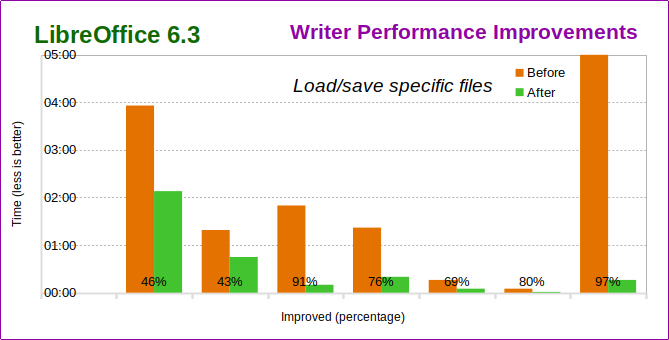
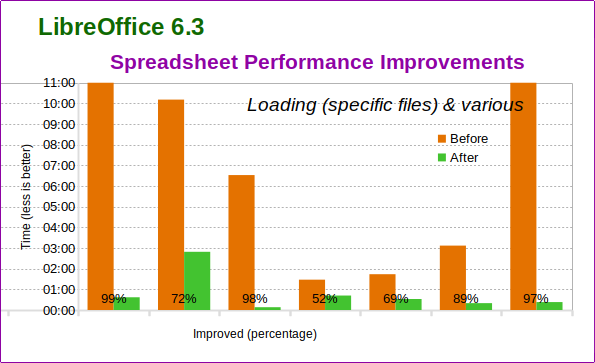
  • Writer and Calc performance has been improved by an order of magnitude based on documents provided by end users: text files with different bookmarks, tables and embedded fonts, large ODS/XLSX spreadsheets, and Calc files with VLOOKUP load and render more quickly. Saving Calc spreadsheets as XLS files is also faster.


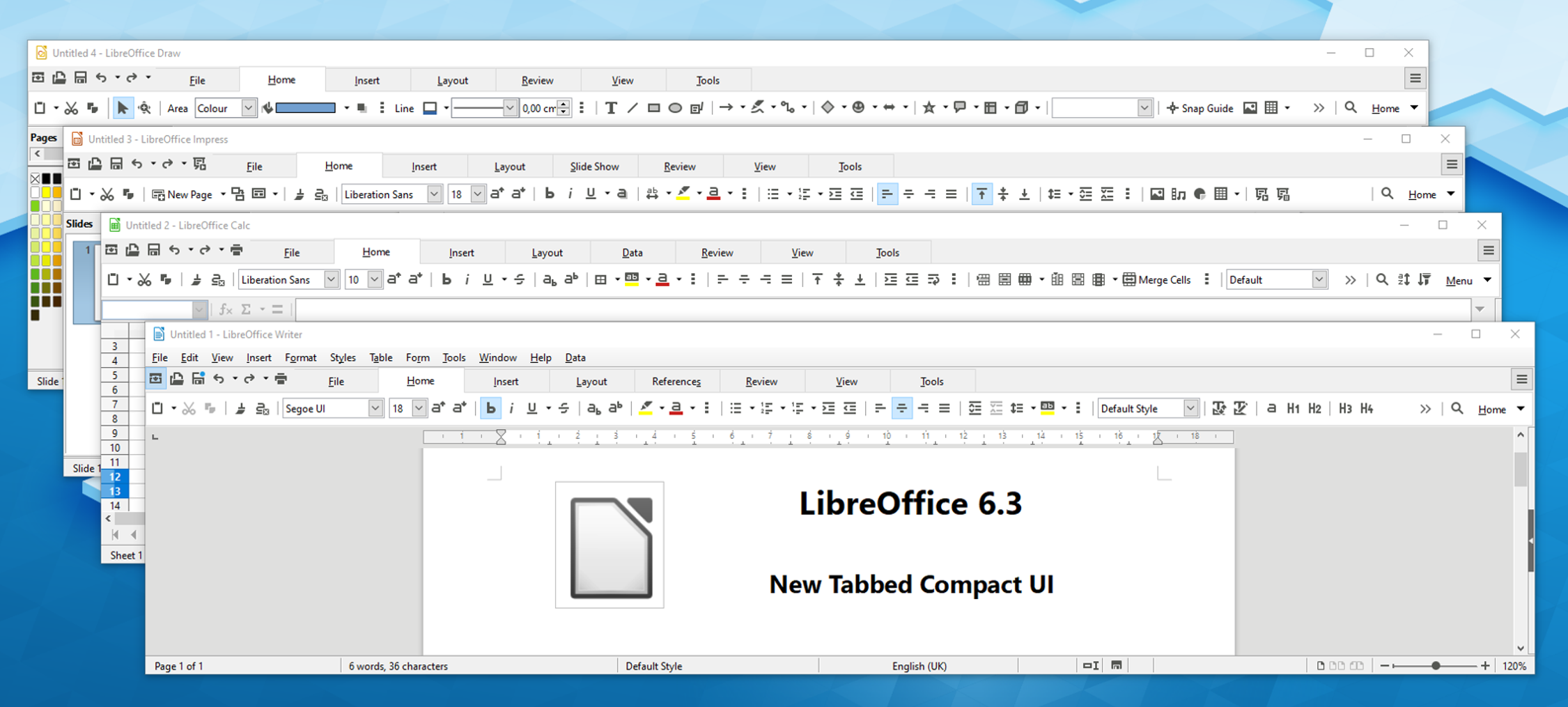
  • The Tabbed Compact version of the NotebookBar user interface, introduced in LibreOffice 6.2, is now available for Writer, Calc, Impress and Draw. It leaves more space for user documents, spreadsheets and presentations on laptops with wide screens. In addition, the new Contextual Single UI is ready for Writer and Draw.

  • In Calc, a new drop-down widget in the formula bar replaces the old Sum tool, giving the user quick access to the most frequently used functions. Also, a new FOURIER function has been added, to compute the discrete Fourier transform of an input array.
  • Export as PDF has been improved with the support for the standard PDF/A-2 document format, which is required by several organizations for long term file storage. In addition, the design of editable PDF forms has been simplified with the addition of the Form menu to Writer, to further improve one of LibreOffice strongest features.
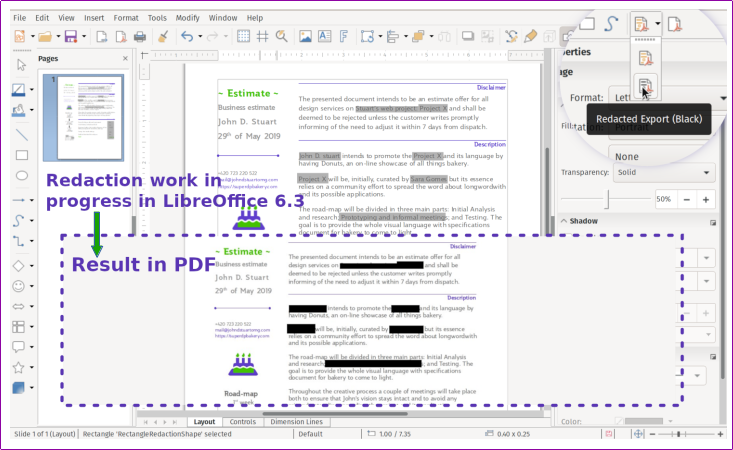
  • Documents can now be redacted to remove or hide sensitive information such as personal data before exporting or sharing the file, to help companies or organisations to comply with regulations.

  • On Windows, a proper console mode was added, with better output and error codes. This makes it easier to use LibreOffice to perform batch operations such as printing or converting many documents.
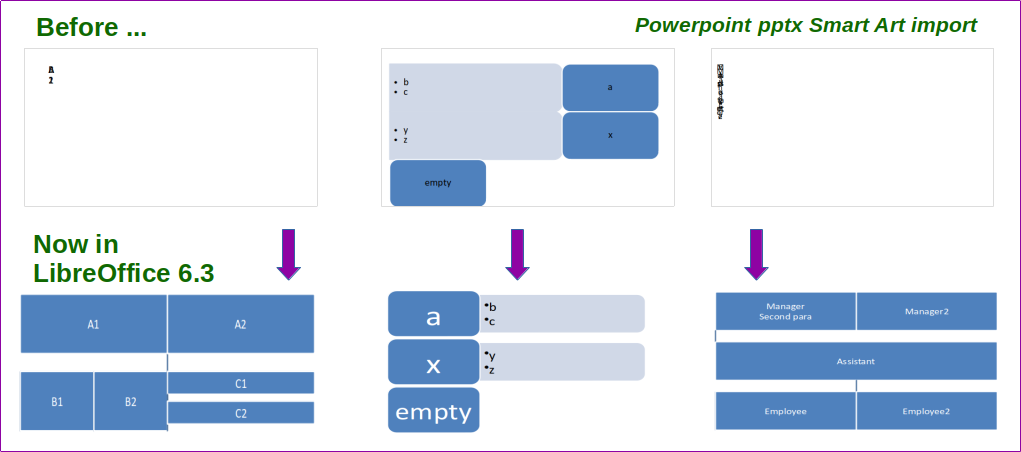
  • Interoperability with Microsoft Office proprietary file formats has been improved in several areas with export support for DOTX document templates and XLTX spreadsheet templates, import of charts from DOCX drawingML group shapes, import/export of SmartArt from PPTX files, to preserve editing capabilities in PowerPoint, and better XLSX Pivot table interoperability.

LibreOffice 6.3’s new features have been developed by a large community of code contributors: 65% of commits are from developers employed by companies sitting in the Advisory Board like Collabora, Red Hat and CIB, plus other organizations, and 35% are from individual volunteers.

In addition, there is a global community of individual volunteers taking care of other fundamental activities such as quality assurance, software localization, user interface design and user experience, editing of help system and documentation, plus free software and open document standards advocacy.

A video summarizing the top new features of LibreOffice 6.3 is available on YouTube:

LibreOffice for individual users

LibreOffice 6.3 represents the bleeding edge in term of features for open source office suites, and as such is targeted at technology enthusiasts, early adopters and power users. The Document Foundation does not provide any technical support to users, although they can get help from other users on mailing lists and the Ask LibreOffice website.

For users whose main objective is personal productivity and therefore prefer a release that has undergone more testing and bug fixing over the new features, The Document Foundation maintains the LibreOffice 6.2 family, which includes some months of back-ported fixes. The current version is LibreOffice 6.2.5, and all users are invited to update.

LibreOffice in business

For enterprise class deployments, TDF strongly recommend sourcing LibreOffice from one of the ecosystem partners to get long-term supported releases, dedicated assistance, custom new features and bug fixes, and other benefits. Also, the work done by ecosystem partners flows back into the LibreOffice project, benefiting everyone.

Also, support for migrations and trainings should be sourced from certified professionals who provide value-added services which extend the reach of the community to the corporate world and offer CIOs and IT managers a solution in line with proprietary offerings.

In fact, LibreOffice – thanks to its mature codebase, rich feature set, strong support for open standards, excellent compatibility and long-term support options from certified partners – represents the ideal solution for businesses that want to regain control of their data and free themselves from vendor lock-in.

Availability of LibreOffice 6.3

LibreOffice 6.3 is immediately available from the following link: https://www.libreoffice.org/download/. Minimum requirements for proprietary operating systems are Microsoft Windows 7 SP1 and Apple macOS 10.9. Builds of the latest LibreOffice Online source code are available as Docker images: https://hub.docker.com/r/libreoffice/online/.

LibreOffice Online is fundamentally a server service, and should be installed and configured by adding cloud storage and an SSL certificate. It might be considered an enabling technology for the cloud services offered by ISPs or the private cloud of enterprises and large organizations.

LibreOffice users, free software advocates and community members can support The Document Foundation with a donation at https://www.libreoffice.org/donate.

LibreOffice 6.3 is built with document conversion libraries from the Document Liberation Project: https://www.documentliberation.org.

Press Kit

The press kit, with background documents – Hybrid PDF, opened from within LibreOffice can be edited as normal ODT files – and high-resolution images, is here: https://nextcloud.documentfoundation.org/s/g4zsogp5qxE9bdH

Community Member Monday: DaeHyun Sung

Today we’re talking to DaeHyen Sung from our Korean community, about opportunities and challenges for advocating LibreOffice and free software on the Korean peninsular…

To start with, tell us a bit about yourself!

So, my surname is Sung, first name is DaeHyun (Korean Hangul notation: 성대현, Korean Hanja notation: 成大鉉). I’m from the Korean peninsular’s south-east area, Gyeongsang Province (경상도/慶尙道) region, Korea. Now, I live in the south-east side of Seoul (서울).

I’m Korean. My mother tongue is Gyeongsang dialect of Korean. But I can speaks Both Standard Korean [표준말 or 표준한국어/標準韓國語] and Gyeongsang dialect of Korean [경상도사투리 or 경상방언/慶尙方言].

My Twitter ID is @studioego, and I’m also on Github: https://github.com/studioego

I contribute to improvements to Korean language support in free/libre open source software (FLOSS), mostly in my spare time. Also, I’m learning East Asian Languages (such as Mandarin Chinese, and Japanese).

This is because, three languages (Chinese, Japanese, Korean) use Chinese characters 漢字 (also called “ideographs”) and share a similar culture. I am curious as I study the commonalities and differences in the East Asian languages. I also like to visit some historic sites and take pictures in Korea.

What are you working on in LibreOffice at the moment?

My LibreOffice activities are about improving Korean features, bug reporting (Quality Assurance), translating into Korean, and some other things. Two years ago, I found a bug in LibreOffice’s Korean Hangul/Hanja dictionary. Some Korean Hangul/Hanja dictionary contents are broken on LibreOffice – so I fixed and added content. In addition, I updated the Hangul/Hanja conversion dictionary on LibreOffice.

In Korea, many people have rarely used LibreOffice – so I found many bugs and missing feaatures. So my overall goal is fix and improve Korean languages in LibreOffice.

Is there anything else you’d like to work on in the future?

Along with improving Korean support in LibreOffice, I’d like to do it with other FLOSS projects.

The Korean language (Hangul[한글]: 한국말/한국어 (these words are used in South Korea 🇰🇷), 조선말/조선어 (these words are used in North Korea 🇰🇵), 우리말 (this word is used neutrally in both Koreans and bt Korean expats, it literally means “our language”); Hanja[한자/漢字]: 韓國말/朝鮮말/韓國語/朝鮮語) is an East Asian language spoken by about 80 million people.

It is the official and national language of both Koreas: the Democratic People’s Republic of Korea (North Korea) and the Republic of Korea (South Korea), with different standardized official forms used in each territory. It is also one of the two official languages in the Yanbian Korean Autonomous Prefecture (연변 조선족 자치주/延邊朝鮮族自治州/延边朝鲜族自治州) and Changbai Korean Autonomous County (장백 조선족 자치현/長白朝鮮族自治縣/长白朝鲜族自治县) of the People’s Republic of China [中華人民共和國, Mainland China]. It is also used in Japan, Uzbekistan, Russia [it reads “Корё мар” in Russian], Kazakhstan, Kyrgyzstan, etc.

Also, the Korean language uses Chinese characters (漢字). It means “Sino-Korean vocabulary” or “한자어(漢字語/Hanja-eo)” in Korean. It is similar to Japanese Kanji [漢字かんじ]. So when you’re working on FLOSS, you have to consider both Chinese and Japanese as well as Korean and vice versa.

In future, If I have time, I want to do more research about the differences in Korean languages in South Korea 🇰🇷 and North Korea 🇰🇵.

How did you get involved with LibreOffice – and what was the experience like?

In 2017, I visited Taiwan’s FLOSS Conference, COSCUP (Conference for Open Source Coders, Users and Promoters) as the Korean FLOSS Contributor.

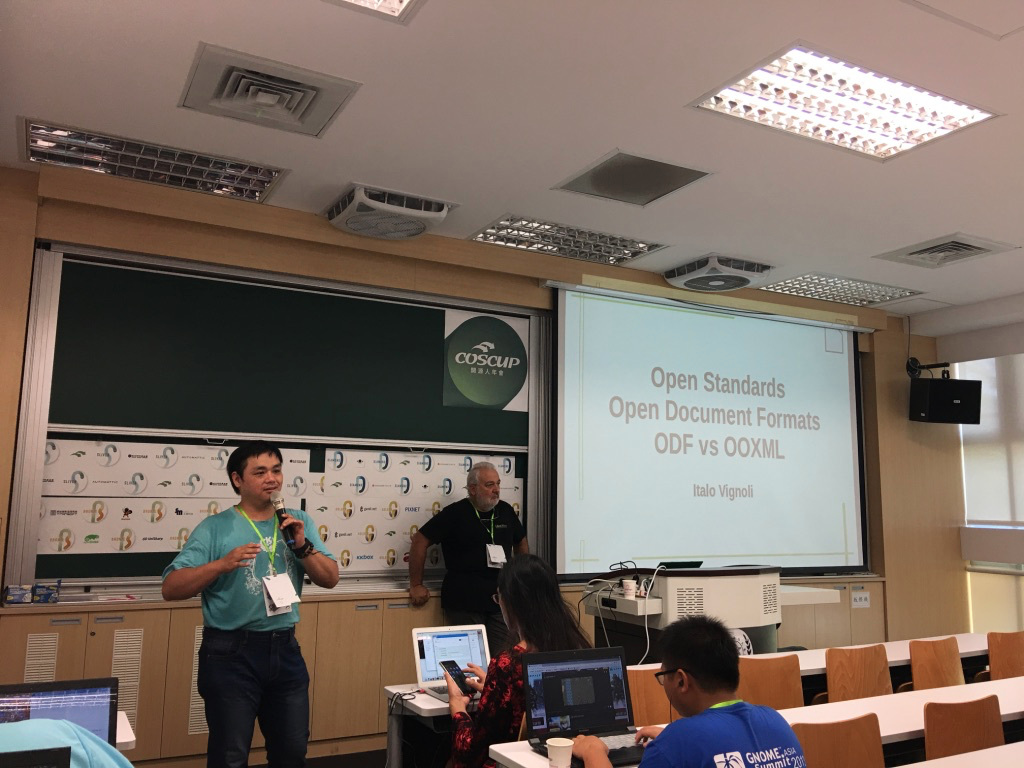
At that time, I had already contributed Linux character maps applications – both GNOME (gucharmap) and KDE (kcharselect). Then I attended COSCUP at National Taiwan University, in Taipei, Taiwan, and in 2017, I met TDF board members Italo Vignoli and Taiwan’s TDF members, Franklin Weng, Cheng-Chia Tseng and Jeff Huang. I also met a Japanese TDF member, Naruoka Ogasawara. When I watched Italo Vignoli’s presentation, it had a strong impression on me.

Then, Jeff Huang [Po-Yen Huang] invited me to the LibreOffice CJK Telegram group. So I joined the LibreOffice project in 2017. At that time, I installed and used LibreOffice for the first time. (When I was University student, I was used to OpenOffice. However, its compatibility was very low, so I had stop to using it.)

Last year, I met many of TDF members and Asian LibreOffice users in places such as Taiwan, Japan, Indonesian, Mainland China, etc. In February 2018, I met Japanese TDF member, Jun Nogata with KDE board member “Eike Hein”, KDE Korea members in Seoul. At that time, really I felt Jun Nogata’s passions for FLOSS.

Then, In August 2018, I heard and watched KDE Akademy 2018’s keynote. The keynote’s main topics were North Korea, FOSS in Both Koreas (North and South). In his keynote slide, he talked about Korean Expat challenges in Korea for using FOSS (for example, Korean input, fonts, banking, online transactions [maybe, Microsoft ActiveX technology is popular in Korea], and HWP [Hangul Word processor] files).

I think, In Korea, Microsoft’s product-friendly computing environment and proprietary software is popular (such as HWP), so many Koreans and expats in Korea think ALL FOSS is difficult to use. (Also, I personally feel that it is difficult to use FLOSS in Korea.)

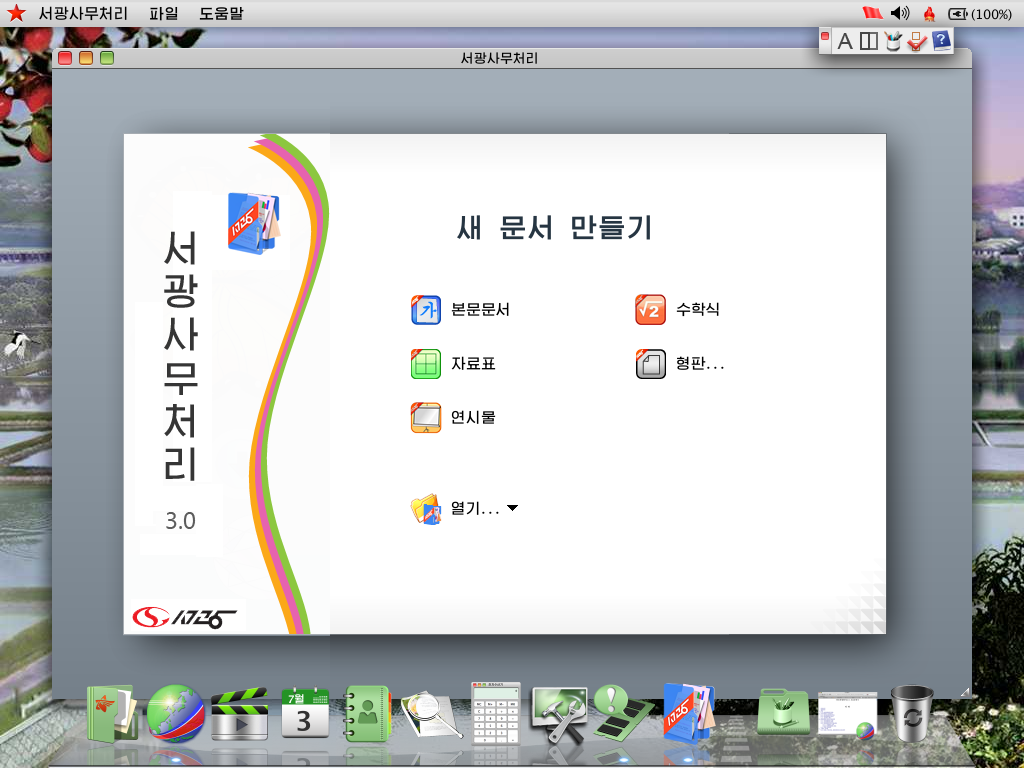
In the presentation, I saw North Korea’s Linux distribution, Red Star OS (it’s based on KDE). Also, when I installed Red Star OS, I checked the office suite and found that it’s based on OpenOffice. In my opinion, Because of North Korea’s economic senctions, North Korean people mainly use FLOSS. I found the bugs in Red Star’s office suite – so I thought, I would have to work hard on the LibreOffice project.

Also, when I attended COSCUP, GNOME.Asia and openSUSE Asia summit 2018 in Taipei, Taiwan, I met other TDF members from Asia (such as LibreOffice Taiwan Team, Japan Team, Indonesia Team, etc). Then I met LibreOffice Indonesia team members at LibreOffice Asia Meetup in A+A Space, Taipei. I was impressed by the enthusiasm of Indonesian open source users and contributors to open source.

Also, In December, 2018, I attended Japanese meetups: OSC 2018 Fukuoka and the 8th Kyushu LibreOffice study meetup [第8回九州LibreOffice勉強会]. I met three contributors from Africa who are currently living in Japan. First time, I’m curious about African Open Source Contributors. Also I felt even more passion for FLOSS.

Finally, what do you see in the future for LibreOffice? What does it need most?

If LibreOffice does not have feature enhancements for Korean users, I think that using the ODF format and document liberation movements in Korea will be impossible. Also the future for LibreOffice is not good regarding the Korean language. In Korea, the HWP format is still widely used HWP – and the share of Microsoft doc formats is still low. HWP format is the de facto standard official document format for the public sector and schools in Korea.
OpenOffice and LibreOffice can only open HWP files only if they were created with Hangul ’97 – newer versions of HWP files cannot be opened with these applications.

Recently, the government of the Republic of Korea Government announced that they will “use ODF insteadd of the HWP format”. But it’s only a slogan – and they only use draft documents officially on web-based document management systems. When I read the article, ”Taiwanese government standardises on true ODF document format”, I really admired the Taiwanese FLOSS activists and contributors.

Thanks DaeHyun Sung! And to everyone reading this: you can also give our community a hand and help to spread the word about free software and open standards. See our “What Can I Do For LibreOffice” site to get started!