Registration is now open for the LibreOffice Conference 2025! Join us from 4 – 6 September in Budapest 😊 We’ll have technical talks, workshops, social events and more…
Registration is now open for the LibreOffice Conference 2025! Join us from 4 – 6 September in Budapest 😊 We’ll have technical talks, workshops, social events and more…
 To write this article, I went beyond the limits of my technical knowledge, which is that of an advanced user who has studied standard formats and their characteristics in depth, to understand why standard formats – one of the pillars of digital sovereignty – and proprietary formats – their opposite, and one of the biggest obstacles to digital sovereignty – are not perceived as a problem by most PC users, who continue to use Microsoft’s proprietary formats and place the access and availability of their content in the hands of the US company.
To try to remedy this problem, I will try to explain as simply as possible, using non-technical language (which may shock developers, but this article is not aimed at them), some technical features of the Open Document Format (ODF), which make it the cornerstone of an open and vendor-independent ecosystem for office documents, defending the digital freedoms of all users and the governance of their content.
I will begin by explaining how to unpack an ODF file, which is nothing more than a set of XML files and other files (for images and videos) contained within a ZIP folder, in order to examine its internal components and, in particular, the content.xml file, which is the one that contains the body of the document (i.e., the user’s intellectual property).
The aim is not so much to assess conformity (compliance with specifications) and interoperability (the ability to exchange files consistently between tools), as these aspects will always be dealt with by specialists, but rather to understand the advantages for the user of the open and standard format over the closed and proprietary format (which is falsely standard, since it was approved by ISO/IEC in defiance of “their” definitions of standards).
For this reason, I will make a brief concluding digression on the characteristics of the OOXML (Office Open XML) format used by Microsoft Office and Microsoft 365, again to clarify to users the risks they face and the harm they do to themselves and other users when they use DOCX, XLSX and PPTX formats, as well as the ‘gift’ they are giving to Microsoft, to whom they are effectively entrusting the management and future of their content.
Analysing an ODF file
Take any document you have created with LibreOffice. For convenience, I recommend starting with a text document created with LibreOffice Writer, with the ODT extension. Before doing anything else, duplicate the file, because an error in the procedure could make it unreadable, and move the original to another folder.
Rename the copy, replacing the ODT extension with the ZIP extension, without deleting the dot. The file icon will become that of a compressed file. If it becomes white or empty, you have done something wrong or deleted the dot. Check all the steps until the icon becomes that of a compressed file.
At this point, right-click on the icon and select “unzip” or “expand” to extract the contents of the compressed file into a folder with the same name as the file without the extension.
The folder will contain the following items:
Each XML file within an ODF document must comply with the RelaxNG XML schema, or REgular LAnguage for XML Next Generation, created by OASIS in 2001 and 2002, which is simpler – and therefore more accessible to non-technical users – than other XML schemas. The packaging rules are defined by the OpenDocument Packaging specifications.
In addition to schema validation, it must meet a number of conditions.
The manifest.xml file contained in the META-INF folder must list all the files in the ZIP file, with their media type:
<manifest:manifest xmlns:manifest=”urn:oasis:names:tc:opendocument:xmlns:manifest:1.0″>
<manifest:file-entry manifest:full-path=”/” manifest:media-type=”application/vnd.oasis.opendocument.text”/>
<manifest:file-entry manifest:full-path=”content.xml” manifest:media-type=”text/xml”/>
<manifest:file-entry manifest:full-path=”styles.xml” manifest:media-type=”text/xml”/>
<!– thumbnails, settings, etc. –>
</manifest:manifest>
Simply omitting a file or making an error in the description of its media type is enough to make the ODF file structurally non-compliant.
ODF: the importance of the content.xml file
To understand the user benefits of an open standard format such as ODF over a proprietary format, even one that is theoretically open such as OOXML, a quick analysis of the content.xml file of ODF files and its equivalent in OOXML files, which differs depending on the file type (and this alone is a sign that the development of OOXML did not take user needs into account at all, but focused on artificially increasing complexity), is sufficient.
Let’s take a first example, based on one of the most famous phrases in the history of world literature, namely “to be, or not to be, that is the question” uttered by the protagonist of William Shakespeare’s Hamlet.
The content.xml file of a text document containing only this sentence is 32 lines long: the first 18 provide references to all the standards used (such as X-Forms and MathML), list the fonts used in the document styles, and define the styles (in this case only one, given the length of the text and the absence of formatting).
The next 13 lines are as follows:
<office:body>
<office:text>
<office:forms form:automatic-focus=”false” form:apply-design-mode=”false”/>
<text:sequence-decls>
<text:sequence-decl text:display-outline-level=”0″ text:name=”Illustration”/>
<text:sequence-decl text:display-outline-level=”0″ text:name=”Table”/>
<text:sequence-decl text:display-outline-level=”0″ text:name=”Text”/>
<text:sequence-decl text:display-outline-level=”0″ text:name=”Drawing”/>
<text:sequence-decl text:display-outline-level=”0″ text:name=”Figure”/>
</text:sequence-decls>
<text:p text:style-name=”P1″>To be, or not to be, that is the question</text:p>
</office:text>
</office:body>
The first lines define the body of the document and the fact that it is a text. The following lines are declarations that, in this case, do not add anything, but in other contexts would provide information about other elements of the document.
The key line is this: <text:p text:style-name=‘P1’>To be, or not to be, that is the question</text:p>, which defines a paragraph, declares its style (P1) and provides the content: To be, or not to be, that is the question. Clear and readable by any user, who now has the keys to access the document and manage its contents, i.e. the product of their brain.
Of course, more complex documents and contents would correspond to a more complex content.xml file, but always respecting the readability of the contents and the simplicity of the XML schema.
OOXML: what happens inside the file
Let’s see what happens in the case of the same document saved in DOCX format, closed and proprietary, and artificially complex. The file is called document.xml and not content.xml, and this – obviously – would not be significant if it were not a further sign of the complexity of the format, given that in the case of Excel the file is called workbook.xml and in the case of PowerPoint it is called slide1.xml, and so on.
The document.xml file of a text document containing only the phrase “To be, or not to be, that is the question” is 41 lines long: the first provides references to all the proprietary elements used (such as wordprocessingCanvas, VML and WordML), and all the subsequent lines relate to the content:
<w:body>
<w:p xmlns:wp14=”http://schemas.microsoft.com/office/word/2010/wordml” wp14:paraId=”2DC08235″ wp14:textId=”776AF5CB”>
<w:r w:rsidR=”6B254FF6″>
<w:rPr/>
<w:t xml:space=”preserve”>To be, or </w:t>
</w:r>
<w:r w:rsidR=”6B254FF6″>
<w:rPr/>
<w:t>not</w:t>
</w:r>
<w:r w:rsidR=”6B254FF6″>
<w:rPr/>
<w:t xml:space=”preserve”> to be, </w:t>
</w:r>
<w:r w:rsidR=”6B254FF6″>
<w:rPr/>
<w:t>that</w:t>
</w:r>
<w:r w:rsidR=”6B254FF6″>
<w:rPr/>
<w:t xml:space=”preserve”> </w:t>
</w:r>
<w:r w:rsidR=”6B254FF6″>
<w:rPr/>
<w:t>is</w:t>
</w:r>
<w:r w:rsidR=”6B254FF6″>
<w:rPr/>
<w:t xml:space=”preserve”> the question</w:t>
</w:r>
</w:p>
<w:sectPr>
<w:pgSz w:w=”11906″ w:h=”16838″ w:orient=”portrait”/>
<w:pgMar w:top=”1440″ w:right=”1440″ w:bottom=”1440″ w:left=”1440″ w:header=”720″ w:footer=”720″ w:gutter=”0″/>
<w:cols w:space=”720″/>
<w:docGrid w:linePitch=”360″/>
</w:sectPr>
</w:body>
Obscure and unreadable. I challenge any user to reconstruct a text of any complexity from an XML document like this, if the original file is damaged. In the case of ODF, we were able to reconstruct even documents of hundreds of pages, or presentations of dozens of slides, because the content was readable by any user, even non-technical ones.
Let’s try to imagine the size of the content.xml file and the document.xml file if, instead of Prince Hamlet’s sentence, there were all 5,566 lines of the entire tragedy, in the original version written by William Shakespeare. In this case, the difference speaks for itself: content.xml is 5,598 lines long (32 lines more than the text), document.xml is 93,289 lines long (87,723 lines more than the text).
File complexity as the new lock-in strategy
This file complexity is intentionally hidden from the user, who sees a normal-looking document on the screen and has no idea that they are writing a file on their hard drive or in the cloud that has characteristics very similar to those of the proprietary files used in the last century, which are unreadable without the software with which they were written.
A user who believes they have made significant progress in terms of digital sovereignty because they use a format they believe to be open and standard but which, on the contrary, is even worse than the binary formats of the 1900s – which were nothing more than the writing of what was in memory – because, being based on XML, it is the offspring of an algorithm that can be modified remotely with a routine update (as happens in reality, where the same document is written in DOCX format but with a completely different XML syntax each time, based on parameters known only to the vendor, i.e. Microsoft).
So, it is an even more closed and proprietary format than the binary formats it replaced in 2006. The latter, being the result of writing what was in memory to files, were predictable and could be emulated, while OOXML is unpredictable due to the algorithm, and therefore almost impossible to emulate without constant study of its many evolutions.
OOXML is a theoretically open and standard format, which in reality is closed and proprietary, and represents the latest evolution of the lock-in strategy that underpins all Microsoft products for individual productivity, defending an estimated turnover of over $25 billion per year, with an estimated net profit of over $20 billion per year (all figures are estimates, as analysts’ figures are no longer available and are probably lower than the actual figures).
Perhaps the time has come for supranational organisations, central and local governments, and probably also individual users, to open their eyes and take a simple step forward towards digital sovereignty, i.e. the governance of documents and their content independent of the commercial choices of a single company, by adopting ODF and abandoning OOXML.
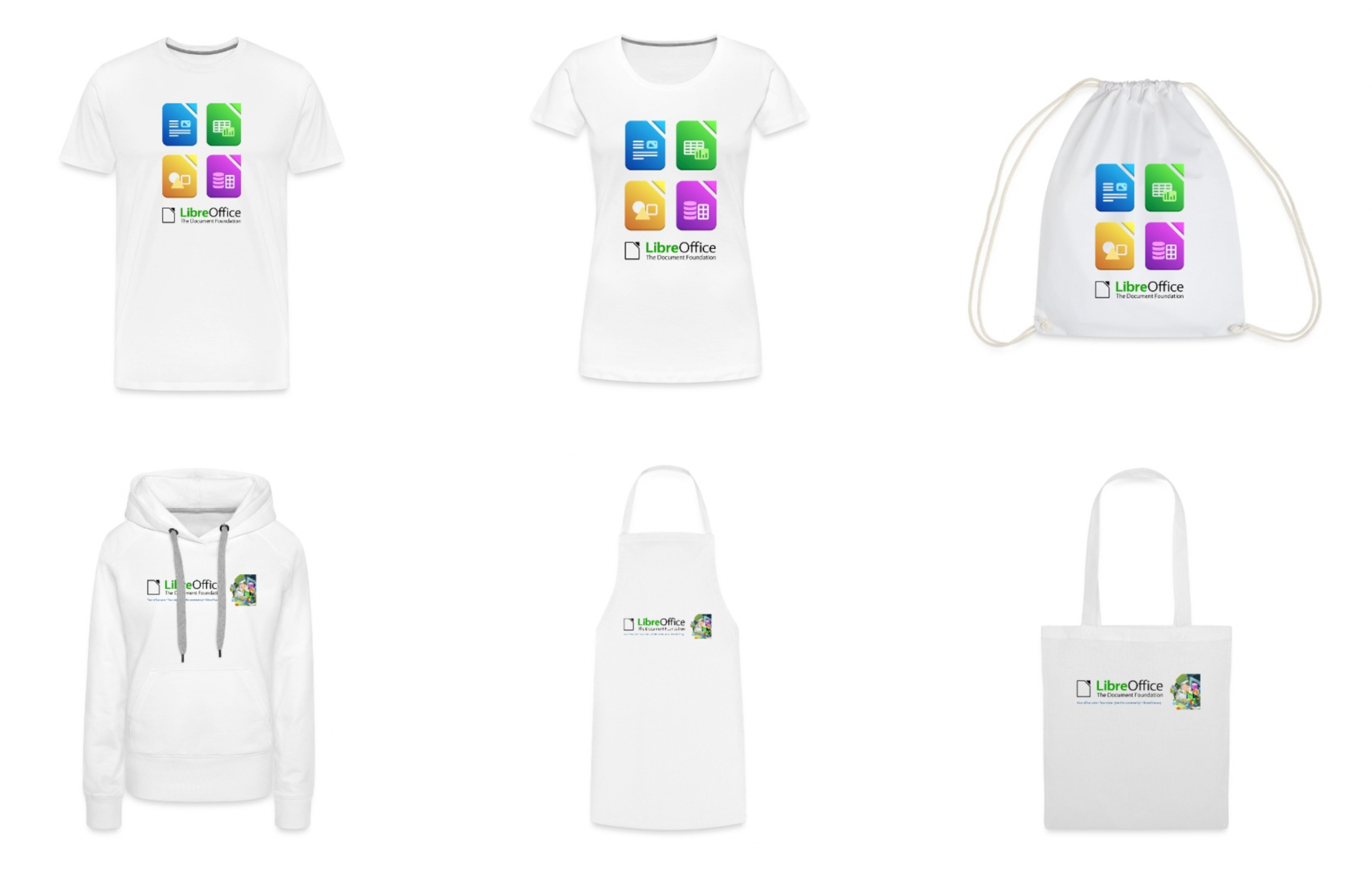
Get cool LibreOffice merchandise – and support our projects and community! We’ve updated our Spreadshirt shop with new designs, and part of the sales go to The Document Foundation, the non-profit organisation behind the suite.
The Open Document Format (ODF) is an open standard format for office documents, which offers a vendor-independent, royalty-free way to encode text documents, spreadsheets, presentations, and more.
However, to realise its potential, it is necessary to understand the concepts of compliance – the degree to which an implementation adheres to ODF specifications – and interoperability – the ability to exchange and view ODF files without loss of fidelity or functionality across different applications and platforms.
ODF is an XML-based file format that has been standardised by OASIS and ratified by ISO/IEC 26300. Milestones include:
Each version has strengthened the role of ODF as a universal interchange format, ensuring that documents remain readable and editable in all programs, both now and in the future.
Definition of compliance
Compliance refers to the extent to which a given software implements the ODF standard. It comprises several levels:
Non-compliant files risk becoming unreadable or displaying incorrectly in other applications. Validating ODF schemas and integrating compliance tools enables developers and users to guarantee the longevity and accuracy of documents.
The interoperability landscape
Even when two applications claim ODF compliance, disparities can arise.
To achieve strong interoperability, systematic testing is required.
Best practices for ensuring compliance and interoperability:
Looking ahead: ODF 1.4 and beyond
Although ODF 1.3 has addressed many functional issues, the ecosystem continues to evolve.
Conclusion
ODF compliance and interoperability are fundamental to document longevity, workflow resilience, and user trust. By adhering to ODF schemas, testing across multiple applications and adopting community best practices, organisations can safeguard their content against vendor lock-in and format degradation. As it continues to mature, ODF is set to remain the foundation of open, accessible and durable office documents.
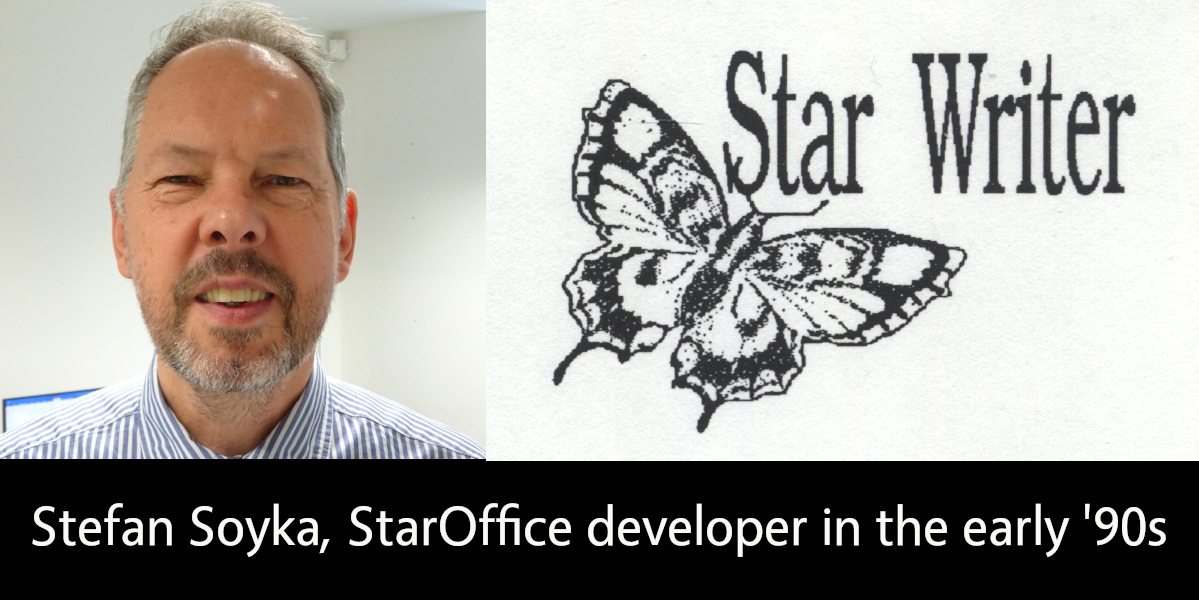
LibreOffice is the successor project to OpenOffice(.org), which in turn was based on StarOffice, a proprietary office suite developed in the 1990s. Learn more about the history here! And let’s hear from Stefan Soyka, who worked on StarOffice from 1990 – 1992…
I came from Berlin to Hamburg to work for Marco Börries in his Star Lab in spring 1990, together with my friend and study mate Stefan. Both of us joined the project more or less at the same time and shared the same first name, which caused some confusion at first.
The situation in Hamburg needs some explaining if you are new to it. The Writer application that is the foundation of what we use today is not the first Star Writer – but thesedays it is often referred to as Star Writer 6 or Star Writer Graphic. Marco’s company Star Division, based in rural Lüneburg not far from Hamburg, had developed and sold with considerable success a text processing application with the same name, that was an MS-DOS application based on a home-grown graphics framework. A team of freelance programmers was working on it under the lead of Sven-Ola Tücke.
This was also the tool we used to write the first drafts for specifications, by the way.
The old Star Writer had a solid fanbase and sold quite well even after Star Lab started in Hamburg. So it is fair to say that the money we burned in Hamburg was earned in Lüneburg.
Marco, however, had the right feeling that graphical user interfaces were already around and taking up speed. The future (that is the time we live in now) would belong to applications running on the main graphical user interface platforms at this time, being Microsoft Windows, the X Window System and macOS. Of course there were voices that argued that graphical user interfaces were only hampering productivity and real pros would always use the command line. That may sound a bit funny today, but I took it all in my heart.
When I arrived there, development had pretty much advanced in the compatibility layer named Star View, that allowed portable programming of both operating system functions and graphical user interfaces. There was, however, no application yet. Because I had worked on a C++/X Window System project on the ODA standard (ISO 8613, Open Document Architecture), I had some background on this and formed with some others the core of the Star Writer project team.
The offices of Star Lab at that time were at Heidenkampsweg, near Berliner Tor, in Hamburg in a quite modern building. I remember the adjacent gas station; many of us were heavy cigarette-smokers at that time, and I sometimes went there at night to get the next pack.
Dirk Bartels supervised the daily operations. He had a software company back in Berlin and he expected benefits from the Star View portability layer for his own products. His personal secretary was Marita, if I remember the name correctly, a lovely young woman, I think the only one in the project at that time. When I joined the team, there were about twenty people working there including administrative staff.
Andreas, a good-natured guy with intense freckles, managed the Star View project. Almost all the coding however, at least for the Microsoft platform, was completed by Thomas – a very young man who was incredibly well-organized and productive, the type of coder who writes a screen full of statements that compile instantly error-free. He also virtually lived in the offices. The staffing for this platform was good; the other platforms had fewer developers. I remember Dirk, a shy young man who did the Macintosh port. One day, he showed us that all output appeared like upside down. It turned out that the Macintosh uses a y-origin different from the Microsoft platform (top left, I think). That gave him certainly some headaches.
Michael, a freelancer from Lüneburg, sometimes visited Star Lab in his tiny, first generation Mazda MX-5, that he could barely fit into. He was the only engineer who contributed to both the “classic” Star Writer with Sven-Ola Tücke, and Star Lab. He introduced the first Star Basic macro language. For the Windows platform, it had been worth thinking about a Star Writer application programmers interface or component object model (OLE at that time, but was just emerging in 1991 with Word and Excel), but with portability above all, this did not come to pass.
The team at this time was Euro-centric at least – effectively most staff members came from nearby. Another great developer in the Star View team, however, was Eddy McGreal, an Irish guy, whom I saw by incidence recently in a software product presentation he held. Can’t stop hacking.
Armin kept the business in order. He was also working on internationalisation. When he married, he invited all mates to comes and celebrate. It was in a small town in the moors, I don’t remember the name, but we had a great time. When we went back to Hamburg in the morning – hopefully at least the driver was more or less sober.
In the Star Writer team, Jürgen was the most productive programmer, about two meters tall with a sad face. Playing handball was his first priority, if he was not hacking. He did incredible work under the hood, like importing exotic files from other text processors, and never complained or missed a deadline. I think we never gave him enough credit for what he achieved.
Despite all the good work, the Star Writer project did not meet the expectations in the time when I was there. Later, I spent many thoughts on why we were not more successful in the beginning, because it felt like a wasted opportunity to me. It was not for the lack of ambition: there are folders full of splendid concepts and intricate specifications. But none of us had a good blueprint of the best way to start this enormous, complex task, I believe.
The object-oriented programming paradigm had evolved into the first C++ standard and implementations. Before I came to Hamburg, a pre-compiler was used, on Sun Workstations at least, to generate standard K&R C code, that was fed into the platform native C-compiler. The result was not always predictable or free of errors, but luckily, at Star Division, we had the one-step Microsoft C++ compiler, so we were a step ahead at this point.
Star View, however, was a huge library and the Microsoft linker had a hard time (and needed a long time) to do the static linking. When it came to a code freeze, that is the integration of the stable versions of all projects, Stefan used an egg timer so that he didn’t miss the time when the linker had finished, to see if there were problems with the linking or not. It took so long, you could easily forget it. If it failed, it needed fixes and another round. The whole process needed much time, until Stefan one day found out that someone had tackled the problem with the Microsoft linker and had released a better implementation that did the job in a fraction of the time.
Another paradigm that came up at the time was the Model-View-Controller (MVC) pattern. It says, in short: what you see is only a volatile transformation of the model. The controller, like someone typing text into the application or a report generator producing table data output into a document, changes the model, which in turn from time to time updates the view.
Many in the project and even in the management were not comfortable with this procedure, because it appeared to make a simple thing unnecessarily complex. The argument was like: “This is meant to be a WYSIWYG text processor, and we need nothing beyond what the user sees on the screen, so let’s store this”. Nobody wanted to look at a document any different from before, when he or she opened it again – maybe on a different machine were fonts were missing or the display had a different resolution. There was a lot to explain and no proof that either concept was superior. What’s more, nobody could tell reliably and by their own experience, what adopting the MVC pattern for a text processing application meant in practice, and how the code would look like.
Then, the Unicode standard was evolving and a controversial debate started about what that meant for our plans. Speaking of 16-bit Unicode only, two aspects were unsettling: the same document would need twice the memory compared to 8-bit characters (we had no concept for memory management then and kept the whole document in RAM all the time, which obviously still needed some reworking). At that time, the model was using zero-terminated C strings for text paragraphs for the comfort of using the standard C string libraries.
Turning to Unicode, we would have to say goodbye to that and rewrite the functions we needed. It probably had not yet dawned everyone, that C strings would not suit the requirements of text attributes and formatting anyway.
UTF-8 strings, on the other hand had the downside that it was complicated to find out, how many character positions the output would use. Building substrings from UTF-8 strings is also a delicate matter, because the string can not be cut at any position without creating invalid UTF-8 character sequences.
Most of the developers working on StarOffice later will certainly be surprised, what basic considerations were moving us at the start, but man, this was all serious stuff.
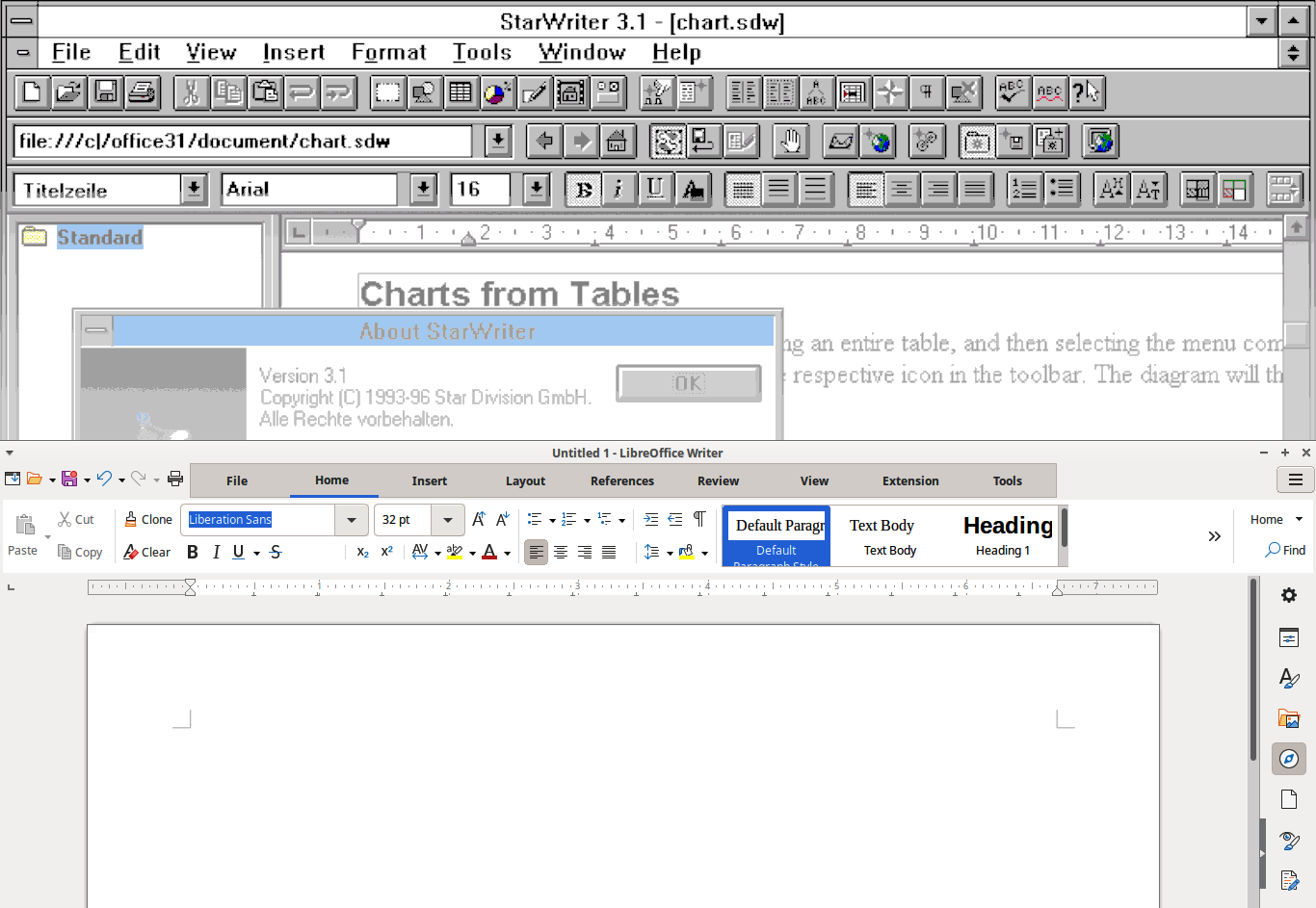
StarWriter 3.1 (screenshot courtesy of WinWorld) and modern LibreOffice
Sorry to say that I have no contact any more with my has-been workmates. I left Star Division somewhat frustrated because it took so long for the good concepts to materialize and also, because I felt, I was not the right man to promote that. But I also had a pregnant girlfriend (now my wife) in Berlin, which was even a better reason to say good-bye.
Frankly, I was relieved and amazed to see the first product. It was not free at that time. I don’t think it really paid for Marco before it went to Sun Microsystems – anyway there was no free download. With my Zyxel 14.400 baud modem, it had taken a long time anyway. I got versions on batches of CDs from time to time from my friend Stefan, though, who was still with the project.
I was not so happy with the application at first, because at that time it was a monolithic “desktop” with all applications in its belly (like Writer, Calc, Impress and Draw, I believe), which took ages on my machine to load. I would have loved to see more collaboration in it: at that time that would meant an e-mail client and calendar.
Sometimes I thought to myself, “If I had to decide …” but ended with a sigh :“There would be no Star Writer to this very day”. In fact, it would be another interesting story, which changes it took to finally make it happen.
I never had Microsoft Office for myself (I like Microsoft Publisher for the themes and the artwork that came bundled with it, but somehow Pokémon Druckstudio was an acceptable replacement). I had to buy a Microsoft licence for my children though, because teachers did not expect that someone would not have access to Microsoft Office, and I was hesitant to end my child’s learning career over this.
I use LibreOffice almost every day now. It has all I need, and probably much more.
I use LibreOffice for my everyday correspondence, and less often I use it to create PDF files for printing. I have a nice set of Star Basic macros, and a good document template I load all the formatting from, to create a good-looking A5 format book from a text file or a website, in no time at all. Creating PDF files is very easy in LibreOffice, yet it has some uncommon features that come in very handy at times, like the option to export also blank pages (that would usually be omitted). Believe me, you don’t want to go to print without the blank pages.
The E-books that I create from the same document (printing is a bit out of fashion) have no frills (they could have, of course) but they are nice to read. I confess that I find it very convenient to load them into my Kindle account, from which I can read them on any device that comes near to me.
Well, I’m not a young man anymore, I like to say that before anyone else does, and programming to empower users (with more luck in later projects) is still my passion to this day. The StarOffice project has been with me more or (sometimes) less all the way, a bit like a child I gave up for adoption at an early age.
TDF says: Thanks to Stefan for the insights into the early days of StarOffice – and we’re happy to hear that he’s still using LibreOffice today!
Marco Marega writes:
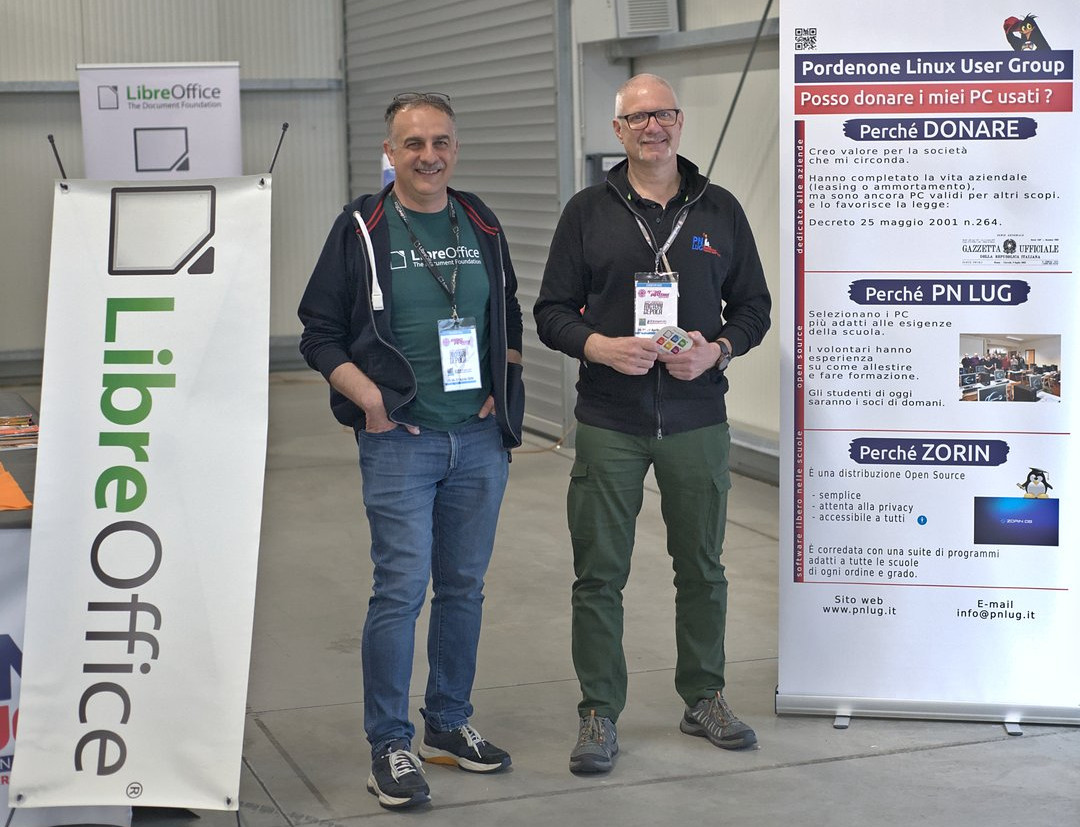
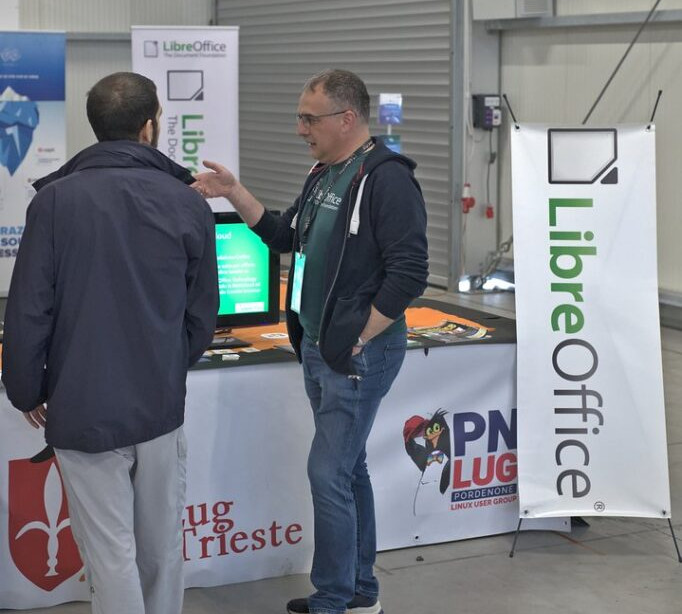
Hi, I’m Marco, an Italian translator and Member of The Document Foundation. Twice a year I take part in an event in Pordenone to promote LibreOffice within the stand “Linux Arena” of the PNLUG Linux User Group. It’s inside a local fair, part of which is dedicated to technology, makers, electronics and so on.
For the event from April 25 – 27 we had a LibreOffice stand with a 32″ monitor, showing an Impress presentation about LibreOffice on a loop. At the stand I met different interested people – some of whom I already know since they visit the fair regularly, while others I saw for the first time.
There is always curiosity about LibreOffice, and this time I noticed an increasing demand about AI integration and related plugins. The LibreOffice coffee/beer mats were very much appreciated by visitors to the stand.
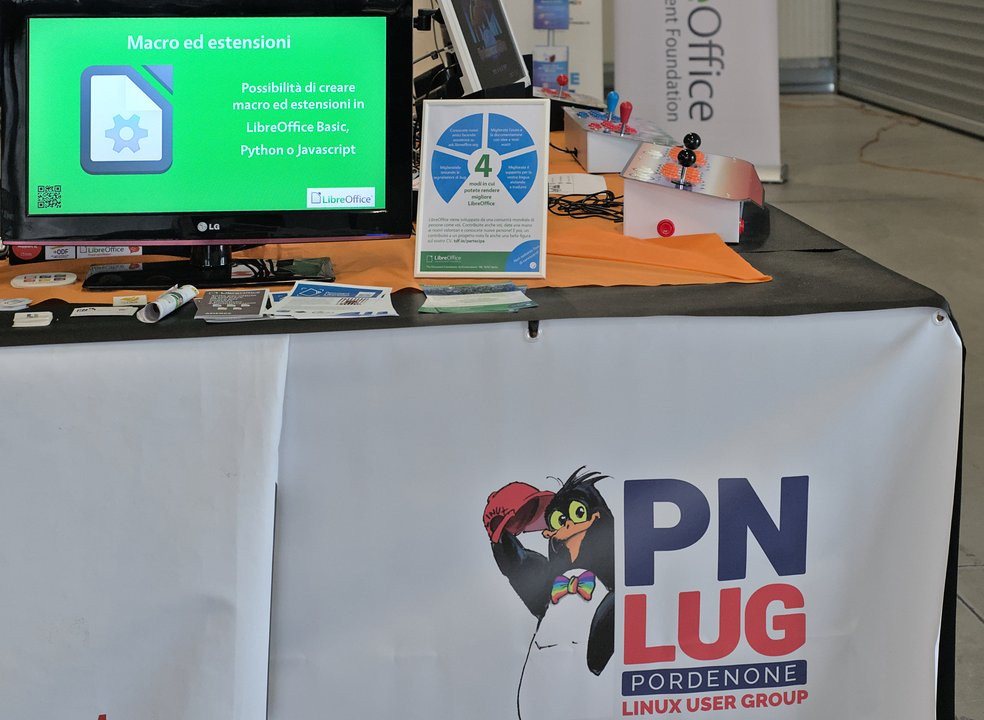
The Pordenone Linux User Group invited other associations to share the stand, so there were also:
The next edition of the event will be on 22 – 23 November.